
1. Introduction
This manual provides essential information for the safe and effective use of your PKPOWER AC Adapter. This adapter is designed to provide reliable power to compatible TruTech DVD players, specifically models PVS12701, PVS12701b, and PVS12701C. Please read these instructions carefully before use and retain them for future reference.
2. Safety Information
To ensure safe operation and prevent damage, observe the following safety guidelines:
- Input Voltage: Ensure the wall outlet voltage is within the adapter's specified input range (100-240V 50-60Hz).
- Protection Features: This adapter includes Over Voltage Protection (OVP), Over Current Protection (OCP), and Short Circuit Protection (SCP) to safeguard your devices.
- Environment: Use the adapter in a dry environment. Avoid exposure to water, moisture, or extreme temperatures.
- Ventilation: Do not cover the adapter during use, as this may lead to overheating.
- Damage: Do not use the adapter if the cord or plug is damaged. Do not attempt to open or repair the adapter yourself.
- Children: Keep the adapter out of reach of children.
3. Setup
Follow these steps to set up your PKPOWER AC Adapter:
- Inspect the Adapter: Before connecting, visually inspect the adapter and its cable for any signs of damage.
- Connect to Device: Insert the adapter's output connector firmly into the power input port of your TruTech DVD player. Ensure a secure connection.
- Connect to Power Outlet: Plug the adapter's AC input prongs into a standard wall power outlet.
- Verify Power: Once connected, your DVD player should receive power. Refer to your DVD player's manual for specific power indicator lights.

Figure 1: PKPOWER AC Adapter showing the input prongs and output cable.
4. Operating Instructions
The PKPOWER AC Adapter operates automatically once connected to a power source and your compatible device. No user intervention is required for its basic function.
- Ensure the adapter is securely plugged into both the wall outlet and the DVD player.
- Power on your TruTech DVD player as per its own operating instructions.
- To disconnect, first power off your DVD player, then unplug the adapter from the wall outlet, and finally disconnect it from the DVD player.

Figure 2: Front view of the adapter displaying input specifications (100-240VAC 0.3A 50/60Hz).
5. Maintenance
Proper maintenance ensures the longevity and performance of your AC adapter:
- Cleaning: Disconnect the adapter from all power sources before cleaning. Use a soft, dry cloth to wipe the exterior. Do not use liquid cleaners or solvents.
- Storage: When not in use, store the adapter in a cool, dry place, away from direct sunlight and extreme temperatures. Avoid tightly coiling the cable to prevent damage.
- Cable Care: Do not bend, twist, or pull the cable excessively. Avoid placing heavy objects on the cable.
6. Troubleshooting
If you encounter issues with your PKPOWER AC Adapter, refer to the following common solutions:
| Problem | Possible Cause | Solution |
|---|---|---|
| DVD player does not power on. | Adapter not properly connected. | Ensure the adapter is fully plugged into both the wall outlet and the DVD player. |
| Wall outlet is not active. | Test the wall outlet with another device to confirm it has power. | |
| Adapter or cable is damaged. | Discontinue use if damage is visible. Contact customer support for assistance. | |
| Adapter feels excessively hot. | Poor ventilation or overload. | Ensure the adapter is in a well-ventilated area. Disconnect if overheating persists and contact support. |
7. Specifications
Key technical specifications for the PKPOWER AC Adapter:
- Input: 100-240V AC, 50-60Hz, 0.3A
- Output: 8V DC, 2A (20 Watts)
- Connector Type: Plug
- Compatible Devices: TruTech PVS12701, PVS12701b, PVS12701C DVD Players
- Color: Black
- Weight: Approximately 85g
- Certifications: CE, FCC, RoHS compliant
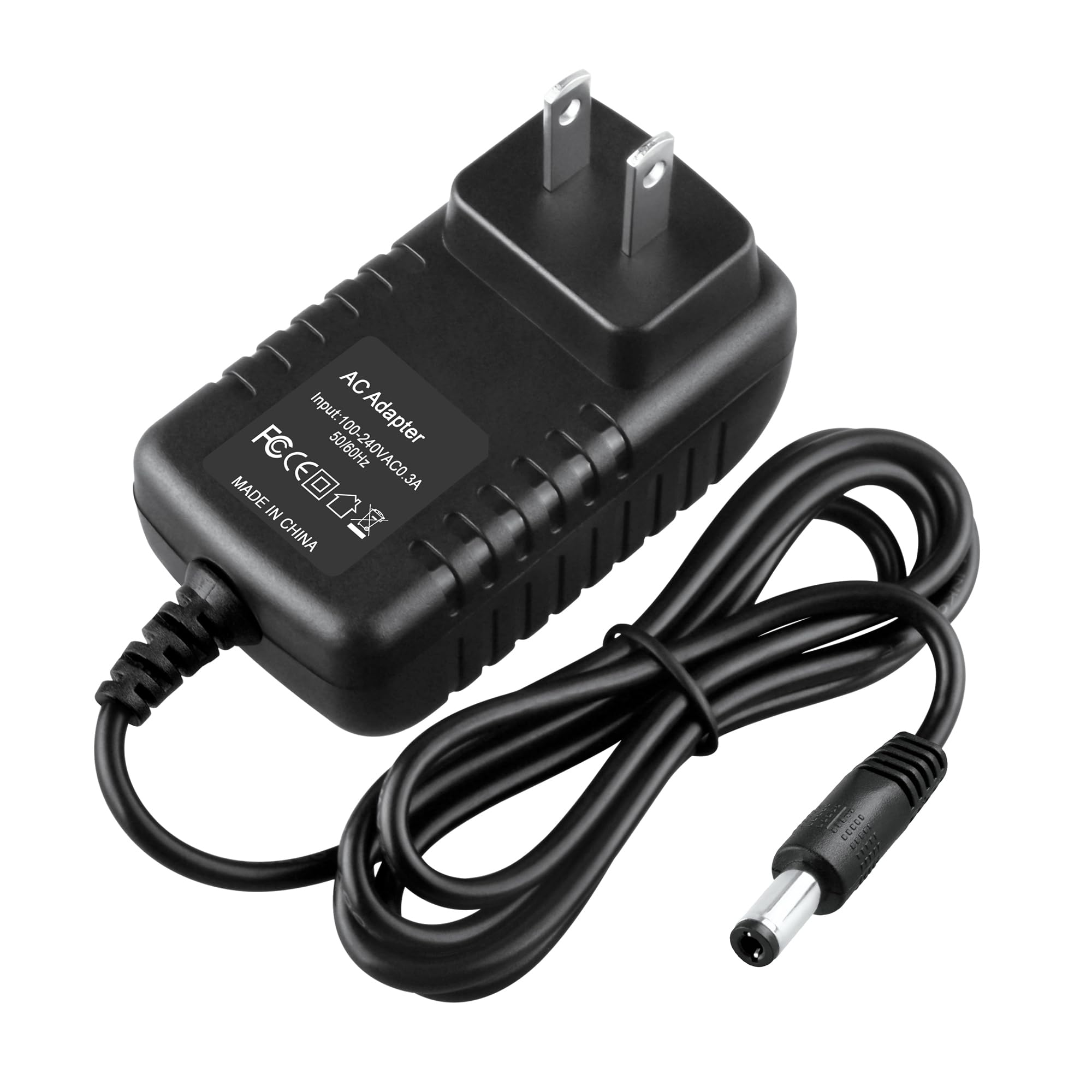
Figure 3: Adapter dimensions: approximately 2.92 inches (length) x 1.58 inches (width) x 1.18 inches (height).
8. Warranty and Support
Warranty: This PKPOWER AC Adapter is covered by a 1-year manufacturer's warranty from the date of purchase. This warranty covers defects in materials and workmanship under normal use.
Exclusions: The warranty does not cover damage caused by misuse, accident, unauthorized modification, or improper installation.
Customer Support: For warranty claims, technical assistance, or any questions regarding your PKPOWER product, please contact our customer service. Our friendly and reliable customer service team aims to respond within 24 hours.
For further information or to contact support, please visit the PKPOWER Store on Amazon.