
1. Introduction
This manual provides detailed instructions for the installation, operation, and maintenance of the Circutor CEM-C30-312 MID Three-Phase Indirect Energy Meter. This device is designed for accurate measurement of electrical energy in industrial and commercial applications, featuring indirect measurement capabilities for integration with current transformers.
The CEM-C30-312 MID is a compact and reliable solution for energy monitoring, cost control, and reporting to remote management systems. Please read this manual thoroughly before installation and operation to ensure safe and efficient use of the product.
2. Safety Information
WARNING: Electrical shock hazard. Installation and servicing must be performed by qualified personnel only.
- Always disconnect power to the circuit before installing, servicing, or removing the meter.
- Ensure all connections are secure and comply with local electrical codes and regulations.
- Do not operate the device if it appears damaged.
- The meter is designed for indoor use in a dry environment, within specified temperature and humidity ranges.
- Use appropriate personal protective equipment (PPE) during installation.
3. Package Contents
Verify that your package contains the following items:
- Circutor CEM-C30-312 MID Energy Meter
- This User Instruction Manual
If any items are missing or damaged, please contact your supplier immediately.
4. Product Features
The Circutor CEM-C30-312 MID energy meter offers a range of advanced features for precise energy monitoring:
- Three-Phase Indirect Measurement: Designed for 5(10)A indirect measurement, requiring external current transformers.
- LCD Display: A 7-digit LCD with rotating screens for easy data visualization.
- Communication Port: Features an optical communication port (OSC System) for connecting a communication module (CEM-M).
- User Interface: Two control buttons (one sealable) for navigating and displaying measured information.
- MID Certification: Certified according to MID module B+D, ensuring accuracy and compliance for billing purposes.
- Accuracy Classes: Class 1 for active energy (Class B according to MID) and Class 2 for reactive energy.
- Standards Compliance: Conforms to EN 50470 (European MID standard) or IEC 62052-11 (international standard).
- Compact Design: Reduced size (4 modules, 72 mm) for DIN rail mounting.
- Resettable Partial Counter: Allows for monitoring energy consumption over specific periods.
- Pulse Output: One programmable pulse output according to DIN 43864.
- Connection Error Indication: Display indication for incorrect wiring.
- Energy Accumulation: Continues to accumulate energy even in case of incorrect connection.
- Redundant Counter: Provides a redundant counter to verify energy billed by the distributor.
- Remote Reporting: Capable of reporting energy consumption to remote systems (PLC/BMS).
- Cost Control: Facilitates cost control for calculating consumption/unit ratios in industrial processes.
- Parameter Display: Visualizes electrical parameters (Voltage, Current, Active Power, Active Energy, Power Factor, etc.) per phase and three-phase.
5. Installation (Setup)
The Circutor CEM-C30-312 MID is designed for DIN rail mounting. Ensure all safety precautions are followed before beginning installation.
5.1 Mounting
- Ensure the power supply to the installation is completely disconnected.
- Mount the meter onto a standard DIN rail (35mm) in an electrical panel.
- Ensure adequate ventilation around the meter to prevent overheating.
5.2 Wiring Connections
The CEM-C30-312 MID uses indirect measurement, requiring external current transformers (CTs). Refer to the wiring diagram provided with your current transformers and the meter for precise connections. Below is a general guide:
- Voltage Connections: Connect the voltage inputs (L1, L2, L3, N) to the corresponding phases and neutral of the electrical system.
- Current Transformer Connections: Connect the secondary outputs of the current transformers (e.g., S1, S2) for each phase to the meter's current input terminals. Ensure correct polarity.
- Pulse Output: If using the pulse output, connect it to the desired external device (e.g., PLC, BMS) according to DIN 43864.
- Optical Port: The lateral optical port is for connecting the optional CEM-M communication module.
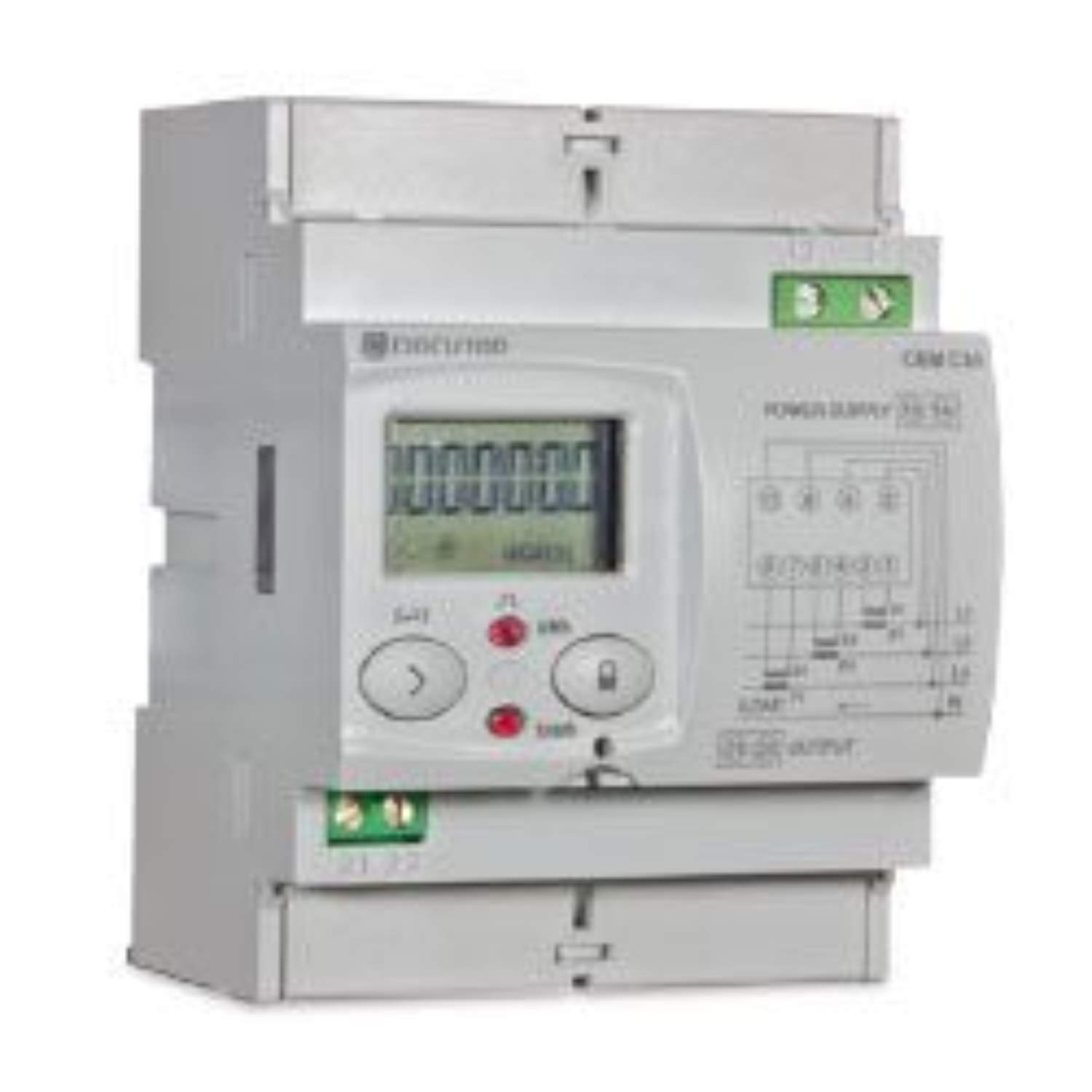
Front view of the Circutor CEM-C30-312 MID energy meter, showing the LCD display and control buttons, designed for DIN rail mounting. This image illustrates the physical appearance of the device.
Important: Incorrect wiring can lead to inaccurate readings or damage to the meter. Always double-check all connections before restoring power.
6. Operation
Once installed and powered, the CEM-C30-312 MID will begin measuring electrical energy. The meter's operation is primarily managed through its LCD display and two control buttons.
6.1 Display and Navigation
The 7-digit LCD display shows various electrical parameters in a rotating sequence. Use the control buttons to manually cycle through the available screens or access specific functions.
- Button 1 (Unsealable): Typically used for navigating through display screens and confirming selections.
- Button 2 (Sealable): Often used for resetting partial counters or accessing advanced settings. This button is typically sealed after commissioning to prevent unauthorized resets.
Commonly displayed parameters include:
- Total Active Energy (kWh)
- Partial Active Energy (kWh)
- Total Reactive Energy (kvarh)
- Instantaneous Voltage (V) per phase
- Instantaneous Current (A) per phase
- Instantaneous Active Power (kW) per phase and total
- Power Factor (PF)
- Frequency (Hz)
6.2 Resetting Partial Counter
To reset the partial energy counter, press and hold the designated (sealable) button for a few seconds until the display confirms the reset. This function is typically protected to prevent accidental data loss.
7. Technical Specifications
| Category | Parameter | Value |
|---|---|---|
| Power Supply Circuit | Nominal Voltage | 230 Vc.a. / 127 Vc.a. (model dependent) |
| Tolerance | ± 20% | |
| Frequency | 50 - 60 Hz | |
| Consumption | <2 W / 10 VA | |
| Voltage Measurement Circuit | Connection | Three-phase |
| Reference Voltage | 3 x 57/100 - 3 x 230/400 Vc.a. | |
| Self-consumption | <2 W / 10 VA | |
| Current Measurement Circuit | Nominal Current (In) | 5 A |
| Maximum Current | 10 A | |
| Self-consumption | <0.1 % of In | |
| Accuracy | Active Energy | Class B (EN 50470), Class 1 (IEC 62053-21) |
| Reactive Energy | Class 2.0 (IEC 62053-23) | |
| Pulse Output | Type | Opto-coupled |
| Electrical Characteristics | Max. 24 Vc.c., 50 mA | |
| Environmental Characteristics | Operating Temperature | -25 to +70 °C |
| Relative Humidity | 5-95% non-condensing | |
| Mechanical Characteristics | Protection Degree | IP 51 (Installed) / IP 40 (Terminals) |
| Dimensions (W x H x D) | 70 x 90 x 64 mm | |
| Weight | 400 g | |
| Material | ABS + Polycarbonate V0 Self-extinguishing |
8. Maintenance
The Circutor CEM-C30-312 MID energy meter is designed for long-term, maintenance-free operation. However, periodic checks can help ensure its continued performance.
- Cleaning: Gently wipe the exterior of the meter with a soft, dry cloth. Do not use abrasive cleaners, solvents, or liquids that could enter the device.
- Visual Inspection: Periodically inspect the meter for any signs of physical damage, loose connections, or discoloration.
- No User-Serviceable Parts: The meter contains no user-serviceable parts. Do not attempt to open or repair the device, as this will void the warranty and may pose a safety risk.
9. Troubleshooting
If you encounter issues with your CEM-C30-312 MID meter, refer to the following common problems and solutions:
- No Display:
- Check if the power supply to the meter is active.
- Verify all voltage connections are secure and correct.
- Incorrect Readings / "Mal Conexionado" (Incorrect Connection) Message:
- Ensure current transformer (CT) connections are correct, paying attention to polarity.
- Verify voltage connections are correctly matched to phases.
- Confirm the CT ratio settings (if applicable and configurable) match your installed CTs.
- Buttons Unresponsive:
- Ensure the meter is powered on.
- If a button is sealed, it may be intentionally disabled for certain functions.
If the problem persists after attempting these solutions, please contact Circutor technical support.
10. Warranty and Support
Circutor products are manufactured to high-quality standards and are covered by a standard warranty against defects in materials and workmanship. For specific warranty terms and conditions, please refer to the documentation provided at the time of purchase or visit the official Circutor website.
For technical assistance, troubleshooting, or warranty claims, please contact Circutor customer support through their official channels. When contacting support, please have your product model (CEM-C30-312 MID) and serial number (if applicable) ready.
Circutor Official Website: www.circutor.com


