
Introduction
The Boltzen Came-TV 55W Daylight COB LED Video Light is a versatile and powerful lighting solution designed for various photography and videography applications. It features an adjustable Fresnel lens for focusing light, and removable barn doors for precise beam control. With multiple power options and a quiet cooling fan, this light is suitable for both studio and on-location use.
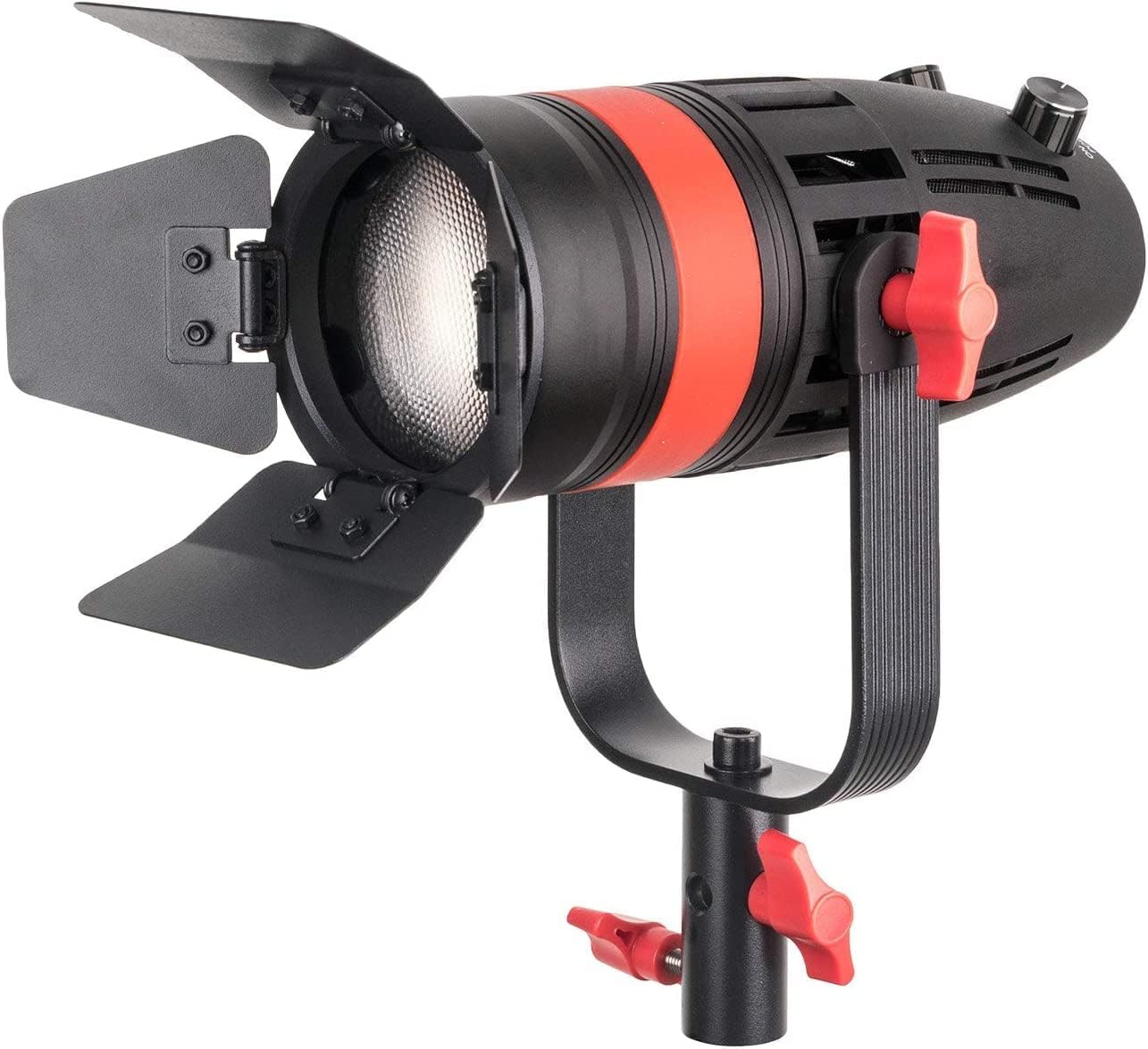
Image: The Boltzen Came-TV 55W Daylight COB LED Video Light.
Key Features
- Enhanced Output: Despite its compact size, the Boltzen 55W Daylight Focus LED delivers powerful illumination, achieving over 21,000 lux in full spot mode and 6800 lux in flat mode. It boasts high CRI 96+ and TLCI ratings for natural and accurate color reproduction. Ideal for videographers, portrait photographers, event coverage, and product photography where LED precision is crucial.
- Design Highlights: This photographic light features an adjustable Fresnel lens to focus the light for a longer throw. The barn doors allow for precise control over the shape and spread of the LED light. The built-in fan dissipates heat without interfering with audio recording, being nearly inaudible at 1 meter.
- Power Options: The Boltzen LED Fresnel offers multiple power options for convenience on set or location: the included AC adapter, V-mount batteries via the included V-mount adapter cable, or common NP-series batteries.
- Compact Operation: The Boltzen lighting kit, with its focusable LED, is compatible with Bowens Mount soft light modifiers.
- Easy Setup: The dimming knob provides stepless control over the light level required for your shoot. The included filter set contains soft, milky white, and orange filters, allowing you to change the color temperature to match existing setups or create specific lighting looks.

Image: Visual representation of the light's adjustable features and components.

Image: Overview of the various power supply options for the light.
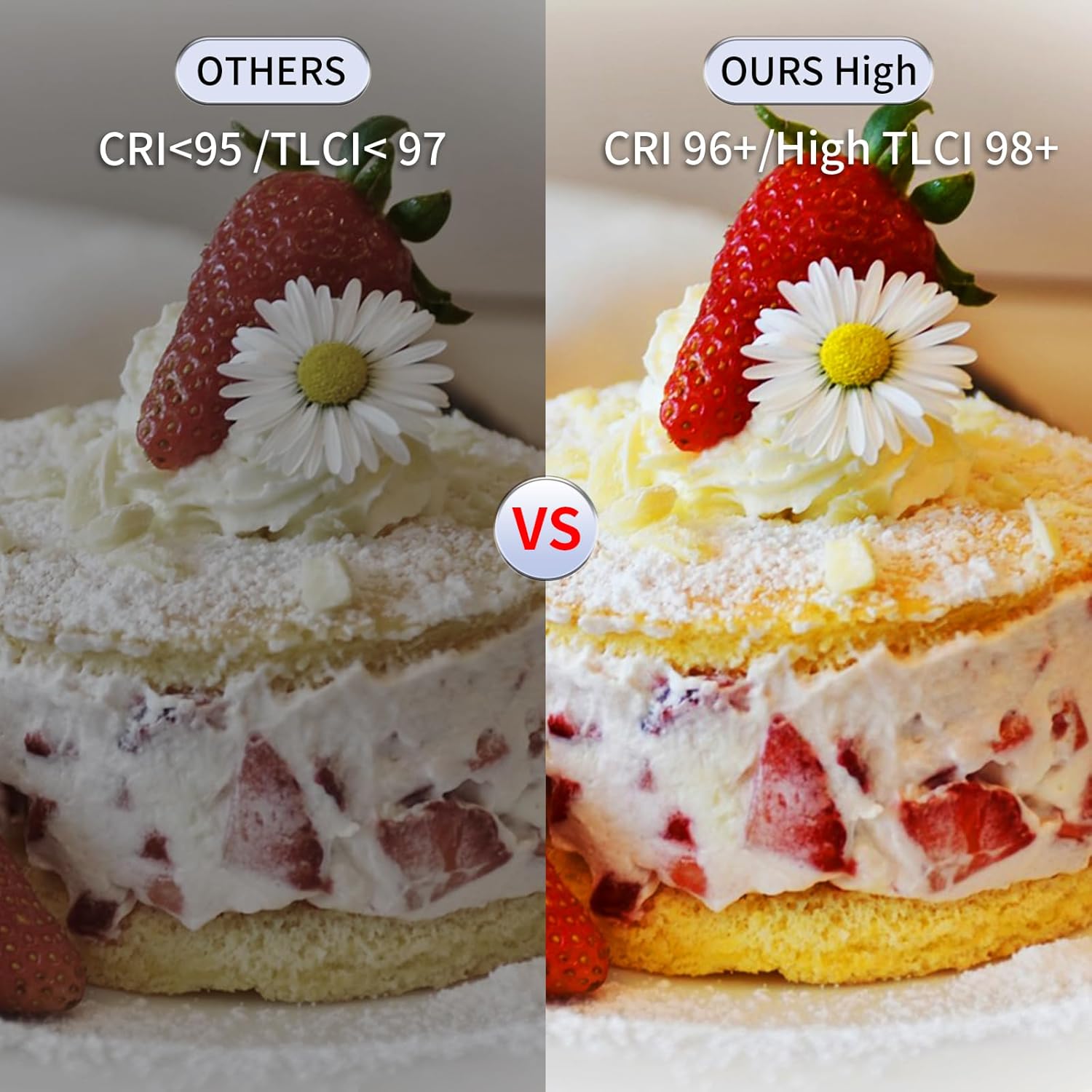
Image: Color rendering index (CRI) and Television Lighting Consistency Index (TLCI) comparison.
Components Overview
Familiarize yourself with the main components of your Boltzen Came-TV 55W LED Video Light:

Image: Labeled diagram of the Boltzen Came-TV 55W LED Video Light, highlighting key controls and ports.
- Focusable Knob: Adjusts the beam angle from spot to flood.
- Power On/Off Button: Turns the light unit on or off.
- Dimmer Knob: Controls the brightness intensity of the light.
- LCD Display: Shows current settings such as brightness and color temperature (fixed at daylight for this model).
- Wi-Fi App / 2.4G Remote Port: For connecting to a remote control or mobile application (if supported).
- DC 7.4~14.8V Input: Power input for external DC sources.
- NP Battery Adapter: Mount for NP-series batteries (batteries not included).
Setup
Mounting the Light
- Attach the light unit to a compatible light stand using the integrated yoke and mounting screw.
- Secure the light by tightening the red knob on the yoke.
Powering the Light
The Boltzen 55W light offers flexible power options:
- AC Power: Connect the included AC power adapter to the DC input port on the light and plug it into a wall outlet.
- NP-Series Batteries: Slide a compatible NP-series battery onto the NP battery adapter slot until it clicks into place. (Batteries sold separately).
- V-Mount Batteries: Connect a V-mount battery to the light using the included V-mount adapter cable. (Batteries sold separately).
Attaching Accessories
- Fresnel Lens: The detachable Fresnel lens can be attached to the front of the light to focus the beam. Align the lens with the front of the light and twist to secure.
- Barn Doors: The included barn doors attach to the front of the light. These allow you to shape and control the light beam.
Operating Instructions
Power On/Off
Press the Power On/Off button to turn the light on or off.
Adjusting Brightness (Dimmer)
Rotate the Dimmer Knob to increase or decrease the light intensity. The current brightness level will be displayed on the LCD screen.
Adjusting Beam Angle (Focusable Lens)
If the Fresnel lens is attached, rotate the Focusable Knob to adjust the beam angle from a narrow spot (15°) to a wide flood (60°).
Using Barn Doors
Adjust the individual leaves of the barn doors to control the direction and shape of the light beam, preventing unwanted light spill.
Monitoring Settings (LCD Display)
The LCD display provides real-time information on the light's operational status, including brightness percentage and color temperature (fixed at daylight for this model).
Remote Control
This unit supports Wi-Fi App and 2.4G remote control for convenient adjustments from a distance. Refer to the separate remote control manual for pairing and operation instructions.
Maintenance
- Cleaning: Use a soft, dry cloth to clean the exterior of the light. For the lens, use a lens cleaning solution and a microfiber cloth. Do not use harsh chemicals or abrasive materials.
- Storage: Store the light in a cool, dry place, away from direct sunlight and excessive humidity. Use the provided carrying bag for protection during transport and storage.
- Battery Care: If using batteries, ensure they are charged regularly and stored according to the battery manufacturer's guidelines. Remove batteries if the light will not be used for an extended period.
Troubleshooting
| Problem | Possible Cause | Solution |
|---|---|---|
| Light does not turn on. | No power supply; loose connection; faulty power adapter/battery. | Check AC adapter connection or battery charge. Ensure power button is pressed. Try a different power source. |
| Light output is weak. | Dimmer setting is low; battery is low. | Increase brightness using the dimmer knob. Recharge or replace battery. |
| Fan noise is audible. | Normal operation; fan is working to cool the unit. | The fan is designed to be quiet at 1 meter. Ensure adequate ventilation around the unit. |
| Barn doors are flimsy. | Wear and tear from frequent use. | Handle barn doors carefully. If severely damaged, consider replacement. |
Specifications
| Feature | Detail |
|---|---|
| Brand | Came-TV |
| Model Number | F-55W |
| UPC | 851747007179 |
| Connectivity Technology | HDMI (Note: This specification may be a generic data entry and not directly applicable to the light's primary function.) |
| Hardware Interface | HDMI (Note: This specification may be a generic data entry and not directly applicable to the light's primary function.) |
| Number of Items | 1 |
| Included Components Count | 1 |
| Unit Count | 1.0 Unit |
| Package Count | 1 |
| Flash Function | Constant illumination, brightness adjustment, color temperature adjustment. |
| Self-Timer | No |
| Waterproof Type | Not waterproof |
| Compatible Devices | Bowens Mount soft light modifiers, NP-series batteries, V-mount batteries. |
| Exposure Control Type | Manual |
| File Format | Bowens Mount (Refers to the mount type for accessories, not a digital file format.) |
| Recording Function | No |
| Recommended Media/File | Extended content (Generic specification, not specific to this product.) |
| Shooting Function | Brightness, color temperature. |
| Viewfinder Type | Optical viewfinder (Note: This specification is incorrect for a video light and likely a generic data entry.) |
Warranty and Support
For warranty information and technical support, please refer to the official Came-TV website or contact your authorized dealer. Keep your purchase receipt as proof of purchase for any warranty claims.
Usage Scenarios
The Boltzen Came-TV 55W LED Video Light is suitable for a variety of professional and creative lighting applications:

Image: Examples of the Boltzen Came-TV 55W LED Video Light in use for different types of media production.
- Food Photography: Provides focused and color-accurate lighting to enhance food presentation.
- Studio Interviews: Offers controlled and consistent illumination for professional interview setups.
- Video Shooting: Delivers reliable daylight illumination for various video production needs.
- Internet Broadcast: Ensures high-quality lighting for live streaming and online content creation.