1. Introduction
Thank you for choosing the Volkano Diamond Series USB Powered Speakers. These speakers are designed to provide a convenient and portable audio solution for your computer or other USB-compatible devices. Please read this manual carefully before using the product to ensure proper operation and to maximize its lifespan.
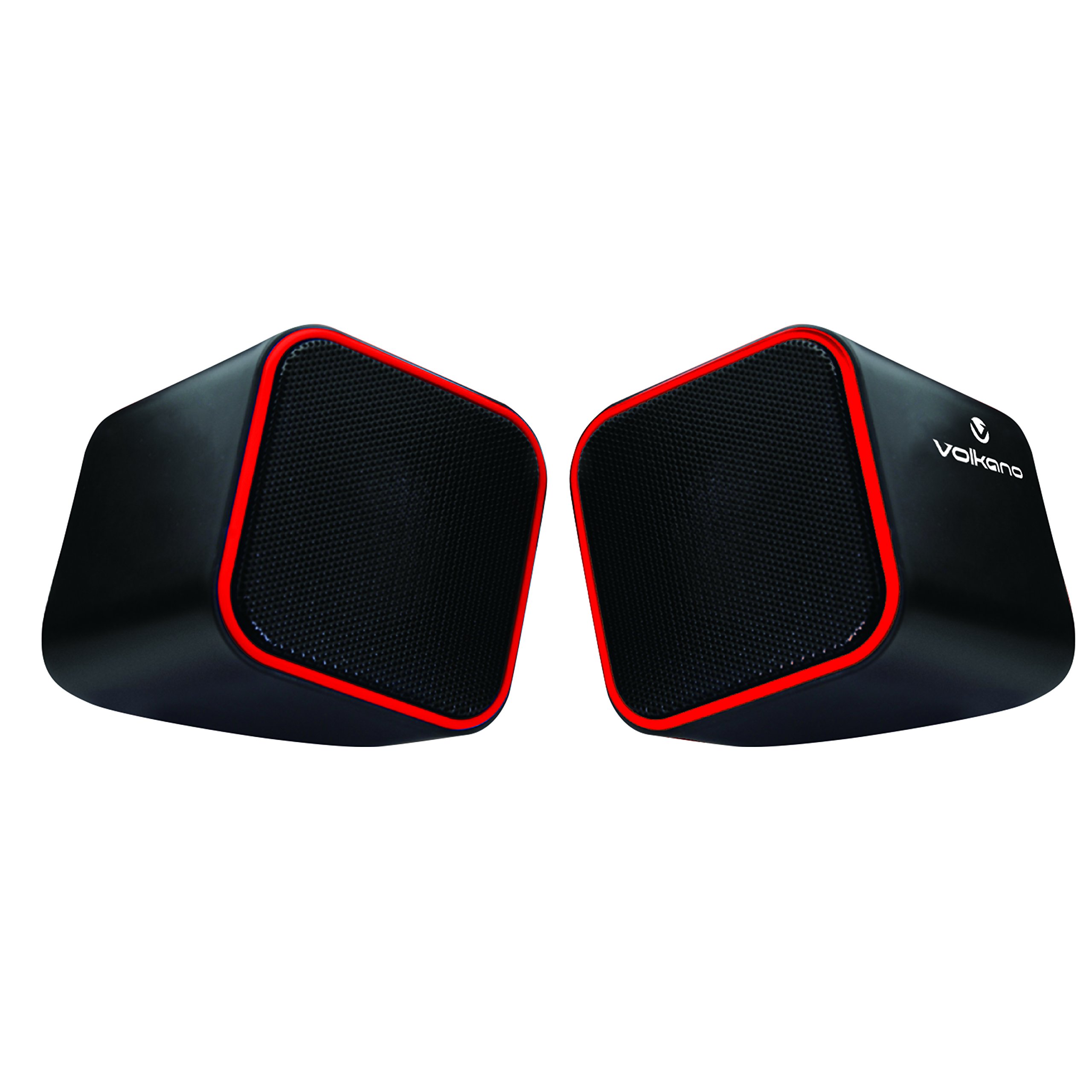
Figure 1: Volkano Diamond Series USB Powered Speakers (Red)
This image displays the Volkano Diamond Series USB Powered Speakers in their red color variant. The speakers feature a compact, cubic design with a mesh grille on the front and a red trim around the edges. The Volkano logo is visible on the side of one speaker.
2. Safety Information
- Do not expose the speakers to water or moisture.
- Avoid extreme temperatures or direct sunlight.
- Do not attempt to disassemble or modify the speakers. This will void the warranty.
- Keep out of reach of children.
- Clean only with a dry, soft cloth.
- Ensure proper ventilation around the speakers during use.
3. Package Contents
Please check the package contents to ensure all items are present:
- 1 x Volkano Diamond Series USB Powered Speakers (Red)
- 1 x Instruction Manual
4. Product Overview
The Volkano Diamond Series speakers are designed for simplicity and portability. They feature a compact design and are powered directly via USB, eliminating the need for an external power adapter.

Figure 2: Speaker connections (Note: Product color is Red)
This image shows the rear view of the Volkano Diamond Series speakers, highlighting the integrated USB power cable and the 3.5mm audio jack cable. These are the primary connections for both power and audio input.

Figure 3: USB and Audio Cables with Volume Control
This image details the USB power cable, the 3.5mm audio jack, and the inline volume control unit. The volume control allows for easy adjustment of audio output.
5. Setup
Follow these steps to set up your Volkano Diamond Series speakers:
- Connect the USB Cable: Plug the USB-A connector into an available USB port on your computer, laptop, or a compatible USB power adapter. This provides power to the speakers.
- Connect the Audio Cable: Plug the 3.5mm audio jack into the headphone or audio output port of your computer, laptop, smartphone, or other audio source.
- Position Speakers: Place the speakers on a flat, stable surface, ensuring they are positioned for optimal sound delivery.
- Power On: The speakers will power on automatically once the USB cable is connected and receiving power.

Figure 4: Speakers connected to a computer (Note: Product color is Red)
This image illustrates the Volkano Diamond Series speakers positioned next to a computer monitor, demonstrating a typical setup. The cables are connected to the computer, ready for audio playback.
6. Operating Instructions
Once connected, operating your Volkano Diamond Series speakers is straightforward:
- Volume Control: Use the inline volume control dial on the cable to adjust the speaker's output volume. Turn the dial clockwise to increase volume and counter-clockwise to decrease it.
- Audio Source Volume: You can also control the volume from your connected audio source (e.g., computer's system volume, media player volume).
- Power Off: To turn off the speakers, simply disconnect the USB power cable from its source.
7. Maintenance
Proper maintenance ensures the longevity of your speakers:
- Cleaning: Use a soft, dry, lint-free cloth to wipe the exterior of the speakers. Do not use liquid cleaners, aerosols, or solvents.
- Storage: When not in use for extended periods, store the speakers in a cool, dry place away from direct sunlight and extreme temperatures.
- Cable Care: Avoid bending or crimping the cables excessively to prevent internal damage.
8. Troubleshooting
If you encounter issues with your speakers, refer to the following common problems and solutions:
| Problem | Possible Cause | Solution |
|---|---|---|
| No sound from speakers. |
|
|
| Sound is distorted or unclear. |
|
|
| Speakers not recognized by computer. |
|
|
9. Specifications
| Feature | Detail |
|---|---|
| Model Name | Diamond Series |
| Item Model Number | VB-702-RED |
| Colour | Red |
| Speaker Type | Multimedia |
| Connectivity Technology | USB |
| Power Source | Corded Electric (USB Powered) |
| Speaker Maximum Output Power | 6 Watts |
| Audio Output Mode | Stereo |
| Speaker Size | 2 Inches |
| Product Dimensions | 15D x 15W x 15H centimetres |
| Material | Plastic |
| Special Feature | Portable |
| Recommended Uses | For Music Players |
10. Warranty Information
The Volkano Diamond Series USB Powered Speakers come with a 1 Year Limited Warranty from the manufacturer. This warranty covers defects in materials and workmanship under normal use. Please retain your proof of purchase for warranty claims.
For extended coverage, Volkano offers an additional 12-Month extension upon product registration, totaling 24 Months of coverage. Visit the official Volkano website for registration details.
11. Customer Support
Should you have any questions, require assistance, or need to make a warranty claim, please contact Volkano customer support. Your satisfaction is important to us.
- Online Support: Visit the official Volkano Page for assistance and to message us directly.
- Warranty Registration: Register your product to extend your warranty coverage.
Note: Specific contact details (e.g., phone number, email) are typically found on the official brand website or product packaging.


