
1. Introduction and Overview
This manual provides detailed instructions for the setup, operation, and maintenance of your Polk Audio AM1528 A Sound Bar System. This system is designed to enhance your home audio experience with clear sound and powerful bass, featuring a soundbar and a wireless subwoofer. It supports various connectivity options including Bluetooth, optical, and auxiliary inputs.
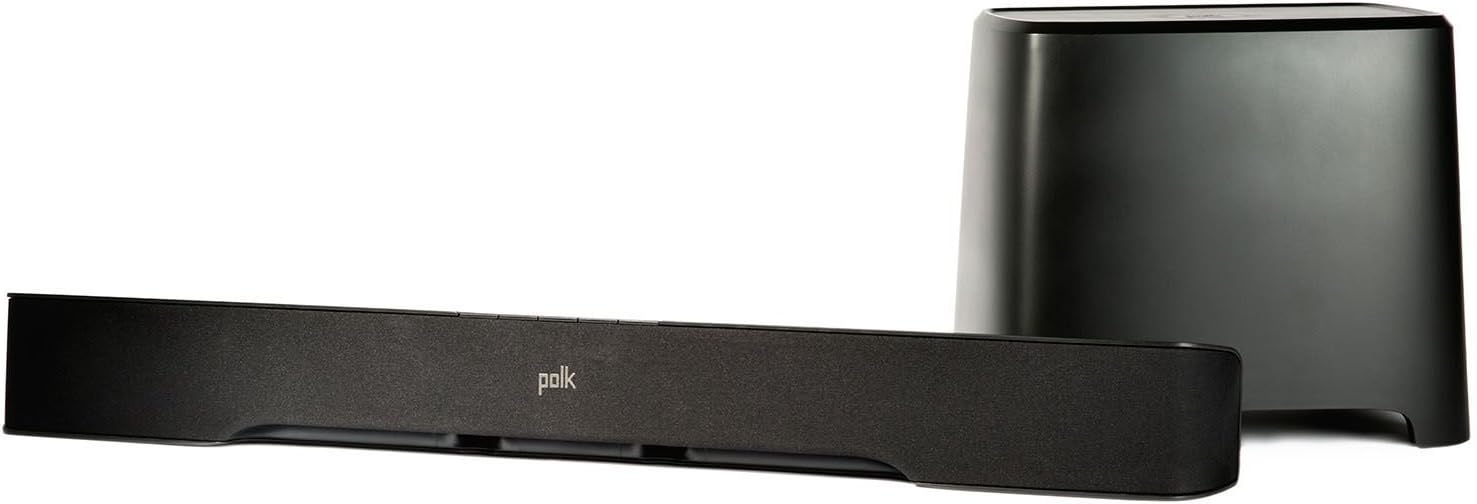
2. What's in the Box
Please check the contents of your package to ensure all items are present:
- Polk Audio Sound Bar (AM1528 A)
- Polk Audio Wireless Subwoofer
- Optical Cable
- Remote Control
- Power Cords (for soundbar and subwoofer)

3. Setup Guide
3.1. Physical Placement
Sound Bar: Place the sound bar centrally below your television. Ensure there are no obstructions in front of the sound bar that could block the sound. The sound bar can also be wall-mounted using its built-in keyhole slots.
Wireless Subwoofer: The wireless subwoofer can be placed anywhere in the room within 50 feet of the sound bar. For optimal bass performance, experiment with different locations, such as near a wall or in a corner.
3.2. Connecting to Your TV/Audio Sources
The sound bar offers multiple connection options:
- Optical Connection (Recommended): Use the included optical cable to connect the 'OPTICAL OUT' port on your TV to the 'OPTICAL IN' port on the sound bar. This connection provides the best audio quality, including Dolby Digital processing.
- Auxiliary Connection: For devices without an optical output, use a 3.5mm auxiliary cable (not included) to connect your device's audio output to the 'AUX IN' port on the sound bar.
3.3. Subwoofer Pairing
The wireless subwoofer is designed to automatically pair with the sound bar upon initial power-up. If pairing does not occur automatically, or if the connection is lost:
- Ensure both the sound bar and subwoofer are powered on.
- Press and hold the 'PAIR' button on the back of the subwoofer for a few seconds until the indicator light flashes.
- Within 30 seconds, press and hold the 'PAIR' button on the sound bar (refer to the sound bar's manual for exact location, usually on the back or bottom).
- The indicator lights on both units should turn solid, indicating a successful connection.
3.4. Power Connection
Connect the power cords to the sound bar and the wireless subwoofer, then plug them into a standard electrical outlet. The system will enter standby mode.
4. Operating Instructions
4.1. Basic Controls (Sound Bar & Remote)
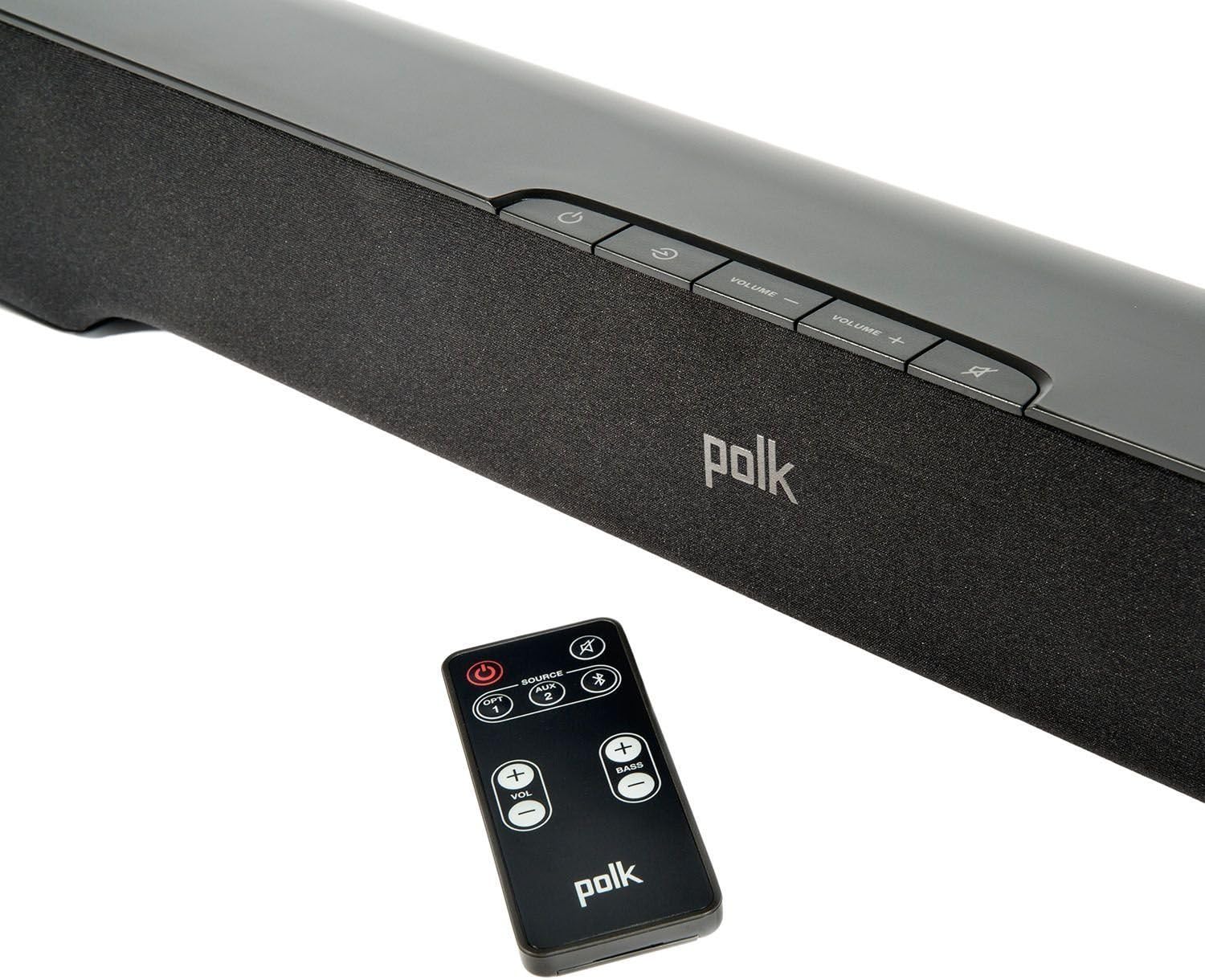
The sound bar can be controlled using the buttons on its top panel or the included remote control.
- Power Button: Turns the system on or off.
- Volume Up/Down: Adjusts the master volume level.
- Mute: Silences the audio output.
- Source/Input: Cycles through available audio inputs (Optical, AUX, Bluetooth).
- Bass +/-: Adjusts the subwoofer's bass level (remote control only).
4.2. Bluetooth Pairing
To stream audio wirelessly from your smartphone, tablet, or other Bluetooth-enabled device:
- Press the 'Source' button on the sound bar or remote until the Bluetooth input is selected (indicated by a blue light).
- On your Bluetooth device, enable Bluetooth and search for available devices.
- Select "Polk AM1528 A" (or similar name) from the list of devices.
- Once connected, the Bluetooth indicator light on the sound bar will turn solid blue. You can now play audio from your device.
4.3. Input Selection
Use the 'Source' button on the sound bar or remote control to switch between the connected audio sources: Optical, Auxiliary, and Bluetooth. The indicator lights on the sound bar will change color or pattern to indicate the active input.
4.4. SmartBar Remote Learning Technology
The SmartBar feature allows the sound bar to learn commands from your existing TV or cable box remote control. This enables you to control the sound bar's volume and mute functions using your primary remote, reducing remote clutter.
- Ensure the sound bar is on.
- Refer to the detailed instructions in the full user manual (available online) for the specific sequence to enter learning mode and program commands. Generally, this involves pressing a button on the sound bar, then pressing the corresponding button on your TV remote.
5. Maintenance
To ensure the longevity and optimal performance of your sound bar system:
- Cleaning: Use a soft, dry cloth to clean the surfaces of the sound bar and subwoofer. Do not use liquid cleaners or abrasive materials.
- Ventilation: Ensure adequate ventilation around both units to prevent overheating. Do not block any vents.
- Environment: Avoid exposing the system to extreme temperatures, humidity, or direct sunlight.
6. Troubleshooting
If you encounter issues with your Polk Audio Sound Bar System, refer to the following common problems and solutions:
| Problem | Possible Cause / Solution |
|---|---|
| No power | Ensure power cords are securely connected to both the unit and the electrical outlet. Try a different outlet. |
| No sound | Check that the correct input source is selected. Verify all audio cables are securely connected. Ensure TV audio output is set to external speakers or PCM. Increase volume on both the sound bar and TV. |
| Subwoofer not pairing | Ensure both units are powered on. Follow the manual pairing instructions in Section 3.3. Move subwoofer closer to the sound bar. |
| Bluetooth not connecting | Ensure the sound bar is in Bluetooth pairing mode. Delete "Polk AM1528 A" from your device's Bluetooth list and try pairing again. Move your device closer to the sound bar. |
| Remote control not working | Check and replace batteries. Ensure there are no obstructions between the remote and the sound bar's sensor. |
7. Specifications
- Model Name: AM1528 A
- Speaker Type: Sound Bar with Wireless Subwoofer
- Connectivity Technology: Bluetooth, Optical, Auxiliary
- Wireless Communication Technology: Bluetooth (aptX)
- Subwoofer Diameter: 6.5 Inches (downward-firing)
- Speaker Maximum Output Power: 120 Watts (Subwoofer)
- Control Method: Remote Control
- Product Dimensions (Sound Bar): Approximately 2.25"D x 3.25"W x 2.25"H (Note: This dimension seems unusually small for a soundbar, please refer to product packaging for exact dimensions if critical.)
- Mounting Type: Bar Mount, Wall Mount (via keyhole slots)
- Included Components: Soundbar, Wireless Subwoofer, Optical Cable
8. Warranty and Support
This Polk Audio Sound Bar System comes with a Limited Warranty. For specific details regarding warranty coverage, duration, and terms, please refer to the warranty card included with your product or visit the official Polk Audio website.
For technical support, troubleshooting assistance beyond this manual, or service inquiries, please contact Polk Audio customer support through their official channels.


