
Introduction
Thank you for choosing the auna Connect 90 Internet Radio. This manual provides essential information for the safe and efficient operation of your device. Please read it thoroughly before use and keep it for future reference. The auna Connect 90 offers versatile audio entertainment with Internet Radio, FM radio, and USB MP3 playback capabilities, all accessible via WiFi connectivity.
Safety Instructions
- Read all instructions carefully before operating the device.
- Keep the device away from water, moisture, and high humidity.
- Do not expose the device to direct sunlight or extreme temperatures.
- Ensure proper ventilation; do not block any ventilation openings.
- Use only the provided power adapter.
- Do not attempt to open or repair the device yourself. Refer all servicing to qualified personnel.
- Keep the device out of reach of children.
Package Contents
Please check that all items are present and in good condition:
- auna Connect 90 Internet Radio Unit
- Power Adapter
- Remote Control
- User Manual (this document)
Product Overview
Front Panel and Display
The front panel features the main display, control buttons, and the navigation dial for easy interaction.
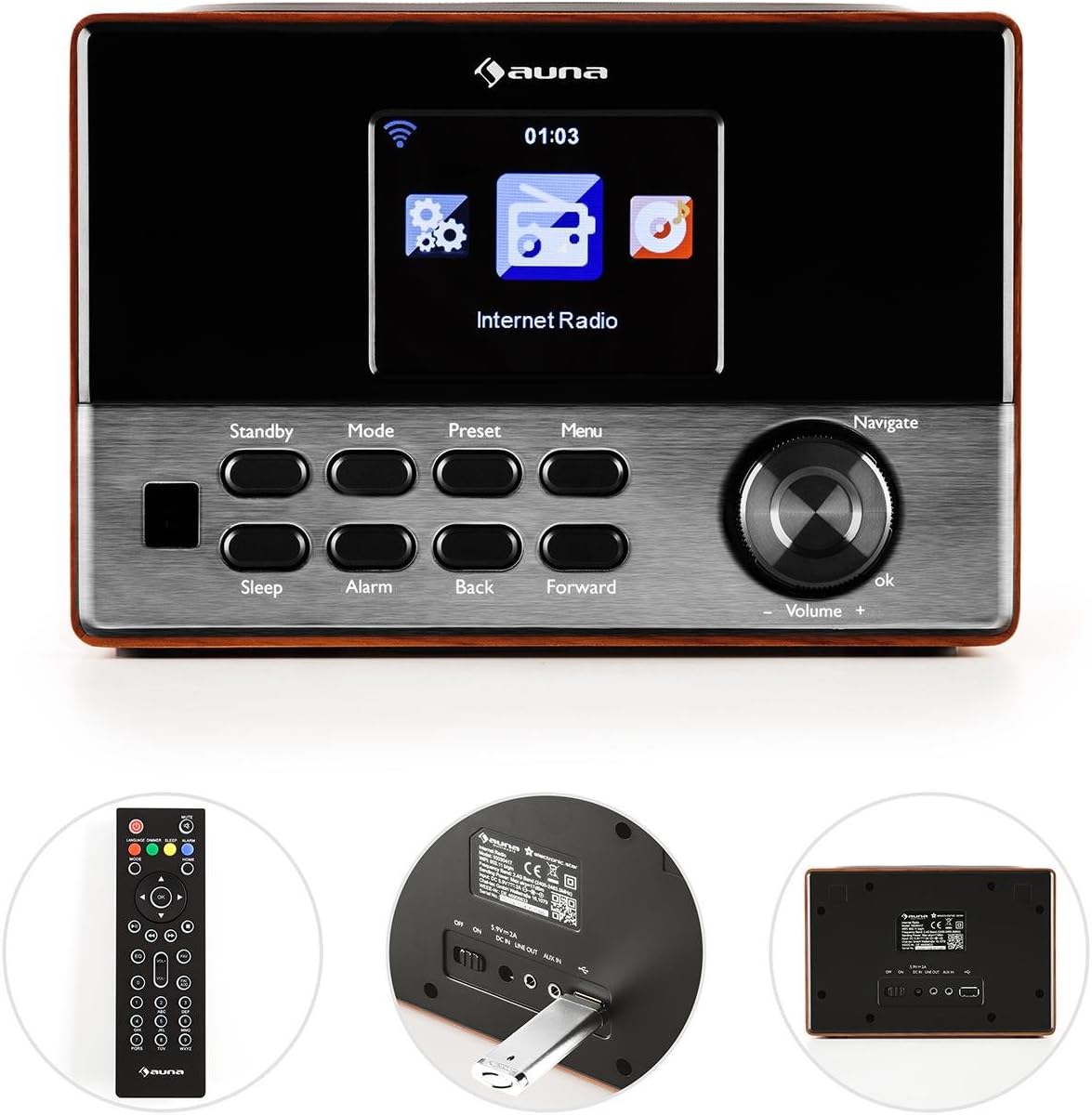
Image: Front view of the auna Connect 90, showing the color display, control buttons (Standby, Mode, Preset, Menu, Sleep, Alarm, Back, Forward), and the Navigate/Volume dial.
- Display: Color screen showing time, station information, and menu options.
- Standby: Powers the unit on or off.
- Mode: Switches between Internet Radio, FM, and USB modes.
- Preset: Accesses saved radio station presets.
- Menu: Enters the main menu for settings and options.
- Sleep: Sets a sleep timer.
- Alarm: Configures alarm settings.
- Back/Forward: Navigates through menus or tracks.
- Navigate/Volume Dial: Rotates to scroll through options or adjust volume; press to confirm (OK).
Rear Panel and Connections
The rear panel provides essential connection ports for power and external devices.
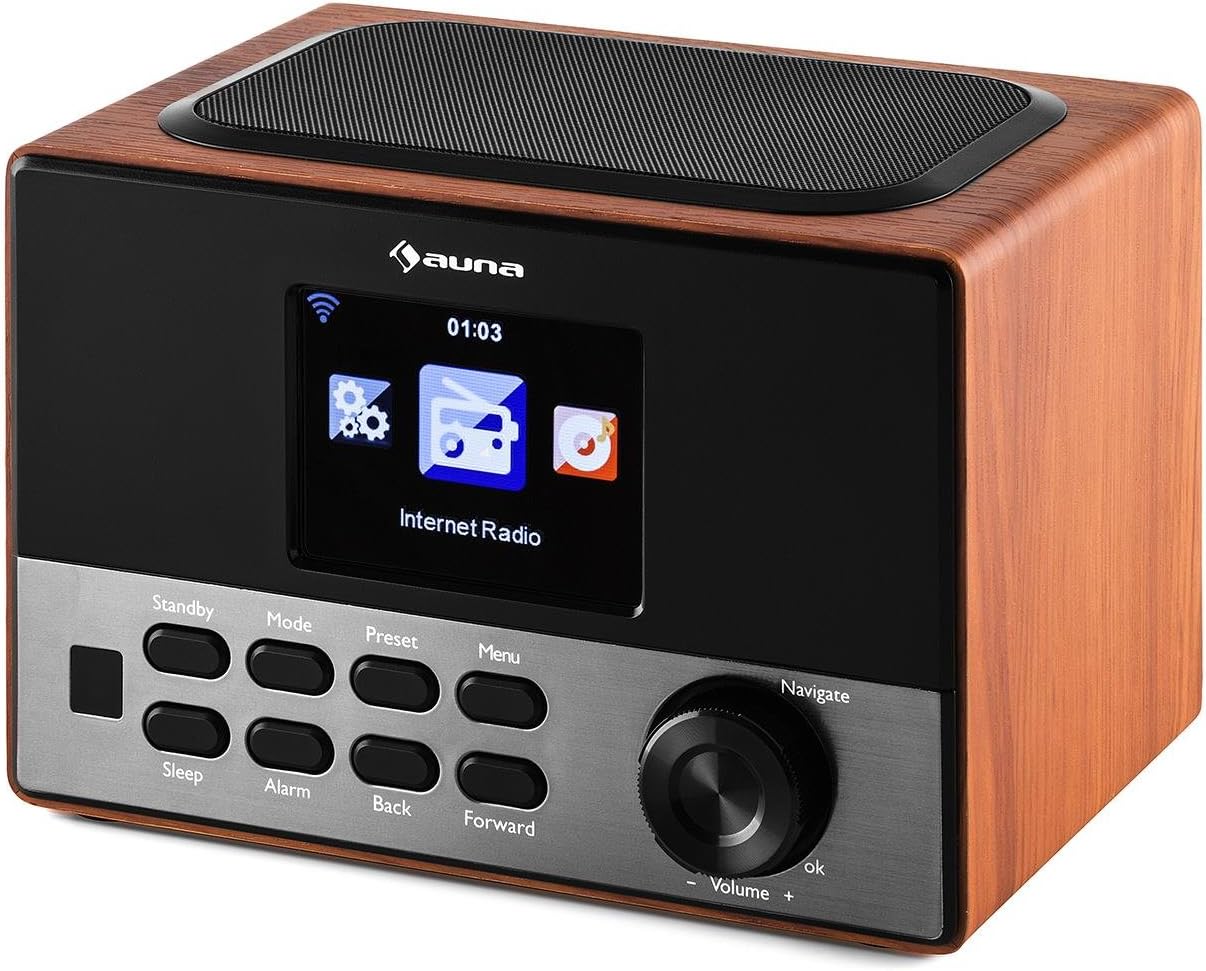
Image: Rear view of the auna Connect 90, showing the power input, USB port, and Aux-out port.
- DC IN 5V: Power input for the included adapter.
- USB: Port for connecting a USB drive for MP3 playback.
- AUX OUT: 3.5mm audio output for connecting to external speakers or headphones.
Setup
1. Power Connection
- Connect the power adapter to the DC IN 5V port on the rear of the radio.
- Plug the power adapter into a wall outlet.
- The radio will power on to standby mode. Press the Standby button to turn it on.
2. Initial Setup and Network Connection
Upon first power-on, the radio will guide you through the initial setup wizard.
- Language Selection: Use the Navigate dial to select your preferred language and press OK to confirm.
- Network Wizard: The radio will prompt you to connect to a network. Select 'Yes' and press OK.
- Scan for Networks: The radio will scan for available WiFi networks. Select your network from the list.
- Enter Password: Use the Navigate dial to enter your WiFi password (WPA/WPA2). Rotate to select characters, press Forward to move to the next character, and press OK to confirm the password.
- Connection: The radio will attempt to connect to your WiFi network. Once successful, it will display a confirmation message.
If the connection fails, double-check your password and try again. Ensure your WiFi router is within range.
Operating
1. Switching Modes
Press the Mode button repeatedly to cycle through available modes:
- Internet Radio: Access thousands of online radio stations.
- FM Radio: Tune into local FM broadcasts.
- USB: Play MP3 files from a connected USB drive.
2. Internet Radio
- Select Internet Radio mode.
- Use the Navigate dial to browse categories (e.g., Location, Genre, Popular Stations).
- Press OK to select a category or station.
- To save a station as a preset, press and hold the Preset button, then select a preset number and press OK.
- To recall a preset, press the Preset button briefly, then select the desired preset and press OK.
3. USB MP3 Playback
- Insert a USB drive containing MP3 files into the USB port on the rear panel.
- Select USB mode using the Mode button.
- The radio will scan the USB drive. Use the Navigate dial to browse folders and tracks.
- Press OK to play a selected track.
- Use Back and Forward buttons to skip tracks.
4. Volume Control
Rotate the Navigate/Volume dial clockwise to increase volume and counter-clockwise to decrease volume.
5. Alarm and Sleep Timer
- Alarm: Press the Alarm button to set up one or two alarms. Follow the on-screen prompts to set time, source (buzzer, internet radio), and frequency.
- Sleep: Press the Sleep button repeatedly to set a sleep timer (e.g., 15, 30, 60 minutes). The radio will automatically turn off after the set time.
Maintenance
- Cleaning: Use a soft, dry cloth to clean the exterior of the radio. Do not use liquid cleaners or abrasive materials.
- Storage: If not in use for an extended period, unplug the power adapter and store the radio in a cool, dry place.
- Ventilation: Ensure the ventilation slots are not blocked to prevent overheating.
Troubleshooting
| Problem | Possible Cause | Solution |
|---|---|---|
| No power | Power adapter not connected; outlet not working. | Check power connections; try a different outlet. |
| No internet connection | Incorrect WiFi password; router out of range; router issue. | Re-enter WiFi password; move radio closer to router; restart router. |
| Poor sound quality / Static | Weak internet signal; FM interference. | Improve WiFi signal strength; adjust radio position for FM. |
| USB playback not working | USB drive not formatted correctly; unsupported file format; drive faulty. | Ensure USB is FAT32 formatted; use MP3 files; try another USB drive. |
| Remote control not working | Batteries depleted; obstruction. | Replace batteries; ensure clear line of sight to radio. |
Specifications
- Brand: auna
- Model: KC6-Connect 90 WD
- Connectivity: WiFi, USB, 3.5mm Audio Out
- Tuner Technology: FM (87.5-108 MHz)
- Power Source: 5V DC (via power adapter)
- Compatible Devices: Smartphone, Laptop, MP3 Player, Tablet (for audio output)
- Product Dimensions: 13.5 x 18 x 12 cm
- Product Weight: 794 g
Warranty and Support
This product comes with a standard manufacturer's warranty. Please refer to the warranty card included with your purchase for specific terms and conditions. For technical support or service inquiries, please contact your retailer or the auna customer service department.


