
1. Introduction
This manual provides instructions for the setup, operation, and maintenance of your LiftMaster remote control. This remote is designed for use with LiftMaster garage door opener models 1345, 1355, 3255, 3280, and 3580. Please read these instructions carefully before use to ensure proper functionality and safety.
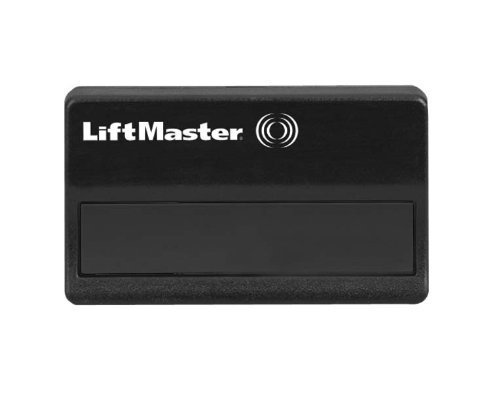
Figure 1: LiftMaster Garage Door Opener Remote Control. This image displays the black, rectangular remote control with the LiftMaster logo and a single large button area.
2. Setup and Programming
To program your LiftMaster remote control to your garage door opener, follow these general steps. Specific programming instructions may vary slightly depending on your garage door opener model. Refer to your garage door opener's manual for detailed instructions if needed.
- Locate the Learn Button: On your garage door opener motor unit, locate the "Learn" button. This button is typically located on the back or side panel of the motor unit, near the antenna wire. The color of the learn button may vary (e.g., red, purple, yellow, green).
- Activate Learn Mode: Press and immediately release the "Learn" button on your garage door opener. The indicator light on the opener will illuminate steadily for approximately 30 seconds, indicating that the opener is in learn mode.
- Program the Remote: Within 30 seconds of activating learn mode, press and hold the button on your LiftMaster remote control that you wish to program.
- Confirm Programming: Release the remote control button when the garage door opener lights flash or you hear two clicks. This indicates that the remote has been successfully programmed.
- Test the Remote: Press the programmed button on your remote control to ensure it operates the garage door.
If the remote does not work, repeat the programming steps. Ensure you are within range of the garage door opener during the programming process.
3. Operating the Remote Control
Once programmed, operating your LiftMaster remote control is straightforward:
- To open or close the garage door, simply press the programmed button on the remote control.
- Ensure there are no obstructions in the path of the garage door before operating.
- The remote operates wirelessly, allowing you to control your garage door from a distance.
4. Maintenance
Battery Replacement
The LiftMaster remote control uses one CR2 battery (included). When the remote's range decreases or it stops functioning, the battery may need replacement.
- Open the Remote Casing: Use a small coin or screwdriver to carefully pry open the remote control casing. There is usually a small notch on the side or bottom for this purpose.
- Remove Old Battery: Carefully remove the old CR2 battery from its compartment. Note the orientation of the positive (+) and negative (-) terminals.
- Insert New Battery: Insert a new CR2 battery, ensuring it is oriented correctly with the positive (+) side facing up or as indicated in the battery compartment.
- Close the Casing: Snap the remote control casing back together securely.
- Test Functionality: Test the remote control to ensure it operates the garage door after battery replacement.
Dispose of old batteries according to local regulations.
5. Troubleshooting
- Remote Not Working:
- Ensure the battery is correctly installed and not depleted. Replace if necessary.
- Re-attempt the programming steps (Section 2).
- Verify that the remote is compatible with your specific LiftMaster garage door opener model.
- Check if the garage door opener motor unit has power.
- Reduced Range:
- Replace the battery in the remote control.
- Ensure there are no new sources of radio frequency interference near your garage door opener or remote.
- Check the antenna wire on the garage door opener motor unit; it should hang freely and not be cut or damaged.
- Garage Door Opener Lights Flash but Door Does Not Move:
- This usually indicates an issue with the safety sensors. Check that the safety sensors are aligned and free of obstructions.
6. Specifications
| Feature | Detail |
|---|---|
| Brand | LiftMaster |
| Model Number | 1345 (Compatible with 1355, 3255, 3280, 3580) |
| Item Weight | 2.39 ounces |
| Package Dimensions | 5.51 x 2.76 x 1.06 inches |
| Batteries | 1 CR2 battery required (included) |
| Manufacturer Part Number | 1345 |
7. Warranty and Support
For information regarding warranty coverage, technical support, or to purchase replacement parts, please refer to the official LiftMaster website or contact LiftMaster customer service directly. Contact details can typically be found on the manufacturer's packaging or website.
Online Resources: www.liftmaster.com


