
NETGEAR RAX80-100CNS
NETGEAR Nighthawk AX8 WiFi 6 Router User Manual
Model: RAX80-100CNS
Introduction
The NETGEAR Nighthawk AX8 8-Stream AX6000 WiFi Router (RAX80-100NAS) is designed to provide improved network capacity and incredibly fast internet experience for your home. Powered by a 64-bit 1.8GHz Quad-core processor, it efficiently handles multi-gigabit data transfer. With 160MHz channel support, it doubles speeds for compatible devices, ensuring optimal performance for all your connected devices.
What's in the Box
- Nighthawk AX8/8-stream AX6000 WiFi Router (RAX80)
- Ethernet cable
- Power adapter
- Quick start guide
Setup
Setting up your NETGEAR Nighthawk AX8 router is a straightforward process designed for quick and easy installation. Follow these steps to get your network up and running.
1. Connect Your Router
Connect the router to your existing cable modem or gateway using the provided Ethernet cable. Plug the power adapter into the router and an electrical outlet. Wait for the power LED to stabilize.
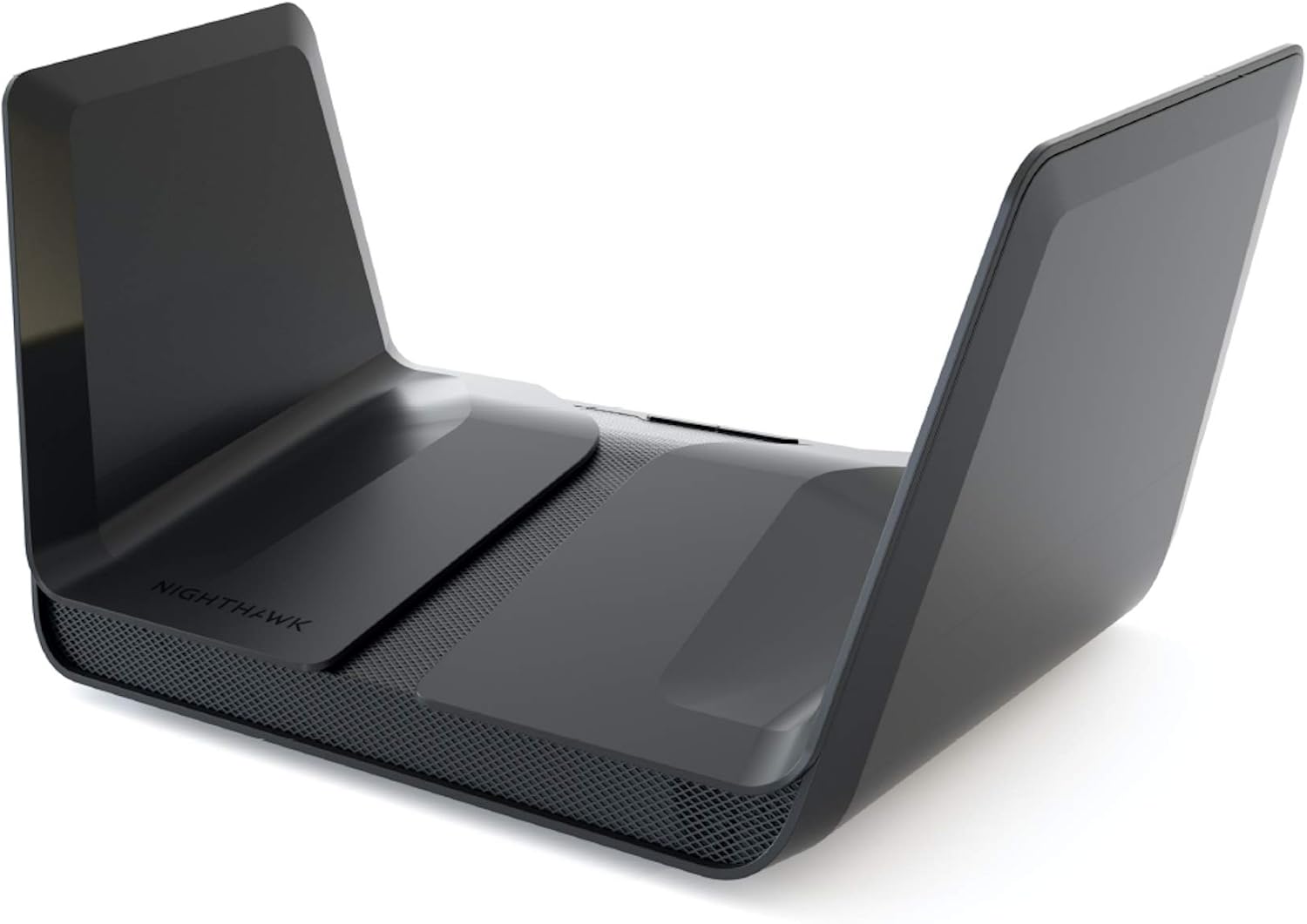
Figure 1: Front view of the NETGEAR Nighthawk AX8 Router, showcasing its distinctive design with foldable wings.

Figure 2: Rear view of the NETGEAR Nighthawk AX8 Router, highlighting the 5 Gigabit Ethernet LAN ports, 2 USB 3.0 ports, and Internet (WAN) port for wired connections.
2. Download the Nighthawk App
For the easiest setup, download the NETGEAR Nighthawk app on your mobile device. The app guides you through the installation process step-by-step.

Figure 3: Screenshots of the Nighthawk App interface, showing options for simple setup, monitoring, NETGEAR Armor, and Smart Parental Controls.
3. Follow In-App Instructions
Open the Nighthawk app and follow the on-screen instructions to connect to your new WiFi network, customize settings, and manage your devices. The app allows you to easily manage your WiFi settings at the device and network level, test your Internet speed, view speed history, and monitor data usage.
Video 1: Official overview and setup guide for the NETGEAR Nighthawk AX8 8-Stream AX6000 WiFi Router (RAX80). This video demonstrates the physical setup and initial configuration steps.
Operating the Router
The Nighthawk AX8 is designed for high performance and ease of use, supporting a multitude of devices and applications simultaneously.
WiFi 6 Technology
The router utilizes WiFi 6 (802.11ax) technology, which significantly improves network efficiency and capacity, especially in environments with many connected devices. This allows for simultaneous streaming of movies, games, and video calls at speeds up to 6Gbps.

Figure 4: Visual representation of the Nighthawk RAX80 WiFi 6 Router's capabilities, including 8 simultaneous WiFi streams, 4x more device capacity, and 6Gbps WiFi speed.
Video 2: An informational video explaining the benefits of WiFi 6 technology, including better capacity, increased network efficiency, and extended battery life for connected devices.
Video 3: This video explains how WiFi 6 and OFDMA (Orthogonal Frequency Division Multiple Access) technology increase the capacity and efficiency of your WiFi network, especially in homes with many smart devices.
Smart Home Device Support
The AX8 is optimized to handle a large number of smart home devices, providing stable and reliable connections even with constant small data transmissions. Its 1.8GHz quad-core processor ensures smooth operation for 4K UHD streaming and gaming.

Figure 5: Illustration showing how 8 WiFi streams from the Nighthawk AX8 can cover a house full of various Smart Home devices, ensuring comprehensive connectivity.
Maintenance
Regular maintenance helps ensure your router operates at peak performance and maintains a secure network.
Firmware Updates
Keep your router's firmware updated to benefit from the latest features, security enhancements, and performance improvements. Firmware updates can be managed through the Nighthawk app or the router's web interface.
Network Security with NETGEAR Armor
NETGEAR Armor provides an automatic shield of security across all your connected devices. It protects against viruses, malware, and phishing threats, and offers remote management capabilities for lost or stolen devices.
Video 4: This video highlights the features of NETGEAR Armor Cybersecurity, which provides comprehensive protection for all devices connected to your WiFi network.
Parental Controls
Utilize NETGEAR Smart Parental Controls to manage internet access for your family, promote healthy online habits, and build trust. This feature is accessible via the Nighthawk app.
Troubleshooting
If you encounter issues with your Nighthawk AX8 router, try these common troubleshooting steps:
- No Internet Connection: Check all cable connections. Ensure the modem is working correctly. Restart both the modem and the router.
- Slow WiFi Speed: Ensure your devices are compatible with WiFi 6 for optimal performance. Reduce the number of active devices if possible. Check for firmware updates.
- Intermittent Connection: Move the router to a central location to improve signal strength. Check for interference from other electronic devices.
- Cannot Access Router Settings: Ensure your device is connected to the router's WiFi network or via an Ethernet cable. Try clearing your browser's cache or using a different browser.
Specifications
| Feature | Detail |
|---|---|
| Product Dimensions | 12 x 7.95 x 6.34 inches |
| Item Weight | 2.82 pounds |
| Item Model Number | RAX80-100CNS |
| Brand | NETGEAR |
| Model Name | RAX80-100NAS |
| Wireless Communication Standard | 802.11ax (WiFi 6) |
| Frequency Band Class | Dual-Band (2.4 GHz & 5 GHz) |
| Processor | 1.8GHz Quad-core processor |
| Ethernet Ports | 5 x 1G Ethernet ports |
| USB Ports | 2 x 3.0 USB ports |
| Coverage | Up to 2,500 sq. ft. |
Warranty and Support
For detailed warranty information and technical support, please refer to the official NETGEAR website or the documentation included with your product.
NETGEAR also offers protection plans for extended coverage:
- 3-Year Protection Plan
- 4-Year Protection Plan
- Complete Protect (monthly plan)
Related Documents - RAX80-100CNS
 |
NETGEAR Nighthawk AX8 8-Stream WiFi Router Quick Start Guide A quick start guide for setting up and using the NETGEAR Nighthawk AX8 8-Stream WiFi Router (RAX80/RAX75) with the Nighthawk mobile application and NETGEAR Armor cybersecurity features. |
 |
Guida Rapida Router WiFi Nighthawk NETGEAR RAX80 Guida rapida per l'installazione e la configurazione del router WiFi Nighthawk NETGEAR RAX80. Include istruzioni sull'app Nighthawk, NETGEAR Armor, panoramica del router, risoluzione problemi e supporto. |
 |
NETGEAR Nighthawk AX8 Router Quick Start Guide A quick start guide for setting up the NETGEAR Nighthawk AX8 8-Stream AX6600 Tri-Band WiFi 6 Router using the Nighthawk app and understanding its features like NETGEAR Armor. |
 |
NETGEAR Nighthawk AX8 WiFi 6 Router User Manual Comprehensive user manual for the NETGEAR Nighthawk AX8 8-Stream Tri-Band WiFi 6 Router (Models RAX70, RAX78). Learn setup, configuration, optimization, and troubleshooting for high-performance wireless networking. |
 |
NETGEAR Nighthawk Router Quick Start Guide A quick start guide for setting up your NETGEAR Nighthawk router using the Nighthawk app, including information on NETGEAR Armor cybersecurity and troubleshooting. |
 |
NETGEAR Nighthawk AX12 AX6000 WiFi Router (RAX120) User Manual Comprehensive user manual for the NETGEAR Nighthawk AX12 (Model RAX120) 12-Stream AX6000 WiFi 6 Router. Learn how to set up, configure, manage network settings, optimize performance, and troubleshoot your router. |
Ask a question about this manual
Ask about setup, troubleshooting, compatibility, parts, safety, or missing instructions. Manuals+ will review the question and use this page’s manual context to help answer it.