
1. Introduction and Overview
The Victrola Journey Bluetooth Portable Suitcase Record Player is designed to bring the classic sound of vinyl into your modern lifestyle. Its portable design allows you to enjoy your music anywhere, while integrated features like Bluetooth connectivity and multiple playback speeds offer versatile listening options. This manual provides essential information for setting up, operating, and maintaining your record player.
2. Product Features
- Three-Speed Belt-Driven Turntable: Supports 33 1/3, 45, and 78 RPM records.
- Upgraded Premium Sound Quality: Features sound isolating feet to prevent vibration.
- Portable Design: Housed in a vintage suitcase with an easy-carry handle for music on the go.
- Bluetooth Connectivity: Stream audio wirelessly from your smartphone or other Bluetooth-enabled devices through the built-in speakers.
- RCA Outputs: Easily connect external speakers for enhanced sound.
- Line Input: Connect non-Bluetooth devices like CD players via a 3.5mm audio cable.
- Headphone Jack: For private listening.
- User-Friendly Controls: Includes an Input select knob, Power/Volume knob, and an Auto stop switch.
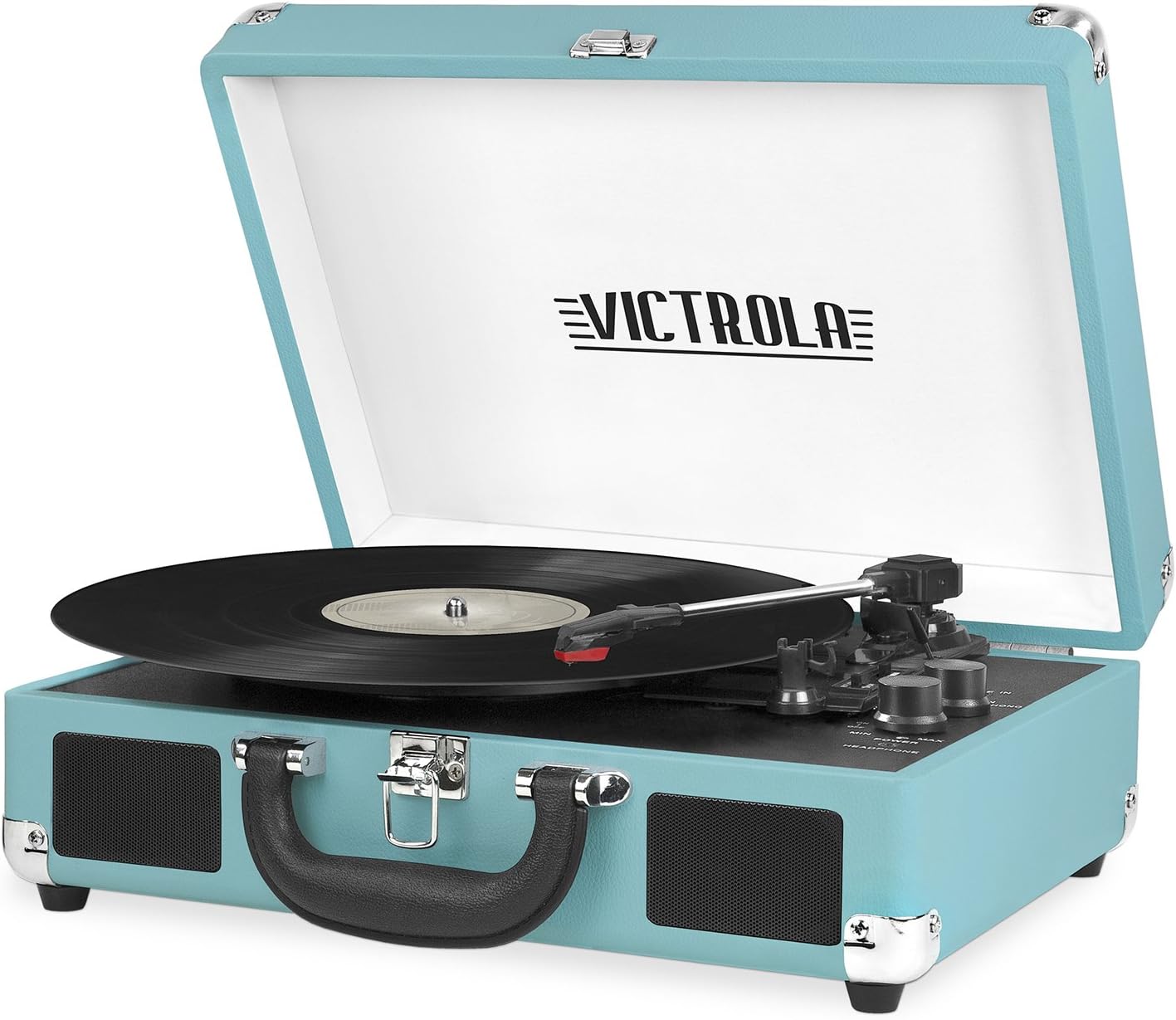
Victrola Journey Record Player in Aqua Turquoise, open with a vinyl record on the platter.

Diagram highlighting key features of the Victrola Journey Record Player including Bluetooth, AUX input, headphone jack, RCA output, built-in speakers, carry handle, and controls.

Close-up of the record player's platter with a vinyl record, emphasizing the 3-speed capability.

Multiple Victrola Journey Record Players in different colors (blue, red, black, aqua) stacked, showcasing color variety.

A person lying on a rug with headphones on, next to the open Victrola Journey Record Player, illustrating ease of setup.
Official product video showcasing the Victrola Journey Vintage 3-Speed Bluetooth Record Player's features and portability.
3. Setup
- Unpack: Carefully remove the record player and all accessories from the packaging.
- Placement: Place the unit on a flat, stable, and level surface to ensure proper operation and prevent skipping.
- Power Connection: Connect the included AC power adapter to the DC IN jack located on the back of the unit. Plug the adapter into a standard wall outlet.
- Remove Needle Guard: Gently pull the white needle guard forward and away from the stylus (needle) before first use.
- Release Tone Arm: Unlock the tone arm from its rest by releasing the tone arm lock.
4. Operating Instructions
Playing a Record
- Open the lid of the record player.
- Place your vinyl record onto the turntable platter.
- Select the appropriate speed (33 1/3, 45, or 78 RPM) using the speed selector switch. For 45 RPM records, place the included 45 RPM adapter on the center spindle.
- Lift the tone arm using the cue lever and carefully position it over the desired track of the record.
- Gently lower the tone arm onto the record using the cue lever. The record will begin playing.
- Adjust the listening volume using the Power/Volume knob.
- At the end of the record, the auto-stop function will automatically stop the platter from spinning. Lift the tone arm and return it to the tone arm rest.
Bluetooth Pairing
- Turn the Power/Volume knob clockwise to turn on the unit.
- Select 'BT' mode using the Input select knob. The Bluetooth indicator light will flash, indicating it is ready for pairing.
- Enable Bluetooth on your mobile device (smartphone, tablet, etc.) and search for available devices.
- Select 'Victrola Journey' from the list of found devices to initiate pairing.
- Once successfully paired, the Bluetooth indicator light will stop flashing and remain solid.
- You can now stream audio wirelessly from your paired device to the record player's built-in speakers.
Using External Connections
- RCA Outputs: To connect to external speakers (not included), use standard RCA cables to connect the RCA OUT jacks on the back of the record player to the audio input of your external speaker system.
- Line In: To connect an external audio device (e.g., a portable CD player or MP3 player), use a 3.5mm audio cable to connect the device's audio output to the LINE IN jack on the record player. Select 'LINE IN' mode using the Input select knob.
5. Maintenance
Cleaning
Gently wipe the exterior of the unit with a soft, dry cloth. Do not use harsh chemicals, abrasive cleaners, or waxes, as these can damage the finish. For the stylus, use a very soft brush to gently remove any dust or debris, brushing from back to front.
Stylus Replacement
The stylus (needle) is a delicate component and should be replaced after approximately 50 hours of playback time to maintain optimal sound quality and prevent damage to your records. Replacement styluses are available from Victrola or authorized retailers.
- Carefully pull the old stylus down and away from the cartridge.
- To install a new stylus, hold the tip of the new stylus and insert the back edge into the cartridge.
- Push upwards until it locks securely into place.
6. Troubleshooting
| Problem | Possible Cause | Solution |
|---|---|---|
| No Power | Power adapter not connected or outlet is not working. | Ensure the AC power adapter is securely connected to the unit and a working power outlet. |
| No Sound | Volume too low; incorrect input mode selected; external speakers not connected properly. | Check that the Power/Volume knob is turned up. Ensure the correct input mode (PHONO, BT, LINE IN) is selected. If using external speakers, verify all cable connections. |
| Record Skipping | Unit is not on a stable surface; record is dirty or damaged; stylus is worn or damaged. | Ensure the record player is on a stable, level surface. Clean the record to remove dust or debris. Check the stylus for damage and replace if necessary. |
| Bluetooth Pairing Issues | Unit is not in BT mode; device is out of range; interference from other devices. | Ensure the unit is in BT mode and within range of your device. Disconnect from other Bluetooth devices if necessary. Try restarting both the record player and your Bluetooth device. |
7. Specifications
| Feature | Detail |
|---|---|
| Model Number | VSC-550BT-TU |
| Dimensions (L x W x H) | 13.9 x 10.1 x 5 inches |
| Weight | 4.5 pounds |
| Material | Plastic |
| Connectivity | Wireless (Bluetooth), Wired (Line In, RCA Out) |
| Power Consumption (On-mode) | 75 watts |
| Included Components | Bluetooth Turntable, 45 RPM Adapter |
8. Warranty and Support
For detailed warranty information, product registration, and further support, please refer to the full User Manual (PDF) available for download on the product's support page. You may also contact Victrola customer service directly for any assistance or inquiries regarding your record player.
User Manual (PDF): Download Here