
1. Introduction
The NetAlly AirCheck G2 Wi-Fi Wireless LAN Tester is a portable device designed for efficient wireless network analysis and troubleshooting. It provides technicians with clear insights into Wi-Fi network performance, helping to quickly identify and resolve common wireless issues.
This device is intended for use in business environments and is not suitable for home use. Please read this manual carefully before operation.
2. Safety Information
This product meets the requirements for industrial (Class A) electromagnetic devices. Ensure proper handling and operation in accordance with local regulations and safety guidelines.
3. Package Contents
Verify that all items are present in the package:
- AirCheck G2 Wi-Fi Wireless LAN Tester
- Soft Case
- AC Charger
- USB Cable
- Quick Start Guide
4. Setup
4.1 Charging the Device
Before initial use, fully charge the AirCheck G2 using the provided AC charger and USB cable. Connect the Micro USB Type B port on the device to the charger.

Figure 1: Side view of the AirCheck G2 showing the Micro USB Type B port for charging and two USB 2.0 Type A auxiliary ports.
4.2 Powering On/Off
Press the dedicated power key (elastic key) located on the device to turn it on or off. The device features a 5.0-inch color LCD capacitive touchscreen for interaction.

Figure 2: Front view of the AirCheck G2 Wi-Fi Tester, displaying its touchscreen interface.
5. Operating Instructions
5.1 Navigating the Interface
The AirCheck G2 features a capacitive touchscreen display. Navigate through menus and options by tapping on the screen. The main menu provides access to various testing functions.

Figure 3: The AirCheck G2 main menu, showing options for network analysis and testing.
5.2 AutoTest Function
The one-button AutoTest feature allows for a quick assessment of the wireless environment. It rapidly determines compliance and identifies common issues related to network availability, connectivity, utilization, security settings, rogue detection, and interference.
5.3 Network Analysis
The device provides detailed insights into:
- Network Availability: Checks if networks are present and operational.
- Connectivity: Verifies connection to access points and network resources.
- Utilization: Monitors channel usage and traffic.
- Security Settings: Identifies security configurations of detected networks.
- Rogue Detection: Scans for unauthorized access points.
- Interference Detection: Helps locate sources of interference affecting Wi-Fi performance.
5.4 Connectivity Tests
Perform various connectivity tests to diagnose network issues:
- AP Association: Verifies successful connection to an Access Point.
- DHCP Server IP Address Request: Tests DHCP functionality.
- PING Test: PING gateway, DHCP server, and user-defined addresses.
- TCP Port Connectivity: Checks connectivity to specific TCP ports.
5.5 AirMapper Functionality
The AirMapper feature allows for visual mapping of Wi-Fi coverage and performance within a physical space. This helps in identifying coverage gaps and optimizing access point placement.

Figure 4: The AirCheck G2 displaying the AirMapper interface, showing a floor plan with Wi-Fi coverage.
5.6 Ethernet Test
The device includes an Ethernet port for AP backhaul verification and wired network testing.

Figure 5: Side view of the AirCheck G2, highlighting the Ethernet port for wired testing.
6. Maintenance
6.1 Cleaning
Wipe the device with a soft, dry cloth. Do not use abrasive cleaners or solvents. Keep the touchscreen clean for optimal responsiveness.
6.2 Storage
Store the AirCheck G2 in its soft case when not in use to protect it from dust and physical damage. Store in a cool, dry place away from direct sunlight.
7. Troubleshooting
The AirCheck G2 is designed to assist in diagnosing and resolving wireless network issues. If you encounter problems with the device itself, refer to the Quick Start Guide or the official NetAlly support resources.
- Device not powering on: Ensure the battery is charged. Connect to the AC charger and attempt to power on.
- Touchscreen unresponsive: Perform a soft reset by holding the power button for an extended period (refer to Quick Start Guide for exact duration).
- Inaccurate readings: Ensure the device's software is up to date. Check for environmental interference or physical obstructions.
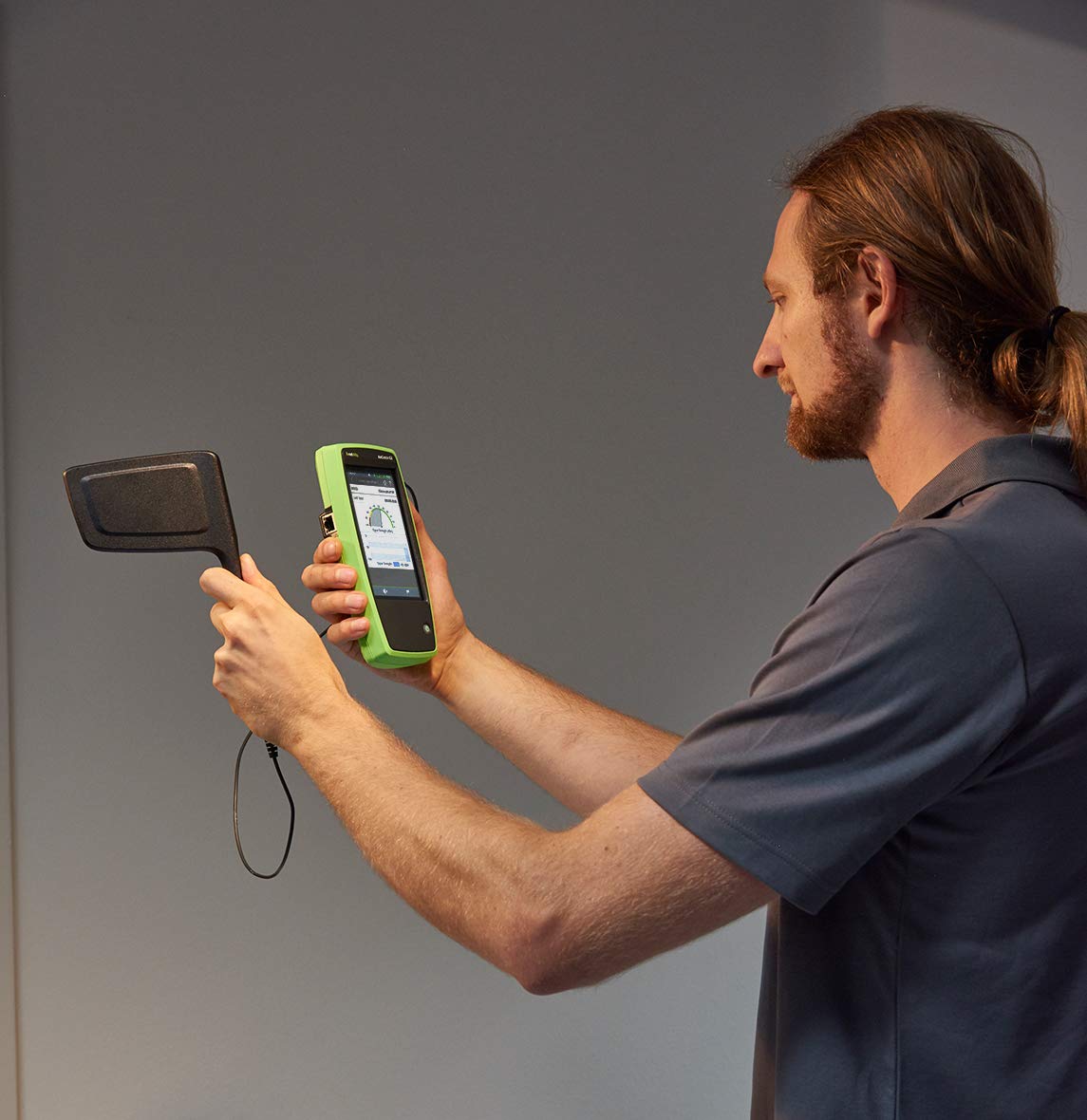
Figure 6: A user operating the AirCheck G2 with an external antenna, useful for pinpointing signal sources and troubleshooting.
8. Specifications
| Feature | Description |
|---|---|
| Model Number | AIRCHECK-G2 |
| Wi-Fi Standards | IEEE 802.11a, 802.11b, 802.11g, 802.11n, 802.11ac |
| Display | 5.0-inch color LCD (480x800 pixels) capacitive touchscreen |
| Keypad | 1 elastic key (power only) |
| Host Interface | 1 Micro USB Type B port |
| Auxiliary Interface | 2 USB 2.0 Type A ports |
| Wireless Antenna | 3 internal |
| External Antenna Port | Input only, Reverse polarity SMA connector |
| Operating Frequencies (Received) | 2.4GHz band: 2.412~2.484GHz (Channels 1~14) 5GHz band: 5.170~5.320GHz, 5.500~5.700GHz, 5.745~5.825GHz (Channels 34, 36, 38, 40, 42, 44, 46, 48, 52, 56, 60, 100, 104, 108, 112, 116, 120, 124, 128, 132, 136, 140, 149, 153, 157, 161, 165) |
| Operating Frequencies (Transmitted) | 2.4GHz band 802.11b: 2.412~2.484GHz (Channels 1~14) 802.11g/n20MHzBW(HT20): 2.412~2.472GHz (Channels 1~13) 802.11n40MHzBW(HT40): 2.422~2.462GHz (includes all legal bonded channel pairs) |
| Product Dimensions | 14.2 x 26.2 x 31 cm |
| Product Weight | 510 grams |
| Power Source | AC |
9. Warranty Information
The NetAlly AirCheck G2 comes with a 1-year warranty from the date of purchase for domestic genuine products. Please note that parallel imported products are not eligible for warranty or free support services.
Retain your proof of purchase for warranty claims.
10. Support
For technical assistance, software updates, or further inquiries, please refer to the official NetAlly website or contact their authorized support channels. The Quick Start Guide included with your product also contains valuable information.


