1. Product Overview
The Whynter ARC-126MDB is a 12000 BTU (ASHRAE) dual-hose portable air conditioner designed to provide efficient cooling, dehumidification, and fan-only operation for various indoor spaces. Its portable design and dual-hose system contribute to effective air circulation and temperature control. This unit features a 3M and SilverShield filter for improved air quality.
Key Features:
- Designed around portability and space utilization.
- Product engineered to improve home life comfort.
- Optimized for both form and function.
2. Product Components and Parts Identification
Familiarize yourself with the main components of your Whynter ARC-126MDB portable air conditioner and its accessories.

Figure 2.1: Front view of the Whynter ARC-126MDB Portable Air Conditioner. This image shows the sleek black exterior with a silver trim and the Whynter logo.
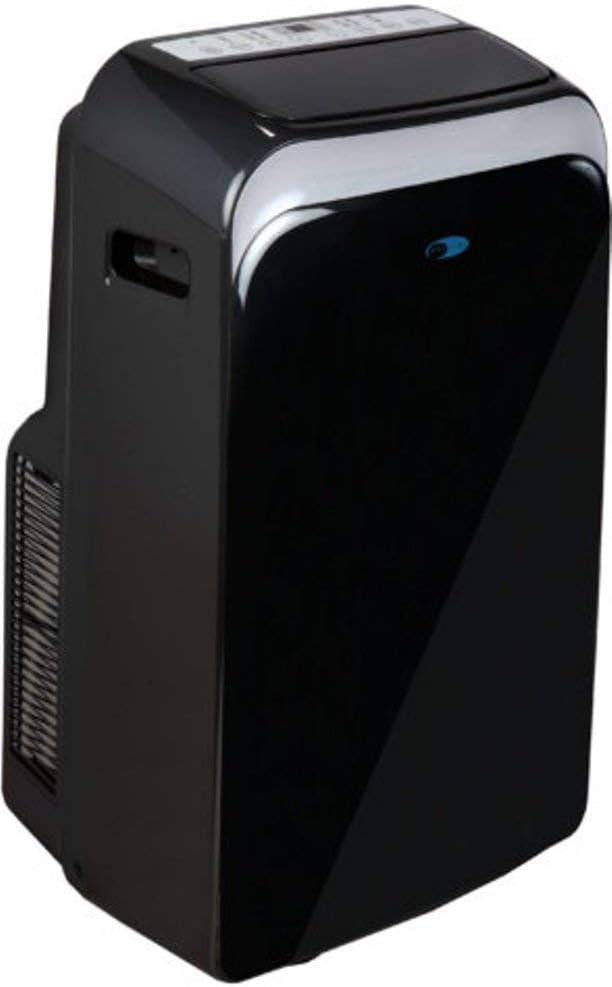
Figure 2.2: Angled view of the portable air conditioner, highlighting its compact design and side vents.

Figure 2.3: Side view showing the air intake and exhaust grilles.

Figure 2.4: Rear angled view, showing the hose connections and power cord area.

Figure 2.5: Close-up of the top control panel with digital display and function buttons (Swing, Timer, Mode, Fan, Sleep, Power).

Figure 2.6: Storage bag for the user manual and remote control, indicating their presence with the product.

Figure 2.7: Included accessories: two exhaust hoses, two hose adapters, window kit panel, remote control, and foam seal.
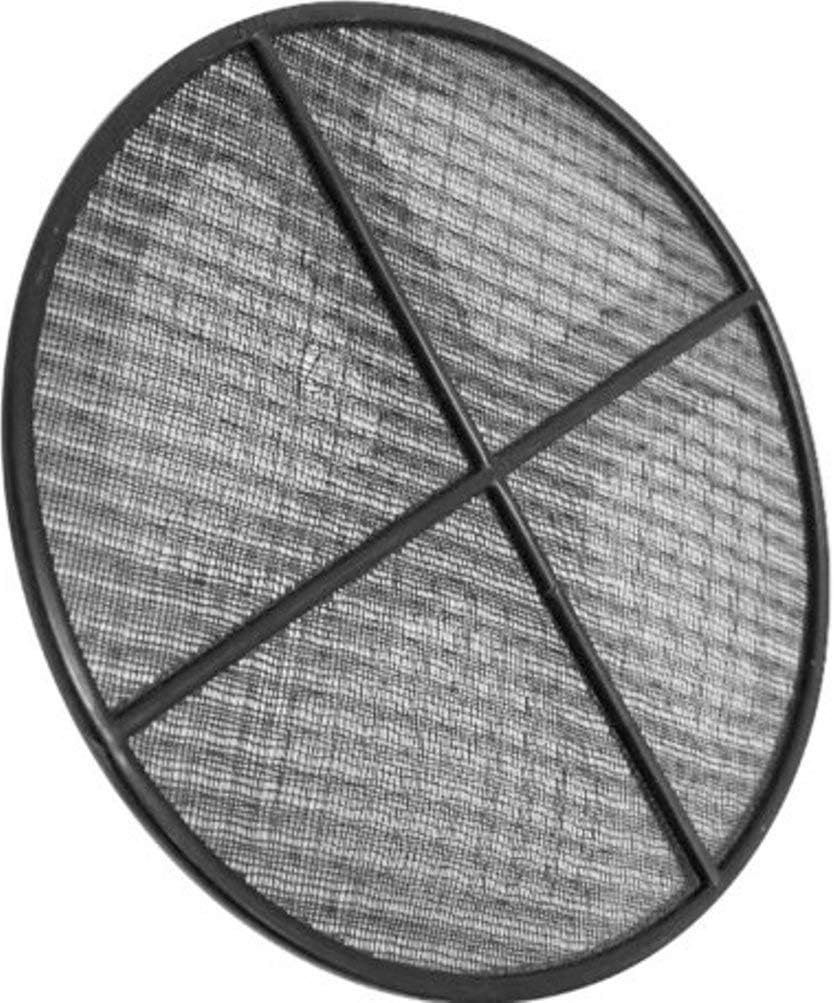
Figure 2.8: The SilverShield filter, designed to improve air quality.

Figure 2.9: Dimensional drawing of the unit, showing height (30.25"), width (18.5"), and depth (18.75").
3. Setup and Installation
Proper installation is crucial for the efficient operation of your portable air conditioner. Ensure the unit is placed on a flat, stable surface and is at least 20 inches away from any wall or obstruction to allow for proper airflow.
3.1 Window Kit Installation:
- Assemble the window kit panel by sliding the adjustable panel into the main panel. Secure with screws if provided.
- Attach the hose adapters to the exhaust hoses.
- Insert the exhaust hoses into the corresponding openings on the window kit panel.
- Open the window and place the assembled window kit into the window opening. Extend the adjustable panel to fit snugly and secure the window.
- Connect the other end of the exhaust hoses to the air conditioner's exhaust ports. Ensure a secure connection to prevent air leakage.
- Seal any gaps around the window kit with the provided foam seal to maximize cooling efficiency.

Figure 3.1: The portable air conditioner set up next to a window with the dual hoses connected to the window kit.
4. Operating Instructions
Your Whynter ARC-126MDB portable air conditioner offers multiple operating modes for your comfort.
4.1 Control Panel and Remote Control:
The unit can be operated using the control panel on top of the unit or the included remote control. The functions are identical.
- Power Button (⏻): Turns the unit On or Off.
- Mode Button: Cycles through operating modes: Cool, Dehumidify (Dry), and Fan.
- Temperature Buttons (+ / -): Adjusts the desired temperature setting.
- Fan Speed Button: Selects fan speed: Low, Medium, High.
- Timer Button: Sets the auto-on or auto-off timer.
- Swing Button: Activates or deactivates the automatic louver swing for wider air distribution.
- Sleep Button: Activates Sleep mode for quiet operation and gradual temperature adjustment during sleep.
4.2 Operating Modes:
- Cool Mode: Provides cooling. Set desired temperature between 61°F (16°C) and 89°F (32°C).
- Dehumidify (Dry) Mode: Removes moisture from the air without significant cooling. Fan speed is fixed to low.
- Fan Mode: Circulates air without cooling. Fan speed can be adjusted.
5. Maintenance
Regular maintenance ensures optimal performance and longevity of your air conditioner.
5.1 Filter Cleaning:
The Whynter ARC-126MDB is equipped with a 3M and SilverShield filter. These filters should be cleaned regularly, typically every two weeks, or more frequently depending on usage and air quality.
- Turn off and unplug the unit before cleaning.
- Locate the filter access panel (usually at the rear or side of the unit).
- Remove the filter(s).
- Wash the filter(s) under warm running water (below 104°F / 40°C). Do not use hot water.
- Allow the filter(s) to air dry completely before reinstalling. Do not expose to direct sunlight.
5.2 Drainage:
The unit has an auto-evaporation function which exhausts most of the condensate. However, in high humidity conditions, the internal water tank may fill up. When this occurs, the unit will stop operating and display an error code (e.g., "FL" for full tank).
- Turn off and unplug the unit.
- Place a shallow pan or tray under the drain port at the bottom rear of the unit.
- Remove the drain plug/cap.
- Allow all water to drain completely.
- Replace the drain plug/cap securely.
5.3 Storage:
If storing the unit for an extended period:
- Drain all condensate water.
- Clean the air filters.
- Run the unit in Fan mode for a few hours to dry the internal components.
- Unplug the power cord and coil it neatly.
- Remove the exhaust hoses and window kit.
- Cover the unit with a plastic bag or original packaging to protect it from dust.
- Store in a cool, dry place.
6. Troubleshooting
Before contacting customer support, please refer to the following troubleshooting guide for common issues.
| Problem | Possible Cause | Solution |
|---|---|---|
| Unit does not turn on. | No power; Power cord not fully plugged in; Circuit breaker tripped; Unit's internal water tank is full. | Ensure unit is plugged into a grounded outlet; Check circuit breaker; Drain water tank if "FL" error is displayed. |
| Unit does not cool sufficiently. | Air filters are dirty; Room temperature is too low; Window kit not properly sealed; Room size too large; Doors/windows open. | Clean air filters; Adjust desired temperature; Ensure window kit is sealed; Close doors/windows; Consider if room size exceeds unit capacity. |
| Unit is noisy. | Unit is not on a level surface; Air filter is dirty; Obstruction in fan. | Place unit on a flat, level surface; Clean air filter; Check for and remove any obstructions. |
| Water leaks from unit. | Drain plug is loose or missing; Unit is tilted. | Ensure drain plug is securely in place; Place unit on a level surface. |
7. Specifications
| Attribute | Detail |
|---|---|
| Model Number | ARC-126MDB |
| Cooling Capacity | 12000 BTU (ASHRAE) |
| Product Dimensions (D x W x H) | 18.75" x 18.5" x 30.25" |
| Item Weight | 73 pounds |
| Voltage | 115 Volts |
| Noise Level | 55 dB |
| Refrigerant | R-410A |
| Color | Black |
| Manufacturer | PROOK (for Whynter) |
8. Warranty and Customer Support
For warranty information or technical assistance, please contact Whynter customer support. Keep your purchase receipt as proof of purchase for warranty claims.
Whynter Customer Support:
- Visit the official Whynter website for the most up-to-date contact information and support resources.
- Refer to the warranty card included with your product for specific terms and conditions.


