Product Overview
The VIVO DESK-V000B is a height-adjustable, dual-tiered platform designed to convert your existing desk into a sit-stand workstation. This gas spring riser allows for seamless transitions between sitting and standing positions, promoting increased blood flow, enhanced posture, and improved productivity throughout your workday. The top platform adjusts from a minimum height of 6.4 inches to a maximum height of 16.5 inches above your desk surface.
- Instant Active Standing: Provides on-demand standing to relieve muscle tension, reduce stress, and increase productivity.
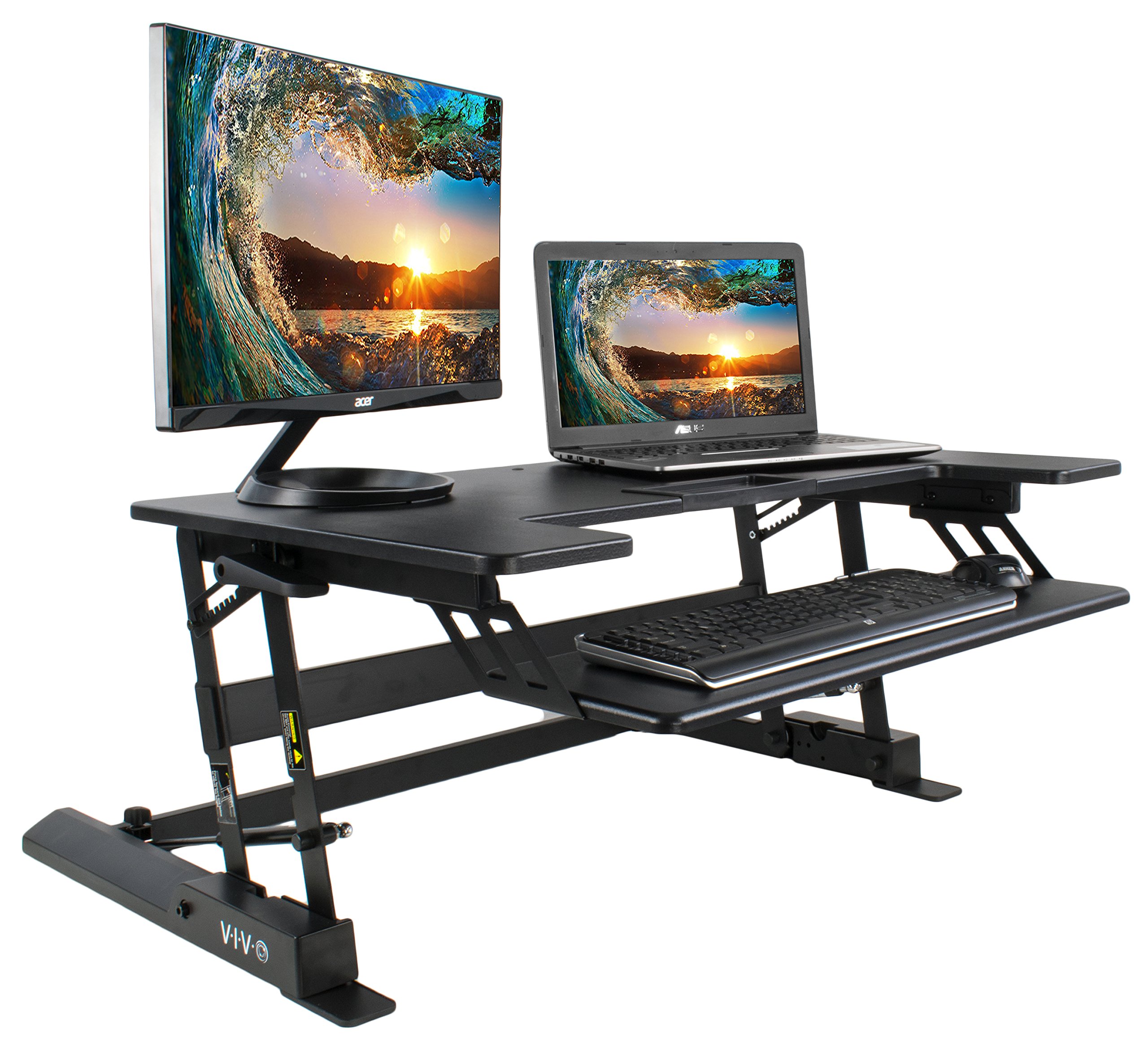
Image: VIVO DESK-V000B standing desk converter in use with dual monitors and a keyboard on a desk.
Safety Information
To ensure safe operation and prevent product damage, do not exceed the maximum height or weight recommendations. Always ensure the desk converter is stable before placing equipment on it or adjusting its height.
Setup and Assembly
The VIVO DESK-V000B comes mostly pre-assembled. Minimal assembly is required to prepare your workstation for use.
Assembly Steps:
- Attach the Feet: Locate the included hex tool and attach the non-slip feet to the base of the desk converter. Ensure they are securely fastened.
- Attach the Keyboard Tray: Secure the keyboard tray to the designated attachment points on the main unit.
- Placement: Carefully place the assembled desk converter on your existing desk surface. Ensure it is centered and stable.

Image: Detailed view of the keyboard tray attachment mechanism on the VIVO DESK-V000B.
Assembly Video:
Video: Step-by-step assembly guide for the VIVO DESK-V000B desk converter.
Operating Instructions
The VIVO DESK-V000B features a gas spring mechanism for smooth and effortless height adjustments. This allows you to easily switch between sitting and standing positions throughout your day.
Adjusting Height:
- To Raise: Gently squeeze the levers located on both sides of the desk converter. While holding the levers, lift the desktop upwards to your desired standing height. Release the levers to lock the desk in place.
- To Lower: Gently squeeze the levers located on both sides of the desk converter. While holding the levers, apply slight downward pressure to lower the desktop to your desired sitting height. Release the levers to lock the desk in place.

Image: Side view illustrating the gas spring mechanism for smooth height adjustments.
Product Demonstration Video:
Video: Overview and demonstration of the VIVO DESK-V000B height adjustable standing desk converter.
Maintenance
To ensure the longevity and smooth operation of your VIVO DESK-V000B, follow these simple maintenance guidelines:
- Cleaning: Wipe surfaces with a soft, damp cloth. Avoid harsh chemicals or abrasive cleaners that could damage the finish.
- Inspection: Periodically check all screws and connections to ensure they are tight. Re-tighten if necessary.
- Gas Spring Care: The gas spring mechanism is designed for maintenance-free operation. Avoid applying excessive force or attempting to disassemble it.
Troubleshooting
Difficulty Adjusting Height:
- Check Levers: Ensure both levers are fully squeezed when attempting to adjust the height.
- Weight Distribution: Verify that the weight on the desktop is evenly distributed and within the maximum weight capacity (17 kg / 37.5 lbs). Uneven or excessive weight can hinder smooth operation.
- Initial Use: During initial uses, the gas springs may require a bit more effort to engage. Consistent use will typically make adjustments smoother.
Stability Issues:
- Level Surface: Ensure the desk converter is placed on a flat, stable, and level surface.
- Tighten Connections: Re-check all assembly screws and ensure they are securely tightened.
- Weight Capacity: Confirm that the total weight of all items on the desk converter does not exceed the maximum recommended weight.
Specifications
| Feature | Detail |
|---|---|
| Brand | VIVO |
| Model | DESK-V000B |
| Type | Height Adjustable Standing Desk Converter |
| Color | Black |
| Material | Metal (Base), Rigid Board/Panel (Top) |
| Desktop Dimensions (Approx.) | 36" (Width) x 28" (Depth) |
| Height Adjustment Range | 6.4" (Min) to 16.5" (Max) from desk surface |
| Lifting Mechanism | Gas Spring |
| Maximum Weight Capacity | 17 kg (37.5 lbs) |
| Assembly Required | Yes (Minimal) |

Image: Technical dimensions and weight capacity of the VIVO DESK-V000B.
Warranty and Support
This product comes with a manufacturer's warranty. For detailed warranty information, product support, or assistance with any issues, please refer to the contact information provided in your product packaging or visit the official VIVO website.
VIVO is committed to providing quality workspace solutions and customer support.