
Introduction
The 1 BY ONE Magical Laser Light Projector is designed to illuminate large areas with dynamic or static patterns of green Christmas trees and red stars. This product is suitable for both indoor and outdoor decorative lighting applications, providing an easy setup alternative to traditional string lights.
Safety Information
- Laser Radiation: Avoid direct eye exposure to the laser beam. This product uses Class IIIA laser radiation.
- Installation: Ensure the projector is securely mounted using the provided spike or stand to prevent accidental movement or falling.
- Power Supply: Use only the provided power adapter. Ensure the power outlet meets the specified voltage (AC 120V 60Hz).
- Temperature: Operate the device within the specified working temperature range of -30℃ (-22℉) to 35℃ (95℉).
- Water Resistance: The light casing has an IP65 rating, making it resistant to water jets. The power adapter has an IP44 rating, protecting against splashing water. Ensure the power adapter is not submerged.
- Children and Pets: Keep the device out of reach of children and pets to prevent accidental exposure or damage.
Package Contents
Verify that all items are present in the package:
- 2 x Laser Light Unit with Screw and Bracket
- 1 x Ground Spike
- 1 x Indoor Stand
- 1 x User Manual (this document)

Image: Two laser light units with both mounting options (spike and stand).
Setup Instructions
- Choose Location: Select a suitable location for the projector. For outdoor use, ensure the ground is stable for the spike. For indoor use, a flat surface is required for the stand.
- Mounting:
- Ground Spike: Attach the laser light unit to the ground spike using the provided screw and bracket. Firmly insert the spike into the ground.
- Indoor Stand: Attach the laser light unit to the indoor stand using the provided screw and bracket. Place the stand on a stable, flat surface.
- Adjust Angle: Loosen the pivot clamp screw on the bracket to adjust the projection angle. Tighten the screw once the desired angle is achieved. The light can be pointed in any direction within a 180-degree range.

Image: Adjusting the projection angle using the pivot clamp screw.
- Power Connection: Connect the power adapter to the laser light unit, then plug the adapter into a standard AC 120V 60Hz power outlet. The cable length is 11.15ft (3.4m).
Operating Instructions
The laser light projector features a single button for operation and a built-in light sensor for automatic dusk-to-dawn functionality.
- Power On: Plug the power adapter into a wall socket. The unit will automatically turn on when it detects darkness due to its integrated light sensor.
- Changing Modes: Press the single button on the back of the unit to cycle through the 10 available light modes.
- Light Modes:
- Green Christmas trees & red dots walking
- Green Christmas trees & red dots stationary
- Green Christmas trees & red dots flashing
- Red dots walking
- Red dots stationary
- Red dots flashing
- Green Christmas trees walking
- Green Christmas trees stationary
- Green Christmas trees flashing
- Cycle (automatically cycles through all modes)
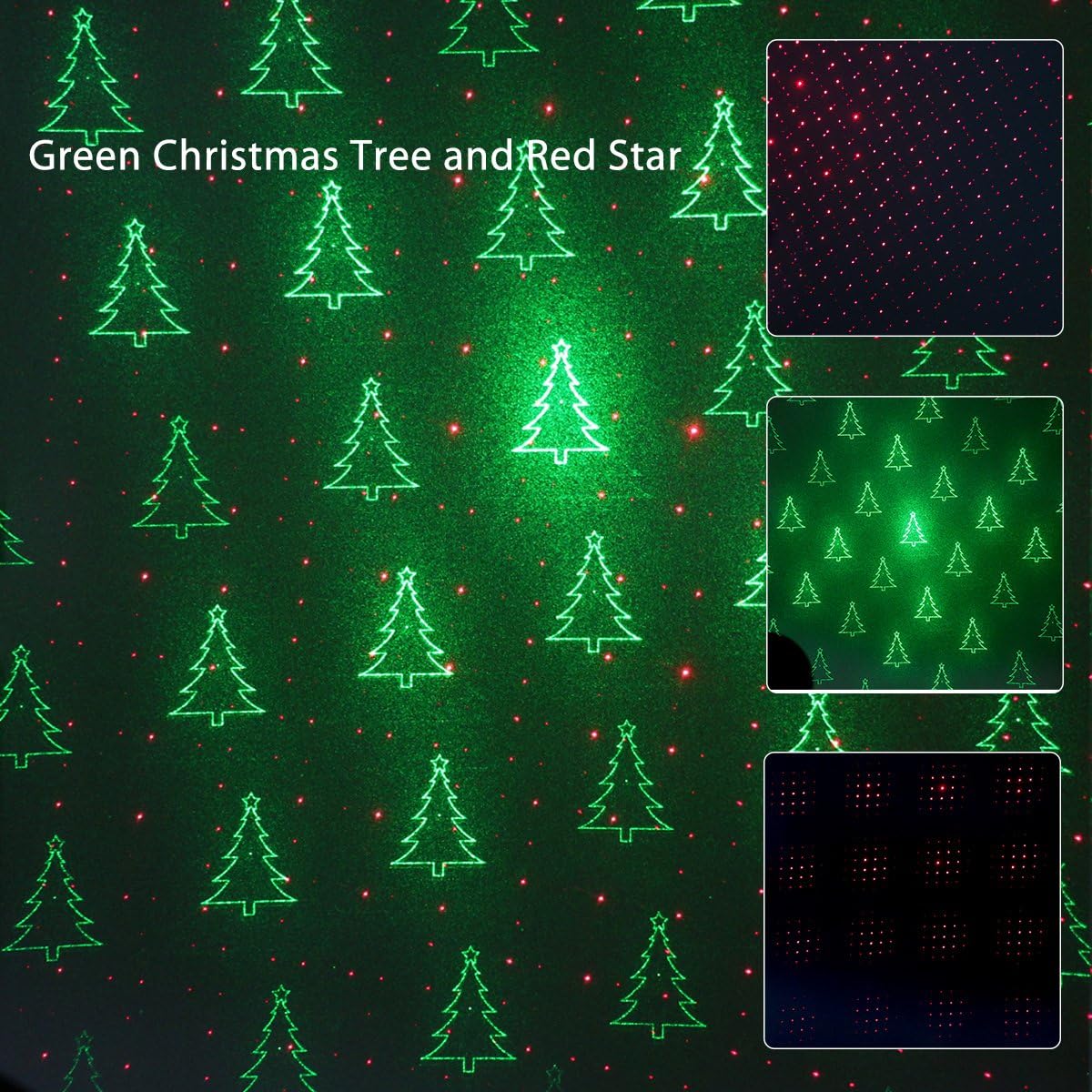
Image: Examples of projected patterns (Green Christmas Trees and Red Stars).
- Automatic Shut-off: The projector is designed to operate for approximately 6 hours after turning on at dusk, then automatically shut off.
- Power Off: To manually turn off the unit, unplug the power adapter from the wall socket.
Maintenance
- Cleaning: Ensure the device is unplugged before cleaning. Use a soft, dry cloth to wipe the casing. Do not use abrasive cleaners or solvents.
- Storage: When not in use, store the projector in a cool, dry place, away from direct sunlight and extreme temperatures.
- Cable Care: Regularly inspect the power cable and adapter for any signs of damage. Do not use if damaged.
Troubleshooting
| Problem | Solution |
|---|---|
| Green light is dim or not visible in cold temperatures. | The green laser requires a warm-up period in cold conditions. Plug in the power adapter; the green light will become more luminous as the laser warms up.
|
| Projector does not turn on at night. |
|
| Patterns appear blurry or distorted. |
|
| Unit does not respond to button presses. | Unplug the unit from the power source for 30 seconds, then plug it back in to reset. If the issue persists, contact customer support. |
Specifications
| Model Number | 302US-0003 |
| Power Input | AC 120V 60Hz 10W |
| Cable Length | 11.15 ft (3.4 m) |
| Working Temperature | -30℃ (-22℉) to 35℃ (95℉) |
| IP Protection (Light Casing) | IP65 |
| IP Protection (Power Adapter) | IP44 |
| Application | Indoor and Outdoor Use |
| Coverage Area | Up to 2,100 sq ft from 25 ft distance |
| Product Dimensions (L x W x H) | 13.2" x 9.9" x 7.2" |
| Item Weight | 4.89 pounds |
| Color | Green, Red |
| Finish Type | Laser |
| Mounting Type | Tabletop, Ground/Floor Mount |
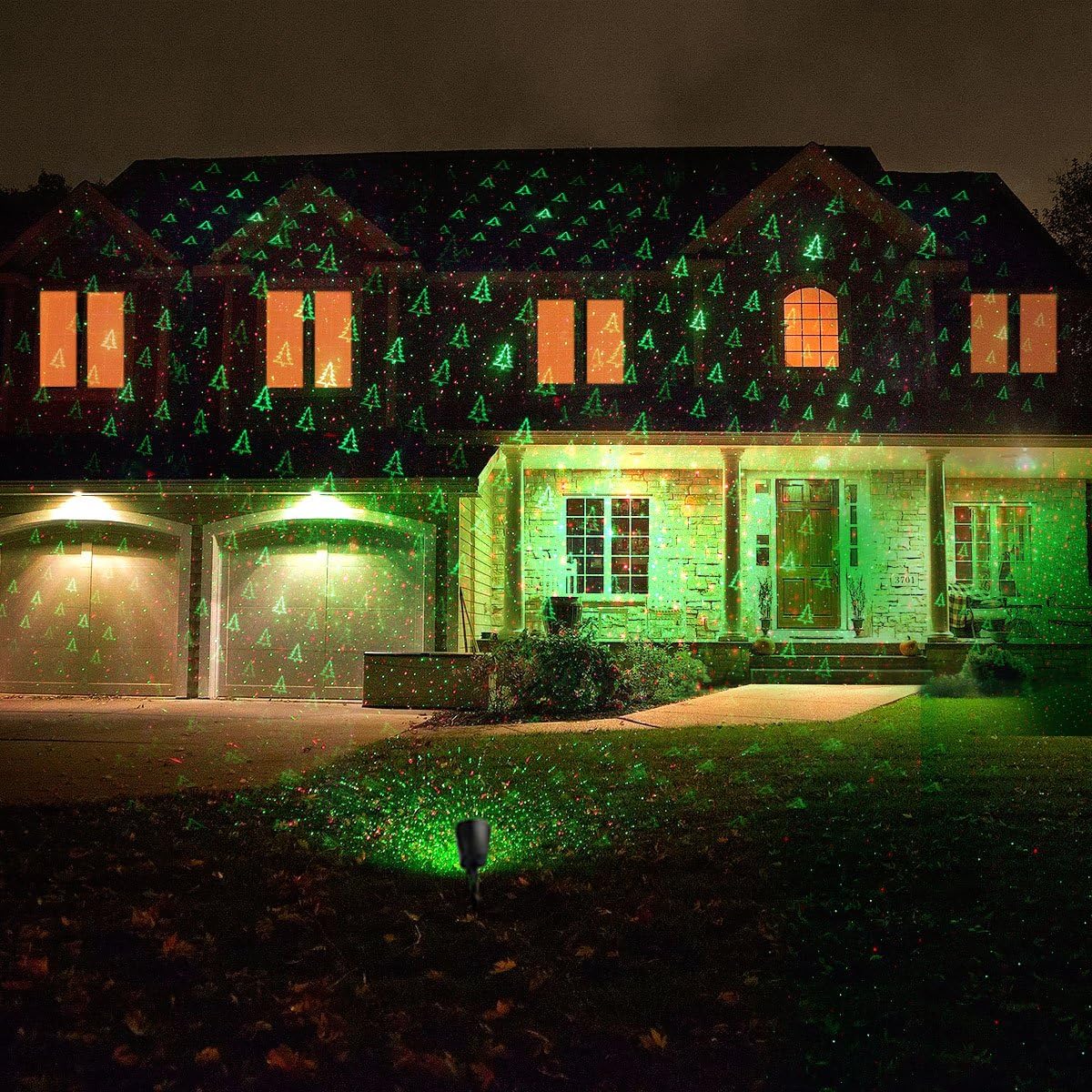
Image: Example of green Christmas tree patterns projected onto a house.

Image: Example of combined green Christmas tree and red star patterns projected onto a house.

Image: Example of red star patterns projected onto a house.

Image: The projector operating outdoors in rainy conditions, highlighting its IP65 rating.
Warranty and Support
This 1 BY ONE product comes with a 12-month warranty from the date of purchase. If you encounter any issues or require assistance, please contact 1byone customer support. For warranty claims or technical support, refer to the contact information provided on the 1byone official website or your purchase documentation.