
Lenovo Miix 510
Lenovo IdeaPad Miix 510 User Manual
Model: 80U10068US
1. Introduction
This manual provides essential information for the proper use and care of your Lenovo IdeaPad Miix 510. The Miix 510 is a versatile 2-in-1 device designed for both productivity and entertainment, functioning as a laptop with its detachable keyboard or as a standalone tablet.
2. What's in the Box
Please verify that all items are present in the packaging:
- Lenovo IdeaPad Miix 510 PC
- Power Adapter
- Power Cable
- User Manual (this document)
3. Setup
3.1 Initial Power On and Charging
- Connect the power adapter to the Miix 510's charging port.
- Plug the power cable into a wall outlet.
- Press the power button located on the side of the device to turn it on.
- Follow the on-screen instructions to complete the initial Windows 10 setup.
3.2 Attaching the Detachable Keyboard
The keyboard attaches magnetically to the bottom edge of the tablet. Align the connectors and gently bring the keyboard close to the tablet until it snaps into place.
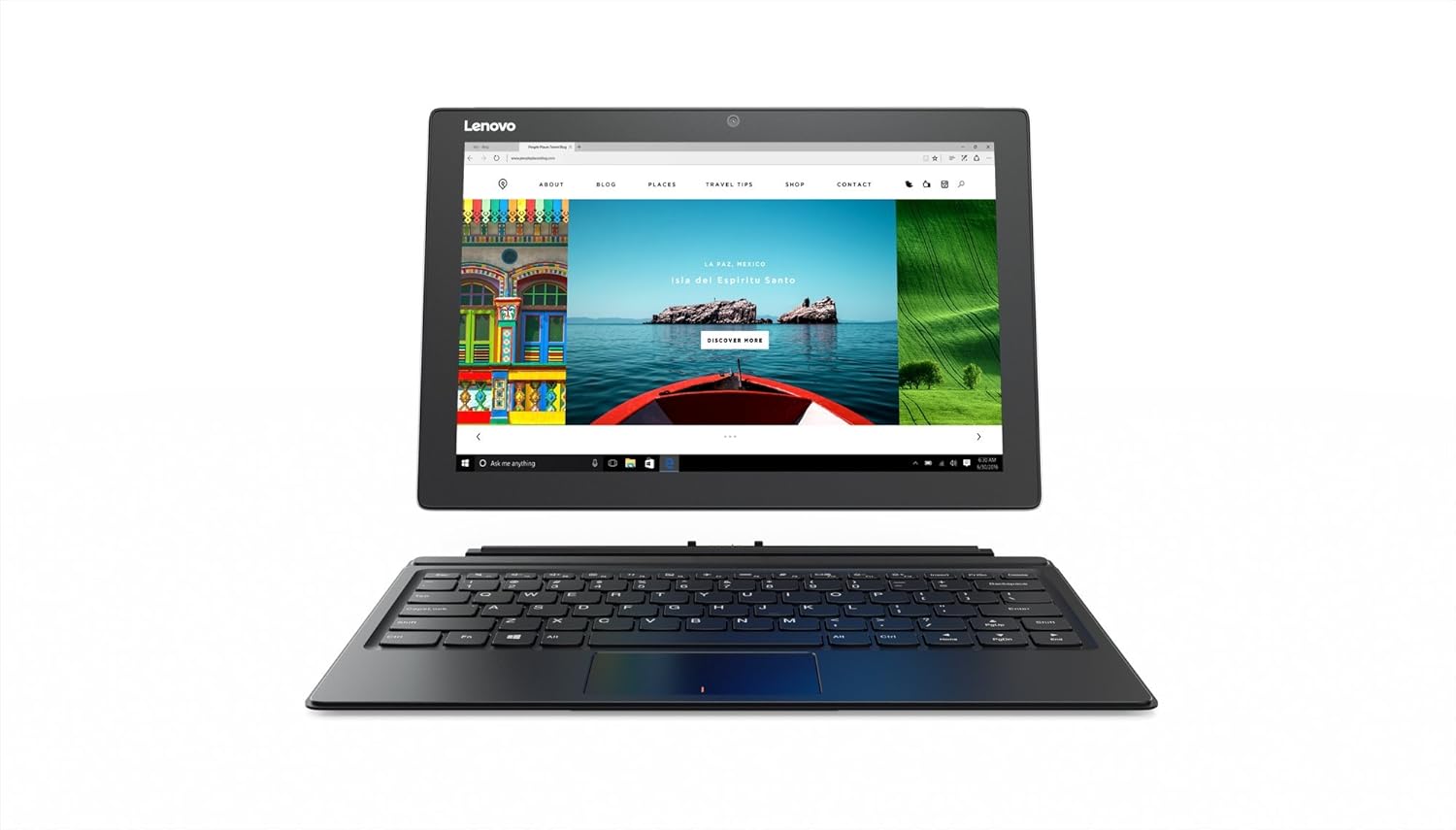
Image: The Lenovo IdeaPad Miix 510 with its detachable keyboard connected, showcasing its 2-in-1 functionality. The screen displays a web browser interface.
4. Operating the Device
4.1 Using as a Laptop
With the keyboard attached, the Miix 510 functions as a traditional laptop. Use the keyboard for typing and the integrated touchpad for navigation. The watchband hinges allow for adjustment of the screen angle up to 150 degrees for optimal viewing.
4.2 Using as a Tablet
Detach the keyboard to use the Miix 510 as a tablet. The 12.2-inch Full HD touchscreen display supports multi-touch gestures for intuitive interaction with Windows 10.
4.3 Camera Functionality
The device includes a rear-facing 5 MP camera for capturing photos and a front-facing camera for video calls. Access the camera application through the Windows Start menu.
4.4 Audio Features
Experience enhanced audio with Dolby-enabled stereo speakers. The dual-array microphone features noise cancellation for clearer voice communication during video chats or recordings.
4.5 Active Pen (Optional)
The Lenovo IdeaPad Miix 510 supports the Lenovo Active Pen (not included). If you acquire an Active Pen, you can use it for drawing, writing notes, and precise interaction directly on the touchscreen, utilizing its 2,048 levels of pressure sensitivity.
5. Maintenance
5.1 Cleaning the Device
- Use a soft, lint-free cloth slightly dampened with water or a screen cleaner to wipe the display.
- For the body and keyboard, use a dry, soft cloth. Avoid harsh chemicals or abrasive materials.
- Ensure the device is powered off and unplugged before cleaning.
5.2 Battery Care
- To prolong battery life, avoid exposing the device to extreme temperatures.
- It is recommended to fully discharge and recharge the battery periodically.
- The device has an approximate battery life of 7.5 hours under typical usage conditions.
6. Troubleshooting
6.1 Common Issues and Solutions
- Device Not Powering On: Ensure the power adapter is securely connected and the device has been charged for at least 30 minutes. Try a different power outlet.
- "Default Boot Device missing or Boot failed" Error: This error indicates the system cannot find a bootable drive.
- Restart the device.
- If the error persists, enter the BIOS/UEFI settings (usually by pressing F2 or Del during startup) and verify the boot order. Ensure the internal SSD is recognized and set as the primary boot device.
- If the SSD is not listed, it may indicate a hardware issue requiring professional service.
- If prompted, insert recovery media (e.g., a Windows installation USB) and select Boot Manager to choose a new boot device or to boot recovery media.
- Keyboard Not Responding: Ensure the keyboard is securely attached to the tablet. Detach and reattach it. Restart the device if the issue persists.
- Touchscreen Unresponsive: Restart the device. Ensure the screen is clean and free of debris.
- Slow Performance: Close unnecessary applications. Check for available Windows updates. Consider running a disk cleanup or antivirus scan.
7. Specifications
| Feature | Detail |
|---|---|
| Brand | Lenovo |
| Model Name | Miix 510 (80U10068US) |
| Screen Size | 12.2 Inches |
| Max Screen Resolution | 1920x1080 Pixels |
| Processor | Intel Core i5 (2.3 GHz) |
| RAM | 8 GB DDR4 |
| Hard Drive | 256 GB SSD |
| Operating System | Windows 10 |
| Graphics Card | Integrated Intel |
| Wireless Type | Bluetooth |
| USB 3.0 Ports | 1 |
| Rear Webcam Resolution | 5 MP |
| Item Weight | 1.98 pounds |
| Product Dimensions | 11.81 x 0.39 x 8.07 inches |
| Power Source | Battery Powered |
| Batteries | 1 Lithium Polymer battery (included) |
8. Warranty and Support
For information regarding your product's warranty, please refer to the warranty card included with your purchase or visit the official Lenovo support website. The website provides access to drivers, software updates, and additional troubleshooting resources.
Lenovo Support Website: https://support.lenovo.com
Ask a question about this manual
Ask about setup, troubleshooting, compatibility, parts, safety, or missing instructions. Manuals+ will review the question and use this page’s manual context to help answer it.