
Introduction
This manual provides detailed instructions for the safe and effective use of your Proster 0-225° Digital Angle Finder Protractor. This precision tool is designed for accurate angle measurement in various applications, including construction, carpentry, and DIY projects. Please read this manual thoroughly before operation and retain it for future reference.
Product Overview
The Proster Digital Angle Finder combines a digital protractor with integrated bubble levels for both horizontal and vertical measurements. It features a clear LCD display with backlight for easy reading in various lighting conditions.

Figure 1: Labeled components of the Proster Digital Angle Finder. Key features include the Horizontal Level, Vertical Level, a hanging hole, a Lock Knob for securing the arm, a Backlight Button, the main LCD Display, a Hold Button, and an ON/OFF Button.
Specifications
| Feature | Specification |
|---|---|
| Length | 400 mm (16 inches) |
| Measurement Range | 0-225° |
| Measurement Accuracy | ±0.5° |
| Angle Increment/Decrement | 0.1° |
| Operating Temperature | 10°C to 50°C |
| Power Source | 1 x 9V 6F22 Battery (included) |
| Material | Metal, Acrylonitrile Butadiene Styrene |
| Special Functions | Data Hold, Backlit LCD, Automatic Power-Off, Low Power Alarm |
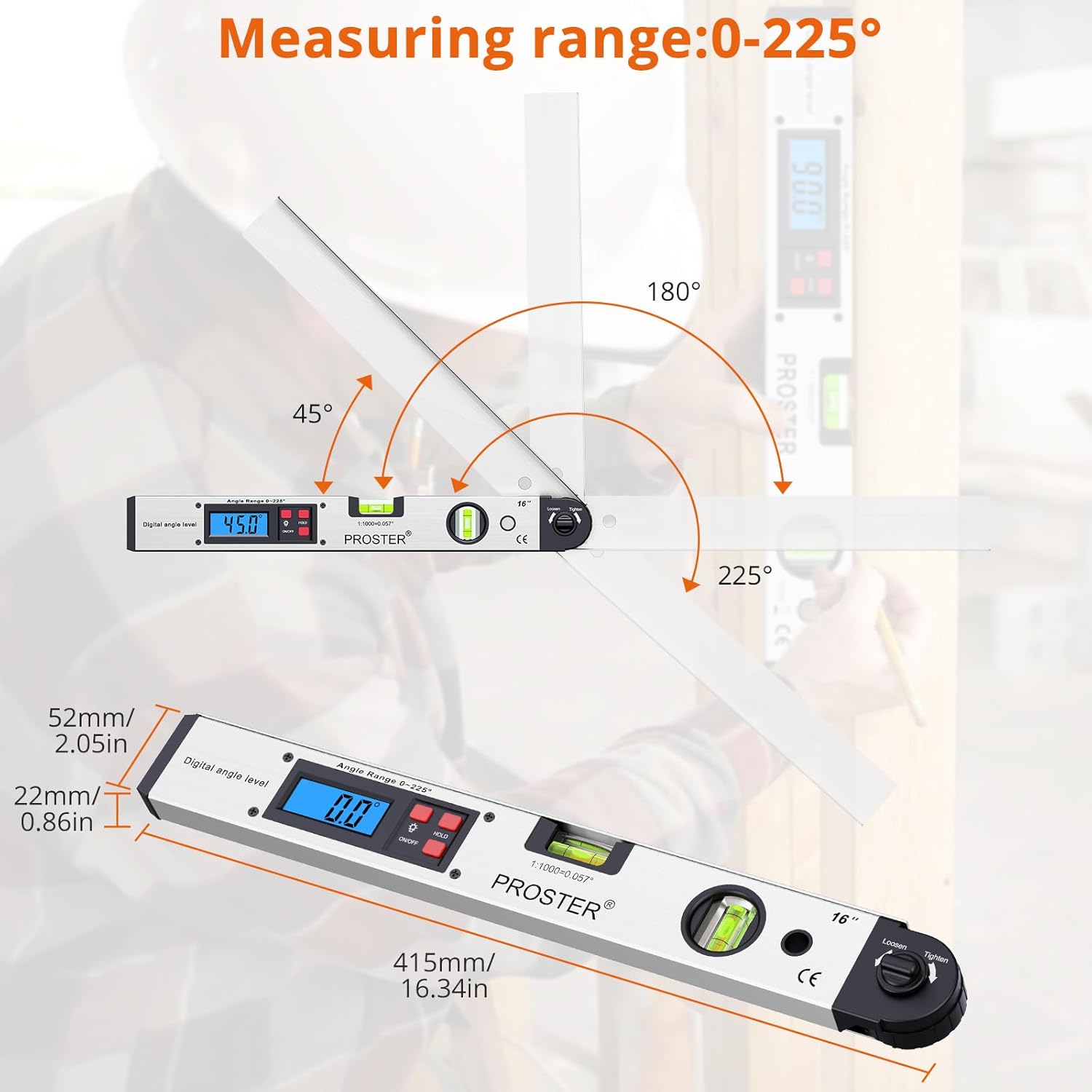
Figure 2: The Proster Digital Angle Finder displaying its measurement range and physical dimensions.
Package Contents
- 1 x Proster Digital Angle Finder
- 1 x 9V Battery
- 1 x Portable Pouch
- 1 x User Manual

Figure 3: All items included in the Proster Digital Angle Finder package.
Setup
Battery Installation
- Locate the battery compartment on the back of the device.
- Open the battery compartment cover.
- Insert the included 9V battery, ensuring correct polarity (+/-).
- Close the battery compartment cover securely.
Operating Instructions
1. Power On/Off
Press the ON/OFF button to turn the device on or off.
2. Angle Measurement Function
- Turn on the angle finder.
- Carefully unfold the arm of the device. The angle displayed on the LCD screen will change as the arm moves.
- Position the angle finder to measure the desired angle. The device can be used for comparative angle measurement or to set a specific angle for marking.
- To fix the measured angle, tighten the Lock Knob. This keeps the arm in place, allowing for accurate transfer of the angle.
3. Bubble Level Function
The device includes integrated horizontal and vertical bubble levels for quick assessment of level and plumb surfaces. These function independently of the digital angle measurement.
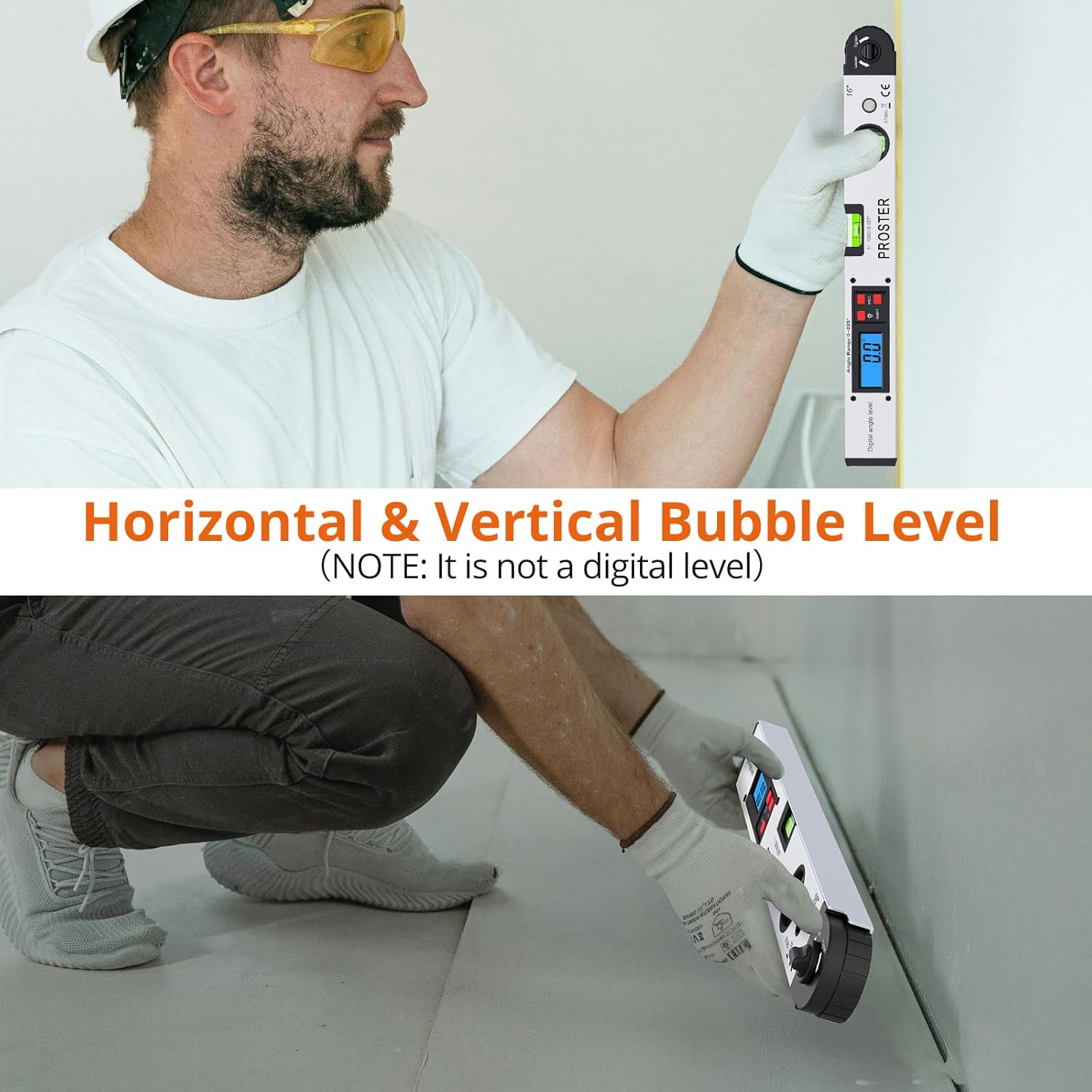
Figure 4: Using the horizontal and vertical bubble levels for quick leveling tasks.
4. LCD Display and Backlight
The LCD display shows the measured angle. In low light conditions, press the Backlight Button to illuminate the screen for improved readability.

Figure 5: The backlit LCD display ensures clear readings even in dim lighting.
5. Hold Function
Press the HOLD button to freeze the current angle reading on the LCD display. Press it again to release the hold and resume live measurement.
Maintenance and Care
- Do not disassemble the device or remove screws and components randomly.
- Handle the angle finder with care. Apply uniform force when rotating the arm and avoid excessive force.
- Avoid leaving the backlight on for extended periods to conserve battery life.
- Clean the device with a soft, dry cloth. Do not use abrasive cleaners or solvents.
- Store the device in its portable pouch when not in use to protect it from dust and damage.
Troubleshooting
Low Power Alarm
If a low power alarm icon appears on the screen, replace the 9V battery immediately to ensure continued accurate operation.
Warranty and Support
For warranty information or technical support, please refer to the contact details provided with your purchase or visit the official Proster website. Keep your purchase receipt as proof of purchase.