
1. Introduction
Thank you for choosing the FITUEYES Universal Floor TV Stand, Model TT106001MB. This manual provides essential information for the safe and efficient assembly, operation, and maintenance of your new TV stand. Please read these instructions carefully before beginning assembly and retain them for future reference.
This stand is designed to accommodate most 27-70 inch flat and curved screen televisions with a maximum weight capacity of 88 lbs (40 kg). It features a sturdy metal construction with a tempered glass base, height adjustment, and a swivel function for optimal viewing angles.
2. Safety Information
WARNING: Failure to read and follow these instructions can result in serious personal injury, property damage, or voiding of your warranty. If you have any questions, please contact customer support.
- Ensure all components are present and undamaged before assembly. Do not use damaged parts.
- Do not exceed the maximum weight capacity of 88 lbs (40 kg).
- Verify your TV's VESA mounting pattern is compatible (100x100mm to 400x400mm).
- Assemble the stand on a soft, clean surface to prevent scratches.
- Always use two people to lift and position the television onto the stand.
- Keep children and pets away from the assembly area.
- Ensure the stand is placed on a stable, level surface.
3. Package Contents
Please check that all parts are included in your package. If any parts are missing or damaged, do not proceed with assembly and contact customer support.
(Note: Specific part lists are typically provided in the physical manual. This section serves as a placeholder for verification.)
4. Setup and Assembly
Assembly of the FITUEYES TV stand is designed to be straightforward. Necessary tools and hardware are included. Follow the step-by-step instructions provided in the packaging.
- Attach the Base: Secure the main support column to the tempered glass base using the provided screws and tools.
- Assemble the TV Bracket: Attach the vertical TV brackets to the main support column. These brackets allow for height adjustment.
- Mount TV Rails: Secure the horizontal mounting rails to the back of your television using the appropriate VESA screws. A variety of screw sizes are provided to match different TV models.
- Hang the TV: Carefully lift the television and hook the mounted rails onto the TV bracket on the stand. Ensure the TV is securely seated.
- Secure with Safety Lock: Engage the safety lock mechanism to prevent accidental dislodgement of the TV.
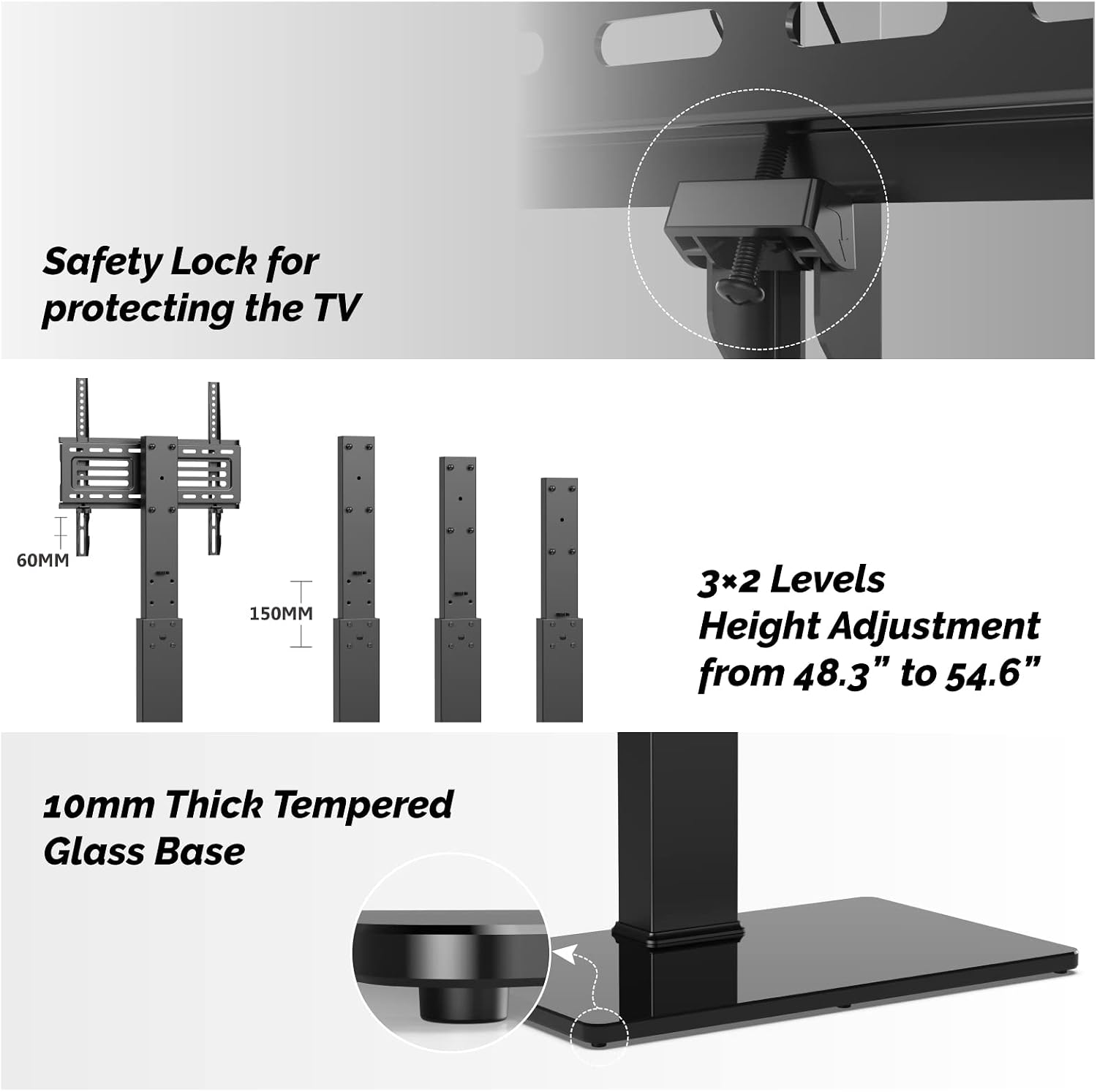
Image: Safety lock, height adjustment options, and the tempered glass base.

Image: Detailed dimensions and VESA compatibility information.
5. Operating Instructions
5.1 Height Adjustment
The TV stand offers multiple height adjustment levels to position your television at the desired viewing height. To adjust the height:
- With two people, carefully lift the television slightly off the mounting hooks.
- Reposition the TV mounting rails to a different set of holes on the vertical brackets.
- Lower the television back onto the hooks and ensure it is securely seated.
- Re-engage the safety lock.
5.2 Swivel Function
The TV stand features a swivel mount, allowing you to rotate your television up to ±30 degrees left or right. This provides flexibility for optimal viewing from various positions in your room.

Image: Illustration of the ±30° swivel capability.
5.3 Cable Management
The central support pole includes integrated cable management features. Route your TV and device cables through the designated openings in the pole to maintain a clean and organized appearance.
6. Maintenance
- Cleaning: Wipe the stand with a soft, damp cloth. Avoid abrasive cleaners or solvents that could damage the finish. For the tempered glass base, use a glass cleaner.
- Regular Checks: Periodically inspect all screws and connections to ensure they remain tight and secure. Retighten if necessary.
- Weight Distribution: Ensure the weight of the television is evenly distributed and within the specified limits.
7. Troubleshooting
7.1 TV is not level
- Check that the mounting rails are installed evenly on the back of the TV.
- Ensure the stand is on a level surface. Adjust the feet if applicable.
7.2 Stand feels unstable
- Verify all assembly screws are tightened securely.
- Ensure the TV weight and size are within the specified limits for the stand.
- Confirm the stand is placed on a firm, level surface.
7.3 Difficulty with swivel
- Check for any obstructions around the base or TV.
- Ensure the swivel mechanism is not overtightened (if adjustable).
If you encounter issues not covered here, please refer to the support section for assistance.
8. Specifications
| Feature | Detail |
|---|---|
| Model Number | TT106001MB |
| Mounting Type | Floor Mount |
| Movement Type | Swivel (±30 Degrees) |
| Brand | FITUEYES |
| Material | Metal, Tempered Glass |
| Color | Black |
| Compatible Devices | Television |
| Maximum Supported Screen Size | 70 Inches |
| Minimum Supported Screen Size | 27 Inches |
| Item Weight | 29.7 Pounds (13.47 kg) |
| Maximum Load Capacity | 88 lbs (40 kg) |
| VESA Compatibility | 100x100mm to 400x400mm |

Image: TV size and load capacity overview.
9. Warranty Information
FITUEYES products are backed by a warranty of up to 10 years, ensuring quality and durability. For specific warranty terms and conditions, please refer to the warranty card included with your product or visit the official FITUEYES website.
10. Customer Support
If you have any questions, require assistance with assembly, or need to report missing/damaged parts, please contact FITUEYES customer support:
- Website: Visit the FITUEYES Store on Amazon
- Email: (Please refer to your product packaging or official website for the most current email address)
- Phone: (Please refer to your product packaging or official website for the most current phone number)
Please have your model number (TT106001MB) and purchase information ready when contacting support.