
Introduction
This manual provides essential instructions for the safe and effective use of your Eschenbach visolux DIGITAL HD portable video magnifier. Please read this manual thoroughly before operating the device and retain it for future reference.
The visolux DIGITAL HD is designed to assist individuals with low vision by providing magnified views of text and objects on its non-reflective 7-inch display. Its portable design and various features enhance reading comfort and accessibility.
Included Components
Upon unpacking, please ensure all the following items are present:
- Eschenbach visolux DIGITAL HD device
- HDMI cable
- USB Type C cable
- 4GB SD card
- Universal charging device (for worldwide use)
- Lanyard
- Hard foam case
Setup
1. Initial Charging
Before first use, fully charge the device. Connect the universal charging device to the USB Type C port on the visolux DIGITAL HD and plug it into a power outlet. The charging indicator light will show the charging status.
2. Inserting the SD Card
Locate the SD card slot, typically on the underside or side of the device. Gently insert the provided 4GB SD card until it clicks into place. This card is used for saving captured photos.

Image: Bottom view of the visolux DIGITAL HD, highlighting the camera lens and the slot for the SD card.
3. Positioning the Device
The visolux DIGITAL HD features an integrated stand that provides an ergonomic tilted angle for comfortable reading. Fold out the stand to position the device on a flat surface. The centrally positioned camera and tactile markers aid in aligning the device over reading material.

Image: The visolux DIGITAL HD with its stand deployed, ready for use on a surface.
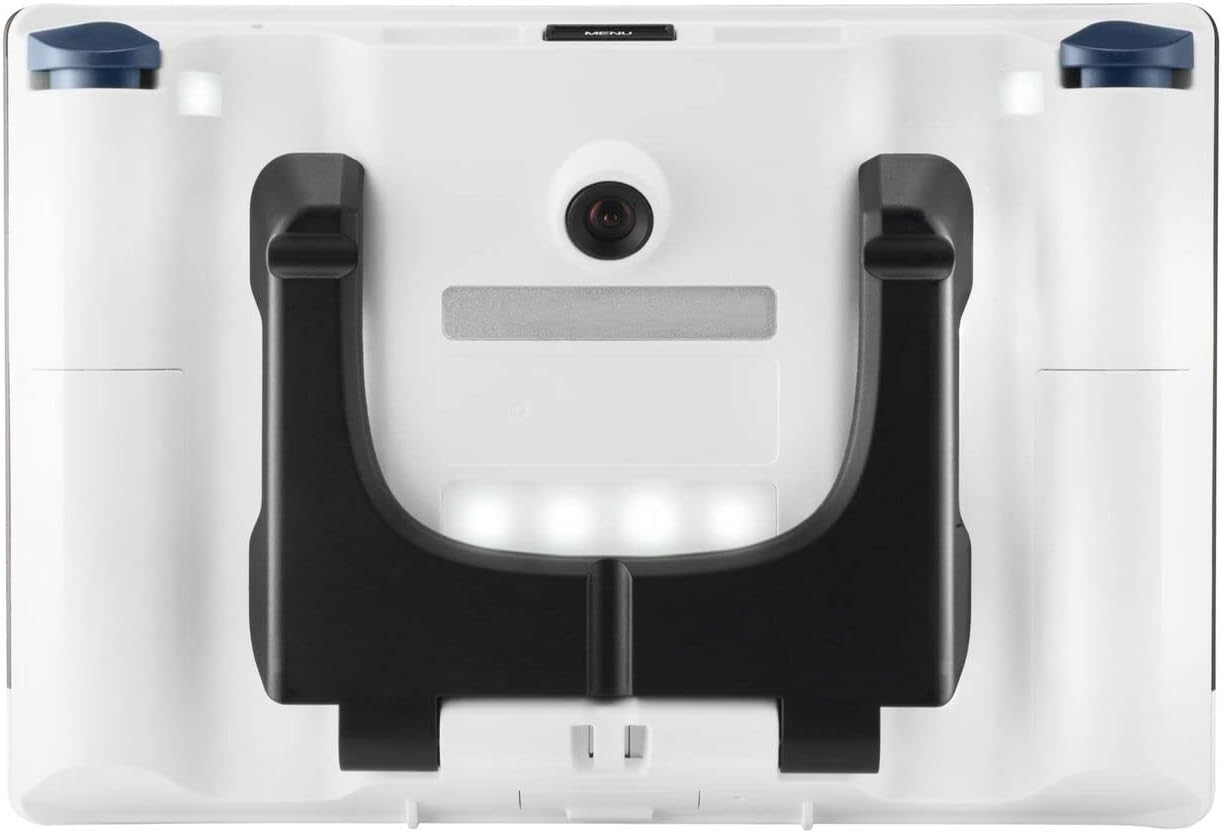
Image: Rear view of the device, illustrating the camera and the foldable stand.
4. Connecting to an External Display (Optional)
To view magnified content on a larger screen, connect the visolux DIGITAL HD to an HD television using the provided HDMI cable. This allows the device to function as a screen-reading aid, offering a magnification range of 12x to 125x on a 40-inch TV.
5. Connecting to a Computer (Optional)
The USB Type C port can be used to transmit images to a computer (PC or Mac). Connect the device to your computer using the USB Type C cable for image transfer or live viewing, depending on compatible software.

Image: Top view of the device, showing the USB Type C and HDMI ports for external connections.
Operating Instructions
1. Powering On/Off
Press and hold the power button (usually a prominent button on the front or side) to turn the device on or off. The non-reflective 7-inch display will illuminate.

Image: Front view of the visolux DIGITAL HD, displaying the screen and various control buttons.
2. Adjusting Magnification
Use the magnification control buttons (often marked with '+' and '-') located on the side of the device to adjust the zoom level. The visolux DIGITAL HD offers a magnification range from 2x to 22x. The HD camera ensures high contrast and detailed images across this range.
3. Viewing Modes and Color Combinations
The device supports various viewing modes, including true color and up to 14 contrast-enhanced false color modes. Cycle through these modes using the dedicated button (refer to the device's tactile markers for identification) to find the most comfortable setting for your reading material.
4. Dynamic Line Scrolling (DLS)
For high magnification levels, the Dynamic Line Scrolling (DLS) feature allows you to move the visible line area on the display by the touch of a button. This eliminates the need to physically move the device across the reading material, maintaining orientation and improving reading flow.
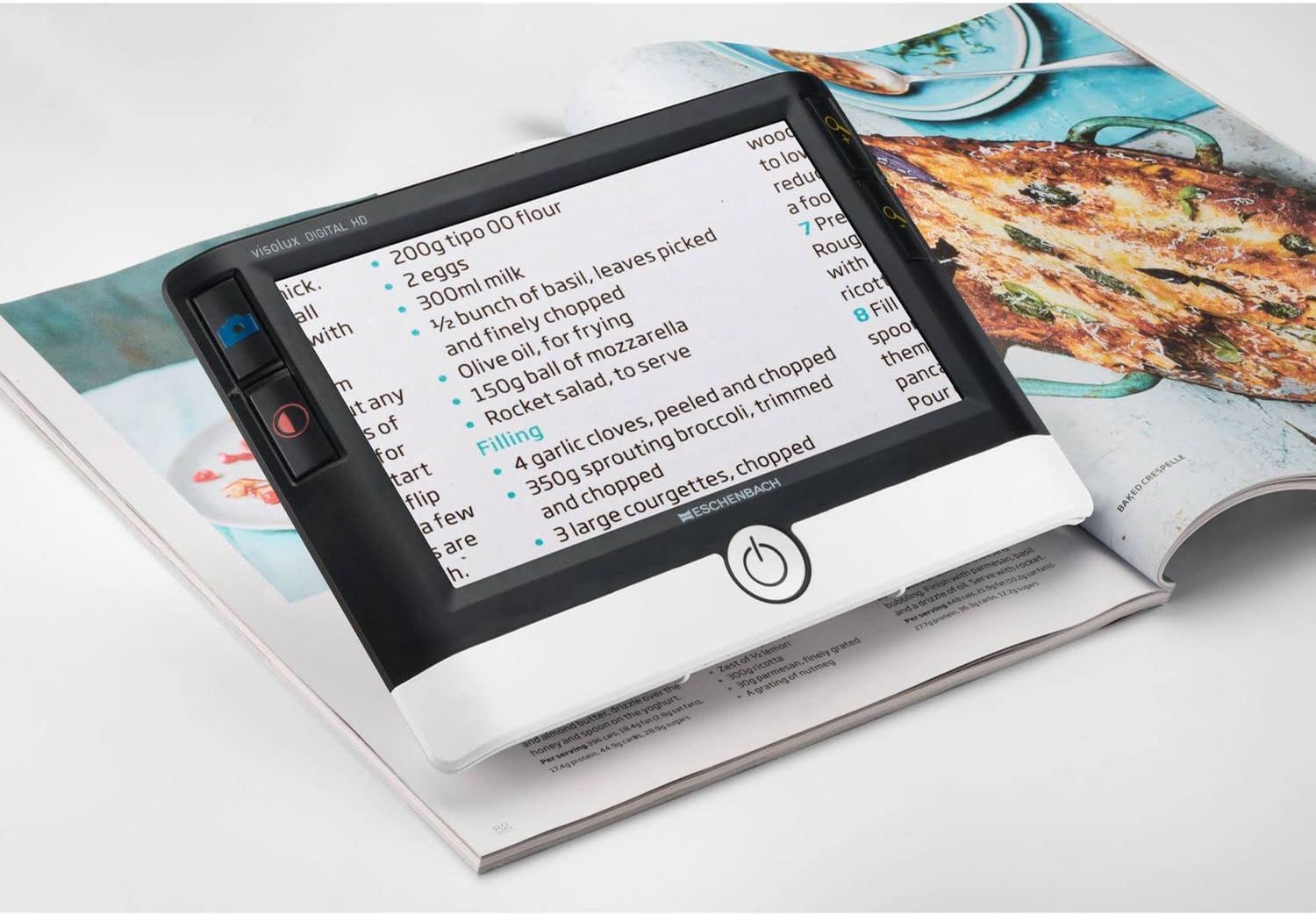
Image: The visolux DIGITAL HD displaying a recipe, showing how it accommodates an entire newspaper column or similar text.
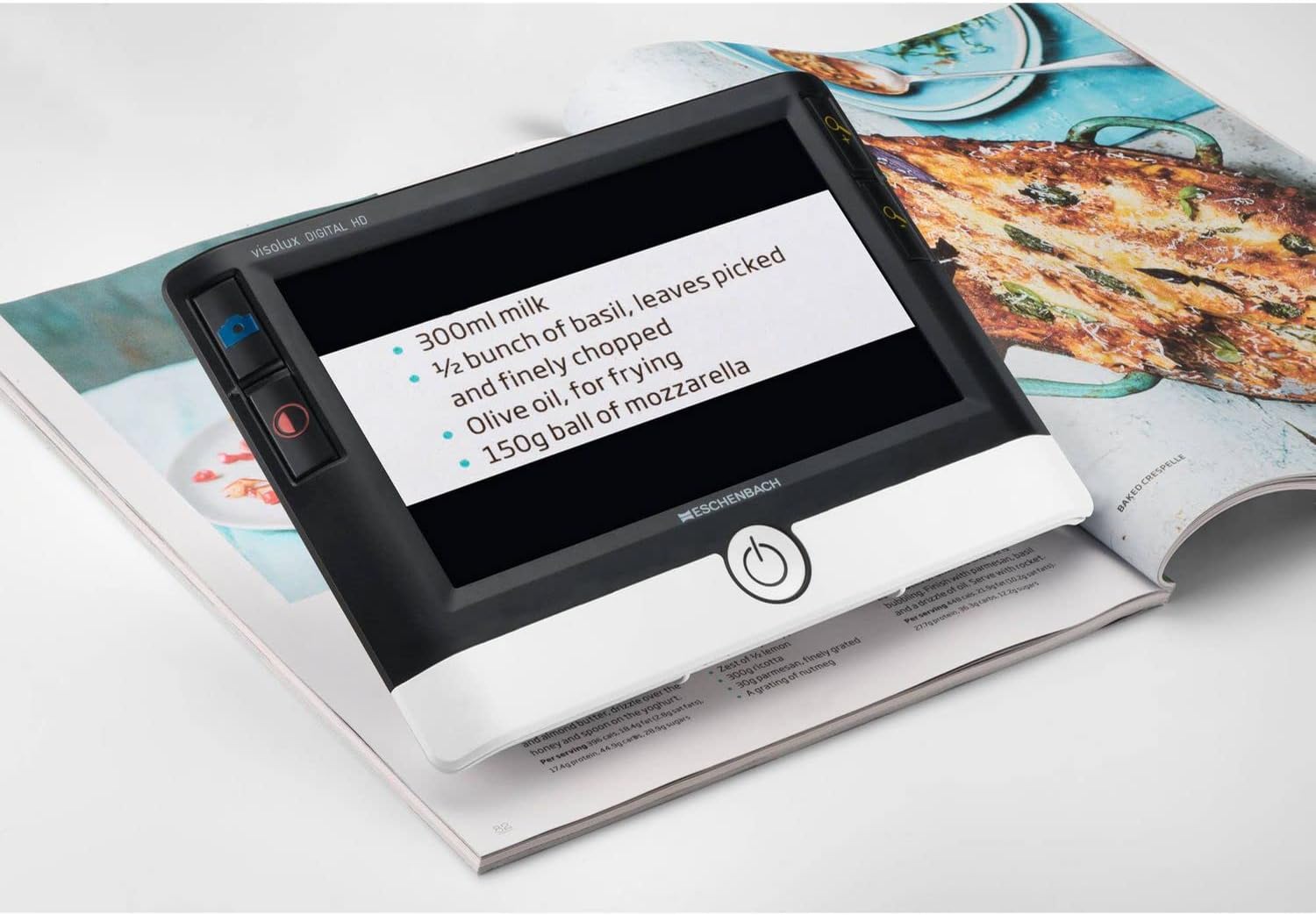
Image: The visolux DIGITAL HD demonstrating Dynamic Line Scrolling (DLS), where a portion of the recipe text is scrolled into view at higher magnification.
5. Orientation Markers
The device offers optional orientation markers, such as a reading line or a "blind" (masking feature), to further assist with reading. These can be activated through the device's menu or dedicated buttons.
6. Photo Function
Press the photo button to capture an image of the magnified content. Photos are saved directly to the inserted SD card. You can review saved images through the device's menu.
Maintenance
- Cleaning the Display and Lens: Use a soft, lint-free cloth specifically designed for optical surfaces to clean the non-reflective display and camera lens. Do not use abrasive cleaners or solvents.
- Battery Care: To prolong battery life, avoid fully discharging the device frequently. Charge the device regularly, especially if it will be stored for an extended period.
- Storage: When not in use, store the visolux DIGITAL HD in its hard foam case to protect it from dust, scratches, and impacts.
- Environmental Conditions: Avoid exposing the device to extreme temperatures, humidity, or direct sunlight.
Troubleshooting
Device Does Not Power On
- Ensure the device is fully charged. Connect it to the charger and wait a few minutes before attempting to power on again.
- Verify the power button is pressed and held for the required duration.
Image is Blurry or Unclear
- Check if the camera lens is clean. Gently wipe it with a suitable optical cleaning cloth.
- Ensure the device is positioned correctly over the reading material.
- Adjust the magnification level.
Cannot Save Photos
- Verify that the SD card is correctly inserted into the slot.
- Check if the SD card has sufficient free space.
- Ensure the SD card is not write-protected.
No Image on External TV
- Confirm the HDMI cable is securely connected to both the visolux DIGITAL HD and the TV.
- Ensure the TV input source is set to the correct HDMI port.
- Check the device's settings to ensure HDMI output is enabled, if applicable.
Specifications
| Model Number | 165210000 |
| Display | 7-inch non-reflective, 16:9 aspect ratio |
| Magnification Range | 2x to 22x (on device display) 12x to 125x (when connected to 40" HD TV) |
| Field of View | 70mm |
| Camera | HD camera |
| Viewing Modes | True color and up to 14 contrast-enhanced false color modes |
| Battery Type | 1 Lithium Ion battery (included) |
| Operating Time | Approximately 3.5 hours |
| Weight | 460g (0.5 Kilograms) |
| Material | Plastic |
| Color | White and Black |
| Ports | HDMI, USB Type C |
| Storage | SD card slot (4GB SD card included) |
| UPC | 616909838455, 783185223302 |
Warranty and Support
Warranty information for the Eschenbach visolux DIGITAL HD is typically provided with the product packaging or can be obtained directly from Eschenbach or your authorized dealer. Please refer to the documentation included with your purchase for specific warranty terms and conditions.
For technical support, service, or further inquiries, please contact Eschenbach customer service or your local distributor. Contact details are usually available on the manufacturer's official website or in the product documentation.