
Introduction
This manual provides instructions for the Tiktecklab A4 Ultra-Thin LED Tracing Light Box. This device is designed to assist artists, designers, and hobbyists with various tasks requiring backlighting, such as tracing, sketching, animation, stenciling, and diamond painting. Please read this manual thoroughly before use to ensure proper operation and longevity of your device.
Safety Information
- This light box is USB-powered and requires a DC 5V power source (e.g., computer, power bank, USB wall adapter). It has no built-in battery and is not rechargeable; it must remain plugged in during use.
- Ensure the power supply is sufficient to avoid malfunction.
- Handle with care to avoid damage from sharp or heavy objects.
- Protect the working surface from scratches.
- This product is not waterproof. Only use it in dry environments.
- Keep the device in a safe, dry place when not in use.
- Remove the protective film from the screen before first use.
Package Contents
- 1 x Tiktecklab A4 Ultra-Thin LED Tracing Light Box
- 1 x USB Power Cable
Product Overview
The Tiktecklab A4 Ultra-Thin LED Tracing Light Box features a sleek, ultra-slim design, measuring only 5mm thick, making it highly portable. It provides flicker-free, ultra-bright LED illumination with stepless brightness adjustment. The device includes a touch sensor switch for easy control and integrated rulers for precise work.
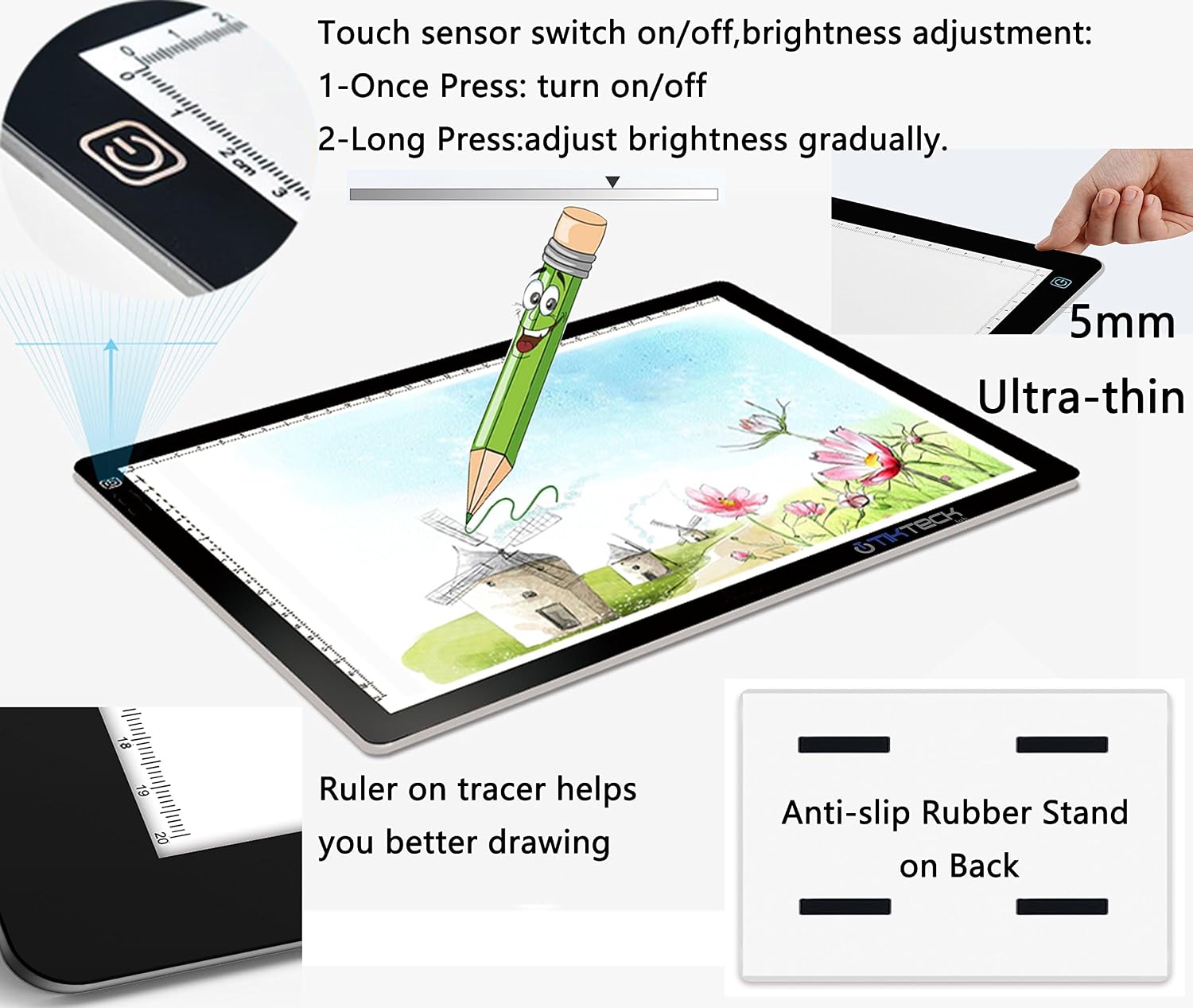
Figure 1: Key features including ultra-thin design, touch sensor, and rulers.
Power is supplied via a Micro USB port, and an indicator LED confirms power connection.

Figure 2: Micro USB port, power indicator, and examples of compatible power sources.
Setup
- Unpack the light box and USB cable from its packaging.
- Remove any protective film from the light box screen.
- Connect the smaller end of the USB cable to the Micro USB port on the light box.
- Connect the larger end of the USB cable to a compatible DC 5V power source (e.g., a computer USB port, a power bank, or a USB wall adapter).
- The indicator LED will illuminate when power is successfully connected.
Operation
- Power On/Off: Once the device is connected to a power source, simply touch the power symbol on the light box to turn it on or off.
- Adjust Brightness: To adjust the brightness, press and hold the power symbol. The brightness will gradually increase or decrease. Release your finger when the desired brightness level is reached. The light box features stepless dimming, allowing for fine-tuned illumination.
- Tracing: Place your original image or design on the light box, then place your tracing paper over it. The bright LED light will illuminate the image, allowing you to easily trace the lines.

Figure 3: Example of tracing an image using the light box.

Figure 4: A user tracing a design on the light box.
Maintenance
- Clean the surface of the light box with a soft, dry cloth. Avoid abrasive cleaners or solvents.
- Do not immerse the device in water or expose it to excessive moisture.
- Store the light box in a cool, dry place away from direct sunlight and extreme temperatures.
- Avoid placing heavy objects on the light box to prevent damage to the screen or internal components.
Troubleshooting
| Problem | Possible Cause | Solution |
|---|---|---|
| Light box does not turn on. | Insufficient power supply or loose connection. | Ensure the USB cable is securely connected to both the light box and a DC 5V power source. Try a different USB port or power adapter. |
| Light is too dim or flickers. | Brightness setting is low or power supply is unstable. | Press and hold the power button to increase brightness. Ensure the power source provides stable 5V output. |
| Screen has black dots or uneven lighting. | Manufacturing defect. | Contact customer support for assistance. Refer to the warranty information. |
Specifications
| Feature | Detail |
|---|---|
| Brand | tiktecklab |
| Model Name | A4P Black |
| Model Number | HL0230-04FB |
| Color | Black |
| Material | A4P Black Acrylic |
| Item Dimensions (L x W x H) | 14.17"L x 9.45"W x 0.19"H |
| Item Thickness | 0.19 Inches (5mm) |
| Item Weight | 1.45 Pounds |
| Power Source | USB Powered (DC 5V) |
| Light Source | Light Emitting Diode (LED) |
| Cable Length | 2 Meters |
| Recommended Uses | Stenciling, 2D animation, calligraphy, embossing, scrapbooking, sketching & drawing, sewing projects, stained glass, quilting, appliqué, tattoo transferring, X-ray viewing. |
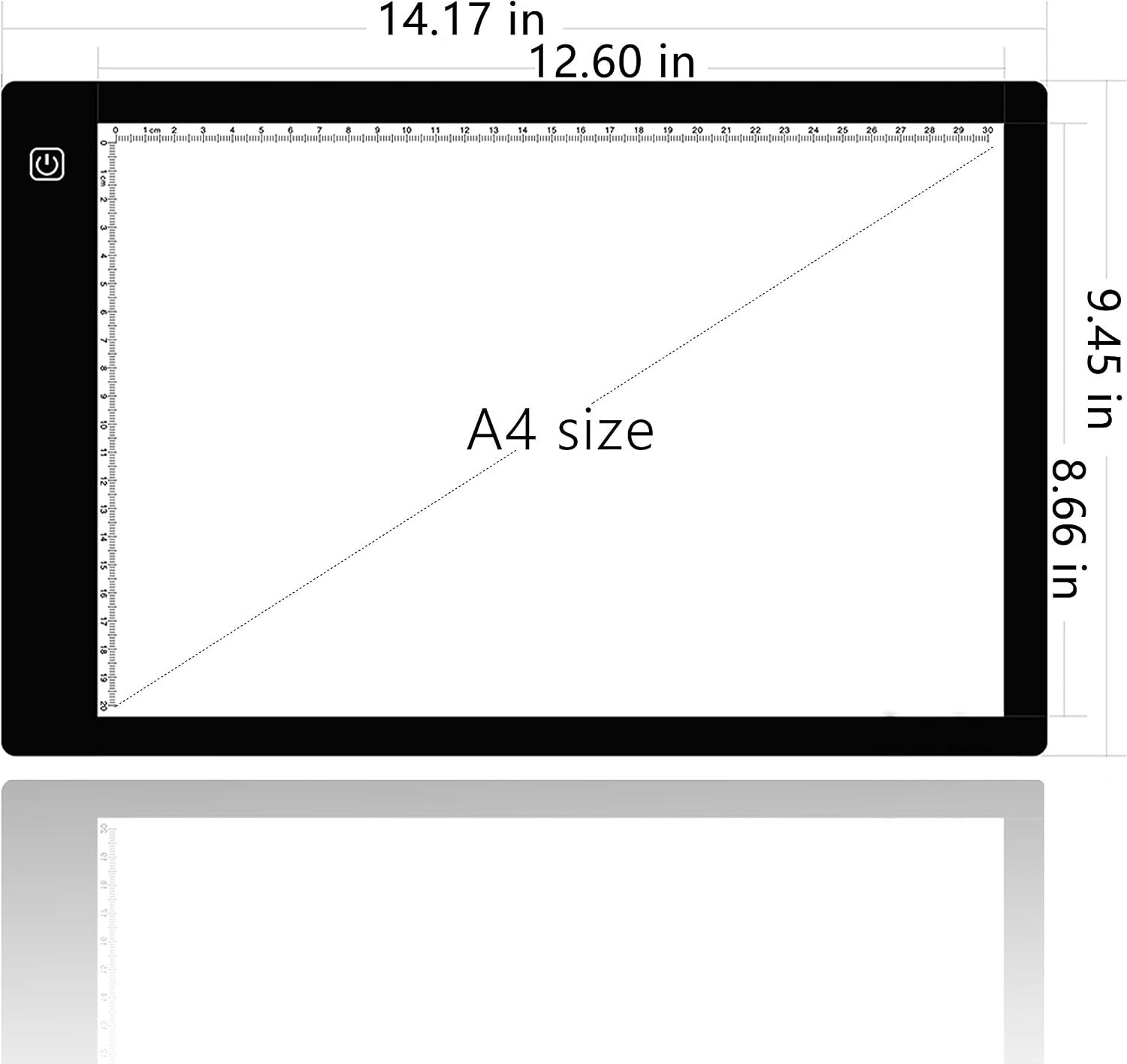
Figure 5: Physical dimensions of the A4 light box.
Warranty and Support
This Tiktecklab A4 Ultra-Thin LED Tracing Light Box comes with a full 1-year warranty. For any questions, issues, or support needs, please contact Tiktecklab customer service. Refer to the product packaging or the retailer's website for specific contact details.