
1. Introduction
Thank you for choosing the FERM BCM1021 Battery Charger. This manual provides essential information for the safe and efficient operation, maintenance, and troubleshooting of your new battery charger. Please read this manual thoroughly before first use and keep it for future reference.
The FERM BCM1021 is designed for charging 6V and 12V lead-acid batteries. It features automatic overcharge, short-circuit, and reverse polarity protection, ensuring safe charging. The integrated ampere meter allows for easy monitoring of the charging process.
2. Safety Instructions
Always observe the following safety precautions to prevent electric shock, fire, or injury:
- Read all instructions before using the charger.
- Use the charger only in a well-ventilated area.
- Do not expose the charger to rain or wet conditions.
- Ensure the charger is disconnected from the mains power before making or breaking connections to the battery.
- Connect the battery clamps to the correct terminals: red to positive (+), black to negative (-). Reverse polarity will blow the fuse.
- Avoid sparks or flames near the battery, as batteries can produce explosive gases.
- Wear eye protection and gloves when working with batteries.
- Keep out of reach of children.
- Do not attempt to charge non-rechargeable batteries.
3. Package Contents
Verify that all items are present and undamaged upon opening the package:
- FERM BCM1021 Battery Charger
- Set of Battery Clamps (Red and Black)
4. Product Overview
Familiarize yourself with the components of your FERM BCM1021 Battery Charger:

Figure 4.1: Overall view of the FERM BCM1021 Battery Charger with connected battery clamps. The charger features a robust blue and black casing with ventilation slots.

Figure 4.2: Top panel of the charger showing the fuse holder, 6V/12V selector switch, and the ampere meter. The model number and manufacturer details are also visible.

Figure 4.3: Detailed view of the 10A fuse and the white rocker switch for selecting between 6V and 12V charging modes. A warning about fuse breaking due to reverse polarity or short circuit is printed nearby.

Figure 4.4: Close-up of the analog ampere meter, which displays the current flowing into the battery during charging. The scale ranges from 0 to 10 Amperes.
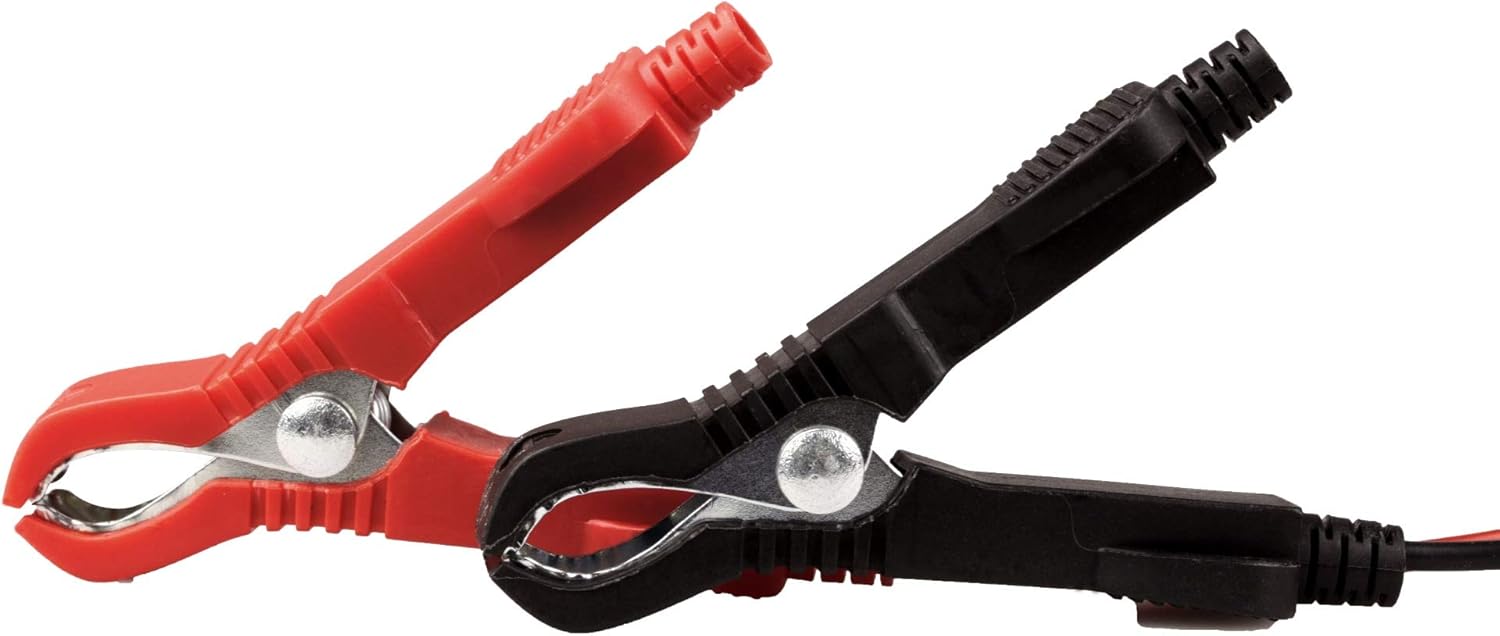
Figure 4.5: The included red (positive) and black (negative) battery clamps, designed for secure connection to battery terminals.
5. Setup
- Preparation: Ensure the battery is in a well-ventilated area. Clean the battery terminals if necessary to ensure good contact.
- Voltage Selection: Before connecting to the battery, use the 6V/12V switch on the charger to select the correct voltage (6V or 12V) matching your battery.
- Connect to Battery:
- Connect the red positive (+) battery clamp to the positive (+) terminal of the battery.
- Connect the black negative (-) battery clamp to the negative (-) terminal of the battery.
- Ensure connections are secure.
- Connect to Mains Power: Plug the charger's power cord into a standard 230V AC electrical outlet.
6. Operating Instructions
- Initiate Charging: Once connected to both the battery and mains power, the charging process will begin automatically.
- Monitor Charging: Observe the ampere meter on the charger. The needle will indicate the charging current. As the battery charges, the current will gradually decrease.
- Charging Completion: Charging is complete when the ampere meter shows a very low current or drops to zero, indicating the battery is fully charged. The charger's automatic overcharge protection will prevent damage to the battery.
- Disconnecting:
- First, unplug the charger from the mains power outlet.
- Then, disconnect the black negative (-) battery clamp from the battery.
- Finally, disconnect the red positive (+) battery clamp from the battery.
Safety Features:
- Overcharge Protection: The charger automatically stops charging when the battery is full to prevent overcharging.
- Short-Circuit Protection: Protects the charger and battery in case of a short circuit.
- Reverse Polarity Protection: If the battery clamps are connected incorrectly, the internal fuse will blow to protect the unit.
7. Maintenance
- Cleaning: Clean the charger's exterior with a soft, dry cloth. Do not use abrasive cleaners or solvents. Ensure ventilation slots are free from dust and debris.
- Storage: Store the charger in a dry, cool place, away from direct sunlight and moisture, when not in use.
- Fuse Replacement: If the charger stops working due to reverse polarity or a short circuit, the internal 10A fuse may have blown. To replace, disconnect the charger from all power sources, open the fuse compartment (refer to Figure 4.3 for location), and replace with a fuse of the same type and rating (10A).
8. Troubleshooting
| Problem | Possible Cause | Solution |
|---|---|---|
| Charger not turning on / No current shown on ampere meter. |
|
|
| Ampere meter shows very low or no current after initial connection. | Battery is already fully charged. | No action required. The charger's overcharge protection is active. |
| Charger gets warm during operation. | Normal operation. | Ensure adequate ventilation around the charger. This is normal during charging. |
9. Specifications
| Model Number | BCM1021 |
| Brand | FERM |
| Input Voltage | 230 Volt AC |
| Output Voltage | 6V / 12V DC |
| Power Consumption | 12 Watt |
| Dimensions (L x W x H) | 26 x 17 x 10 cm |
| Weight | 3.67 Kilograms |
| Color | Blue / Black |
| Included Accessories | Set of Battery Clamps |
10. Warranty and Support
FERM products are manufactured to high quality standards. In the unlikely event of a defect, please contact your retailer or the FERM customer service for assistance. Keep your proof of purchase for warranty claims.
For further support, technical questions, or to find service centers, please visit the official FERM website or contact their customer support line. Contact details can typically be found on the product packaging or the official brand website.
Note: Specific warranty terms and conditions may vary by region. Please refer to the warranty card included with your product or the manufacturer's website for detailed information.


