
1. Product Overview
The Motorola PMNN4485A is an IMPRES 2 Li-Ion battery designed for rugged use, offering a capacity of 2550mAh. This battery is engineered to provide reliable power for compatible Motorola radios, ensuring extended operational periods.
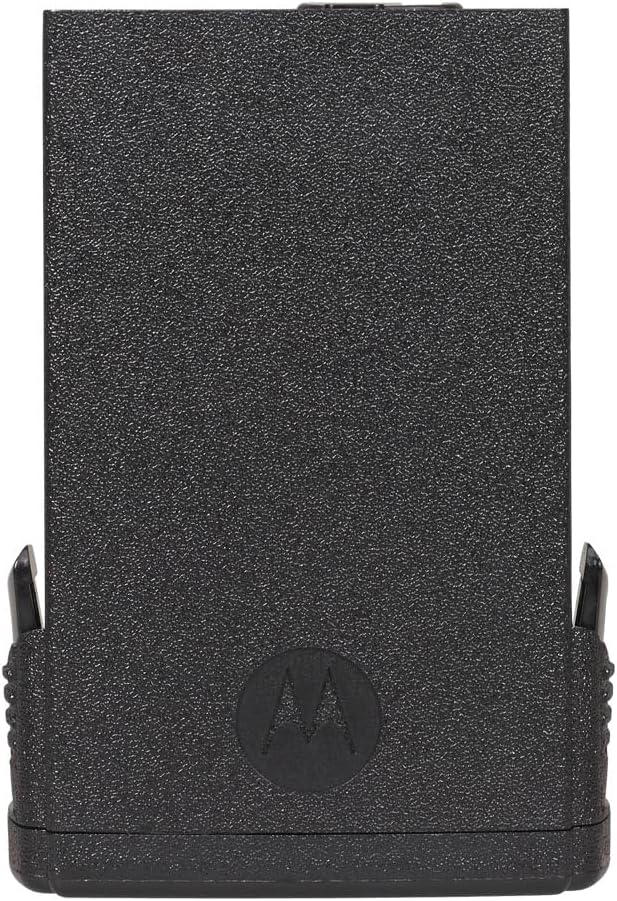
Figure 1: Front view of the Motorola PMNN4485A IMPRES 2 Li-Ion Battery, showing its robust construction.
Key Features:
- Capacity: 2550 mAh for extended use.
- Durability: Rugged design suitable for demanding environments.
- Technology: Features IMPRES 2 technology for optimized battery life and charging.
- Compatibility: Replaces model PMNN4403.

Figure 2: Back view of the battery, displaying technical labels including "IMPRES 2", "Li-ion", "7.6V / 2550mAh", and recycling symbols.
2. Safety Information
Read all instructions and cautionary markings on the battery, charger, and radio before use. Failure to do so may result in property damage, personal injury, or death.
- Do not disassemble, crush, puncture, short external contacts, or dispose of in fire or water.
- Use only Motorola approved chargers for this battery.
- Do not expose the battery to temperatures above 60°C (140°F).
- Keep the battery away from children.
- If the battery is damaged, discontinue use immediately.
3. Setup and Installation
This section outlines the process for installing the PMNN4485A battery into a compatible Motorola radio.
Installing the Battery:
- Ensure the radio is powered off before attempting to install or remove the battery.
- Align the battery with the battery compartment on the back of the radio.
- Slide the battery into place until it clicks securely. Ensure there is no gap between the battery and the radio body.
- To remove, locate the battery release latch (if present on your radio model), depress it, and slide the battery off.

Figure 3: Examples of compatible Motorola APX 8000 radios where the PMNN4485A battery can be installed.
4. Operating Instructions
The Motorola PMNN4485A battery is designed for use with Motorola IMPRES 2 chargers. Proper charging ensures optimal battery performance and longevity.
Charging the Battery:
- Connect the Motorola IMPRES 2 charger to a power source.
- Place the radio with the installed battery into the charger slot. Ensure it is seated correctly.
- Observe the charger's indicator lights. A red light typically indicates charging is in progress.
- An orange light may indicate reconditioning or recalibration, which is a normal process for IMPRES batteries to optimize performance. If you wish to bypass reconditioning, remove the radio and re-insert it into the charger.
- A green light indicates the battery is fully charged.
Video 1: Demonstration of charging a Motorola APX 8000 radio with the IMPRES 2 battery using a compatible charger. The video illustrates the reconditioning process (orange light) and standard charging (red light).
The IMPRES 2 charging system is designed to automatically recondition and recalibrate batteries as needed, extending their service life and ensuring consistent performance.
5. Maintenance
Proper maintenance helps prolong the life and performance of your Motorola PMNN4485A battery.
- Cleaning: Periodically clean the battery contacts and charger contacts with a clean, dry cloth to ensure good electrical connection.
- Storage: Store batteries in a cool, dry place away from direct sunlight and extreme temperatures. For long-term storage, charge the battery to approximately 50% capacity.
- Avoid Deep Discharge: While IMPRES 2 technology manages battery health, avoiding complete discharge before recharging can contribute to overall battery longevity.
6. Troubleshooting
If you encounter issues with your PMNN4485A battery, refer to the following common problems and solutions:
| Problem | Possible Cause | Solution |
|---|---|---|
| Battery not charging (charger light off or error) |
|
|
| Short operating time after full charge |
|
|
| Radio displays "NON-IMPRESS BATTERY" error |
|
|
7. Specifications
| Feature | Detail |
|---|---|
| Model Number | PMNN4485A |
| Battery Type | Lithium Ion (Li-Ion) |
| Capacity | 2550 mAh |
| Voltage | 3.85 Volts |
| Technology | IMPRES 2 |
| Durability | Rugged |
| Reusability | Rechargeable |
| Compatible Devices | Motorola radios (e.g., APX 8000 series) |
| Replaces Model | PMNN4403 |
| Item Dimensions | 3 x 3 x 4 inches (approximate, for packaging) |
8. Warranty and Support
For specific warranty information regarding your Motorola PMNN4485A battery, please refer to the documentation provided with your purchase or visit the official Motorola website. Support for this product is typically handled through authorized Motorola dealers or service centers.
Note: The product data provided did not include specific warranty terms. Please consult official Motorola resources for the most accurate and up-to-date warranty details.