
1. Introduction
This manual provides instructions for the JustFine replacement remote control, designed for use with various LG LED LCD HDTV models. This remote is pre-programmed and requires no additional setup for compatible televisions. Please read this manual carefully to ensure proper use and to understand the features of your new remote control.
Compatible LG TV Models include: 26LE5300UE, AKB72914001, 47LS4600, 32LK453C, 55LD520C, 42PJ340, and other similar LG LED LCD HDTVs.
2. Setup: Battery Installation
The remote control requires two AAA or AA batteries (not included) for operation. Follow these steps to install the batteries:
- Locate the battery compartment on the back of the remote control.
- Press down on the latch and slide the battery cover off.
- Insert two AAA or AA batteries, ensuring the positive (+) and negative (-) terminals align correctly with the markings inside the compartment.
- Slide the battery cover back into place until it clicks securely.
Note: Always replace both batteries at the same time. Do not mix old and new batteries, or different types of batteries. Remove batteries if the remote will not be used for an extended period.
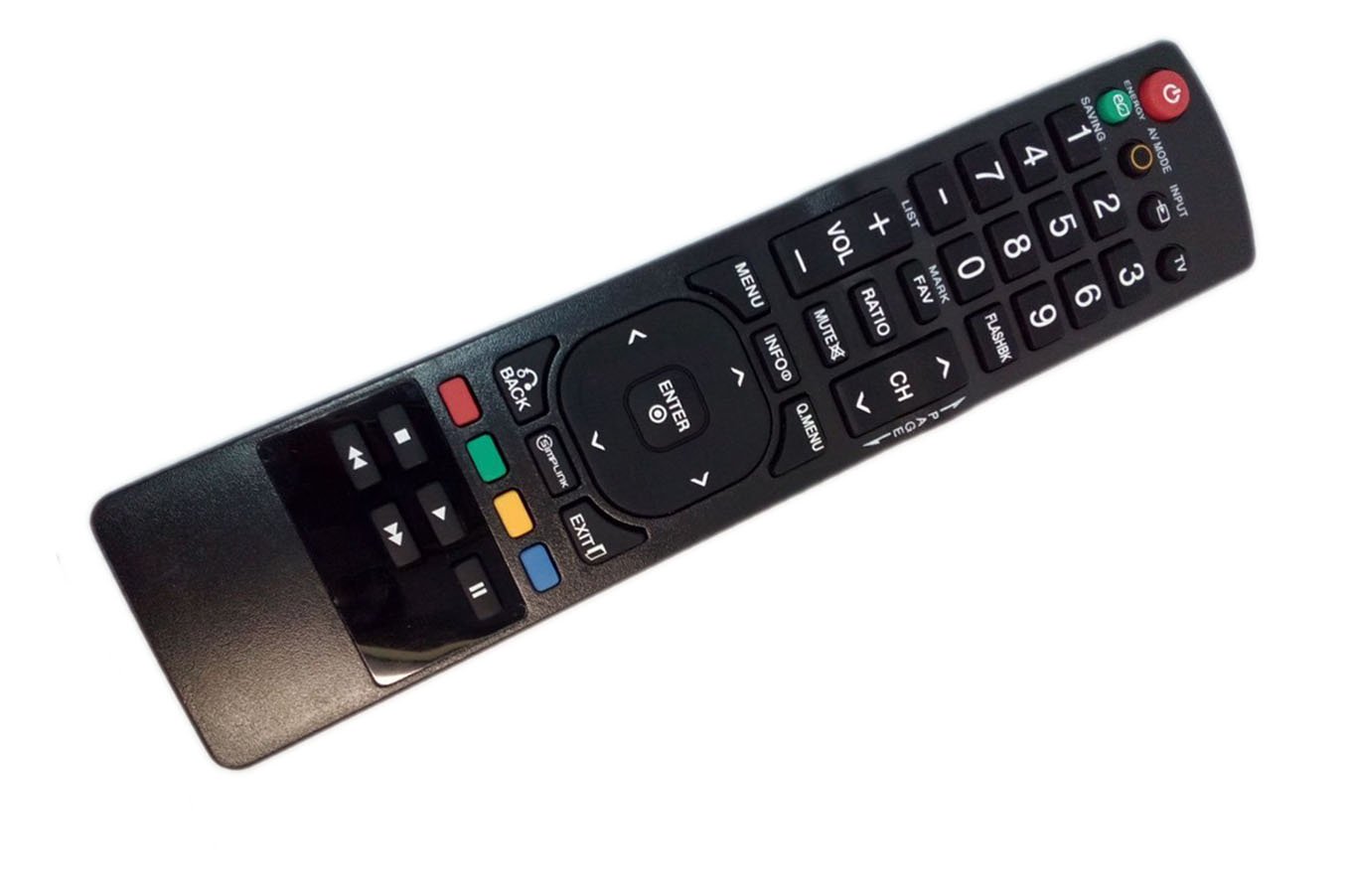
This image shows the JustFine replacement remote control, featuring a standard layout with power, channel, volume, and navigation buttons. The battery compartment is located on the back.
3. Operating Instructions
This replacement remote control is pre-programmed and ready to use with compatible LG LED LCD HDTVs immediately after battery installation. No additional programming is required.
Basic Functions:
- Power Button: Turns the TV on or off.
- Number Buttons (0-9): Selects channels directly.
- CH +/-: Changes channels sequentially.
- VOL +/-: Adjusts the volume level.
- Mute Button: Mutes or unmutes the TV sound.
- Input/Source Button: Selects input sources (HDMI, AV, Component, etc.).
- Menu Button: Accesses the TV's main menu.
- Navigation Buttons (Up/Down/Left/Right): Navigates through menus and options.
- OK/Enter Button: Confirms selections in menus.
- Back/Exit Button: Returns to the previous screen or exits the current menu.
Point the remote control directly at the TV's infrared sensor for optimal performance. Ensure there are no obstructions between the remote and the TV.
4. Troubleshooting
If you experience issues with your remote control, please refer to the following common problems and solutions:
- Remote is not responding:
- Check if the batteries are inserted correctly with the correct polarity (+/-).
- Replace old batteries with new ones.
- Ensure there are no obstructions between the remote control and the TV's infrared sensor.
- Make sure you are within the effective operating range (up to 10 meters).
- Some buttons are not working:
- This remote is a replacement and may not have all the advanced functions of an original smart remote. Verify if the button functionality is standard for basic TV operation.
- Clean the remote control buttons and surface with a soft, dry cloth to remove any dirt or debris that might be interfering with button presses.
- TV is not listed as compatible:
- While this remote is compatible with many LG LED LCD HDTVs, specific model compatibility can vary. If your TV is not responding, it may not be fully compatible.
5. Specifications
| Brand | JustFine |
| Model Name | LYSB01M0UOVAI-ELECTRNCS |
| Compatible Devices | LG LED LCD HDTVs |
| Connectivity Technology | Infrared |
| Controller Type | Button Control |
| Button Quantity | 25 |
| Maximum Range | 10 Meters |
| Battery Type | AA or AAA batteries (2 required) |
| Item Weight | 0.02 Pounds |
6. Warranty and Support
This product comes with a 30-day quality warranty from the date of purchase. This warranty covers manufacturing defects and ensures the remote control functions as described.
For any issues, questions, or support inquiries regarding your JustFine replacement remote control, please contact the seller directly through the platform where the purchase was made. Provide your order details and a clear description of the problem for prompt assistance.
Please note that batteries and a printed manual are not included with the product package.