Introduction
This manual provides instructions for the JustFine RM-AAU019 Replacement Remote Control. This remote is designed to function as a direct replacement for specific Sony Home Theater Audio/Video Receiver AV Systems. It is pre-programmed and requires no additional setup beyond battery installation.
Compatibility
This replacement remote control is compatible with the following Sony Home Theater Audio/Video Receiver AV Systems:
- RM-AAU017
- HTD-DW685
- STRDG510
- STR-K1600
Features
- Direct replacement for specified Sony home theater systems.
- Easy-to-use design.
- Pre-programmed functionality; no additional programming required.
Setup
Battery Installation
The remote control requires two AA batteries (not included). Follow these steps to install the batteries:
- Locate the battery compartment cover on the back of the remote control.
- Slide the cover downwards or press the latch to open it.
- Insert two AA batteries, ensuring the positive (+) and negative (-) terminals align correctly with the markings inside the compartment.
- Replace the battery compartment cover by sliding it back into place until it clicks securely.

Image: Back of the remote control showing the battery compartment. The cover is removed, revealing two slots for AA batteries with positive and negative indicators.
Video: Demonstration of battery installation for the RM-AAU019 remote control. The video shows how to open the battery compartment, insert AA batteries, and close the cover.
Operating Instructions
Once batteries are installed, the remote control is ready for immediate use with compatible Sony AV systems. No programming is required.
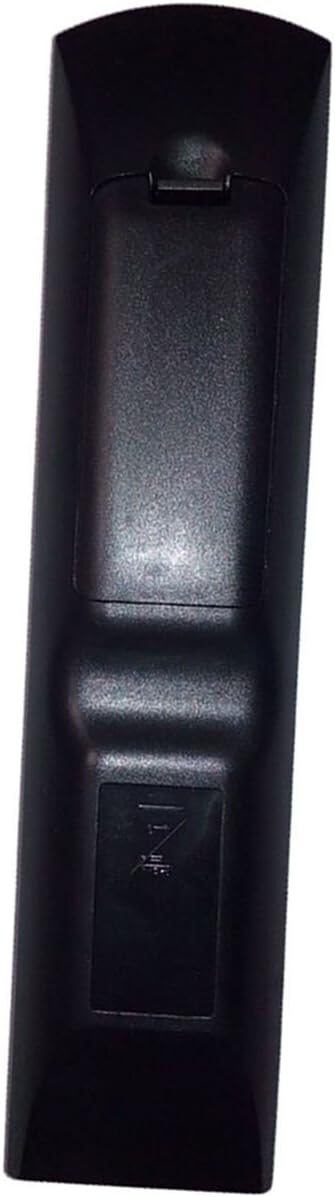
Image: Front view of the remote control, showing the layout of all buttons for various functions including power, input selection, volume, channel, and navigation.
Basic Functions:
- Power (I/O): Press to turn the AV system on or off.
- Input Selection (TV INPUT, VIDEO 1/2/3, SAT, TV, SA-CD/CD, TUNER, DVD): Use these buttons to select the desired input source on your AV system.
- Volume Control (TV VOL, MASTER VOL): Use the '+' and '-' buttons to adjust the volume.
- Navigation (Arrow buttons, ENTER): Use the arrow buttons to navigate menus and the ENTER button to confirm selections.
- Playback Controls (Play, Pause, Stop, Fast Forward, Rewind): Control media playback functions.
Refer to your Sony AV system's original manual for specific functions of each button if you require detailed operation beyond basic controls.
Maintenance
- Keep the remote control clean by wiping it with a soft, dry cloth.
- Avoid exposing the remote to extreme temperatures, humidity, or direct sunlight.
- If the remote will not be used for an extended period, remove the batteries to prevent leakage.
Troubleshooting
Remote Not Responding:
- Check Batteries: Ensure batteries are inserted correctly with the correct polarity (+/-) and are not depleted. Replace with fresh AA batteries if necessary.
- Line of Sight: Make sure there is a clear line of sight between the remote control and the AV system's infrared receiver. Obstructions can block the signal.
- Distance: Operate the remote within the effective range of your AV system.
- Interference: Strong light sources or other infrared devices can interfere with the remote's signal. Try operating in a different environment.
If the issue persists after checking these points, please contact customer support.
Specifications
| Feature | Detail |
|---|---|
| Model Number | RM-AAU019 (Replacement for Sony RM-AAU017) |
| Brand | JustFine |
| Compatible Devices | Sony HTD-DW685, STRDG510, STR-K1600 Home Theater Audio/Video Receiver AV System |
| Power Source | 2 x AA Batteries (not included) |
| Dimensions | 5.31 x 1.97 x 1.18 inches |
| Item Weight | 3.04 ounces |
| Color | Black |
| Special Feature | Ergonomic design |
Warranty and Support
This product is sold with a money-back guarantee and a 30-day quality warranty. For any problems or inquiries, please contact customer support via email.
Contact Information: support@justfine.com


