
Introduction
This manual provides essential information for the proper handling, installation, and maintenance of the Carrier KA 05CW 175 Thumb Screw. Adhering to these instructions will ensure optimal performance and longevity of the product.
Product Overview
The Carrier KA 05CW 175 is a high-quality thumb screw designed for applications requiring manual fastening and unfastening without the need for tools. Manufactured by Carrier, this component is built to meet specific industrial and scientific requirements.
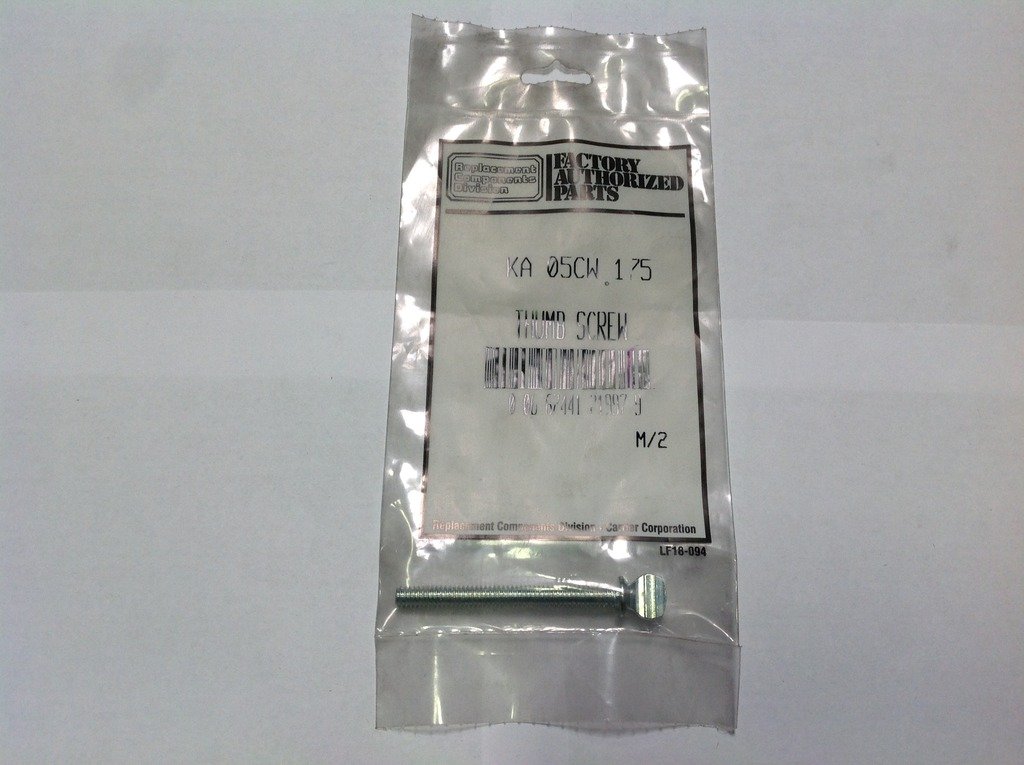
Image shows the Carrier KA 05CW 175 Thumb Screw, a brass flat head fastener, sealed in its clear plastic packaging. The packaging label displays the part number KA 05CW 175 and identifies it as a 'THUMB SCREW'.
Setup and Installation
- Preparation: Ensure the receiving thread is clean and free from debris or damage. Verify that the thread size and pitch of the thumb screw match the application.
- Insertion: Align the thumb screw with the threaded hole. Gently turn the screw clockwise by hand until it engages the threads.
- Tightening: Continue to turn the thumb screw clockwise by hand until it is snug. Do not use tools to overtighten, as this can strip the threads or damage the component being secured. The design allows for sufficient clamping force with hand-tightening.
- Verification: Confirm that the component is securely fastened and that the thumb screw is not loose.
Operating Instructions
The Carrier KA 05CW 175 Thumb Screw is designed for simple, tool-free operation.
- Fastening: To secure a component, turn the thumb screw clockwise until it is hand-tight. The flat head design provides a comfortable grip for manual rotation.
- Unfastening: To release a component, turn the thumb screw counter-clockwise by hand until it is loose enough to remove.
Always ensure the thumb screw is fully engaged in the threads before applying any significant force.
Maintenance
Proper maintenance ensures the longevity and reliable function of your thumb screw.
- Cleaning: Periodically wipe the thumb screw with a clean, dry cloth to remove dust, dirt, or any accumulated residue. Avoid harsh chemicals that may corrode the brass material.
- Inspection: Regularly inspect the threads for any signs of wear, damage, or deformation. Check the head for cracks or excessive wear that might impede grip.
- Lubrication (Optional): In certain environments, a light application of a suitable thread lubricant may be beneficial to prevent galling and ensure smooth operation. Consult application-specific guidelines if unsure.
Troubleshooting
While thumb screws are generally simple components, minor issues can arise.
- Difficulty Turning: If the thumb screw is difficult to turn, ensure the threads are clean and properly aligned. Do not force it, as this can cross-thread or strip the fastener. Check for any obstructions in the threaded hole.
- Loose Fastening: If the component remains loose after hand-tightening, verify that the thumb screw length is appropriate for the application and that the threads are not stripped in either the screw or the receiving part.
- Stripped Threads: If threads are stripped, the thumb screw or the receiving component (or both) will need to be replaced. Avoid overtightening to prevent this issue.
Specifications
| Attribute | Detail |
|---|---|
| Model Number | KA 05CW 175 |
| Material | Brass |
| Head Style | Flat |
| Exterior Finish | Brass |
| Point Style | Rolled Point |
| Manufacturer | Carrier |
| ASIN | B01LZO0A1F |
| Date First Available | September 30, 2016 |
Warranty Information
This Carrier product is covered by the standard manufacturer's warranty. For specific details regarding warranty terms, duration, and claims procedures, please refer to the official Carrier warranty documentation provided with your original equipment or visit the official Carrier website. Keep your purchase receipt as proof of purchase.
Support
For technical assistance, product inquiries, or support related to the Carrier KA 05CW 175 Thumb Screw, please contact Carrier customer service or an authorized Carrier dealer. Contact information can typically be found on the official Carrier website or on your product packaging.
Carrier Official Website: www.carrier.com