
GUESS U0969G2
GUESS Women's Quartz Watch User Manual
Model: U0969G2
1. Introduction
Thank you for choosing the GUESS Women's Quartz Stainless Steel and Leather Casual Watch, Model U0969G2. This timepiece combines robust design with elegant gold accents, offering a versatile style suitable for various occasions. This manual provides essential information to help you set up, operate, maintain, and troubleshoot your watch, ensuring its longevity and optimal performance.
Your watch features a durable stainless steel case, a comfortable stainless steel bracelet with a fold-over, double push-button release, and a round face with a three-hand analog display powered by precise quartz movement. The dial includes gold-tone hands, hour markers, three functional subdials, and a minute track, along with distinctive GUESS detailing. It also boasts chronograph functionality and is water resistant up to 50 meters (165 feet).
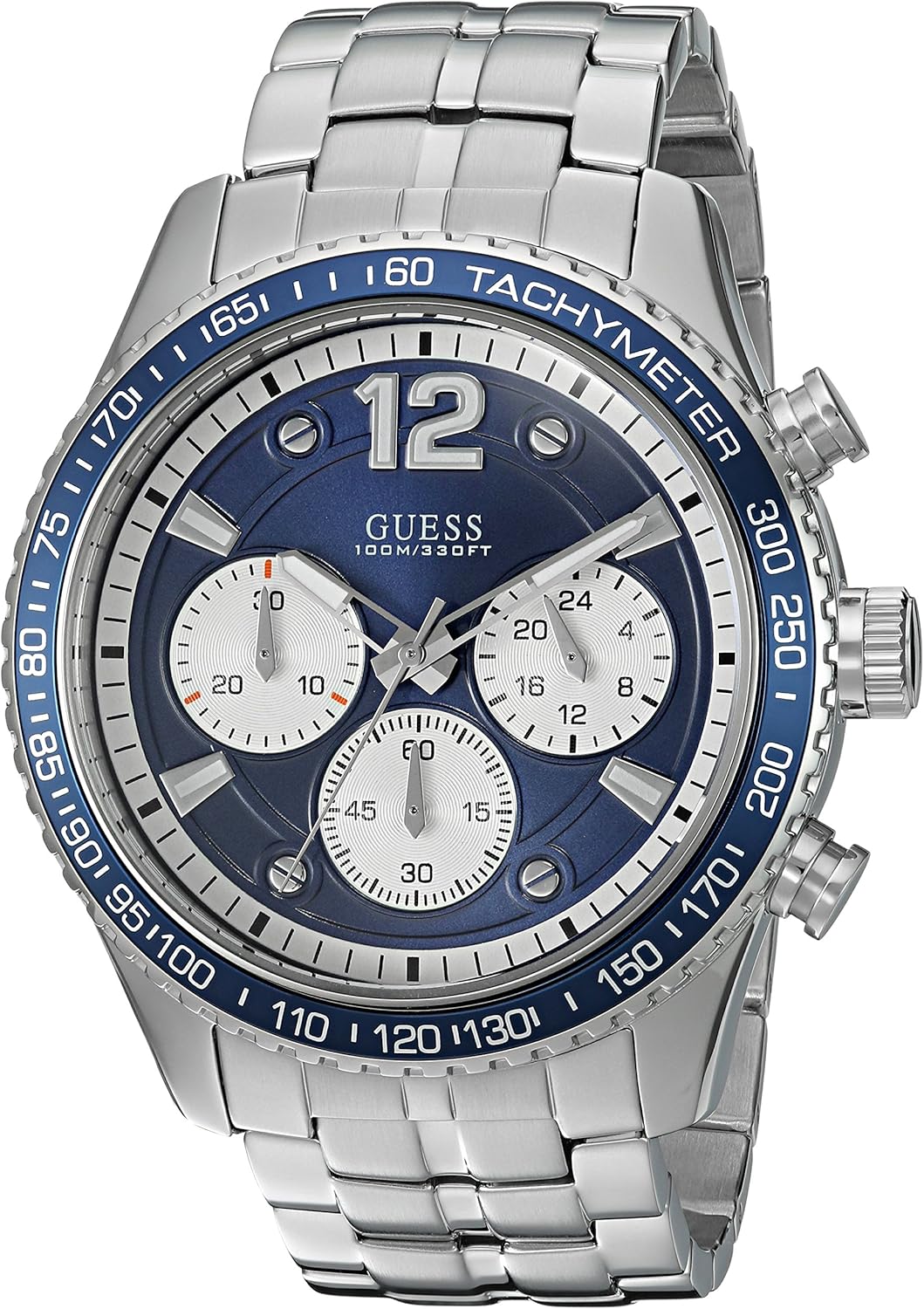
Front view of the GUESS Women's Quartz Watch, showcasing its blue dial, gold accents, and stainless steel bracelet.
2. Setup
2.1 Setting the Time
- Pull out the crown: Gently pull the crown (the knob on the side of the watch) out to the first or second click position. For most quartz watches, the first click is for date adjustment (if applicable) and the second click is for time adjustment. Refer to the specific model's diagram if available.
- Rotate the crown: Turn the crown clockwise or counter-clockwise to move the hour and minute hands to the correct time.
- Push in the crown: Once the time is set, push the crown back into its normal operating position.
2.2 Adjusting the Bracelet
The stainless steel bracelet is designed for a secure and comfortable fit. If the bracelet is too loose or too tight, it may require professional adjustment by a jeweler to add or remove links. Do not attempt to adjust the links yourself unless you have the proper tools and experience, as this may damage the bracelet.

The GUESS watch displayed on a wrist, illustrating its size and fit.
3. Operating Your Watch
3.1 Basic Timekeeping
Your GUESS watch is powered by a reliable quartz movement, ensuring accurate timekeeping with minimal maintenance. The watch displays hours, minutes, and seconds via its three main hands.
3.2 Using the Chronograph Function
The watch features a chronograph, which acts as a stopwatch. The three subdials on the watch face are typically used for:
- Seconds Subdial: Tracks the running seconds of the main time.
- Minute Subdial: Records minutes during chronograph operation.
- Hour Subdial: Records hours during chronograph operation.
To operate the chronograph:
- Start: Press the top pusher (button) to start the chronograph. The chronograph second hand will begin to move.
- Stop/Pause: Press the top pusher again to stop or pause the chronograph. The elapsed time will be indicated by the chronograph hands.
- Reset: Press the bottom pusher to reset the chronograph hands to zero. This can only be done when the chronograph is stopped.
3.3 Water Resistance
Your GUESS watch is water resistant to 50 meters (165 feet). This rating means it is suitable for short periods of recreational swimming, but it is not suitable for diving or snorkeling. Avoid operating the crown or pushers when the watch is wet or submerged, as this can compromise the water resistance.
Important: Water resistance is not a permanent condition and may eventually be affected by the aging of gaskets or accidental shocks to the crown or pushers. It is recommended to have your watch's water resistance checked periodically by an authorized service center.
4. Maintenance
4.1 Cleaning Your Watch
To maintain the appearance of your watch, wipe the case and bracelet regularly with a soft, dry cloth. For stainless steel parts, a slightly damp cloth can be used, followed by a dry cloth. Avoid using chemical cleaners, abrasive materials, or solvents, as these can damage the watch's finish.
4.2 Battery Replacement
Your quartz watch is powered by a product-specific battery. When the battery runs low, the watch may stop or the second hand may jump in irregular intervals (End-of-Life indicator). Battery replacement should always be performed by a qualified watchmaker or an authorized service center to ensure proper sealing and functionality, especially for water resistance.
4.3 Storage
When not wearing your watch, store it in a cool, dry place away from direct sunlight, extreme temperatures, and strong magnetic fields. The original display case included with your watch is ideal for storage.

The GUESS watch display box, suitable for safe storage.
5. Troubleshooting
| Problem | Possible Cause | Solution |
|---|---|---|
| Watch has stopped or is running intermittently. | Low or dead battery. | Replace the battery at an authorized service center. |
| Time is incorrect. | Crown pulled out; time was not set correctly. | Push the crown back in; reset the time as per Section 2.1. |
| Condensation inside the crystal. | Exposure to extreme temperature changes; compromised water resistance. | Seek immediate professional service to prevent damage to the movement. |
| Chronograph hands do not reset to zero. | Requires calibration. | Consult the manufacturer's specific instructions for chronograph hand calibration or seek professional service. |
If you encounter issues not listed here, or if the suggested solutions do not resolve the problem, please contact GUESS customer support or an authorized service center.
6. Specifications
- Model Number: U0969G2
- Movement: Quartz
- Case Diameter: 44mm
- Case Material: Stainless Steel
- Band Material: Stainless Steel
- Water Resistance: 50 meters (165 feet) - suitable for recreational swimming, not diving.
- Battery: 1 Product Specific battery (included)
- Parcel Dimensions: 21.59 x 9.65 x 9.65 cm
- Item Weight: 158.76 g (5.8 oz)
- Manufacturer: Sequel International
- First Available: February 3, 2017

An illustrative guide to watch case diameters, showing various sizes including 44mm.
7. Warranty and Support
This product may be covered by a manufacturer's warranty. For full manufacturer warranty details, please visit the official GUESS website or contact their customer support. Keep your purchase receipt as proof of purchase for warranty claims.
For further assistance, technical support, or service inquiries, please refer to the contact information provided on the official GUESS website or the documentation included with your watch. You can also visit the GUESS Store on Amazon for more product information.
Related documentsU0969G2


Ask a question about this manual
Ask about setup, troubleshooting, compatibility, parts, safety, or missing instructions. Manuals+ will review the question and use this page’s manual context to help answer it.