
Introduction
Welcome to your Urbanista Seattle Bluetooth Headphones. These headphones are designed to deliver premium sound quality with a focus on Scandinavian minimalistic design and practical functionality. Enjoy up to 12 hours of play time and convenient call-handling with the built-in microphone. The foldable design ensures easy portability.
Package Contents
- Urbanista Seattle Bluetooth Headphones
- Charging Cable (USB)
- Audio Cable (3.5mm)
- User Manual
Product Overview

Image 1: Urbanista Seattle Bluetooth Headphones featuring soft, over-ear memory foam cushions and a sleek, adjustable headband made of TR90 for a comfortable fit.
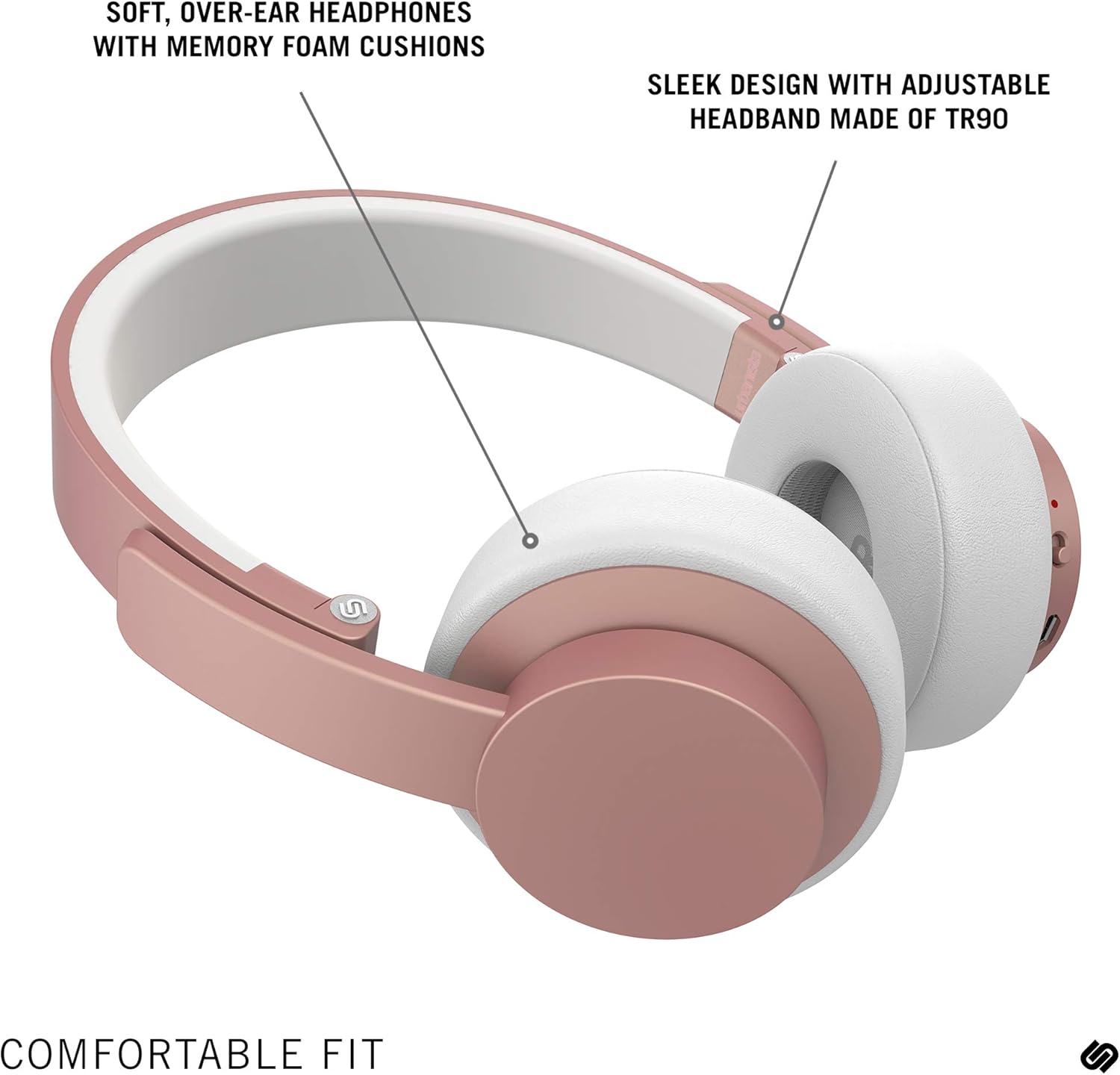
Image 2: Urbanista Seattle Bluetooth Headphones demonstrating their easy-to-pack foldable design.
The Urbanista Seattle headphones are designed for comfort and portability. They feature soft, over-ear memory foam cushions and an adjustable headband for a secure and comfortable fit during extended use. The headphones can be folded for compact storage and travel.
Setup
1. Charging the Headphones
Before first use, fully charge your Urbanista Seattle headphones. Connect the provided USB charging cable to the charging port on the headphones and to a USB power source (e.g., computer, wall adapter). The LED indicator will show charging status and turn off or change color when fully charged.
2. Powering On/Off
- To Power On: Press and hold the Power button for approximately 3 seconds until the LED indicator lights up.
- To Power Off: Press and hold the Power button for approximately 5 seconds until the LED indicator turns off.
3. Bluetooth Pairing
- Ensure the headphones are powered off.
- Press and hold the Power button for approximately 5-7 seconds until the LED indicator flashes blue and red, indicating pairing mode.
- On your device (smartphone, tablet, computer), enable Bluetooth and search for available devices.
- Select "Urbanista Seattle" from the list of found devices.
- Once paired, the LED indicator on the headphones will turn solid blue or flash blue slowly.
- If prompted for a passcode, enter "0000".
Note: The headphones will automatically attempt to reconnect to the last paired device when powered on.
Operating Instructions
Media Controls (Touch/Button)
- Play/Pause: Press the Multi-function button once.
- Next Track: Double-press the Multi-function button.
- Previous Track: Triple-press the Multi-function button.
- Volume Up: Press the Volume Up button.
- Volume Down: Press the Volume Down button.
Call Handling
- Answer/End Call: Press the Multi-function button once.
- Reject Call: Press and hold the Multi-function button for 2 seconds.
- Voice Assistant: Press and hold the Multi-function button for 2 seconds (when not on a call).
Wired Connection
To use the headphones with a wired connection, plug the provided 3.5mm audio cable into the audio input port on the headphones and into your device's audio jack. The Bluetooth function will automatically turn off when the audio cable is connected.
Maintenance
- Clean the headphones regularly with a soft, dry cloth.
- Do not use abrasive cleaners or solvents.
- Avoid exposing the headphones to extreme temperatures, humidity, or liquids.
- Store the headphones in a cool, dry place when not in use, preferably in their folded position to protect them.
Troubleshooting
- Headphones not powering on: Ensure the headphones are fully charged.
- Cannot pair with device:
- Ensure Bluetooth is enabled on your device.
- Make sure the headphones are in pairing mode (flashing blue/red LED).
- Move the headphones closer to your device.
- Forget "Urbanista Seattle" from your device's Bluetooth list and try pairing again.
- No sound:
- Check the volume levels on both the headphones and your connected device.
- Ensure the headphones are properly paired or the audio cable is securely connected.
- Try playing audio from a different application or device.
- Poor sound quality/intermittent connection:
- Ensure there are no obstructions between the headphones and your device.
- Move away from other wireless devices that may cause interference.
- Ensure the headphones are within the 10-meter Bluetooth range.
Specifications
| Brand | Urbanista |
| Model Number | 1033713 |
| Color | Rose Gold |
| Ear Placement | On Ear |
| Connectivity Technology | Wireless (Bluetooth) |
| Bluetooth Range | 10 Meters |
| Battery Life | Up to 12 Hours |
| Item Weight | 6.08 ounces |
| Material | Leather & Fabric |
| Compatible Devices | Android, iOS, and Windows |
| Additional Features | Microphone Included, Foldable Design |
Official Product Video
Video: An official video showcasing various Urbanista audio products, including headphones, in different lifestyle settings. This video highlights the brand's aesthetic and product usage.
Warranty Information
For detailed warranty information, please refer to the official Urbanista website or the warranty card included with your product. Urbanista typically offers a limited warranty covering manufacturing defects.
Support
If you encounter any issues or have questions not covered in this manual, please visit the official Urbanista support website or contact their customer service for assistance. You can find contact details on the Urbanista website: www.urbanista.com/support
