
HUAWEI HUAWEI FIT SB
Huawei Fit Smart Fitness Watch User Manual
Model: HUAWEI FIT SB
Product Overview
The Huawei Fit is a versatile smart fitness watch designed to help you monitor your health and fitness activities. It features a heart rate monitor, sleep tracking, and notification display, all integrated into a stylish and intelligent design. This device provides valuable health-related information to enhance your understanding of your body and overall well-being.

Figure 1: Front view of the Huawei Fit Smart Fitness Watch.
Key Features:
- Personal Training Experience: Customize running plans, receive real-time guidance, and analyze training effects.
- Heart Rate Monitoring: Supports single measurements, all-day periodic background monitoring, and real-time heart rate tracking during workouts.
- 5ATM Water-Resistance: Suitable for various water activities, including pool swimming.
- Multi-Sport Modes: Supports multiple exercise forms such as walking, running, cycling, and treadmill, with various goal settings (distance, calories, time, fat burning, endurance).
- Daily Activity Tracking: Monitors step count, calories burned, and distance covered.
- Automatic Sleep Detection: Tracks sleeping states and gathers statistics for sleep analysis.
- Smart Notifications: Displays incoming calls, messages, smart alarms, and inactivity reminders.
- Changeable Watch Faces: Customize the display to suit your preference.
- Long Battery Life: Up to 6 days of normal use.
What's in the Box
Upon unboxing your Huawei Fit Smart Fitness Watch, you should find the following components:
- Huawei Fit Smart Fitness Watch (Moonlight silver with blue sport band)
- Charging Stand
- Charging Cable
- Quick Start Guide
- Safety Information
- Warranty Card
Video 1: Unboxing the Huawei Fit Smart Fitness Watch. This video demonstrates the contents of the product packaging, including the watch, charging accessories, and documentation.
Setup
1. Charging the Device
Before initial use, fully charge your Huawei Fit. Connect the charging cable to the charging stand, and then place the watch onto the stand, ensuring the charging pins align. A full charge typically takes approximately 2 hours.

Figure 2: Rear view of the Huawei Fit, highlighting the heart rate sensor and charging contacts.
2. Installing the Huawei Wear App
To unlock the full functionality of your Huawei Fit, download and install the Huawei Wear app on your smartphone. The app is available on both Android and iOS app stores.
- Search for "Huawei Wear" in your device's app store.
- Download and install the application.
- Follow the on-screen instructions to create an account or log in.
3. Pairing with Your Smartphone
Once the app is installed and your watch is charged, pair the devices via Bluetooth:
- Ensure Bluetooth is enabled on your smartphone.
- Open the Huawei Wear app.
- Navigate to the "Devices" section and select "Add Device" or similar option.
- Select "HUAWEI FIT" from the list of available devices.
- Confirm the pairing request on both your watch and smartphone.
Operating Instructions
Navigating the Interface
The Huawei Fit features a touchscreen display for navigation. Swipe left, right, up, or down to access different functions and menus. Tap to select an option.
Activity Tracking
The watch automatically tracks your daily activity, including steps, distance, and calories burned. View your progress directly on the watch face or in the Huawei Wear app.
Heart Rate Monitoring
The Huawei Fit continuously monitors your heart rate. To view your current heart rate, swipe to the heart rate screen on the watch. For detailed historical data and analysis, refer to the Huawei Wear app.
Workout Modes
To start a workout:
- Swipe to the workout menu on your watch.
- Select your desired activity (e.g., running, walking, cycling, treadmill).
- Choose a goal if applicable (e.g., distance, time, calories).
- Tap "Start" to begin tracking your workout.
The watch provides real-time data during your workout, including duration, distance, heart rate, and pace. To end a workout, swipe to the pause/stop screen and confirm.
Sleep Monitoring
Wear the Huawei Fit to bed for automatic sleep tracking. The watch monitors your sleep patterns, including deep sleep, light sleep, and awake times. Detailed sleep analysis is available in the Huawei Wear app.
Smart Notifications
Once paired with your smartphone, the Huawei Fit will display notifications for incoming calls, messages, and alerts from other applications. You can manage which notifications appear through the Huawei Wear app settings.
Maintenance
Cleaning Your Huawei Fit
Regular cleaning helps maintain the device's performance and appearance:
- Wipe the watch screen and body with a soft, damp cloth.
- For the strap, use mild soap and water if necessary, then rinse thoroughly and dry completely before wearing.
- Ensure the charging contacts on the back of the watch are clean and dry to prevent charging issues.
Strap Replacement
The Huawei Fit features replaceable straps. To change the strap, locate the quick-release pins on the underside of the strap where it connects to the watch body. Slide the pin to detach the strap, and then attach a new compatible strap by reversing the process.
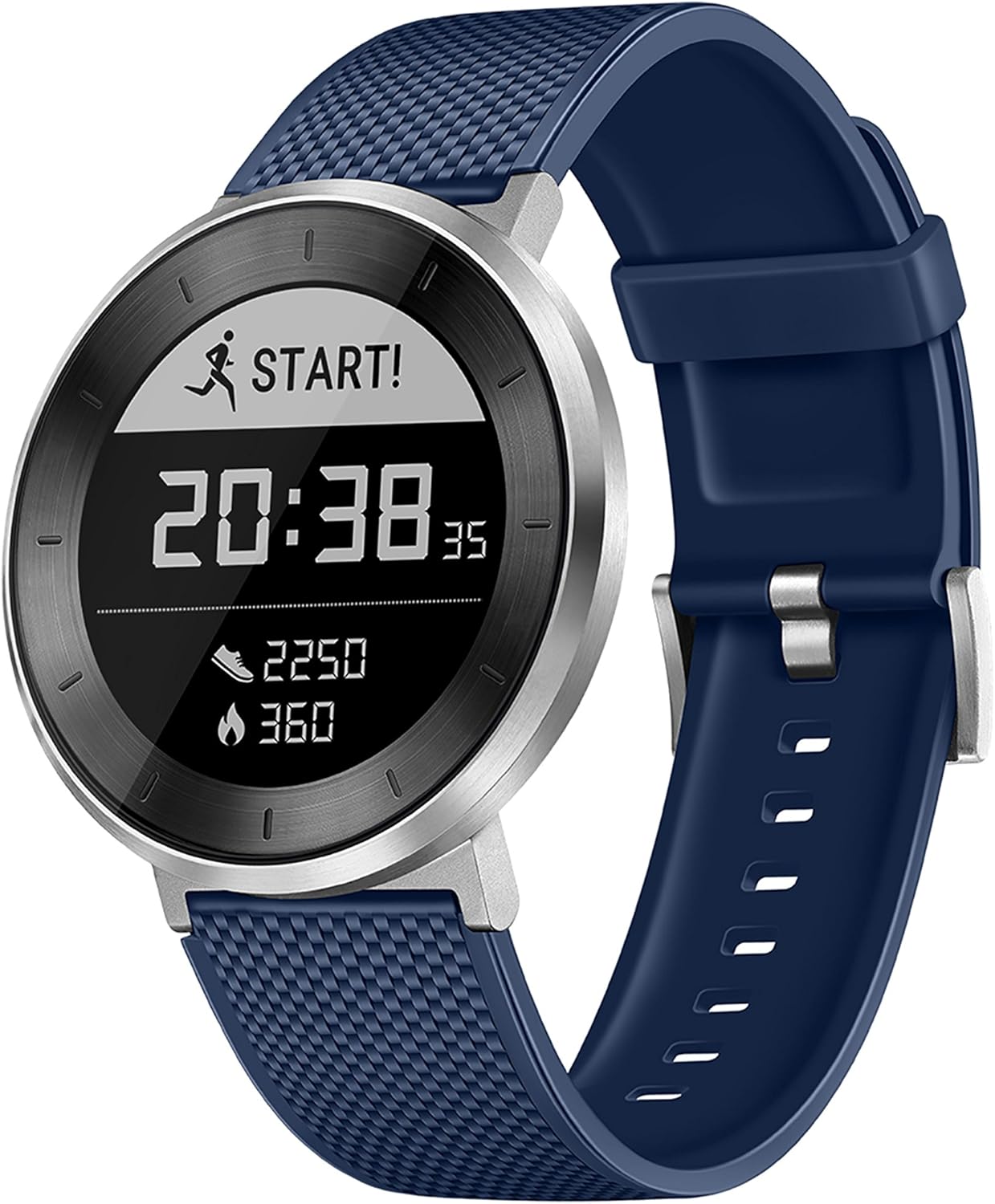
Figure 3: Angled view of the Huawei Fit, illustrating the design and strap attachment points.
Troubleshooting
| Problem | Possible Cause | Solution |
|---|---|---|
| Watch not turning on or charging. | Low battery; improper charging connection. | Ensure the watch is correctly placed on the charging stand and the cable is securely connected to a power source. Allow it to charge for at least 30 minutes. |
| Cannot pair with smartphone. | Bluetooth is off; watch is out of range; app issue. | Ensure Bluetooth is enabled on your phone and the watch is within range. Restart both the watch and the Huawei Wear app. Try unpairing and re-pairing the device. |
| Heart rate readings are inaccurate. | Watch is too loose or too tight; sensor is dirty. | Adjust the watch strap to be snug but comfortable. Clean the heart rate sensor on the back of the watch. |
| Notifications not appearing. | Notification settings are incorrect; app is not running in background. | Check notification settings in the Huawei Wear app and your phone's system settings. Ensure the app has necessary permissions to run in the background. |
If you encounter persistent issues not covered here, please refer to the official Huawei support resources or contact customer service.
Specifications
| Feature | Detail |
|---|---|
| Model Number | HUAWEI FIT SB |
| Dimensions | 9.7 x 1.6 x 0.4 inches |
| Weight | 1.28 ounces |
| Display | 1.04 Inches LCD Touchscreen |
| Battery | 1 Lithium Polymer battery (included) |
| Water Resistance | 5ATM (suitable for pool swimming) |
| Connectivity | Bluetooth, NFC |
| GPS | Via Smartphone |
| Manufacturer | Huawei Device USA Inc |
| Color | Moonlight silver with blue sport band |
Warranty and Support
The Huawei Fit Smart Fitness Watch comes with a US Warranty. Please refer to the Warranty Card included in your product packaging for detailed terms and conditions.
Additional Resources:
For further assistance, please visit the official Huawei support website or contact their customer service.
Ask a question about this manual
Ask about setup, troubleshooting, compatibility, parts, safety, or missing instructions. Manuals+ will review the question and use this page’s manual context to help answer it.