
1. Introduction
Welcome to your new hjh OFFICE 724210 XXL G 300 Executive Chair. This manual provides detailed instructions for safe assembly, proper operation, and effective maintenance to ensure long-lasting comfort and functionality. Please read all instructions carefully before assembly and use.
2. Setup and Assembly
Assembly of your hjh OFFICE executive chair is required. Please ensure all components are present before beginning. It is recommended to have a second person assist with assembly for easier handling of larger parts.
2.1 Unpacking and Component Check
- Carefully remove all parts from the packaging.
- Verify that all components listed in the packing list are present and undamaged.
- Keep packaging materials until assembly is complete in case of returns or missing parts.
2.2 Assembly Steps
- Attach Wheels to Base: Insert the five castors into the openings of the chrome star base until they click securely into place.
- Insert Gas Lift: Place the gas lift cylinder into the central opening of the star base. Do not remove the red cap from the gas lift piston until instructed.
- Mount Mechanism to Seat: Align the knee-tilt mechanism with the pre-drilled holes on the underside of the seat cushion. Secure it using the provided screws. Ensure the front of the mechanism faces the front of the seat.
- Attach Armrests: Fasten the armrests to the seat cushion using the designated screws. Do not overtighten initially.
- Connect Backrest: Attach the backrest to the armrests using the remaining screws. Once the backrest is in place, tighten all armrest screws firmly.
- Assemble Seat to Gas Lift: Carefully place the assembled seat and backrest onto the gas lift cylinder, ensuring it is centered. Apply gentle downward pressure to secure it.
Tip: Some users have found that using a personal, higher-quality Allen key can make screw tightening easier. After approximately 4 weeks of use, re-tighten all screws to ensure stability.

Figure 1: Chair components and dimensions (50cm depth, 62cm width, 129cm height).
3. Operating Instructions
Your hjh OFFICE 724210 executive chair features a knee-tilt mechanism and gas lift for personalized comfort. Familiarize yourself with the adjustment levers to optimize your seating experience.
3.1 Height Adjustment
- To raise the seat: While standing, pull the right lever (typically located under the seat on the right side) upwards. The seat will rise automatically. Release the lever at the desired height.
- To lower the seat: While seated, pull the right lever upwards. The seat will lower. Release the lever at the desired height.
3.2 Knee-Tilt Mechanism
The knee-tilt mechanism allows the seat and backrest to tilt together, promoting dynamic sitting. The spring force can be individually adjusted to your body weight, and the mechanism can be locked in multiple positions.
- To activate tilt: Pull the left lever (typically located under the seat on the left side) outwards. The chair will now tilt freely.
- To lock tilt: Recline to your desired angle and push the left lever inwards to lock the mechanism.
- To adjust tilt tension: Rotate the large plastic knob located underneath the seat, usually at the front. Turn clockwise to increase tension (requiring more force to recline) and counter-clockwise to decrease tension (allowing easier recline).

Figure 2: Front view of the chair, highlighting adjustment controls.
4. Maintenance
Proper maintenance will extend the life and appearance of your executive chair.
4.1 Cleaning
- Faux Leather Upholstery: Wipe clean with a soft, damp cloth. For stubborn stains, use a mild soap solution and immediately wipe dry. Avoid abrasive cleaners, solvents, or harsh chemicals, as these can damage the material.
- Chrome Base and Armrests: Clean with a soft, dry cloth. For smudges, a slightly damp cloth can be used, followed by immediate drying.
- Castors: Periodically check castors for accumulated dust, hair, or debris and clean them to ensure smooth movement.
4.2 General Care
- Screw Tightness: As mentioned in assembly, re-tighten all assembly screws after approximately 4 weeks of initial use, and then periodically (e.g., every 6 months) to maintain stability and prevent wobbling or creaking.
- Weight Capacity: Do not exceed the maximum weight recommendation of 150 kg.
- Placement: Avoid prolonged exposure to direct sunlight or extreme temperatures, which can cause the faux leather to fade or crack.
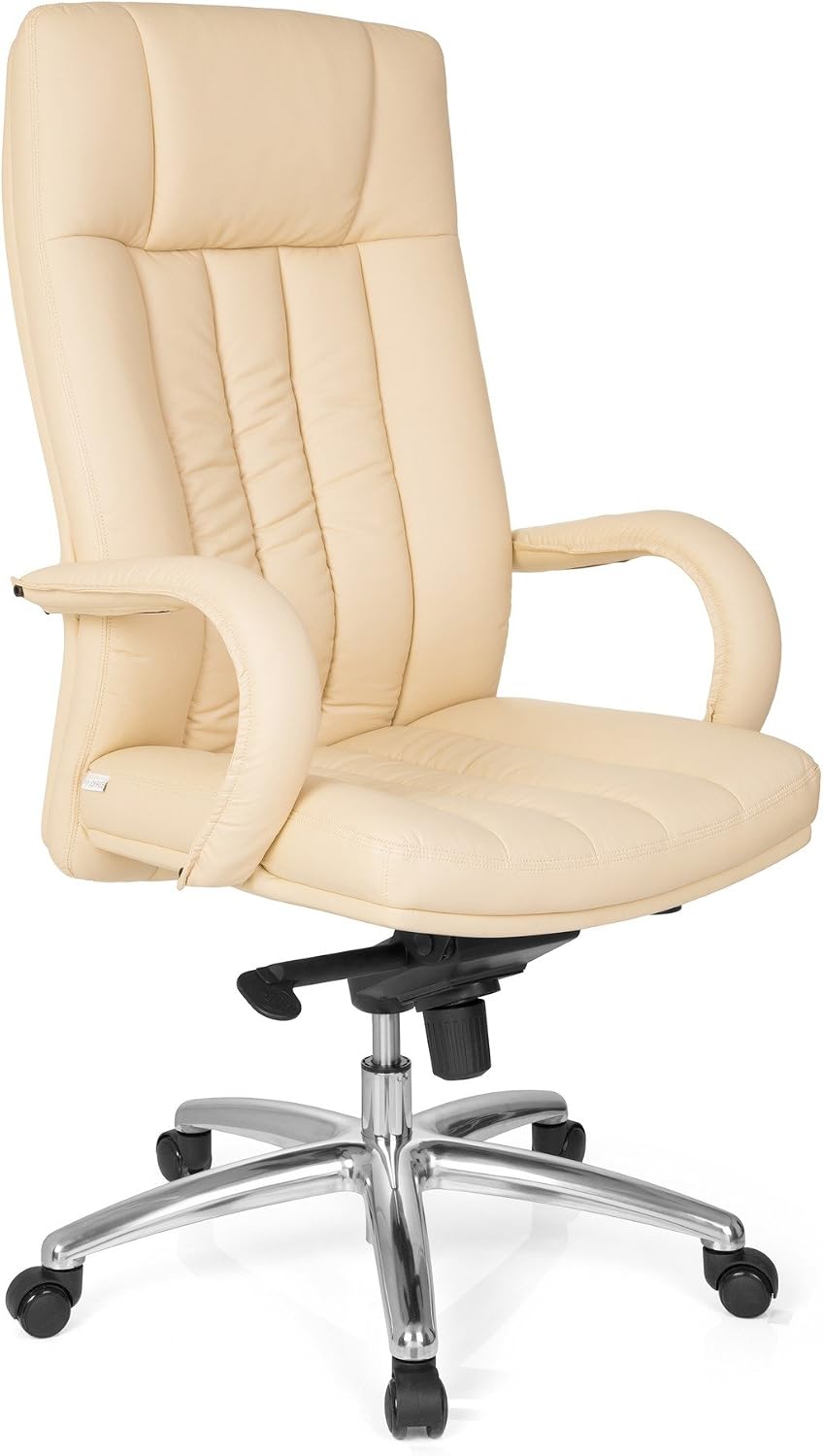
Figure 3: The hjh OFFICE 724210 executive chair, ready for use.
5. Troubleshooting
If you encounter any issues with your chair, refer to the following common problems and solutions:
| Problem | Possible Cause | Solution |
|---|---|---|
| Chair wobbles slightly even when locked. | Loose assembly screws; inherent play in tilt mechanism. | Ensure all assembly screws are tightened. Some minimal movement in the tilt mechanism may be normal. |
| Creaking sound when sitting or standing. | Loose connections; friction between parts. | Re-tighten all assembly screws. Apply a small amount of silicone spray to moving parts if the sound persists (avoiding upholstery). |
| Tilt mechanism does not lock or breaks. | Mechanism malfunction; excessive force applied. | Ensure the lever is fully engaged. If the mechanism is broken, contact customer support for replacement parts or service. |
| Chair sinks or does not hold height. | Gas lift failure. | The gas lift cylinder may need replacement. Contact customer support for assistance. |
If the problem persists after attempting these solutions, please contact hjh OFFICE customer support or your retailer.
6. Specifications
- Model Number: 724210
- Brand: hjh OFFICE
- Material: Faux Leather (upholstery), Alloy Steel (frame)
- Color: Beige
- Product Dimensions (D x W x H): 50 x 62 x 129 cm (19.7 x 24.4 x 50.8 inches)
- Product Weight: 21.5 kg (47.4 lbs)
- Maximum Weight Recommendation: 150 kg (330 lbs)
- Special Features: Wheels, Upholstery, Ergonomic design, Knee-tilt mechanism with multi-lockable positions, Adjustable spring force.
- Assembly Required: Yes
- Care Instructions: Wipe clean
7. Warranty and Support
For information regarding the warranty period and terms for your hjh OFFICE 724210 XXL G 300 Executive Chair, please refer to the documentation provided at the time of purchase or contact your retailer directly. In case of technical issues, missing parts, or warranty claims, please reach out to the retailer where you purchased the product or visit the official hjh OFFICE website for customer support contact information.
