
1. Introduction
This manual provides essential instructions for the setup, operation, and maintenance of your JustFine replacement remote control. This remote is designed to be compatible with various Toshiba LCD TV models, offering a direct replacement for your original remote without requiring complex programming.
Please read this manual thoroughly to ensure proper use and to maximize the lifespan of your remote control.
2. Package Contents
- 1 x JustFine Replacement Remote Control
Note: Batteries and additional instructions are not included in the package.
3. Setup and Battery Installation
Your JustFine replacement remote control is pre-programmed and does not require any additional programming for use with compatible Toshiba LCD TV models. Simply install the batteries to begin operation.
3.1 Battery Installation
- Locate the Battery Compartment: Turn the remote control over. The battery compartment is located on the back of the unit.
- Open the Cover: Slide the battery compartment cover downwards or press the latch and lift to open.
- Insert Batteries: Insert two (2) AAA batteries (not included) into the compartment. Ensure the positive (+) and negative (-) terminals of the batteries match the polarity indicators inside the compartment.
- Close the Cover: Replace the battery compartment cover by sliding it back into place until it clicks securely.
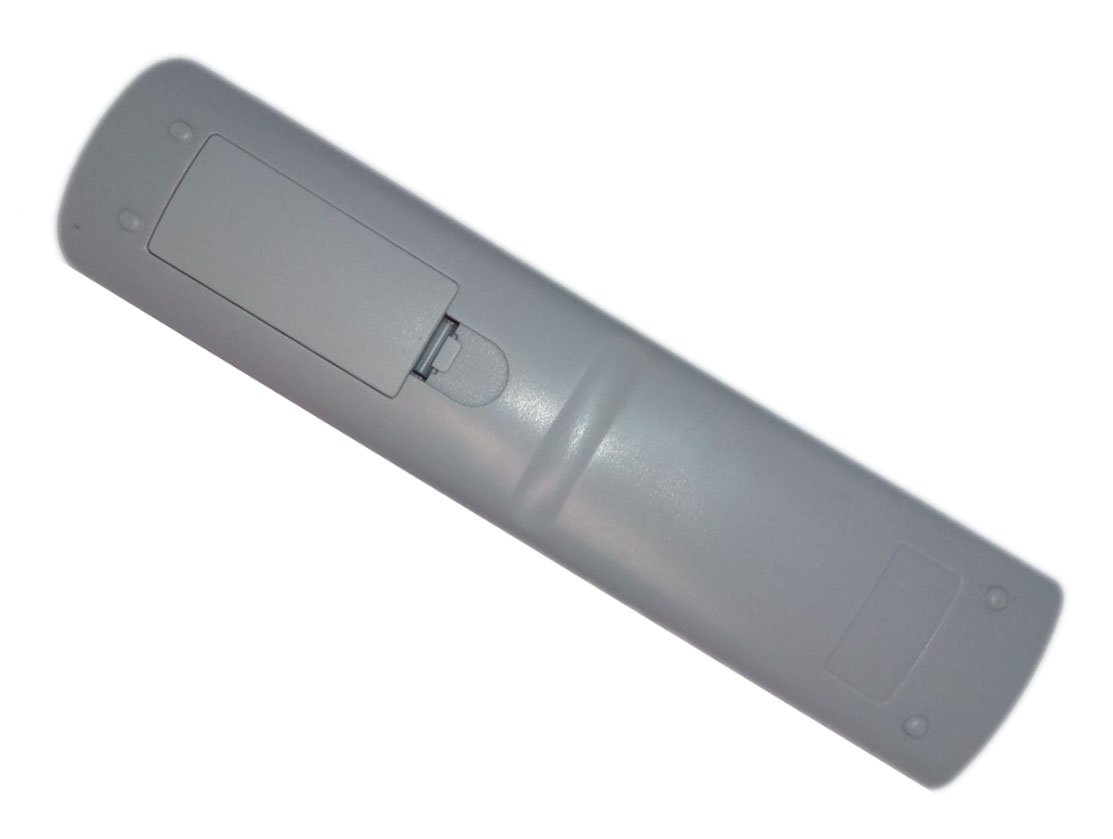 Image 1: Back view of the remote control with the battery compartment. This image illustrates where to open the cover and insert batteries.
Important: Always use new batteries of the same type. Do not mix old and new batteries, or different types of batteries. Remove batteries if the remote will not be used for an extended period.
4. Operating Instructions
This section outlines the basic functions of your remote control. Refer to the image below for button identification.
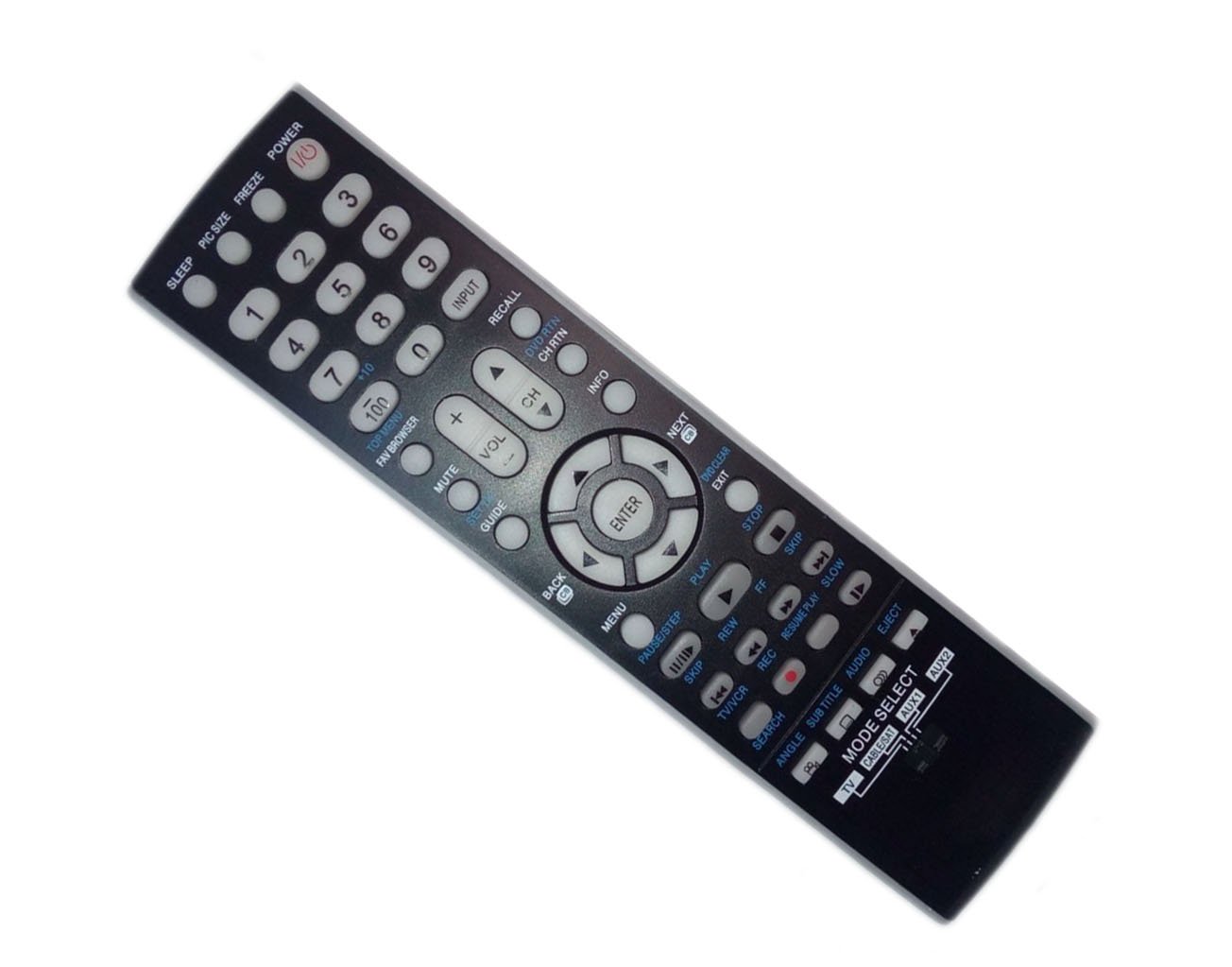 Image 2: Front view of the remote control, displaying all buttons and their labels. This image helps in identifying the location of each function button.
4.1 Basic Functions
- POWER: Turns the TV on or off.
- INPUT: Selects the video input source (e.g., HDMI 1, AV, Component).
- VOL (+/-): Adjusts the volume level.
- CH (+/-): Changes the television channel.
- MUTE: Mutes or unmutes the TV audio.
- Number Buttons (0-9): Directly enter channel numbers.
- MENU: Accesses the TV's main menu.
- Navigation Buttons (Up, Down, Left, Right, ENTER): Navigate through menus and confirm selections.
- BACK: Returns to the previous menu or screen.
- EXIT: Exits the current menu or on-screen display.
4.2 Advanced Functions (if applicable to your TV model)
- GUIDE: Displays the electronic program guide.
- INFO: Displays information about the current program.
- PIC SIZE: Adjusts the picture size or aspect ratio.
- FREEZE: Freezes the current image on screen.
- RECALL: Switches between the current and previously viewed channel.
- MODE SELECT (TV, CABLE/SAT, AUX1, AUX2): Allows selection of the device to control if the remote supports universal functions. For this replacement remote, it primarily controls the TV.
- Media Playback Controls (PLAY, PAUSE/STEP, STOP, REC, REW, FF, SKIP): Controls playback of connected media devices or TV's built-in media player.
5. Maintenance
5.1 Cleaning the Remote Control
To clean the remote control, gently wipe its surface with a soft, dry cloth. For stubborn dirt, slightly dampen the cloth with water or a mild, non-abrasive cleaner. Avoid using harsh chemicals or abrasive materials, as these can damage the remote's finish or internal components.
5.2 Battery Replacement
Replace batteries when the remote's response becomes sluggish or stops working. Refer to Section 3.1 for battery installation instructions. Always dispose of used batteries responsibly according to local regulations.
6. Troubleshooting
If you encounter issues with your remote control, please refer to the following troubleshooting tips:
- Remote is not responding:
- Ensure the batteries are inserted correctly with the correct polarity.
- Replace old batteries with new ones.
- Check for any obstructions between the remote control and the TV's infrared sensor.
- Ensure you are within the effective range and pointing the remote directly at the TV.
- Some buttons are not working:
- This remote is pre-programmed for specific Toshiba TV models. Some advanced functions may not be supported by all TV models.
- Ensure the remote is clean and there is no debris under the buttons.
If the problem persists after trying these steps, please contact customer support.
7. Specifications
| Feature | Detail |
|---|---|
| Brand | JustFine |
| Compatible Devices | Toshiba LCD TVs (Models: 52XV645U, 32LV37, 40G300UM, 46G300U1, 42RV525R) |
| Connectivity Technology | Infrared (IR) |
| Power Source | 2 x AAA Batteries (not included) |
| Product Dimensions | 8 x 2 x 0.5 inches |
| Item Weight | 0.32 ounces |
| Special Feature | Ergonomic design |
8. Warranty and Support
8.1 Warranty Information
This JustFine replacement remote control comes with a 30-day quality warranty from the date of purchase. This warranty covers manufacturing defects and ensures the product functions as described. It does not cover damage caused by misuse, accidents, or unauthorized modifications.
8.2 Customer Support
For any problems, questions, or warranty claims, please contact JustFine customer support via email. Provide your purchase details and a description of the issue for prompt assistance.
Contact information is typically provided by your retailer or on the product packaging.