
JustFine 4330958146
Contents
JustFine Replacement Remote Control User Manual
Compatible with Sony DVP-SR210P, RMT-D197A, DVPSR120, DVPSR310P, DVP-SR510H CD DVD Players
Introduction
This manual provides instructions for the JustFine replacement remote control, designed for use with various Sony CD DVD Player models including DVP-SR210P, RMT-D197A, DVPSR120, DVPSR310P, and DVP-SR510H. This remote is pre-programmed and requires no additional setup for compatible devices. Please read this manual thoroughly before use.
Setup
1. Battery Installation
The remote control requires two (2) AA batteries (not included). Follow these steps to install them:
- Locate the battery compartment cover on the back of the remote control.
- Press down on the tab and slide the cover off in the direction of the arrow.
- Insert two AA batteries, ensuring the positive (+) and negative (-) terminals align with the diagrams inside the compartment.
- Slide the battery compartment cover back into place until it clicks securely.
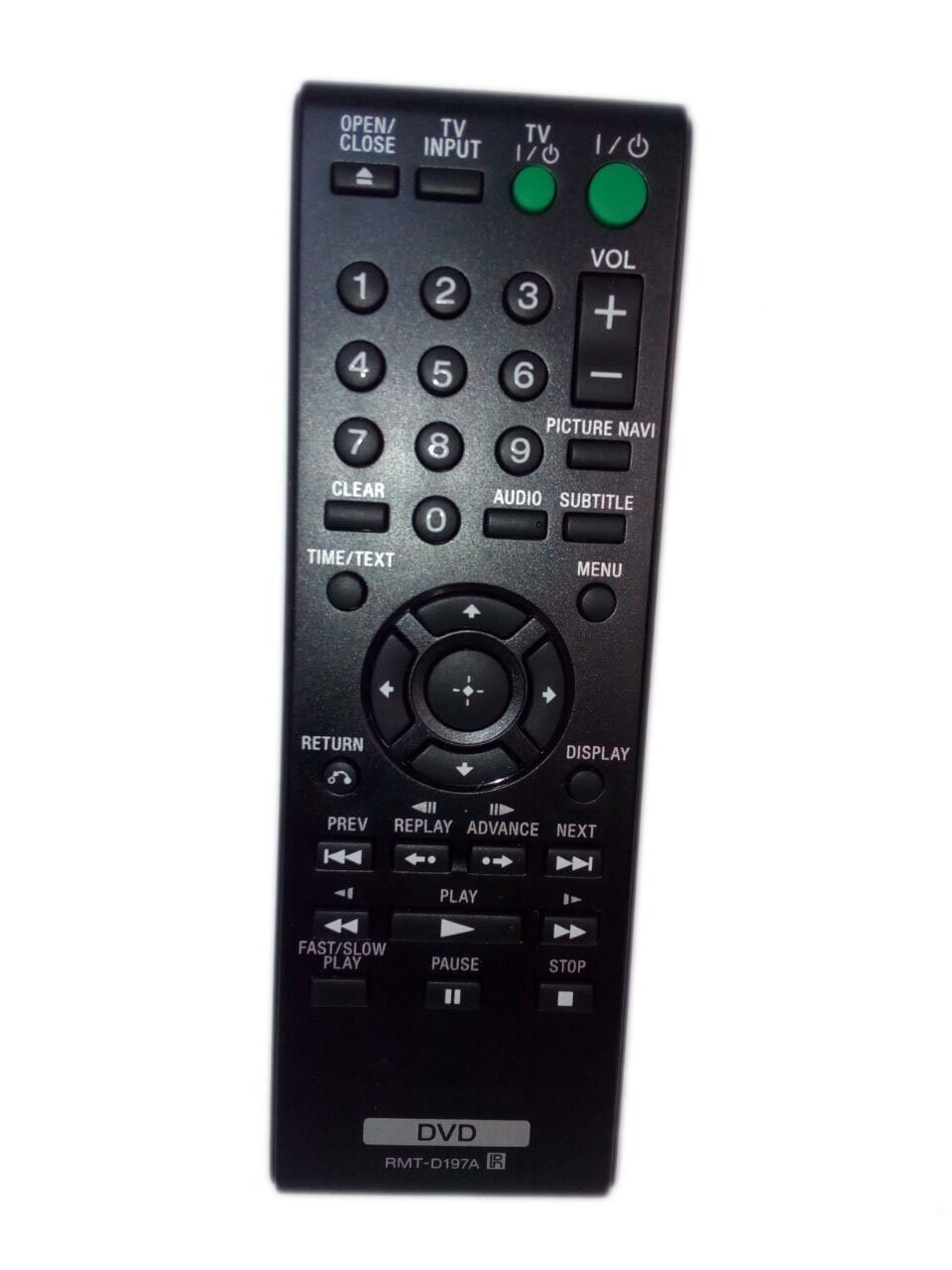
Image: Back view of the remote control, showing the battery compartment and its cover.
2. Initial Use
Once batteries are installed, the remote is ready for use with compatible Sony CD DVD Players. No programming is required.
Operating Instructions
This remote control functions identically to the original Sony remote for the specified models. Point the remote control directly at your Sony CD DVD Player and press the desired function button.

Image: Front view of the remote control, displaying the layout of buttons for various functions.
Common Functions:
- Power: Turns the DVD player on or off.
- Play/Pause: Starts or pauses disc playback.
- Stop: Stops disc playback.
- Fast Forward/Rewind: Skips forward or backward through content.
- Chapter Skip: Moves to the next or previous chapter/track.
- Menu: Accesses the disc menu.
- Directional Buttons (Up, Down, Left, Right) & Enter: Navigates menus and confirms selections.
- Volume +/-: Adjusts the volume (if supported by the DVD player and connected audio system).
Refer to your Sony CD DVD Player's original manual for specific button functions and advanced operations.
Maintenance
- Cleaning: Wipe the remote control with a soft, dry cloth. Do not use liquid cleaners or abrasive materials.
- Battery Replacement: Replace batteries when the remote's response becomes sluggish or stops working. Always replace both batteries at the same time with new ones of the same type.
- Storage: If the remote control will not be used for an extended period, remove the batteries to prevent leakage and damage.
- Environment: Avoid exposing the remote to extreme temperatures, direct sunlight, or high humidity.
Troubleshooting
| Problem | Solution |
|---|---|
| Remote control is not working. |
|
| Some buttons do not respond. |
|
| Remote works intermittently. |
|
Specifications
- Model Number: 4330958146
- Compatible Devices: Sony DVP-SR210P, RMT-D197A, DVPSR120, DVPSR310P, DVP-SR510H CD DVD Players
- Power Source: 2 x AA Batteries (not included)
- Dimensions: 4.53 x 1.57 x 1.38 inches (approximately)
- Weight: 1.6 ounces (without batteries)
- Color: Black
- Special Feature: Ergonomic design
Warranty and Support
This product is sold with a money-back guarantee and a 30-day quality warranty. For any issues or support inquiries, please contact the seller directly.
Note: Batteries and a printed manual are not included with the product.
Ask a question about this manual
Ask about setup, troubleshooting, compatibility, parts, safety, or missing instructions. Manuals+ will review the question and use this page’s manual context to help answer it.