
1. Introduction
The Nobsound NS-08E is a compact Hi-Fi tube headphone amplifier and stereo audio preamplifier designed to enhance your audio experience. It features a 6J3 vacuum tube for a warm sound signature and is capable of driving headphones with impedances ranging from 18 to 600 ohms. This manual provides detailed instructions for setup, operation, maintenance, and troubleshooting to ensure optimal performance and longevity of your device.

Figure 1: Nobsound NS-08E connected to various audio sources and headphones.
2. Safety Information
- Read all instructions carefully before operating the device.
- Do not expose the device to water, moisture, or extreme temperatures.
- Ensure proper ventilation around the amplifier. Do not block ventilation openings.
- Use only the provided power adapter or one with identical specifications.
- Do not attempt to open or repair the device yourself. Refer all servicing to qualified personnel.
- The vacuum tubes can become hot during operation. Avoid touching them directly to prevent burns.
- Disconnect the power supply before cleaning or when not in use for extended periods.
3. Package Contents
Verify that all items are present in the package:
- 1 x Nobsound NS-08E Headphone Amplifier
- 2 x 6J3 Vacuum Tubes
- 1 x Power Adapter (DC 6V)

Figure 2: Package Contents.
4. Product Overview
4.1 Front Panel
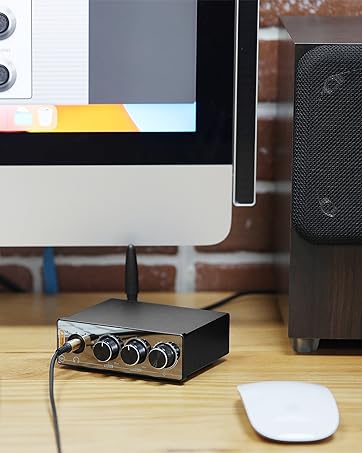
Figure 3: Front Panel Layout.
- Out (3.5mm Headphone Output): Connect your headphones here.
- In (3.5mm Audio Input): Connect your audio source (e.g., smartphone, tablet, PC) here.
- Volume Knob: Rotate to adjust the output volume.
4.2 Rear Panel
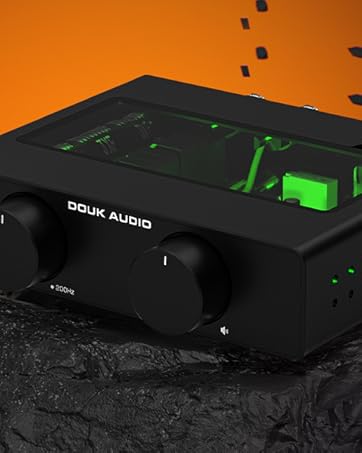
Figure 4: Rear Panel Layout.
- DC 6V Input: Connect the provided 6V DC power adapter here.
- Power Button: Press to turn the amplifier on or off.
4.3 Key Features
- 6J3 Vacuum Tubes: Provides a warm, rich, and natural audio reproduction. Tubes are replaceable for sound customization.
- Wide Headphone Compatibility: Supports headphones with impedance from 18 to 600 ohms.
- Low Noise Design: Improved circuit design ensures minimal background noise.
- Preamplifier Functionality: Can also serve as a stereo preamplifier for other amplifiers or active speakers.
- Compact and Durable: CNC aluminum casing offers a solid build and mini size for portability.

Figure 5: 6J3 Vacuum Tubes.

Figure 6: Low Background Noise.

Figure 7: Super Mini Format.
5. Setup
- Insert Tubes: Gently insert the two 6J3 vacuum tubes into their sockets on top of the amplifier. Ensure they are seated firmly but do not force them.
- Connect Audio Source: Connect your audio source (e.g., smartphone, tablet, CD player, computer) to the In (3.5mm) port on the front panel using a 3.5mm audio cable.
- Connect Headphones: Connect your headphones to the Out (3.5mm) port on the front panel.
- Connect Power: Connect the provided DC 6V power adapter to the DC 6V Input on the rear panel, then plug the adapter into a power outlet.
- Power On: Press the Power Button on the rear panel to turn on the amplifier. The tubes will glow, indicating the device is active.
6. Operating Instructions
- Warm-up Time: Allow the amplifier approximately 30 seconds to warm up after powering on for optimal sound quality.
- Adjust Volume: Start with the volume knob at a low setting. Begin playing audio from your source and slowly rotate the Volume Knob clockwise to increase the volume to your desired listening level.
- Using as Preamplifier: To use the NS-08E as a preamplifier, connect your audio source to the In port. Then, connect the Out port to the input of another amplifier or active speakers. Adjust the volume on the NS-08E as needed, and fine-tune the final volume on your connected amplifier/speakers.
- Power Off: When finished, press the Power Button on the rear panel to turn off the amplifier. It is recommended to lower the volume before powering off to avoid any sudden pops.
7. Maintenance
- Cleaning: Use a soft, dry cloth to clean the exterior of the amplifier. Do not use liquid cleaners or solvents.
- Tube Replacement: The 6J3 vacuum tubes are replaceable. If you wish to experiment with different tubes or replace worn-out ones, ensure the amplifier is powered off and unplugged. Carefully pull the old tubes straight out from their sockets. Align the pins of the new tubes with the socket holes and gently push them straight in until they are fully seated. Compatible tubes include E180F, 6Ж9П, EF861, 6688, and others.
- Storage: Store the amplifier in a cool, dry place away from direct sunlight and excessive dust when not in use.
8. Troubleshooting
| Problem | Possible Cause | Solution |
|---|---|---|
| No sound |
|
|
| Distorted sound |
|
|
| Humming or buzzing noise |
|
|
| Tubes not glowing |
|
|
9. Specifications
| Feature | Specification |
|---|---|
| Model | NS-08E |
| Manufacturer | Douk Audio |
| Tube Type | 6J3 (replaceable) |
| Output Power | ≥ 1100 mW (at 32 Ω) |
| Headphone Impedance Range | 18 - 600 Ω |
| Input/Output | 3.5mm AUX |
| Power Supply | DC 6V |
| Dimensions (L x W x H) | 11.1 x 6.9 x 3.2 cm (4.37 x 2.72 x 1.26 inches) |
| Weight | 185 grams (0.41 lbs) |
| Casing Material | CNC Aluminum |

Figure 8: Product Dimensions and Weight.
10. Warranty and Support
Nobsound products are manufactured with high standards of quality and craftsmanship. For warranty information, please refer to the specific terms provided at the point of purchase or contact your retailer.
For technical support, product inquiries, or assistance with troubleshooting, please contact Nobsound customer service through the official website or your authorized dealer. When contacting support, please have your product model (NS-08E) and purchase details available.
Manufacturer: Douk Audio