
LaMotte 4329-H
Contents
LaMotte 4329-H Chlorine/Bromine Plus Phosphate Disk User Manual
Model: 4329-H | Brand: LaMotte
1. Product Overview
The LaMotte 4329-H Chlorine/Bromine Plus Phosphate Disk is designed for use with the LaMotte Mobile WaterLink Spin Lab. This pack contains 50 individual disks, each capable of testing for multiple water quality parameters. These disks provide a convenient and efficient method for comprehensive water analysis in various applications, particularly for pools and spas.

Image 1.1: A LaMotte 4329-H test disk, showing the individual chambers containing reagents for different tests.
2. Setup and Preparation
Before use, ensure the test disk is at room temperature. Each disk is individually sealed in a foil package to maintain reagent integrity and extend shelf life. Only open the foil package immediately before performing a test.
- Carefully remove one 4329-H test disk from its individual foil packaging. Avoid touching the reagent chambers directly.
- Inspect the disk for any visible damage or contamination. Do not use if the disk appears compromised.
- Ensure the LaMotte Mobile WaterLink Spin Lab is clean and ready for operation according to its own instruction manual.
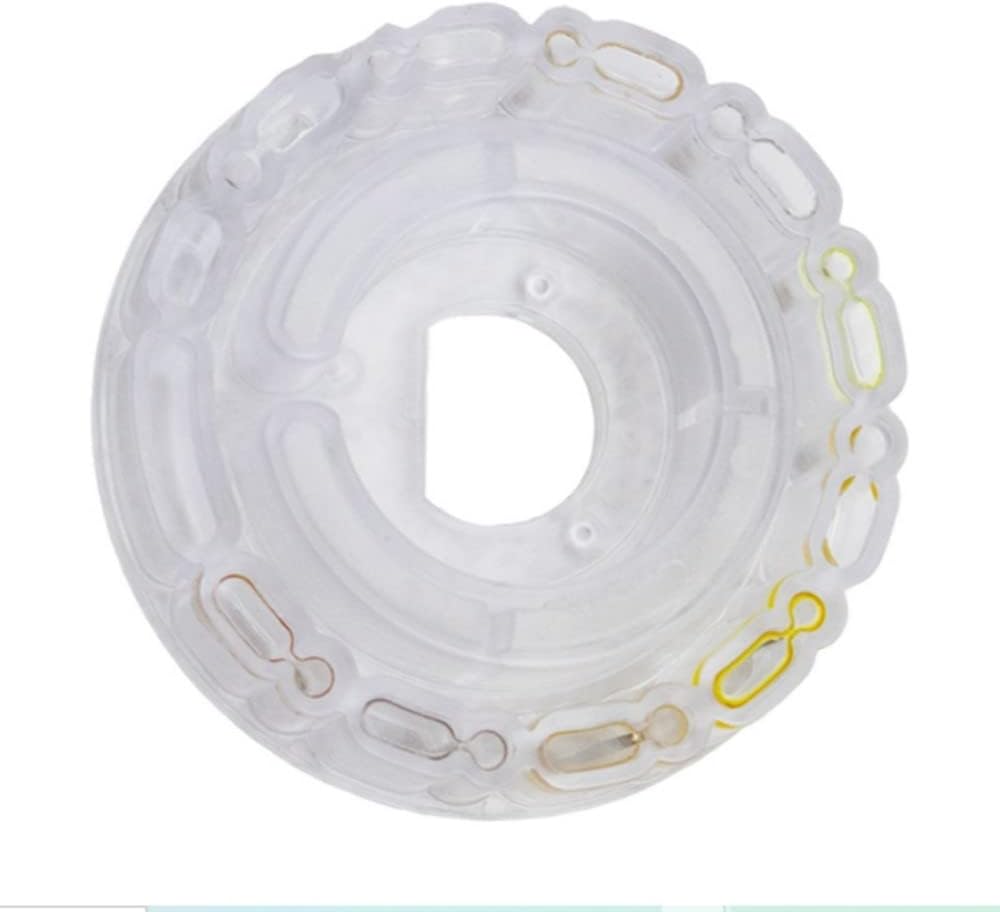
Image 2.1: An unused LaMotte 4329-H test disk, showing its clear plastic construction before reagent activation.
3. Operating Instructions
The 4329-H disk is designed for seamless integration with the LaMotte Mobile WaterLink Spin Lab. Follow these general steps for accurate testing:
- Sample Collection: Collect a fresh water sample from the area to be tested using a clean, dry container.
- Disk Loading: Carefully load the prepared 4329-H disk into the Spin Lab's disk chamber, ensuring it is seated correctly. Refer to your Spin Lab manual for specific loading instructions.
- Sample Application: Using the provided pipette or syringe with your Spin Lab, carefully apply the water sample to the designated port on the disk. Ensure the sample fills all reagent chambers without air bubbles.
- Initiate Test: Close the Spin Lab's chamber lid and initiate the test sequence as per the Spin Lab's operating instructions. The Spin Lab will automatically draw the sample through the disk and perform the necessary photometric analysis.
- Read Results: Once the test cycle is complete, the Spin Lab will display the results for each parameter. Record these results accurately.
- Disk Disposal: After use, remove the spent disk and dispose of it according to local regulations. Do not reuse disks.
4. Maintenance and Storage
Proper handling and storage of the 4329-H disks are crucial for maintaining their accuracy and shelf life.
- Storage Conditions: Store unused disks in their original, unopened foil packaging in a cool, dark, and dry place. Avoid exposure to direct sunlight, high temperatures, or excessive humidity.
- Expiration Date: Pay close attention to the expiration date printed on each disk's packaging. Using disks past their expiration date can lead to inaccurate or skewed test results. For optimal accuracy, it is recommended to use disks well within their stated shelf life.
- Handling: Handle disks with clean, dry hands. Avoid touching the optical surfaces or reagent chambers to prevent contamination.

Image 4.1: A box of LaMotte 4329-H disks, illustrating how they are packaged in individual foil wraps for preservation.
5. Troubleshooting
If you encounter issues with test results or disk performance, consider the following:
- Inaccurate Results: If results appear inconsistent or incorrect, first verify the disk's expiration date. Expired disks are a common cause of skewed readings. Also, ensure the water sample was collected properly and the disk was filled completely without air bubbles.
- Spin Lab Errors: If the Spin Lab displays an error message, consult the Spin Lab's instruction manual for specific error codes and troubleshooting steps. Ensure the disk is correctly seated and the chamber is clean.
- Disk Damage: Visually inspect the disk for any cracks, deformities, or signs of reagent leakage before use. Do not use damaged disks.
6. Specifications
Each LaMotte 4329-H disk is designed to test for the following parameters and ranges:
| Parameter | Test Range |
|---|---|
| Free Chlorine | 0 to 15.0 ppm |
| Total Chlorine | 0 to 15.0 ppm |
| Bromine | 0 to 33.0 ppm |
| pH | 6.4 to 8.6 |
| Calcium Hardness | 0 to 800 ppm |
| Total Alkalinity | 0 to 250 ppm |
| Cyanuric Acid | 5 to 150 ppm |
| Copper | 0 to 3.0 ppm |
| Iron | 0 to 3.0 ppm |
| Salt | 0 to 5000 ppm |
| Phosphate | 0 to 2000 ppb |
7. Warranty Information
LaMotte products are manufactured to high-quality standards. For specific warranty details regarding the 4329-H test disks, please refer to the documentation provided with your LaMotte Mobile WaterLink Spin Lab or visit the official LaMotte website. Consumable items like test disks typically have a limited warranty covering manufacturing defects up to their expiration date, provided they are stored and used as directed.
8. Customer Support
For technical assistance, product inquiries, or support related to the LaMotte 4329-H disks or the WaterLink Spin Lab, please contact LaMotte Customer Service. Contact information can typically be found on the LaMotte official website or on the packaging of your Spin Lab device.
Please have your product model number (4329-H) and any relevant batch numbers ready when contacting support.
Ask a question about this manual
Ask about setup, troubleshooting, compatibility, parts, safety, or missing instructions. Manuals+ will review the question and use this page’s manual context to help answer it.