1. Introduction
The Olympia PS 16 is a compact strip-cut shredder attachment designed for personal and small office use. It provides a convenient and secure method for destroying confidential documents by cutting paper into 6 mm wide strips. This manual provides essential information for the safe and efficient operation, setup, and maintenance of your shredder.
2. Safety Instructions
Please read all safety instructions carefully before operating the shredder.
- Electrical Safety: Ensure the shredder is connected to a power outlet with the correct voltage (220-240 V / 50 Hz). Do not use if the power cord is damaged.
- Overheat Protection: The shredder is equipped with overheat protection. To prevent damage, the device can operate for a maximum of 2 minutes continuously, followed by a 30-minute cooling period. Exceeding this limit may activate the thermal cut-off.
- Keep Clear: Keep hands, loose clothing, hair, ties, and jewelry away from the paper entry slot to prevent injury.
- Children and Pets: Keep children and pets away from the shredder at all times.
- Prohibited Materials: Do not shred adhesive labels, plastic sheets, or metal objects such as staples and paper clips, as these can damage the cutting mechanism.
- Credit Cards: The shredder is designed to shred credit cards through the designated slot.
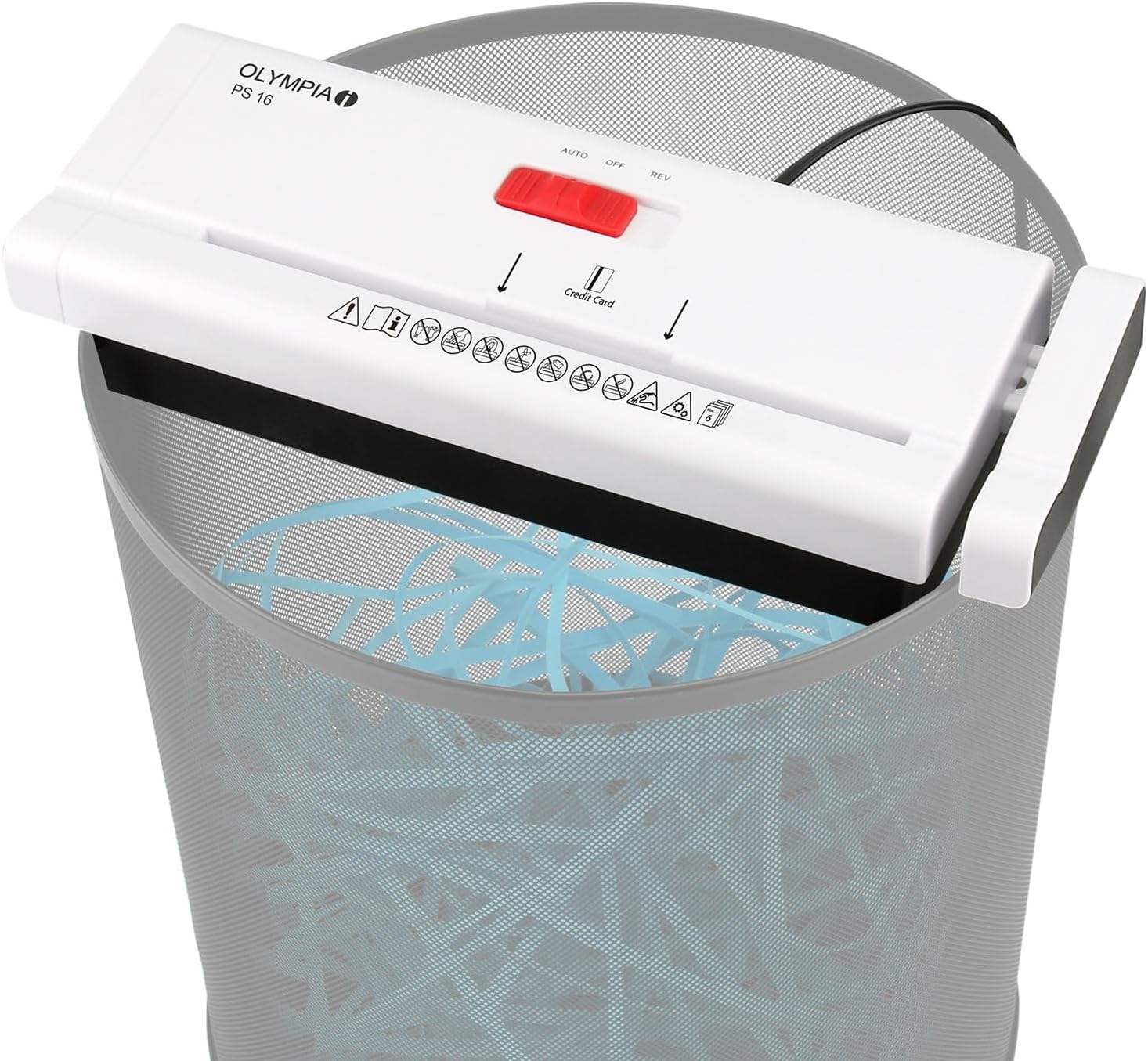
- Placement: Place the shredder securely on a compatible waste bin.
3. Setup
- Unpack: Carefully remove the shredder from its packaging.
- Select Waste Bin: Choose a round or square waste bin with a diameter or width between 28 cm and 34 cm.
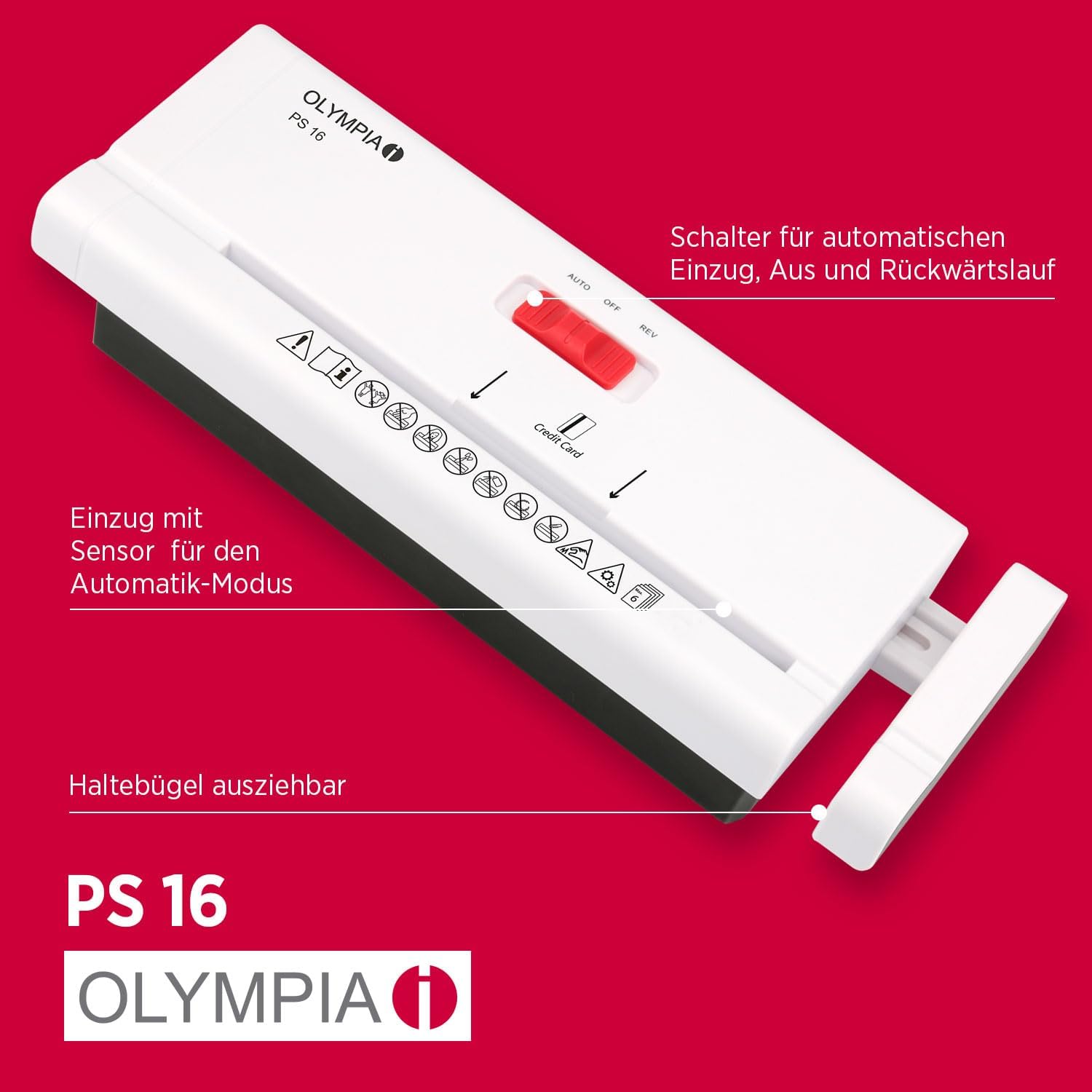
- Adjust Telescopic Arm: Extend the telescopic arm of the shredder to fit securely over the edges of your chosen waste bin. Ensure the shredder is stable and level.
- Power Connection: Plug the power cord into a standard electrical outlet (220-240 V / 50 Hz).

4. Operating Instructions
The Olympia PS 16 features a simple selector switch for operation.
- Selector Switch Positions:
- OFF: Turns the shredder off.
- AUTO: The shredder will automatically start when paper is inserted and stop when shredding is complete.
- REV (Reverse): Reverses the cutting mechanism to clear paper jams.
- Shredding Paper:
- Set the selector switch to AUTO.
- Insert up to 6 sheets of 80 g/m² paper into the paper entry slot. Do not exceed the maximum capacity to prevent jams.
- The shredder will automatically begin shredding and stop once the paper has passed through.
- Shredding Credit Cards:
- Set the selector switch to AUTO.
- Insert one credit card at a time into the dedicated credit card slot.
- The shredder will process the card and stop automatically.
5. Maintenance
- Empty Waste Bin: Regularly empty the waste bin to prevent shredded material from backing up and causing jams.
- Cleaning: Disconnect the shredder from the power supply before cleaning. Use a soft, dry cloth to wipe the exterior. Do not use abrasive cleaners or solvents.
- Lubrication (Optional): For optimal performance and longevity, consider using shredder oil periodically, especially after heavy use. Follow the instructions provided with the shredder oil.
6. Troubleshooting
- Shredder does not start:
- Ensure the power cord is securely plugged into a working outlet.
- Check if the selector switch is set to AUTO.
- The shredder may be in overheat protection mode. Allow it to cool down for 30 minutes.
- Paper jam:
- Set the selector switch to REV (Reverse) to attempt to clear the jam.
- If the jam persists, disconnect the power, carefully remove the shredder from the bin, and manually clear the paper from the entry slot. Use caution as blades are sharp.
- Avoid overfeeding the shredder; adhere to the maximum sheet capacity.
- Shredder stops during operation:
- The shredder may have reached its continuous operation limit (2 minutes) and activated overheat protection. Allow it to cool for 30 minutes.
- The waste bin may be full, causing shredded material to block the cutting mechanism. Empty the bin.
7. Specifications
| Model | PS 16 |
| Cut Type | Strip Cut |
| Shred Size | 6 mm strips |
| Safety Level | P2 (according to DIN 66399) |
| Sheet Capacity | Up to 6 sheets (80 g/m²) |
| Input Width | 220 mm |
| Continuous Operation Time | 2 minutes |
| Cooling Time | 30 minutes |
| Noise Level | Max. 73 dB |
| Voltage | 220 - 240 V / 50 Hz |
| Power Consumption | 0.9 A / 210 Watt |
| Dimensions (WxDxH) | 305-380 x 120 x 70 mm (adjustable width) |
| Weight | 1 kg |
| Bin Compatibility | Round or square bins with 28 - 34 cm diameter/width |

8. Warranty and Support
For warranty information and customer support, please refer to the documentation included with your purchase or contact Olympia customer service directly. The manufacturer is GO Europe GmbH.
UPC: 4030152027057


