Introduction
This manual provides essential instructions for the setup, operation, and maintenance of your JustFine replacement remote control. This remote is designed to be compatible with specific Samsung LED HDTV models, offering a direct replacement for your original remote functionality.
Compatible Samsung TV Models:
- UN60ES7150
- PN60E6500EFXZA
- UN55ES6580F
- UN55ES8000F
- UN60ES8000
Setup
The JustFine replacement remote control is pre-programmed and requires no additional programming. Simply insert batteries to begin operation.
Battery Installation
- Locate the battery compartment on the back of the remote control.
- Slide the battery cover downwards or in the direction indicated by an arrow to open it.
- Insert two AAA batteries (not included), ensuring the positive (+) and negative (-) terminals align correctly with the markings inside the compartment.
- Replace the battery cover by sliding it back into position until it clicks securely.
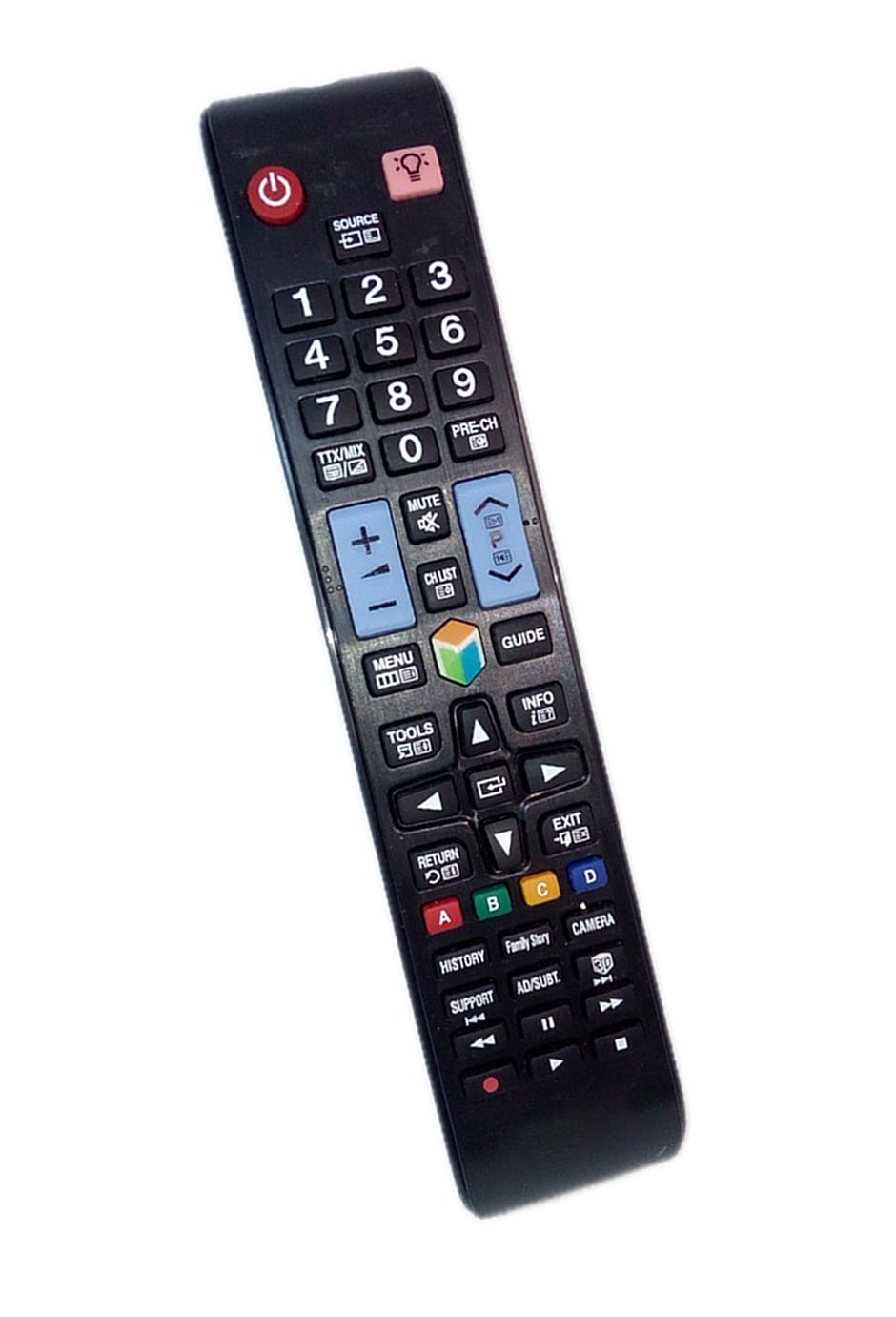
Image: The JustFine replacement remote control. The battery compartment is located on the back of the device.
Operating Instructions
Once batteries are installed, the remote is ready for use. Point the remote control directly at your Samsung LED HDTV and press the desired function buttons.
Basic Functions
- Power: Turns the TV on or off.
- Volume Up/Down: Adjusts the sound level.
- Channel Up/Down: Changes TV channels.
- Number Buttons (0-9): Direct channel input.
- Source/Input: Selects input sources (HDMI, AV, etc.).
- Menu: Accesses the TV's main menu.
- Navigation (Up/Down/Left/Right) & Enter: For navigating menus and confirming selections.
- Return/Exit: Goes back to the previous screen or exits a menu.
The remote is designed to replicate the functions of your original Samsung remote for the specified models. Button labels and layout are intuitive for ease of use.
Maintenance
Proper care will extend the life of your remote control.
- Cleaning: Wipe the remote with a soft, dry cloth. Do not use liquid cleaners or abrasive materials.
- Battery Care: If the remote will not be used for an extended period, remove the batteries to prevent leakage and potential damage.
- Storage: Store the remote in a cool, dry place away from direct sunlight and extreme temperatures.
Troubleshooting
If you experience issues with your remote control, please refer to the following common solutions:
- Remote Not Responding:
- Ensure batteries are inserted correctly with the correct polarity (+/-).
- Replace old batteries with new ones. Weak batteries are a common cause of unresponsiveness.
- Check for any obstructions between the remote and the TV's infrared sensor.
- Intermittent Functionality:
- Ensure you are within the effective range of the TV's IR receiver.
- Verify that the remote's IR emitter is not blocked or dirty.
- Specific Buttons Not Working:
- This can sometimes indicate a faulty button or very low battery power. Try replacing batteries first.
Specifications
| Feature | Detail |
|---|---|
| Product Dimensions | 8 x 2 x 0.5 inches |
| Item Weight | 2.72 ounces |
| Model Number | 758150616021 |
| Brand | JustFine |
| Compatible Devices | Television (Samsung LED HDTVs) |
| Special Feature | Ergonomic design |
| Color | Black |
| Max Number of Supported Devices | 1 |
Warranty and Support
Your JustFine replacement remote control comes with a 30-day quality warranty. We offer a money-back guarantee and hassle-free returns within this period.
For any problems, questions, or support needs, please contact our customer service team. While a specific email address is not provided in this manual, please refer to your purchase documentation or the retailer's website for contact information.