
Introduction
This manual provides essential instructions for the setup, operation, maintenance, and troubleshooting of your JustFine replacement remote control. This remote is designed to be compatible with various Vizio LCD HDTV TV models, including E420-A0, D32HNE1, E420B1, E291-A1, and E471VLE.
Please read this manual thoroughly before using the remote control to ensure proper functionality and longevity of the device.
Setup
1. Battery Installation
The remote control requires two AAA batteries (not included) for operation. Follow these steps to install the batteries:
- Locate the battery compartment cover on the back of the remote control.
- Press down on the tab and slide the cover downwards to open the compartment.
- Insert two AAA batteries, ensuring the positive (+) and negative (-) terminals align correctly with the markings inside the compartment.
- Slide the battery compartment cover back into place until it clicks securely.
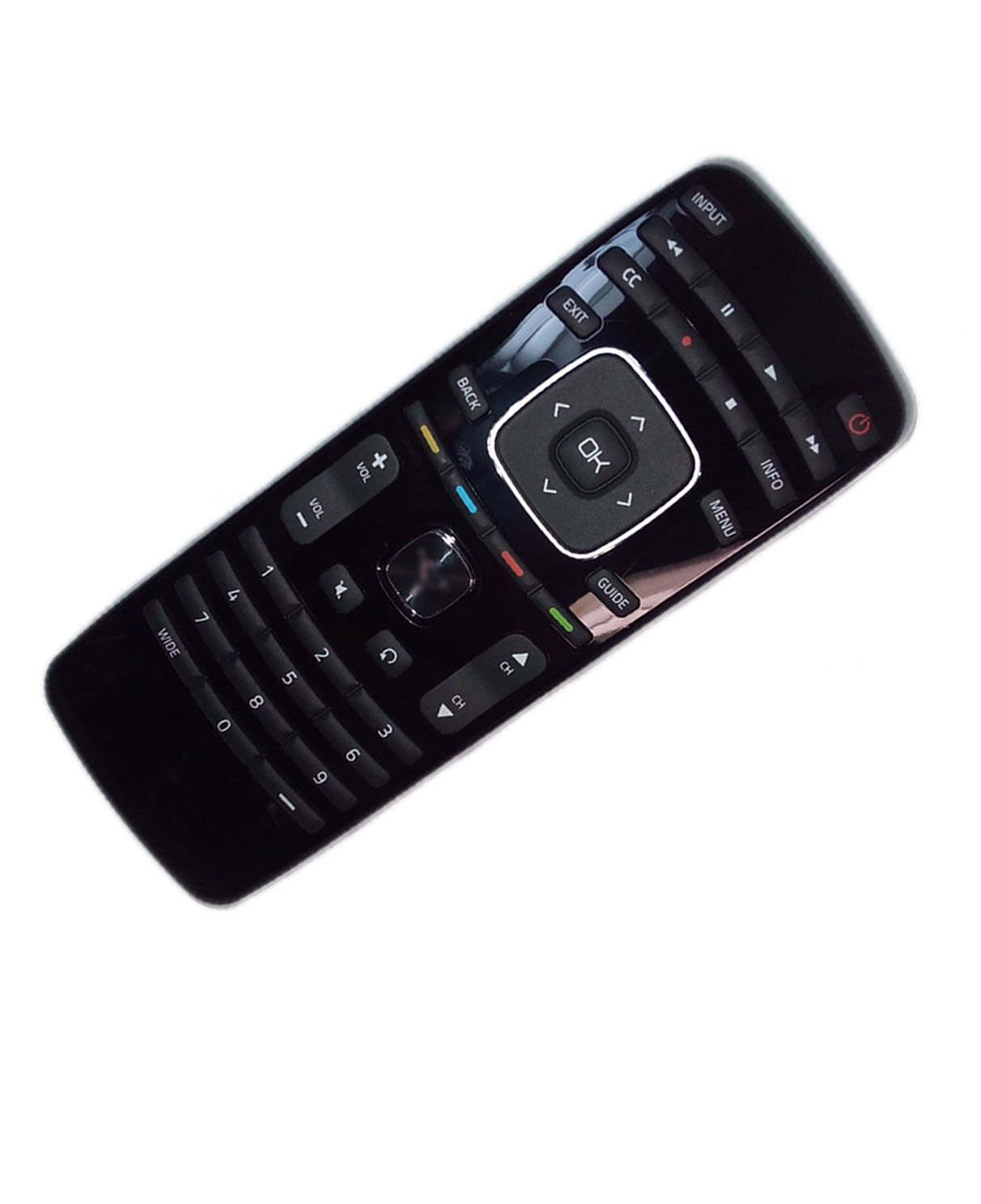
Image: Back view of the remote control, highlighting the battery compartment. Ensure correct battery orientation during installation.
2. Initial Use
This replacement remote control is pre-programmed and does not require any additional setup or programming. Once the batteries are correctly installed, the remote is ready for immediate use with your compatible Vizio TV.
Operating Instructions
The remote control operates using infrared (IR) technology. Ensure there is a clear line of sight between the remote control and the IR receiver on your Vizio TV for optimal performance. The maximum effective range is approximately 10 meters (33 feet).
Basic Functions:
- Power Button: Turns the TV on or off.
- Volume Up/Down: Adjusts the sound level.
- Channel Up/Down: Changes TV channels.
- Input/Source: Cycles through available input sources (HDMI, AV, etc.).
- Number Buttons (0-9): Directly select channels.
- Navigation Buttons (Up, Down, Left, Right, OK): Navigate through TV menus and selections.
Refer to your Vizio TV's original user manual for specific functions of each button if you require detailed information beyond basic operation.
Maintenance
Cleaning:
To clean the remote control, use a soft, dry cloth. Do not use liquid cleaners, abrasive pads, or chemical solvents, as these can damage the surface or internal components.
Battery Replacement:
Replace batteries when the remote control's response becomes sluggish or stops working. Always replace both batteries at the same time with new AAA batteries. Do not mix old and new batteries, or different types of batteries.
Storage:
If the remote control will not be used for an extended period, remove the batteries to prevent leakage and potential damage to the device.
Troubleshooting
| Problem | Possible Cause | Solution |
|---|---|---|
| Remote not responding. | Dead or incorrectly installed batteries. | Replace batteries with new ones, ensuring correct polarity. |
| Remote has limited range or intermittent response. | Obstruction between remote and TV; low battery power. | Ensure a clear line of sight to the TV's IR receiver. Replace batteries if necessary. |
| Certain buttons do not work. | Remote may not be fully compatible with all specific TV functions; dirty contacts. | Verify compatibility with your specific Vizio TV model. Clean the remote if buttons feel sticky. |
Specifications
- Brand: JustFine
- Model Number: LYSB01LWNB35P-ELECTRNCS
- Connectivity Technology: Infrared (IR)
- Compatible Devices: Vizio LCD HDTV Televisions (E420-A0, D32HNE1, E420B1, E291-A1, E471VLE)
- Maximum Number of Supported Devices: 1
- Maximum Range: 10 Meters (approximately 33 feet)
- Controller Type: Button Control
- Power Source: 2 x AAA Batteries (not included)
- Item Weight: Approximately 2.72 ounces
Warranty and Support
Warranty Information:
This product is sold with a 30-day quality warranty and a money-back guarantee. This warranty covers manufacturing defects and ensures the product functions as described. It does not cover damage caused by misuse, accidents, or unauthorized modifications.
Customer Support:
For any problems, questions, or concerns regarding your JustFine replacement remote control, please contact the seller directly. You can typically find seller contact information through your purchase history on the platform where the item was bought.
Note: Batteries and a printed instruction manual are not included with the product package. This digital manual serves as your comprehensive guide.