
JustFine LN19C350D1D, LN32C350D1V, LN32C350D1DXZABK10, LN40E550F7FXZACS02, UN32D4003BD
Contents
JustFine Replacement Remote Control Instruction Manual
Compatible with Samsung LN19C350D1D, LN32C350D1V, LN32C350D1DXZABK10, LN40E550F7FXZACS02, UN32D4003BD HD Plasma LCD LED TVs
Introduction
This manual provides essential instructions for the setup, operation, and maintenance of your JustFine replacement remote control. This remote is designed to be compatible with various Samsung HD Plasma LCD LED TV models, ensuring a seamless replacement experience.
Please read this manual thoroughly before using the remote control.
Setup
1. Battery Installation
The remote control requires AAA batteries (not included) for operation. Follow these steps to install the batteries:
- Locate the battery compartment cover on the back of the remote control.
- Press down on the tab and slide the cover off.
- Insert two (2) AAA batteries, ensuring the positive (+) and negative (-) terminals align correctly with the markings inside the compartment.
- Slide the battery compartment cover back into place until it clicks securely.
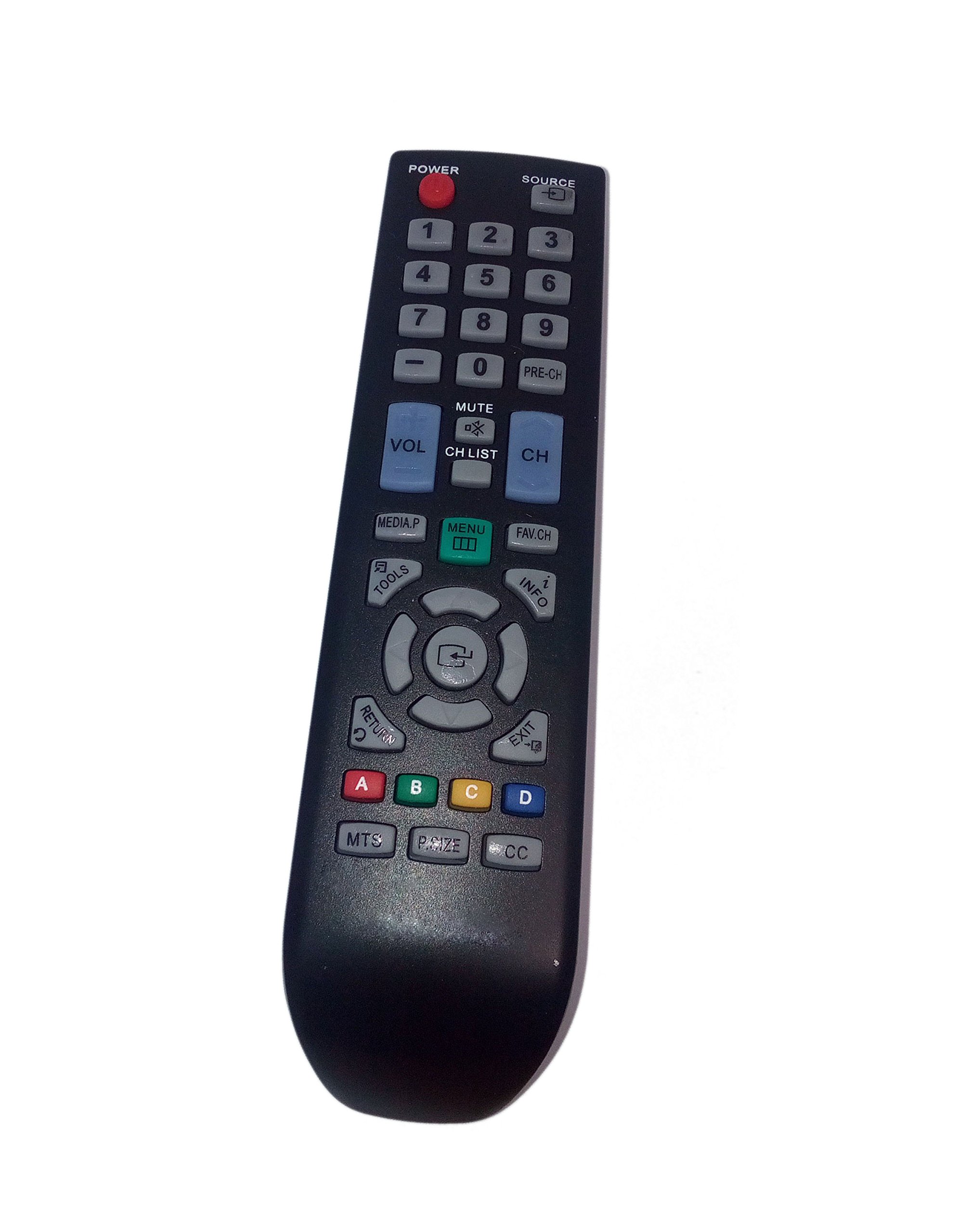
Figure 1: Back view of the remote control with the battery compartment. To install batteries, slide the cover down and insert two AAA batteries according to polarity markings.
2. Initial Use
This replacement remote control is pre-programmed and does not require any additional setup or programming. Once batteries are installed, it is ready for immediate use with compatible Samsung TV models.
Operating Instructions
Point the remote control directly at your Samsung TV's infrared receiver. Ensure there are no obstructions between the remote and the TV.
- Power Button: Turns the TV on or off.
- Channel Buttons (CH+/CH-): Changes the TV channel up or down.
- Volume Buttons (VOL+/VOL-): Increases or decreases the TV volume.
- Mute Button: Mutes or unmutes the TV sound.
- Number Buttons (0-9): Directly selects TV channels.
- Menu/Settings Button: Accesses the TV's main menu or settings.
- Navigation Buttons (Up, Down, Left, Right, Enter): Navigates through TV menus and confirms selections.
- Source/Input Button: Changes the input source (e.g., HDMI1, AV).
The maximum effective operating range for this remote control is approximately 10 meters (33 feet).
Maintenance
- Cleaning: Wipe the remote control with a soft, dry cloth. Do not use liquid cleaners or abrasive materials.
- Battery Replacement: Replace batteries when the remote's response becomes sluggish or stops working. Always replace both batteries at the same time with new ones of the same type (AAA).
- Storage: If the remote control will not be used for an extended period, remove the batteries to prevent leakage and damage. Store in a cool, dry place.
Troubleshooting
- Remote not responding:
- Ensure batteries are installed correctly with the correct polarity.
- Replace old batteries with new AAA batteries.
- Check for any obstructions between the remote control and the TV's infrared receiver.
- Ensure you are within the effective operating range (approximately 10 meters).
- Some buttons not working:
- This remote is a direct replacement and should function for all standard TV operations. If specific buttons are unresponsive, ensure the TV model is listed as compatible.
- Try replacing the batteries.
Specifications
| Brand | JustFine |
| Compatible Devices | Television (Samsung HD Plasma LCD LED TVs) |
| Connectivity Technology | Infrared |
| Max Number of Supported Devices | 1 |
| Controller Type | Button Control |
| Maximum Range | 10 meters (33 feet) |
| Battery Type | AAA (Not included) |
| Item Weight | 2.72 ounces |
| Compatible Samsung TV Models | LN19C350D1D, LN32C350D1V, LN32C350D1DXZABK10, LN40E550F7FXZACS02, UN32D4003BD |
Warranty and Support
This product is sold with a money-back guarantee and hassle-free return policy. It includes a 30-day quality warranty from the date of purchase.
If you encounter any problems or have questions regarding your remote control, please contact us via email for assistance. We are committed to resolving any issues you may experience.
Ask a question about this manual
Ask about setup, troubleshooting, compatibility, parts, safety, or missing instructions. Manuals+ will review the question and use this page’s manual context to help answer it.