
Introduction
This manual provides instructions for the safe and efficient use of your Beautyrest Heated Plush Electric Blanket. This blanket is designed to provide warmth and comfort with advanced safety features.
The Beautyrest Heated Plush Electric Blanket features Secure Comfort Technology, which minimizes Electromagnetic Field (EMF) emissions. It is constructed with soft, flexible wires and ultra-soft microlight plush fabric for enhanced comfort. The blanket offers 20 heat settings and a 10-hour auto shut-off function for personalized warmth and safety. It is also machine washable and OEKO-TEX certified, ensuring it is free from harmful substances.
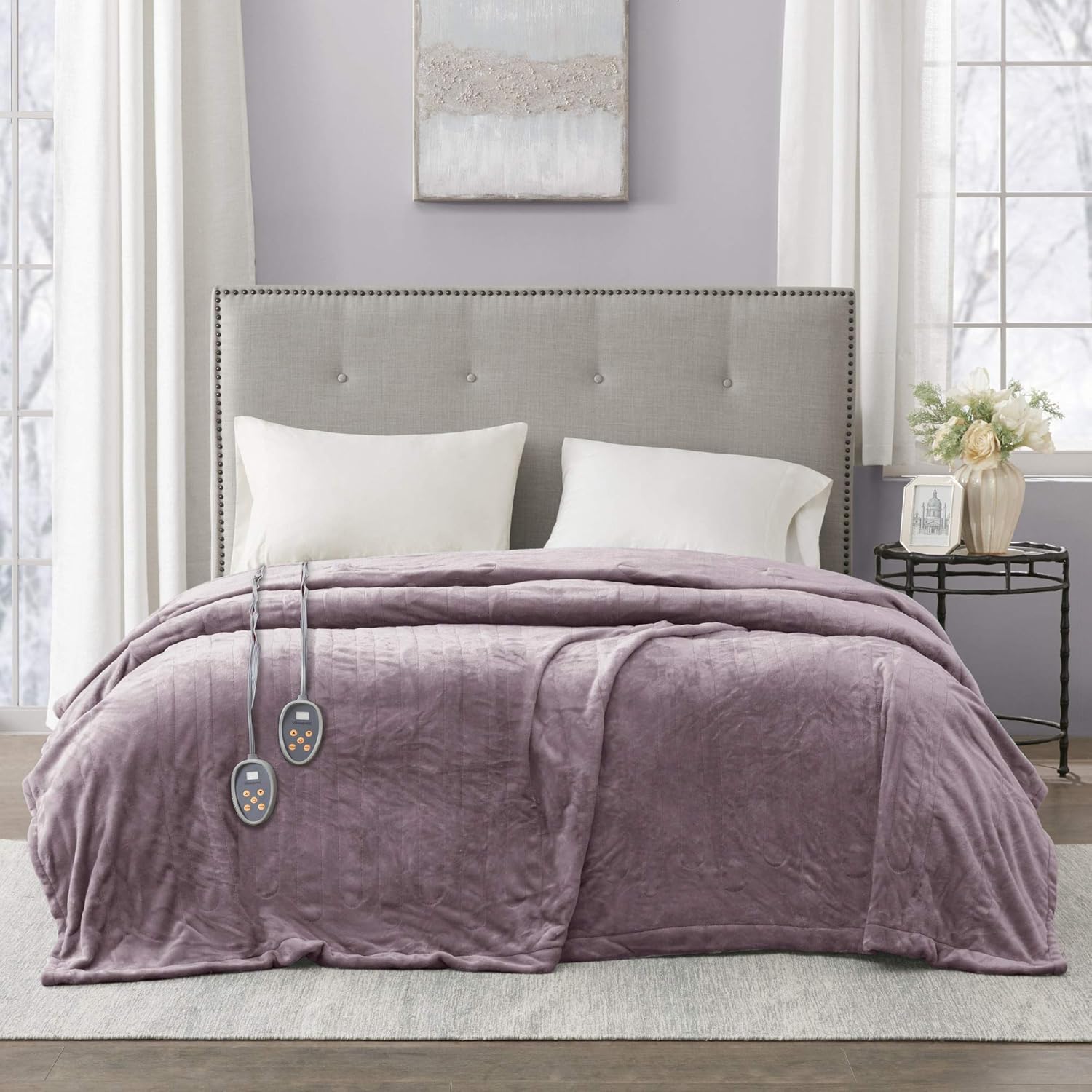
Image: The Beautyrest Heated Plush Electric Blanket in lavender, draped over a bed, showcasing its plush texture and integrated controllers.
Safety Information
Please read all safety instructions carefully before using this product. Failure to follow these instructions may result in electric shock, fire, or injury.
- Do not use with infants, children, incapacitated persons, or anyone insensitive to heat.
- Do not use with pets.
- Do not use if the blanket is wet.
- Do not use with adjustable beds unless specifically designed for such use.
- Ensure the controller is not covered or placed under the blanket during operation to prevent overheating.
- Always unplug the blanket when not in use or before cleaning.
- This blanket is equipped with Secure Comfort Technology to virtually eliminate EMF emissions and is UL certified for safety.

Image: Visual representation of key features: soft and cozy fabric, virtually zero EMF, fast heating capability, and machine washable design.
Package Contents
Your Beautyrest Heated Plush Electric Blanket package should contain the following items:
- 1 x Beautyrest Heated Plush Electric Blanket (Full Size, Lavender)
- 1 x Digital Controller with 20 Heat Settings and Auto Shut-Off Timer
Setup
- Unpack the Blanket: Carefully remove the blanket and controller from its packaging. Retain packaging for storage if desired.
- Position the Blanket: Spread the heated blanket evenly over your mattress. Ensure the connector for the controller is positioned at the foot end of the bed.
- Connect the Controller: Locate the connector on the blanket and firmly plug the controller cord into it. Ensure a secure connection.
- Plug into Power: Plug the blanket's power cord into a 110V-120V AC wall outlet. Avoid using extension cords or power strips.
- Controller Placement: Place the controller in an easily accessible location, such as a bedside table, ensuring it is not covered by other bedding.

Image: Close-up of the digital controller, highlighting its features: heavy-duty insulated cord, 20 heat setting LED indicator, adjustable 1-10 hour auto shut-off timer, and a 1-hour pre-heat button. Also shows 2-prong plug, 110-120V @60Hz (Max 160W) power, and cord lengths.
Operating Instructions
Turning On/Off
- To turn on, press the Power button on the controller. The LED display will illuminate.
- To turn off, press the Power button again.
Adjusting Heat Settings
- The blanket offers 20 heat levels. Use the Up and Down arrow buttons to select your desired heat setting (1-20).
- Heat levels range from approximately 85°F to 105°F, depending on ambient room temperature.
Using the Auto Shut-Off Timer
- Press the Timer button to cycle through the auto shut-off options (1 to 10 hours).
- The selected time will be displayed on the controller. The blanket will automatically turn off after the set duration.
Pre-Heat Feature
- Press the Pre-Heat button to activate a 1-hour pre-heating cycle. This will quickly warm the blanket to a comfortable temperature.
- After 1 hour, the blanket will revert to your last selected heat setting or turn off if no setting was chosen.
Maintenance
Proper care will extend the life of your heated blanket. Always disconnect the power cord from the wall outlet and the controller from the blanket before cleaning.
Washing Instructions
- Pre-Soak: Disconnect all cords. Pre-soak the blanket for 15 minutes in cold water with a small amount of mild detergent.
- Wash: Wash on the "delicate" or "gentle" cycle for 2 minutes in cold water.
- Rinse: Rinse in fresh, cold water on the "spin" cycle.
- Remove: Remove immediately after the spin cycle to prevent creasing.
Drying Instructions
- Tumble Dry: Tumble dry on a low heat setting for 5 minutes.
- Air Dry: Remove the blanket from the dryer and gently stretch it to its original size. Hang over a clothesline or shower rod to finish drying. Do not use clothespins, as they may damage the wires.
- Do Not Iron: Never iron the heated blanket.

Image: Step-by-step visual instructions for washing (hand wash/delicate cycle, cold water, minimal detergent, remove after spin) and drying (tumble dry low for 5 minutes, gentle stretch and hang, do not hang with clothespins, do not iron).
Troubleshooting
If your heated blanket is not operating correctly, please refer to the following common issues and solutions:
| Problem | Possible Cause | Solution |
|---|---|---|
| Blanket does not heat or turns off unexpectedly. | Loose connection, power outage, or safety shut-off activated. |
|
| Controller displays an error code (e.g., "E2"). | Internal malfunction or wiring issue. |
|
| Blanket is not warm enough on high settings. | Ambient room temperature is very low, or blanket is not properly insulated. |
|
Specifications
| Model | BR54-0655 |
| Size | Full (84"L x 80"W) |
| Color | Lavender |
| Material | 100% Microlight Plush Polyester |
| Heat Settings | 20 Levels (approx. 85°F - 105°F) |
| Auto Shut-Off | 1 to 10 Hours (adjustable) |
| Pre-Heat Feature | 1 Hour |
| Controller(s) | 1 Digital Controller (for Full size) |
| Power Input | 110V - 120V AC, 60 Hz (Max 160W) |
| Special Features | Secure Comfort Technology (Low EMF), UL Certified, OEKO-TEX Certified, Machine Washable |

Image: Illustration indicating the blanket dimensions as 84 inches by 80 inches.
Warranty and Support
Warranty Information
This Beautyrest Heated Plush Electric Blanket is backed by a 5-year manufacturer's limited warranty. This warranty covers defects in materials and workmanship under normal use. Please retain your proof of purchase for warranty claims.
For detailed warranty terms and conditions, please refer to the documentation included with your product or visit the official Beautyrest website.
Customer Support
If you have any questions, require assistance with setup or operation, or need to make a warranty claim, please contact Beautyrest customer support.
Contact information can typically be found on the product packaging, the official Beautyrest website, or through your retailer.