
1. Overview
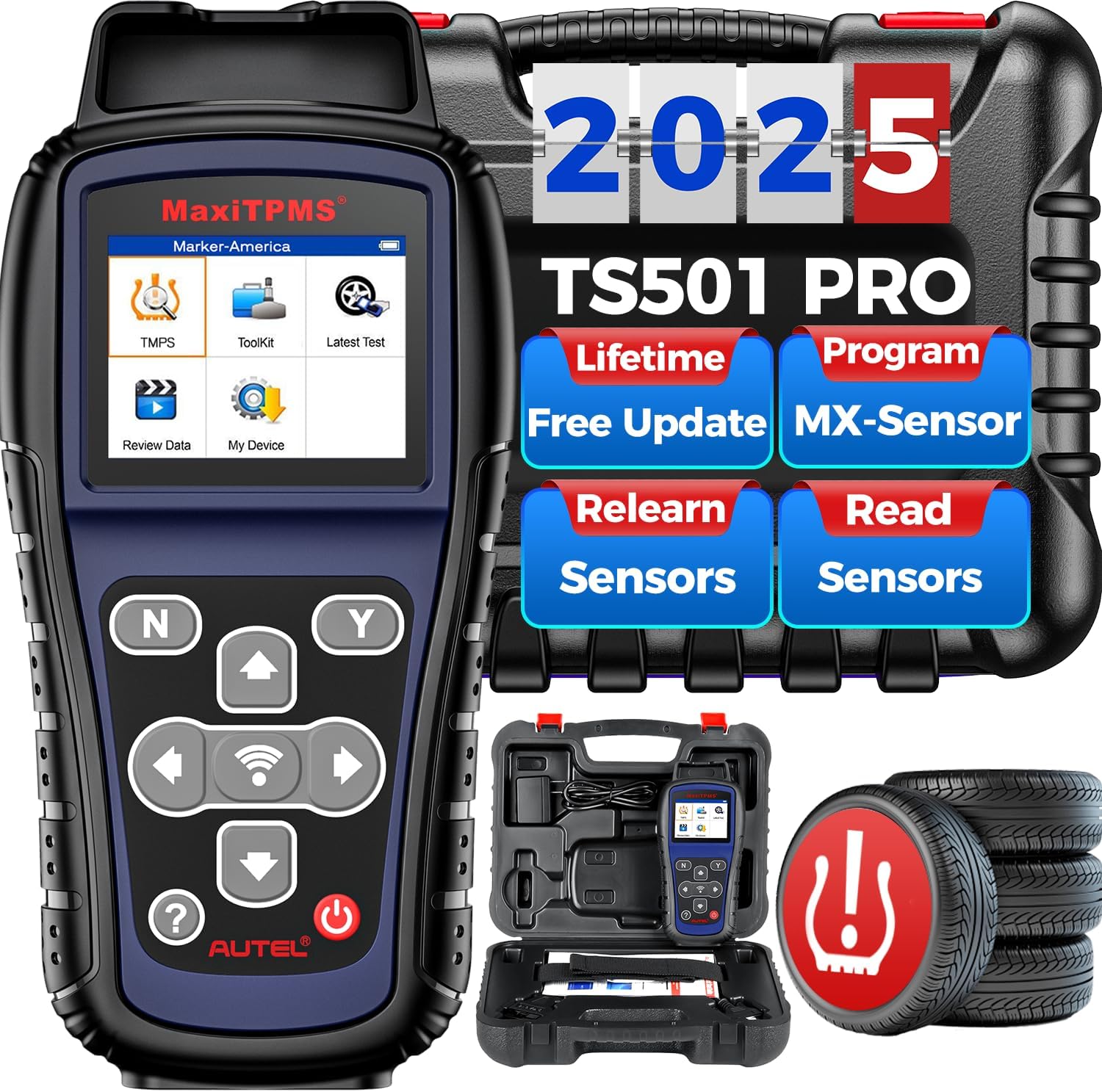
The Autel MaxiTPMS TS501 PRO is a professional-grade Tire Pressure Monitoring System (TPMS) tool designed for comprehensive TPMS service. It is an upgraded version of previous models like TS501, TS408S, TS408, and TS401, offering enhanced functionality and wider vehicle coverage. This device allows users to activate 99% of OEM/Universal TPMS sensors, program Autel MX-Sensors, perform various relearn procedures, and conduct full TPMS diagnostics.
Key features include:
- Activation of 99% of OEM/Universal TPMS sensors.
- Two methods for programming Autel MX-Sensors (Copy by OBD, Auto Create 1-16 Sensors).
- Multiple TPMS relearn procedures (Stationary, Automatic, OBD Relearn).
- Comprehensive TPMS diagnosis, including reading/clearing DTCs and on-screen descriptions.
- Tire Type/Pressure Selection and Frequency Test for 315 MHz and 433 MHz sensors.
- Lifetime free software updates via USB.
- Multi-language support and data management functions.
2. What's in the Box
Upon unboxing your Autel MaxiTPMS TS501 PRO, please ensure all components are present:
- Autel MaxiTPMS TS501 PRO Scanner Unit
- OBDII Cable
- USB Cable
- Power Adapter
- Rugged Blow Molded Case
- Quick Start Guide

3. Getting Started
3.1 Initial Setup and Device Update
Before using your MaxiTPMS TS501 PRO, it is crucial to ensure the device's software is up-to-date. This process involves connecting the tool to a computer and using the Maxi PC Suite software.
- Unplug the tool from all power sources.
- Hold down the power button for at least 60 seconds or until the tool turns off completely.
- While holding the left arrow key, plug the USB cable into the tool and connect it to your PC. This action forces the tool into update mode.
- Open the Maxi PC Suite software on your computer. If updates are available, proceed with the installation.
- If the software indicates no available updates, navigate to the 'Installed' tab within Maxi PC Suite. Select all listed software components and choose 'Uninstall Selected'. Confirm the uninstallation.
- Without unplugging the tool, switch back to the 'Updates Available' tab. The necessary updates should now appear. If not, click the 'Refresh' button.
- Select all available updates and click 'Update Selected'. Wait for the installation process to complete.
- Once all updates are installed and the software indicates 'No available updates', you can unplug the tool and power it on. The device should now be fully updated and ready for use.

4. Operating Instructions
4.1 Activating TPMS Sensors
The TS501 PRO is designed to activate 99% of OEM/Universal TPMS sensors quickly, typically within 30 seconds per sensor. This allows for real-time status checks of tire pressure, temperature, sensor ID, battery power, sensor position, and frequency.
- Select the type of sensor on the device.
- Place the TS501 PRO near the sensor (within 1-inch of the antenna).
- Press the trigger button on the device.
- Repeat the process for each sensor.


4.2 Programming Autel MX-Sensors
The TS501 PRO supports two primary methods for programming Autel MX-Sensors (315/433MHz):
4.2.1 Auto Create 1-16 Sensors
This method is used when the original sensor ID is not obtainable. It allows for wireless programming of up to 16 MX-Sensors at once, with unlimited programming times.
4.2.2 Copy by OBD
This function allows you to copy the sensor ID from the vehicle's ECU into an Autel MX-Sensor after performing a read ID from the vehicle. This method eliminates the need for relearn procedures and manual programming, providing accurate sensor information for OBD compliant cars.
Note: The TS501 PRO can ONLY program Autel MX-Sensors. It is not compatible with other brands of sensors.


4.3 Relearning TPMS Sensors
After replacing TPMS sensors, they must be relearned to the vehicle to turn off the TPMS warning light. The TS501 PRO offers three on-tool relearn procedures for both OE and aftermarket sensors:
- Stationary Relearn: Requires the vehicle to be placed in 'Learn Mode'.
- Automatic Relearn: Completed by driving the vehicle.
- OBD Relearn: Directly writes sensor IDs to the TPMS module via the OBD connector (not supported by older TS408/TS401 models).
- Copy Relearn: Obtain sensor ID then clone.
The tool includes over 1000 built-in TPMS relearn guides, eliminating the need to search online.


4.4 TPMS Diagnostic Functions
The TS501 PRO provides quick and comprehensive TPMS diagnostic capabilities, helping technicians efficiently find and resolve faulty TPMS issues. It offers direct access to the vehicle's ECU via OBD II connection.
- Read/Clear TPMS DTCs with on-screen descriptions.
- View TPMS Live Data in graphs.
- Retrieve TPMS ECU Information.
- Turn off TPMS warning lights (MILs).


4.5 Tire Type/Pressure Selection & Frequency Testing
The TS501 PRO includes exclusive features like Tire Type/Pressure Selection and Frequency Testing. If the TPMS MIL (Malfunction Indicator Lamp) remains on after clearing faults, this function allows you to set the correct tire type and pressure value. The Frequency Test feature checks the frequency of 315 MHz and 433 MHz signals.

5. Maintenance
5.1 Software Updates
The Autel MaxiTPMS TS501 PRO offers lifetime free software updates. Regular updates ensure compatibility with newer vehicle models, add new functions, and correct any bugs, enhancing the tool's performance and longevity. Updates are performed via USB connection to a Windows-based PC.
6. Troubleshooting
If you encounter issues with your Autel MaxiTPMS TS501 PRO, consider the following common troubleshooting steps:
- Compatibility Issues: Functions vary by vehicle's make, model, and year. Always verify compatibility by providing your car's VIN to Autel support before ordering or if you experience issues.
- Sensor Programming Limitations: The TS501 PRO can ONLY program Autel MX-sensors. It cannot program other brand sensors. Ensure you are using compatible sensors.
- Inaccurate Sensor Data: If the tool fails to read sensor data, it is highly recommended to replace old sensors with original or Autel MX-sensors, as inaccurate data from third-party sensors can cause issues.
- Update Failures: If the tool fails to update, follow the specific update procedure outlined in Section 3.1, including holding the power button and left arrow key during connection to force update mode.
- TPMS Light Remains On: After clearing faults, if the TPMS MIL is still on, use the Tire Type/Pressure Selection function to set the correct values. Ensure all sensors are properly relearned to the vehicle using one of the methods described in Section 4.3.
For any persistent problems or concerns, please contact Autel technical support.
7. Specifications
| Feature | Detail |
|---|---|
| Brand | Autel |
| Model | US-TS501 PRO |
| Item Weight | 1.2 pounds |
| Product Dimensions | 7.96 x 4.2 x 1.48 inches |
| Display Resolution | 320x240 |
| Voltage | 3.7 Volts |
| Batteries | 1 Lithium Polymer battery required |
| Language | English (multiple languages supported via authorization) |
| Sensor Compatibility | 315MHz/433MHz Autel MX-Sensors |
8. Warranty & Support
Autel provides comprehensive support for the MaxiTPMS TS501 PRO:
- Lifetime Software Updates: Enjoy free software updates for the lifetime of the product, ensuring continued compatibility and new features.
- Technical Support: 24/7/365 thoughtful technical support is available.
- Warranty: The product comes with a 1-Year Quality Backup.
- Returns: 30-Day Free Returns & Replacement are offered.
For technical assistance or inquiries, please contact AutelChoice support via email at autelchoice@outlook.com. You can expect a solution within 12 hours.
Legal Disclaimer
Please note the following important information:
- All functions may vary by vehicle's make, model, and year. Always verify compatibility.
- The TS501 PRO exclusively programs Autel MX-Sensors and does not support other brands.
- Software updates are primarily via PC; WiFi updating is not supported by this model.
- It is strongly recommended to use original or Autel MX-sensors for accurate data, as third-party sensors may provide inaccurate readings.