
Introduction
This manual provides detailed instructions for the setup, operation, and maintenance of your Hormann HSE4 BS remote control. The HSE4 BS is a 4-button handheld transmitter featuring Hormann's secure BiSecur wireless technology, designed for controlling garage doors, entrance gates, and other compatible Hormann operators.
Each of the four buttons can be individually programmed to control different functions or devices, offering convenience and flexibility. The integrated keyring eyelet allows for easy attachment to your keys, ensuring it is always accessible.

Image: Front view of the Hormann HSE4 BS remote control, showing its sleek black design and four distinct control buttons.
Setup and Programming
The Hormann HSE4 BS remote control comes with a pre-installed lithium metal battery. Before initial use, it is necessary to program the remote control to your Hormann operator or copy the code from an existing remote.
Programming to an Existing Remote Control (Hand-to-Hand Copy)
- Prepare the New Remote: Hold the new HSE4 BS remote control.
- Prepare the Existing Remote: Take your existing, working Hormann remote control.
- Initiate Pairing: Press and hold the desired button on your existing remote control. The LED on the existing remote will light up.
- Transfer Code: While still holding the button on the existing remote, immediately press and hold the corresponding button on the new HSE4 BS remote control.
- Confirmation: The LED on the new HSE4 BS remote will flash slowly, then rapidly, and finally stay illuminated, indicating successful programming. Release both buttons.
- Test Functionality: Test the newly programmed button with your operator. If it does not work, repeat the process. It may require several attempts for successful pairing.
Note: Some users report that pressing both buttons simultaneously (existing and new) without delay can improve success rates.
Programming Directly to the Operator Unit
For optimal security and functionality, or if you do not have an existing remote, it is recommended to program the HSE4 BS directly to your Hormann operator unit. The exact procedure may vary slightly depending on your specific operator model (e.g., SupraMatic, ProMatic, RotaMatic). Refer to your operator's instruction manual for precise steps. Generally, the process involves:
- Access Operator: Locate the programming button on your Hormann garage door or gate operator unit. This button is often labeled "P" or "PRG".
- Activate Learning Mode: Press and release the programming button on the operator. The operator's LED indicator will typically start flashing, indicating it is in learning mode.
- Transmit Code: Within a few seconds, press and hold the desired button on your new HSE4 BS remote control.
- Confirmation: The operator's LED will change its flashing pattern or illuminate steadily to confirm successful programming. Release the button on the remote.
- Test Functionality: Test the remote control with the operator.
Important Compatibility Note: This remote control is compatible with Hormann operators such as SupraMatic E/P, SuperMatic HT, ProMatic, ProMatic Accu, RollMatic, RotaMatic/P/PL, RotaMatic Accu Solar, VersaMatic/P, VersaMatic Accu Solar, LineaMatic/P, and LineaMatic Accu Solar. It is NOT suitable for the Liftronic garage door motor.
Operating Instructions
Once programmed, operating your Hormann HSE4 BS remote control is straightforward.
- Select Function: Identify the button on your remote control that has been programmed for the desired function (e.g., opening/closing the garage door, opening the gate).
- Activate: Press the corresponding button firmly for approximately one second.
- Observe: The operator will respond according to its programmed function. The remote's LED will illuminate during transmission.
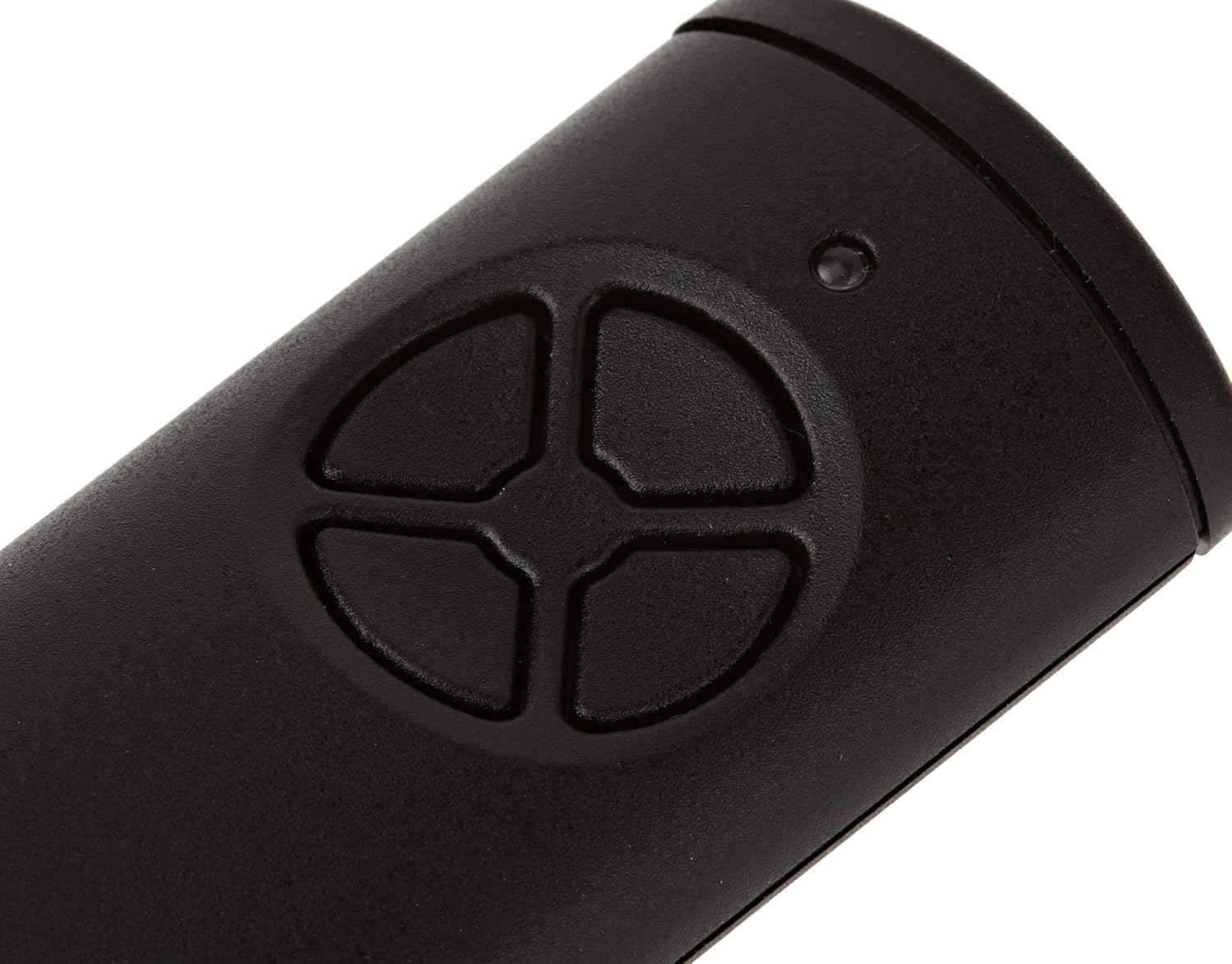
Image: Close-up view of the four control buttons on the Hormann HSE4 BS remote control, with a small LED indicator above them.
Maintenance
The Hormann HSE4 BS remote control requires minimal maintenance to ensure long-lasting performance.
Battery Replacement
The remote control is powered by a single lithium metal battery (CR2032 type, typically). When the battery is low, the remote's LED indicator may flash briefly or not illuminate at all when a button is pressed, or the range may decrease significantly.
- Open Casing: Carefully open the remote control casing. This usually involves prying open a small seam with a thin tool or screwdriver.
- Remove Old Battery: Remove the old CR2032 battery. Note its polarity (+/-).
- Insert New Battery: Insert a new CR2032 lithium metal battery, ensuring correct polarity.
- Close Casing: Snap the casing back together securely.
Disposal: Dispose of used batteries according to local regulations. Do not dispose of batteries in household waste.
Cleaning
Clean the remote control with a soft, dry cloth. Do not use abrasive cleaners or solvents, as these can damage the casing and electronics.

Image: Back view of the Hormann HSE4 BS remote control, showing the model number (HSE4-868-BS) and regulatory markings.
Troubleshooting
| Problem | Possible Cause | Solution |
|---|---|---|
| Remote does not operate the door/gate. |
|
|
| LED on remote does not light up. | Dead battery. | Replace the battery. |
| Reduced operating range. |
|
|
Specifications
- Model: HSE4 BS
- Manufacturer: Hormann
- Part Number: 4511736
- Dimensions (L x W x H): 11 x 6.5 x 3 cm (approximately 4.3 x 2.6 x 1.2 inches)
- Weight: 40 grams (approximately 1.4 ounces)
- Color: Black
- Number of Buttons: 4
- Connectivity Technology: Radio Frequency (BiSecur)
- Power Source: Battery operated
- Battery Type: 1 x Lithium metal (CR2032), included
- Special Feature: Pre-programmed (can be reprogrammed)
- Compatible Operators: SupraMatic E/P, SuperMatic HT, ProMatic, ProMatic Accu, RollMatic, RotaMatic/P/PL, RotaMatic Accu Solar, VersaMatic/P, VersaMatic Accu Solar, LineaMatic/P, LineaMatic Accu Solar, Hormann ProMatic Serie 4.
- Incompatible Operators: Liftronic garage door motor.
- Country of Origin: Germany
Warranty Information
Based on available product information, there is no manufacturer's warranty explicitly stated for this product. Please refer to your point of purchase for any applicable retailer warranties or return policies.
Customer Support
Should you encounter any issues not covered in this manual or require further assistance, please contact Hormann customer support or your authorized Hormann dealer. You can typically find contact information on the official Hormann website or through your product retailer.
When contacting support, please have your product model (HSE4 BS) and any relevant purchase details ready.
For additional resources and product information, visit the official Hormann website: www.hormann.com


