
1. Product Overview
The UGREEN Cable Clips Holder is a practical desktop cable management system designed to keep your power cords, charging cables, and other small diameter wires organized and easily accessible. It helps eliminate cable clutter, preventing tangles and making your workspace neat and efficient.

Image: The UGREEN Cable Clips Holder, showcasing its sleek black design and multiple cable slots.

Image: A visual comparison demonstrating the effectiveness of the cable holder, transforming a cluttered desk into an organized one.
2. Setup and Installation
The UGREEN Cable Clips Holder features a strong adhesive backing for easy installation on various surfaces. Follow these steps for optimal adhesion:
- Choose a Surface: Select a clean, flat, and smooth surface for installation, such as a desk, wall, or car dashboard. Ensure the surface is free from dust, oil, and moisture.
- Clean the Surface: Thoroughly clean the chosen surface with a damp cloth, then dry it completely. For best results, you may use rubbing alcohol to remove any residues and allow it to dry.
- Peel the Adhesive: Carefully peel off the protective film from the adhesive backing of the cable clip holder. Avoid touching the adhesive surface with your fingers to maintain its stickiness.
- Apply the Holder: Position the cable clip holder on the cleaned surface and press firmly for at least 30 seconds to ensure good contact. Apply pressure evenly across the entire adhesive area.
- Allow Adhesion Time: For maximum adhesion, it is recommended to wait 24 hours before placing cables into the holder. This allows the adhesive to fully bond with the surface.

Image: Demonstrates the peel-and-stick application process, highlighting the strong adhesive on the back of the holder.

Image: Illustrates the compact size of the holder and its ability to organize cables on a desktop without occupying much space.
3. Operating Instructions
Once installed, the UGREEN Cable Clips Holder is ready to organize your cables. Its flexible silicone material allows for easy insertion and removal of cables.
3.1 Cable Insertion
- Gently push the cable into one of the designated slots. The flexible silicone will expand to accommodate the cable and then securely hold it in place.
- Ensure the cable diameter is less than 5mm for optimal fit and retention.
3.2 Cable Removal
- Pull the cable gently but firmly out of the slot. The silicone material is designed to release the cable without damage.
3.3 Compatible Cable Types
The holder is suitable for various small diameter cables, including but not limited to:
- Charging Cables (e.g., USB-C, Micro USB, Lightning)
- Headphone Cables
- Audio Cables
- Ethernet Cables (thin versions)
- Mouse Cables
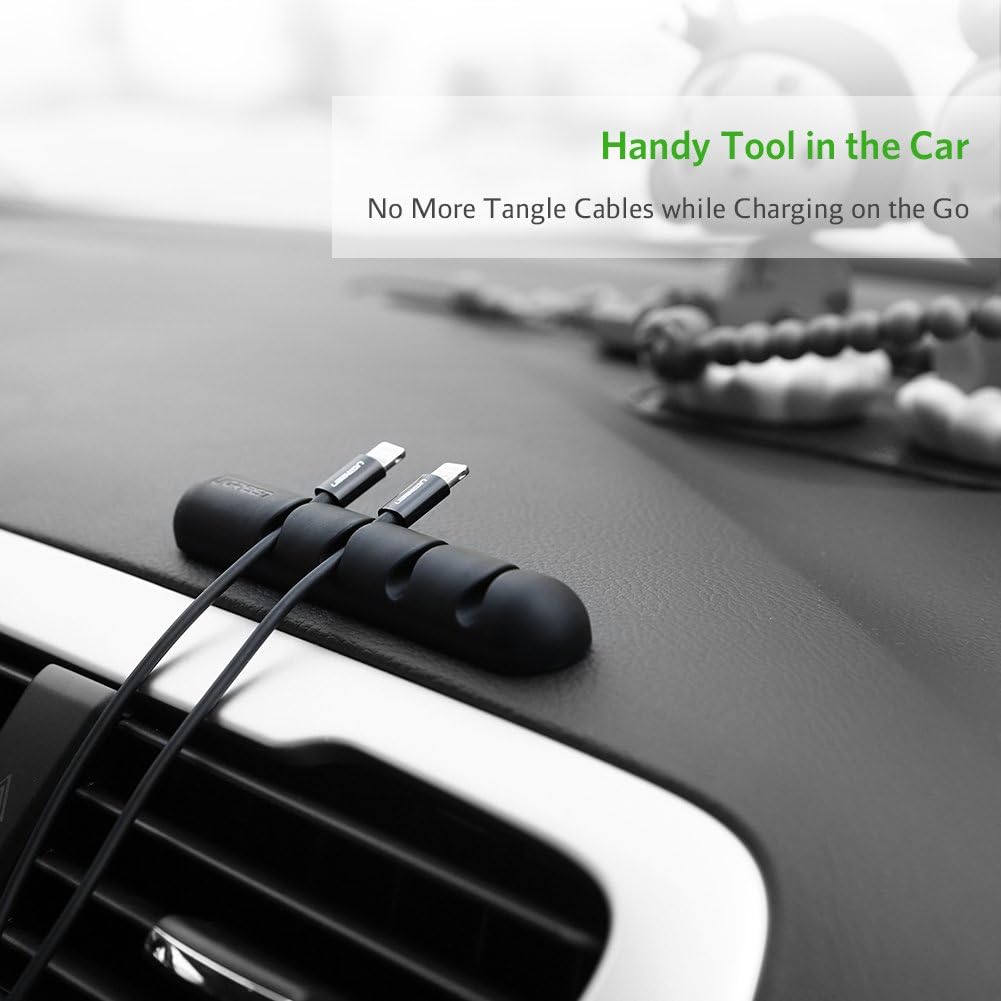
Image: The cable holder used to organize a wall charger cable, demonstrating its versatility beyond desktop use.

Image: The cable holder providing a tangle-free solution for charging cables within a car interior.

Image: A diagram illustrating that the holder is designed for cables with a diameter less than 5mm, along with icons of compatible cable types.
4. Maintenance
To ensure the longevity and effectiveness of your UGREEN Cable Clips Holder, follow these simple maintenance guidelines:
- Cleaning: If the silicone material becomes dusty or dirty, gently wipe it with a soft, damp cloth. Avoid using harsh chemicals or abrasive cleaners, as these may damage the material or adhesive.
- Adhesive Care: Once applied, avoid repositioning the holder frequently, as this can weaken the adhesive bond. If the adhesive loses its stickiness due to dust, you may try gently rinsing it with water and letting it air dry completely (do not wipe) to reactivate some of its tackiness, though this is not guaranteed to restore full strength.
- Storage: If not in use, store the cable clips in a cool, dry place away from direct sunlight and extreme temperatures.
5. Troubleshooting
If you encounter any issues with your UGREEN Cable Clips Holder, refer to the following common problems and solutions:
| Problem | Possible Cause | Solution |
|---|---|---|
| Holder does not stick or falls off. |
|
|
| Cables do not fit or are too loose. |
|
|
6. Specifications
| Model Number | 30762 |
| Manufacturer | Aictoe |
| Item Weight | 2.11 ounces |
| Package Dimensions | 5.2 x 2.6 x 0.55 inches |
| Color | Black (Note: Product data may list "White 25" for internal tracking, but the product is black as shown.) |
| Finish | Black |
| Material | Silicone/Rubber (Note: Product data lists "copper", which is likely an error or refers to an internal component not relevant to the clip's primary material.) |
| Number of Pieces | 2 |
| Cable Compatibility | Cables with diameter less than 5mm |
| Date First Available | February 1, 2017 |
7. Warranty and Support
UGREEN stands behind the quality of its products. The UGREEN Cable Clips Holder comes with a 53-day worry-free refund or replacement warranty.
If you experience any issues or have questions regarding your product, please contact UGREEN customer support. Providing your product model number (30762) and details of your issue will help expedite the support process.
For support, please visit the official UGREEN website or contact their customer service channels as provided with your purchase documentation.