
Introduction
The ONN Indoor Easy-Adjust TV Antenna provides access to free high-definition television programming. This antenna is designed to receive full 1080p HD signals, allowing you to watch local channels without a cable or satellite subscription. It supports HDTV, VHF, UHF, and FM signals, maximizing available channels in your area. The antenna features an adjustable design, enabling you to tilt, twist, and swivel it for optimal reception and fine-tuning of your signal. Its compact design with foldable loop and dipoles ensures convenient, low-profile storage when not in use.
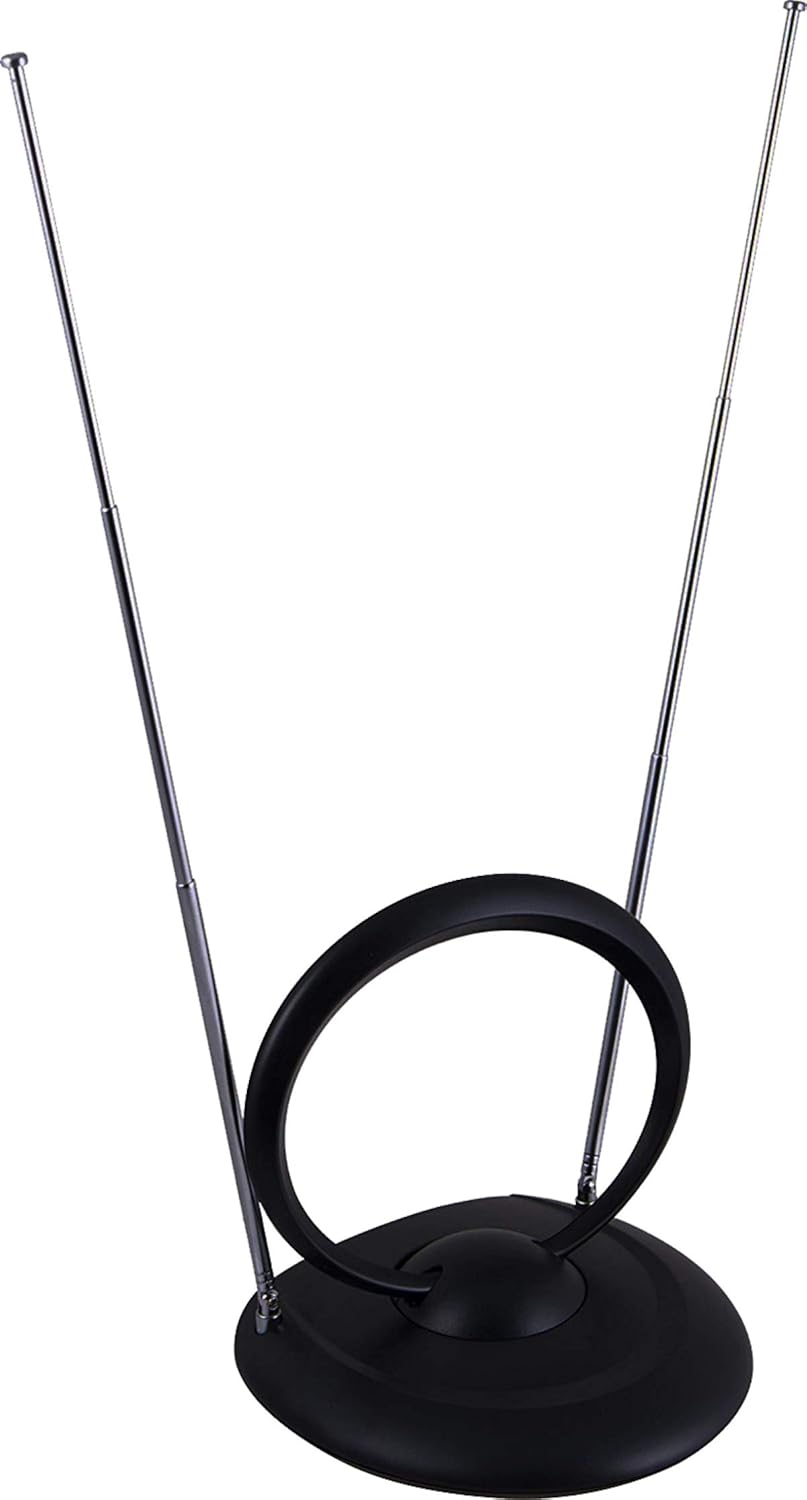
An image of the ONN Indoor Easy-Adjust TV Antenna, featuring its central loop and two adjustable, extendable dipoles. The antenna is black and designed for indoor use.
Package Contents
- 1 x ONN Indoor Easy-Adjust TV Antenna
- 1 x Coaxial Cable (integrated or separate)
- 1 x User Manual (this document)

The retail packaging box for the ONN Indoor HDTV Antenna, displaying the product image, brand logo, and key features such as 'Watch Your Favorite Local Channels for Free' and 'Passive antenna'.
Setup Instructions
- Antenna Placement: Position the antenna near a window or in an elevated location for optimal reception. Avoid placing it near large metal objects or other electronic devices that may cause interference.
- Connect to TV: Connect the coaxial cable from the antenna to the 'Antenna In' or 'RF In' port on your television or digital converter box.

A view of the ONN Indoor Easy-Adjust TV Antenna from an angle, showing the coaxial cable connected to its base. The dipoles are extended, illustrating its adjustable nature.
- Scan for Channels: Access your TV's menu, navigate to 'Channel Setup' or 'Auto Program', and initiate a channel scan. This process may take several minutes.
- Adjust for Reception: After the scan, if certain channels are missing or have poor quality, try adjusting the antenna's position (tilt, twist, swivel the loop and extend/retract the dipoles) and re-scan for channels.
Operating Instructions
Once channels are scanned and saved, use your TV's remote control to browse and select channels. For optimal picture and sound quality, periodically check antenna positioning and re-scan channels if reception degrades due to environmental factors or changes in broadcast signals.
Maintenance
Keep the antenna clean and free from dust. Use a soft, dry cloth for cleaning. Do not use liquid cleaners or solvents, as these may damage the antenna's finish or internal components. Ensure the coaxial cable connection remains secure at all times.
Troubleshooting
- No Signal or Poor Picture Quality:
- Verify all cable connections are secure between the antenna and your television.
- Try repositioning the antenna (e.g., higher, closer to a window, or in a different direction) and perform a new channel scan.
- Check for local broadcast outages or severe weather conditions that might affect signal transmission.
- Ensure your TV is set to the correct input source (e.g., 'Antenna' or 'TV').
- Missing Channels:
- Perform a new channel scan after adjusting the antenna's position.
- Consult online resources or apps for local broadcast tower locations to help orient the antenna correctly towards the strongest signals.
Specifications
| Product Dimensions | 7.87 x 7.87 x 7.87 inches |
| Item Weight | 2 ounces |
| Manufacturer | ONN |
| Model Number | 6.81131E+11 |
| Antenna Type | Radio, Television (VHF, UHF, FM) |
| Reception | Full 1080p HD |
Warranty Information
This ONN Indoor Easy-Adjust TV Antenna comes with a 1-year limited warranty. For warranty claims or detailed terms and conditions, please refer to the product packaging or contact ONN customer support. Keep your proof of purchase for warranty service.
Customer Support
For technical assistance, troubleshooting, or warranty inquiries, please contact ONN customer support. Refer to the product packaging or ONN's official website for the most current contact details, including phone numbers and support hours.