
Introduction to Your Operator's Manual
This manual provides comprehensive instructions for the operation and maintenance of your Massey Ferguson MF 150 Tractor. It is a faithful reproduction of the original equipment manufacturer's (OEM) manual, designed to be durable for use in both shop and field environments. This guide is essential for understanding the correct procedures for all years and serial numbers within the MF 150 model series, ensuring proper use and longevity of your equipment.

Image: Front cover of the Massey Ferguson MF 150 Tractor Operator's Manual, featuring the title "Operator's Manual" and "MF 150 TRACTOR" with an illustration of the tractor.
Controls and Instruments
This section details the location and function of all controls, gauges, and indicators on your MF 150 Tractor. Familiarity with these components is crucial for safe and efficient operation.
- Ignition Switch: Controls engine power.
- Throttle Lever: Adjusts engine speed.
- Gear Shift Lever: Selects forward and reverse gears.
- Hydraulic Levers: Operate the three-point hitch and auxiliary hydraulics.
- PTO Engagement Lever: Engages the Power Take-Off.
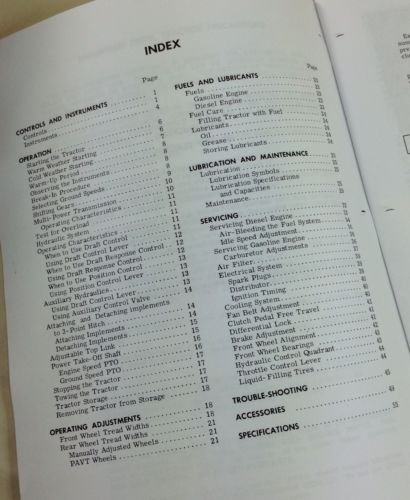
Image: A page from the manual showing the "INDEX" with sections like "CONTROLS AND INSTRUMENTS", "OPERATION", "FUELS AND LUBRICANTS", "LUBRICATION AND MAINTENANCE", "SERVICING", and "TROUBLE-SHOOTING".
Operation
Proper operation ensures the safety of the operator and the longevity of the tractor. This section covers starting procedures, driving, and engaging implements.
Starting the Tractor
- Ensure the transmission is in neutral and the parking brake is engaged.
- Turn the ignition key to the "ON" position.
- For diesel models, allow the glow plugs to warm up if necessary.
- Turn the key to "START" to crank the engine. Release when the engine starts.
- Allow the engine to warm up at a low idle before operating.
Shifting Gears
The MF 150 Tractor features multiple gears for various tasks. Always depress the clutch fully before shifting gears to prevent damage to the transmission.
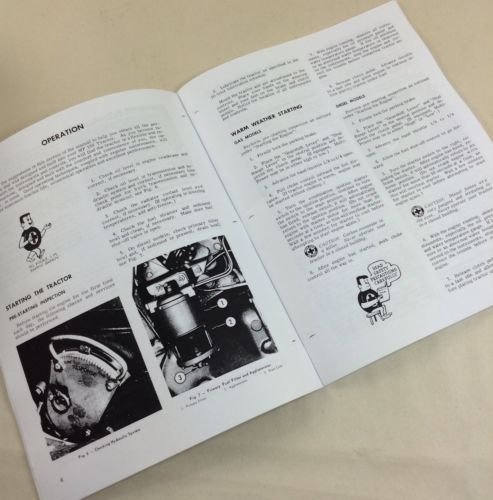
Image: Open pages of the manual displaying sections on "OPERATION", "STARTING THE TRACTOR", and "WARM WEATHER STARTING", with accompanying diagrams and text.
Fuels and Lubricants
Using the correct fuels and lubricants is vital for the performance and longevity of your tractor's engine and hydraulic systems.
- Diesel Fuel: Use clean, high-quality diesel fuel.
- Gasoline Fuel: For gasoline models, use unleaded gasoline with the recommended octane rating.
- Engine Oil: Refer to the specifications section for the recommended viscosity and API service classification based on ambient temperature.
- Hydraulic Fluid: Use only specified hydraulic transmission fluid.
- Grease: Apply multi-purpose grease to all designated lubrication points.
Lubrication and Maintenance
Regular lubrication and maintenance are essential to keep your Massey Ferguson MF 150 Tractor in optimal working condition and to prevent premature wear.
Daily Checks
- Check engine oil level.
- Inspect coolant level.
- Verify tire pressure.
- Check for any fluid leaks.
- Ensure all lights and safety devices are operational.
Scheduled Maintenance
Perform the following tasks at the specified intervals:
| Interval | Task |
|---|---|
| Every 50 Hours | Lubricate all grease points, check battery fluid level. |
| Every 200 Hours | Change engine oil and filter, inspect air cleaner element. |
| Annually | Replace fuel filter, check hydraulic fluid, inspect fan belt tension. |
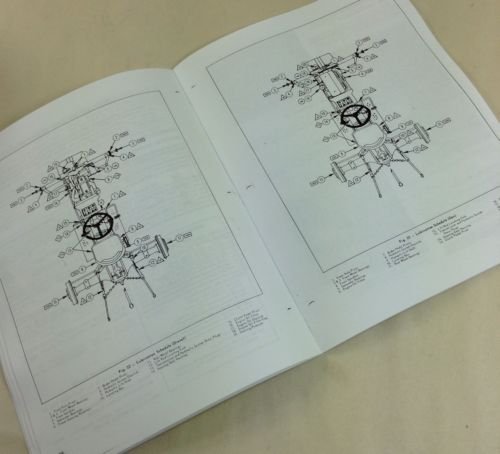
Image: Pages from the manual displaying detailed lubrication diagrams for the tractor, indicating various points requiring grease or oil.
Servicing
This section provides detailed procedures for more involved servicing tasks that may be required for your tractor.
Fuel System Servicing
- Bleeding the Fuel System: Instructions for removing air from the fuel lines after filter replacement or running out of fuel.
- Fuel Filter Replacement: Step-by-step guide for replacing the fuel filter element.
Electrical System
- Battery Maintenance: Cleaning terminals, checking electrolyte levels.
- Spark Plug Replacement (Gasoline Models): Correct procedure and torque specifications.
Troubleshooting
This section helps diagnose and resolve common operational issues you might encounter with your MF 150 Tractor.
| Problem | Possible Cause | Solution |
|---|---|---|
| Engine Fails to Start | No fuel, dead battery, clogged fuel filter. | Check fuel level, charge/replace battery, replace fuel filter. |
| Loss of Hydraulic Power | Low hydraulic fluid, clogged filter, faulty pump. | Check fluid level, replace filter, consult service professional. |
| Overheating Engine | Low coolant, clogged radiator, faulty thermostat. | Check coolant, clean radiator, replace thermostat. |
Specifications
This section provides key technical specifications for the Massey Ferguson MF 150 Tractor.
- Model: MF 150 TRACTOR
- Engine Type: Diesel / Gasoline (depending on configuration)
- Transmission: Manual, multiple speeds
- Power Take-Off (PTO): Standard
- Hydraulic System: Three-point hitch, auxiliary ports
- Dimensions: Refer to specific diagrams within the manual for detailed measurements.
- Weight: Varies by configuration and attachments.