
1. Introduction
This manual provides essential information for the safe and effective operation, maintenance, and care of your Golden Technologies BUZZAROUND EX Extreme 4-Wheel Travel Scooter. Please read this manual thoroughly before using your scooter to ensure proper understanding of its features and functions. Retain this manual for future reference.
2. Safety Information
Your safety is paramount. Always operate the scooter responsibly and adhere to the following guidelines:
- Weight Capacity: Do not exceed the maximum weight capacity of 330 lbs (150 kg). Exceeding this limit can compromise stability and performance.
- Terrain: The scooter is designed for use on relatively level, hard-packed surfaces. Avoid steep inclines, soft terrain (like loose gravel or sand), and uneven surfaces to prevent tipping.
- Speed Control: Adjust your speed according to the environment and your comfort level. The scooter has a maximum speed of 5 mph.
- Visibility: Utilize the ultra-bright LED headlight and taillight for improved visibility in low-light conditions.
- Disassembly: When disassembling for transport, ensure all components are securely handled and stored to prevent injury or damage.
- Charging: Always charge the batteries in a well-ventilated area. Refer to the charging instructions for proper procedure and duration.
- Environmental Conditions: Avoid operating the scooter in snow or water to prevent damage to electrical components.
3. Product Overview
The BUZZAROUND EX Extreme is a 4-wheel heavy-duty travel scooter designed for extended range and comfort. It combines portability with features typically found in full-size scooters.
Key Features:
- Extended Range: Equipped with two U1 batteries, providing an operating range of up to 18 miles per charge.
- Comfort Suspension: Features comfort spring suspension for a smoother ride over varied surfaces.
- Enhanced Visibility: Includes ultra-bright LED headlight and taillight.
- Portability: Designed for quick and easy disassembly into several lightweight pieces for transport.
- Adjustable Seating: Stadium-style, height-adjustable seat for user comfort and accessibility.
- Increased Capacity: Supports a weight capacity of up to 330 lbs.
- Tires: Larger 9-inch tires for improved stability and handling.
- Charging Port: Conveniently located below the control panel.
- Ground Clearance: Offers 4-inch ground clearance.
- Customization: Includes both red and blue shroud panels.
Product Components:
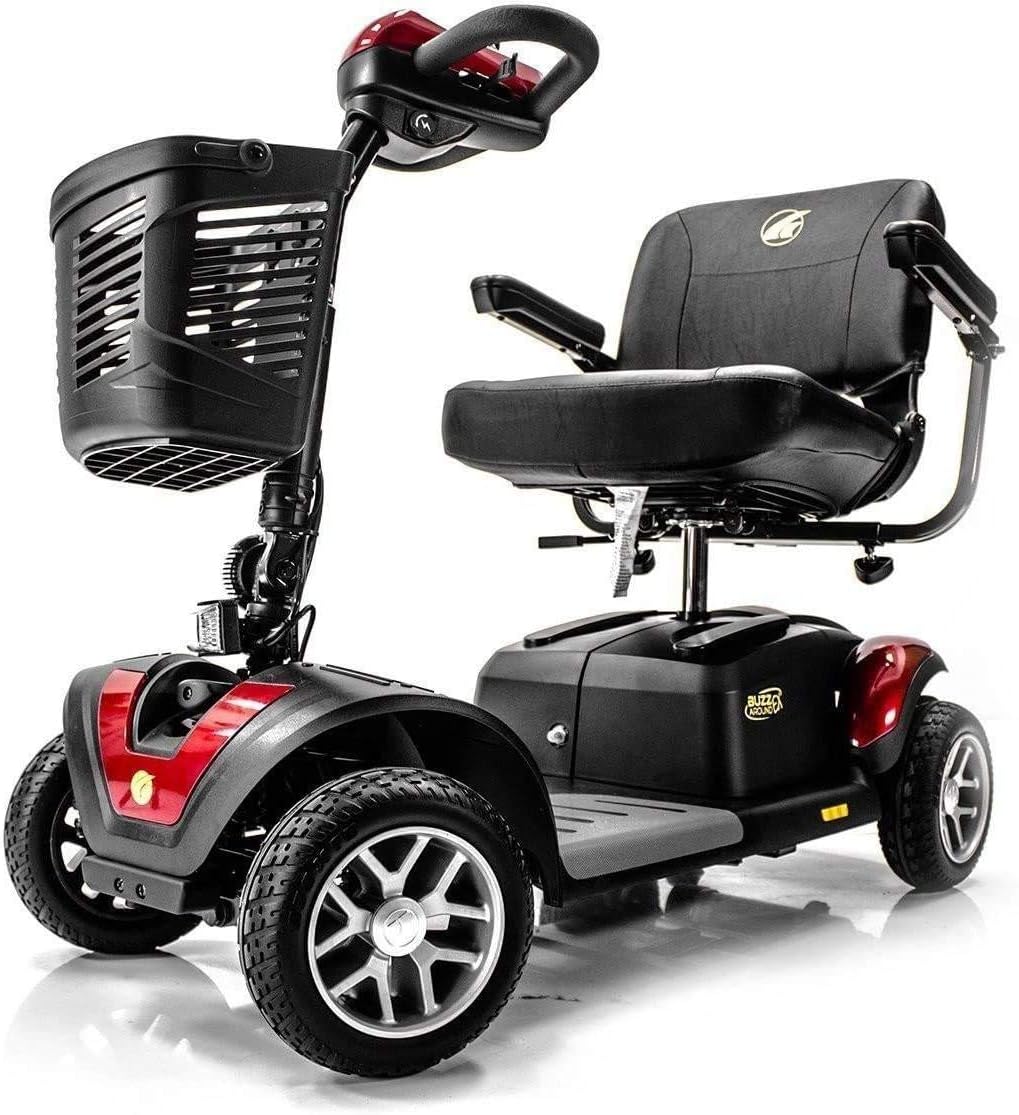
Figure 3.1: Front view of the BUZZAROUND EX Extreme 4-Wheel Travel Scooter. This image shows the front basket, tiller, and seat.
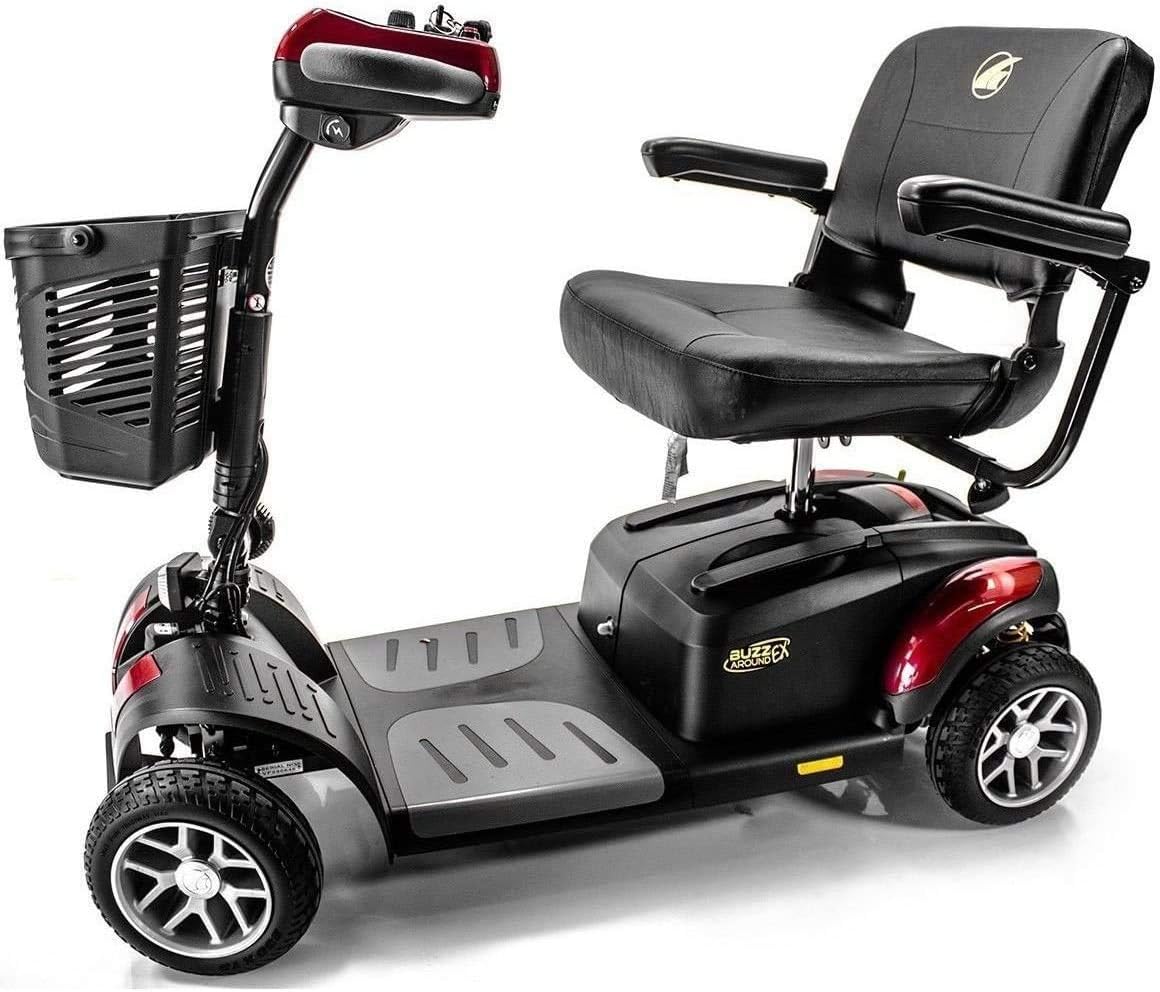
Figure 3.2: Side view of the BUZZAROUND EX Extreme 4-Wheel Travel Scooter, highlighting its overall structure and seat.
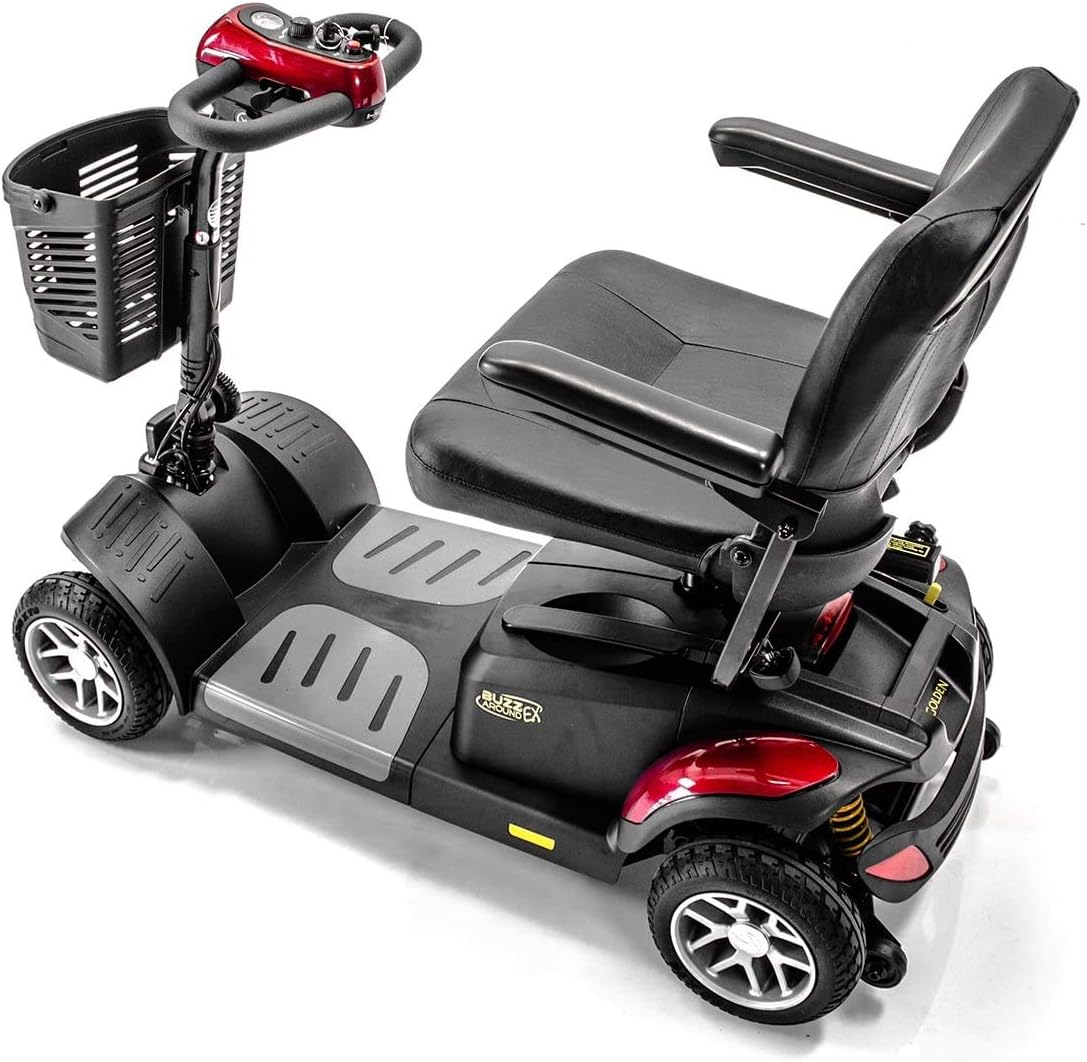
Figure 3.3: Rear view of the BUZZAROUND EX Extreme 4-Wheel Travel Scooter, showing the rear wheels and suspension.

Figure 3.4: Close-up of the tiller and control panel, showing the key ignition, speed dial, and battery indicator.
4. Setup and Assembly
The BUZZAROUND EX Extreme is designed for easy assembly and disassembly. Follow these steps for initial setup:
- Unpacking: Carefully remove all components from the packaging.
- Base Assembly: Connect the front and rear sections of the scooter base. Ensure they lock securely into place.
- Battery Installation: Install the two U1 batteries into their designated compartments. Ensure proper polarity.
- Seat Attachment: Place the seat onto the seat post and secure it. Adjust the seat height as needed for comfort.
- Tiller Adjustment: Raise the tiller to the desired operating position and lock it.
- Initial Charge: Before first use, fully charge the batteries for at least 12 hours. The charging port is located below the control panel.

Figure 4.1: The BUZZAROUND EX Extreme scooter disassembled into its main components for transport or storage.

Figure 4.2: Demonstrates the ease of loading the disassembled scooter into a car trunk.
5. Operating Instructions
Familiarize yourself with the controls before operating the scooter.
- Power On/Off: Insert the key into the ignition and turn it to the "ON" position.
- Speed Adjustment: Use the speed dial on the tiller to set your desired maximum speed. Start at a low speed until you are comfortable.
- Driving: Use the throttle lever to move forward or backward. Push the right side for forward motion, and the left side for reverse. Release the lever to engage the automatic brake.
- Steering: Use the tiller to steer the front wheels.
- Battery Indicator: Monitor the battery gauge on the control panel. Recharge when the indicator shows low battery to avoid being stranded.
- Headlights/Taillights: Activate the LED lights as needed for visibility.
- Comfort Suspension: The built-in comfort spring suspension helps absorb shocks, providing a smoother ride over minor bumps and uneven surfaces.

Figure 5.1: Scooters positioned for social interaction, demonstrating maneuverability in various settings.
Official Product Video:
Video 5.1: This video provides a visual overview of the BUZZAROUND EX Extreme 4-Wheel Long Range Travel Scooter, demonstrating its features and ease of use.
6. Maintenance
Regular maintenance ensures the longevity and optimal performance of your scooter.
- Battery Care:
- Always fully charge batteries after each use.
- Perform an initial charge of at least 12 hours before the first use.
- If the scooter will not be used for an extended period, charge the batteries once a month to maintain their health.
- Battery life can vary; expect replacement every 6 months to a year with regular use.
- Cleaning: Wipe down the scooter with a damp cloth. Avoid using excessive water or harsh chemicals directly on electrical components.
- Tire Inspection: Regularly check tire pressure and for any signs of wear or damage.
- General Inspection: Periodically check all nuts, bolts, and connections to ensure they are secure.
7. Troubleshooting
This section addresses common issues you might encounter. For problems not listed here, contact customer support.
| Problem | Possible Cause | Solution |
|---|---|---|
| Scooter does not power on. | Key not fully inserted or turned; low battery; circuit breaker tripped. | Ensure key is fully inserted and turned. Check battery charge. Reset the circuit breaker (if applicable, refer to scooter diagram). |
| Scooter moves slowly or has reduced range. | Low battery charge; worn batteries; excessive load; tire pressure. | Charge batteries fully. Consider battery replacement if issues persist. Reduce load. Check and adjust tire pressure. |
| Unusual noises during operation. | Loose components; motor issue; suspension issue. | Inspect for loose parts and tighten. If noises persist, contact customer support. |
| Difficulty disassembling/assembling. | Components not aligned; locking mechanisms not fully engaged/disengaged. | Ensure proper alignment of sections. Apply gentle pressure and check that all latches are correctly operated. |
8. Specifications
| Feature | Detail |
|---|---|
| Model Number | GB148D-1 |
| Product Dimensions (L x W x H) | 44 x 22 x 35 inches |
| Item Weight | 150 Pounds |
| Weight Capacity | Up to 330 lbs |
| Operating Range | Up to 18 miles per charge |
| Maximum Speed | 5 mph |
| Ground Clearance | 4 inches |
| Tire Size | 9 inches |
| Battery Type | Two U1 Batteries |
| Material | Aluminum |
| Color Options | Red and Blue Shroud panels included |
9. Warranty and Support
Golden Technologies is committed to providing quality products and support.
- Returns: This product typically includes a 30-day easy return policy. Please refer to your purchase documentation for specific terms and conditions.
- Customer Support: Golden Technologies is known for its responsive and helpful customer service. For any issues, questions, or to arrange service, please contact Golden Technologies customer support directly.
- Manufacturer Support: The manufacturer, Golden Technologies, is prompt at addressing and resolving issues.

