
Introduction
The Epson DS-530 is a fast and efficient color duplex document scanner designed for business document management. It offers world-class performance and integrates seamlessly with existing document management systems through TWAIN and ISIS drivers. This compact scanner can quickly process stacks of pages to various online storage accounts, featuring advanced paper feed technologies like Dynamic Skew Correction and Ultrasonic Double Feed Detection for enhanced reliability. Its 50-page Auto Document Feeder saves time, and additional features like Double Feed Detection Skip and Slow Speed Mode ensure versatile document handling.
Key Features:
- Fast Performance: Scans up to 35 ppm/70 ipm, with color and duplex scanning in a single pass.
- Reliable Document Handling: Features Dynamic Skew Correction and Ultrasonic Double Feed Detection to prevent missing pages.
- Versatile Paper Feeding: Equipped with a 50-page Automatic Document Feeder, capable of handling various document sizes from 2" x 2" to 8.5" x 240".
- Seamless Integration: Compatible with existing software, including TWAIN and ISIS drivers.
- Online Storage Compatibility: Easily scan documents to online storage accounts such as Dropbox, SharePoint, Evernote, FileBound, and Google Drive.
- Network Capable: Can be turned into a secure networked workgroup scanner with the optional Epson Network Interface Unit.
What's in the Box
Upon unboxing your Epson DS-530 Document Scanner, please ensure all the following components are present:
- DS-530 Color Document Scanner
- Start Here poster
- SuperSpeed USB cable
- AC adapter and power cable

Image: Components included in the Epson DS-530 Document Scanner package.
Setup
Follow these general steps to set up your Epson DS-530 Document Scanner. For detailed instructions, please refer to the official User Guide PDF provided in the 'Warranty and Support' section.
- Unpack the Scanner: Carefully remove the scanner and all its components from the packaging.
- Connect Power: Plug the AC adapter into the scanner's power port and then into a wall outlet.
- Connect to Computer: Use the provided SuperSpeed USB cable to connect the scanner to your computer.
- Install Drivers and Software: Insert the installation CD (if included) or download the latest drivers and software from the Epson support website. Follow the on-screen instructions to complete the installation. The scanner includes TWAIN and ISIS drivers for broad compatibility.
- Load Documents: Open the Automatic Document Feeder (ADF) and adjust the paper guides to fit your documents. Load the documents face-down, top edge first.
- Power On: Press the power button on the scanner to turn it on. The status light should indicate it's ready.
Operating Instructions
Scanning Documents
The Epson DS-530 is designed for efficient and reliable document scanning. Its 50-page Automatic Document Feeder (ADF) allows for continuous scanning of multiple pages.

Image: The Epson DS-530 scanner in operation, processing documents.
To scan, simply load your documents into the ADF. The scanner can handle various types of documents, including stacks of papers, business cards, and single sheets. Its fast scan speeds of up to 35 pages per minute (ppm) or 70 images per minute (ipm) ensure quick processing.

Image: The Epson DS-530 in a typical office setup.
Advanced Scanning Features
- Dynamic Skew Correction: Automatically corrects skewed documents during scanning, ensuring straight and accurate scans.
- Ultrasonic Double Feed Detection: Prevents missing pages by detecting when two or more sheets are fed through the scanner simultaneously.
- Double Feed Detection Skip Button: Allows you to easily resume scanning jobs without rescanning the entire stack, useful for documents with attached items like sticky notes.
- Slow Speed Mode: Use this mode for delicate, thin, or wrinkled documents to prevent tearing and ensure a smooth feed.
- Searchable PDFs (OCR): The included OCR (Optical Character Recognition) software allows you to create searchable PDF files or convert scanned documents into editable formats.
- Scan to Online Storage: Directly scan documents to popular online storage accounts such as Dropbox, SharePoint, Evernote, FileBound, and Google Drive, streamlining your digital workflow.
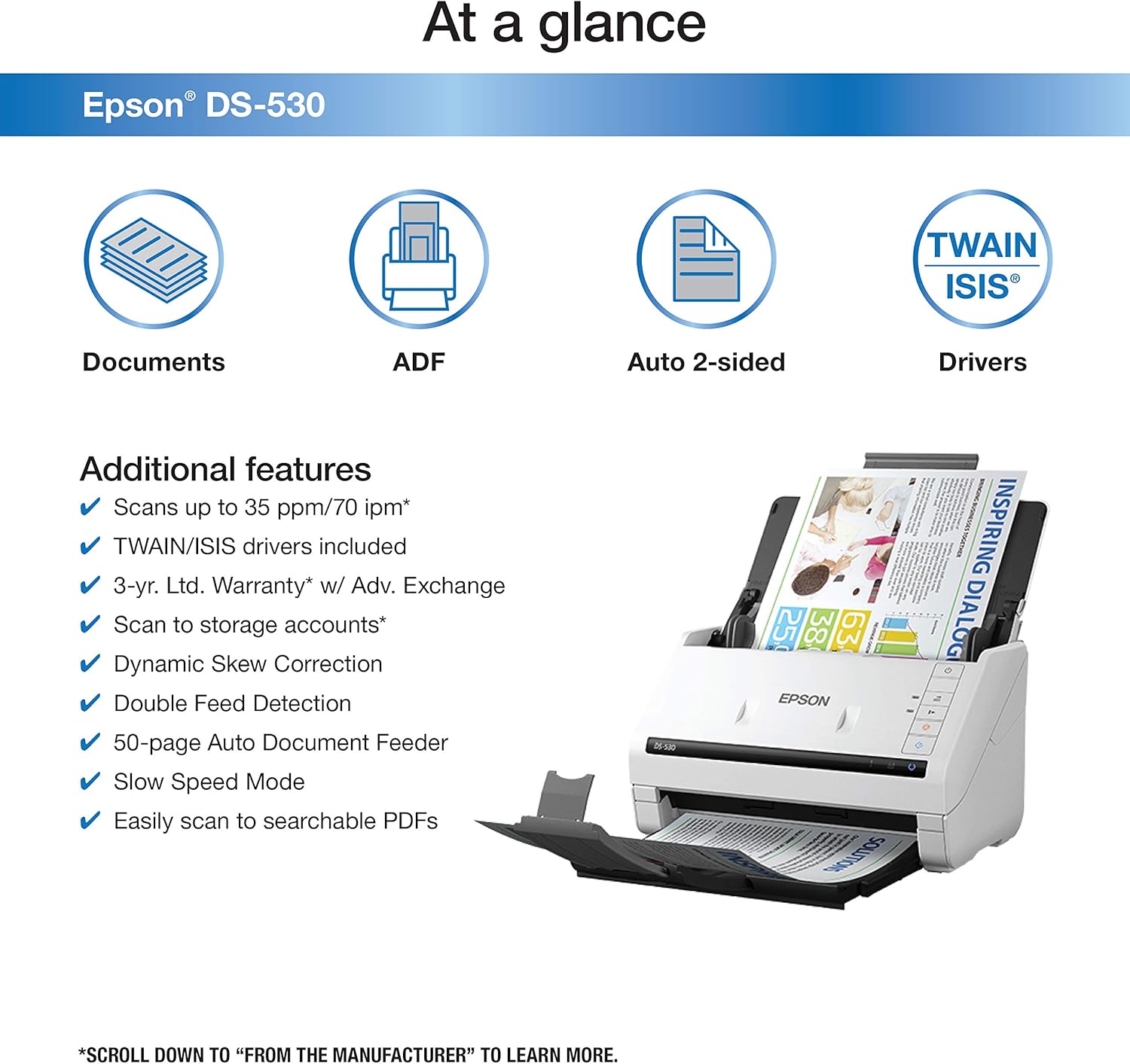
Image: Overview of key features of the Epson DS-530 scanner.

Image: Closer look at the advanced features of the Epson DS-530.
Optional Flatbed Scanner Dock
For scanning thick or oversized originals like cardboard and passports, an optional flatbed scanner dock is available (sold separately). This expands the versatility of your DS-530 scanner.

Image: Epson DS-530 with optional flatbed scanner dock.
Product Overview Video
Video: Official product video demonstrating the features and capabilities of the Epson DS-530 Document Scanner, including its speed, paper handling, and software integration.
Maintenance
Regular maintenance ensures the longevity and optimal performance of your Epson DS-530 Document Scanner.
- Cleaning: Periodically clean the scanner's rollers and glass surfaces to prevent dust and paper residue from affecting scan quality. Refer to the User Guide for detailed cleaning instructions and recommended cleaning kits.
- Keep Lid Closed: When not in use, keep the scanner's lid closed to protect internal components from dust and debris.
- Software Updates: Ensure your scanner drivers and accompanying software are kept up-to-date by regularly checking the Epson support website for new versions.
Troubleshooting
If you encounter issues with your Epson DS-530 Document Scanner, consider the following common troubleshooting steps:
- Power and Connections: Ensure the scanner is properly plugged into a power outlet and the USB cable is securely connected to both the scanner and your computer.
- Driver Installation: Verify that the correct and latest drivers are installed on your computer. Reinstalling drivers can often resolve connectivity issues.
- Paper Jams: If a paper jam occurs, carefully follow the instructions in the User Guide to clear the jam. Avoid forcing paper out, as this can damage the scanner.
- Scan Quality Issues: If scans are blurry, streaky, or have artifacts, clean the scanner's glass and rollers. Adjusting scan settings (e.g., resolution, brightness) in the software can also help.
- Software Not Responding: Try restarting the scanning software and/or your computer. Ensure no other applications are interfering with the scanner software.
For more comprehensive troubleshooting, please consult the detailed User Guide PDF.
Specifications
| Specification | Detail |
|---|---|
| Product Dimensions | 6.6 x 11.6 x 6.9 inches (6.65"D x 11.65"W x 6.93"H) |
| Item Weight | 8.1 pounds |
| Model Name | DS-530 |
| Scanner Type | Document |
| Connectivity Technology | USB |
| Resolution | 1200 dpi |
| Sheet Size (Max) | 8.5 inch x 240 inch |
| Sheet Size (Min) | 2 inch x 2 inch |
| Wattage | 17 watts |
| Daily Duty Cycle | 4000 sheets |
| Manufacturer | Epson |
Warranty and Support
Epson stands behind the quality of its DS-530 Document Scanner.
- Warranty: The Epson DS-530 comes with a 3-Year Limited Warranty, which includes free next business day replacement service.
- User Guide: For detailed setup, operation, maintenance, and troubleshooting information, please refer to the official User Guide. You can download it from the following link: Epson DS-530 User Guide (PDF)
- Installation Manual: An Installation Manual is also available for initial setup: Epson DS-530 Installation Manual (PDF)
For further assistance, please contact Epson customer support.


