
Introduction
The Suunto Traverse Alpha is a robust outdoor watch designed for navigation and activity tracking in challenging environments. It features GPS/GLONASS navigation, automatic shot detection, moon phase calendar, sunrise alerts, weather trend alerts, and a red backlight for nighttime use. Its durable construction includes a knurled stainless steel bezel and scratch-resistant sapphire crystal glass, tested to military standards.

The Suunto Traverse Alpha watch, featuring a black strap and a bronze-colored bezel, displays digital time and environmental data on its screen.
1. Initial Setup
1.1 Charging the Device
Before first use, fully charge your Suunto Traverse Alpha. Connect the supplied USB cable to the watch and a USB power source. A full charge typically takes a few hours.
1.2 Powering On and Basic Settings
Press and hold the top right button (START) to power on the watch. Follow the on-screen prompts to set language, time, date, and units of measurement. Ensure GPS is enabled for accurate location services.
1.3 Pairing with Mobile App
For full functionality, pair your watch with the Suunto mobile application. Download the app from your device's app store. Enable Bluetooth on your phone and watch, then follow the app's instructions to complete the pairing process.
2. Operating Your Suunto Traverse Alpha
2.1 GPS/GLONASS Navigation
The watch utilizes GPS and GLONASS for precise location tracking and navigation. You can plan routes, navigate to points of interest, and track your path with the automatic breadcrumb trail feature. This allows you to retrace your steps easily.
2.2 Activity Tracking Features
The Traverse Alpha offers specialized features for outdoor activities:
- Automatic Shot Detection: For hunting activities, the watch can automatically detect shots and record the GPS coordinates.
- Moon Phase Calendar: Provides location-based moon phase information, including moon rise and set times, useful for hunting and fishing.
- Sunrise/Sunset Alerts: Stay informed about daylight hours to plan your activities safely.
- Weather Trend Alert: Monitors barometric pressure changes to provide early warnings of approaching storms.
- Red Backlight: A specialized red backlight mode preserves night vision during low-light conditions.
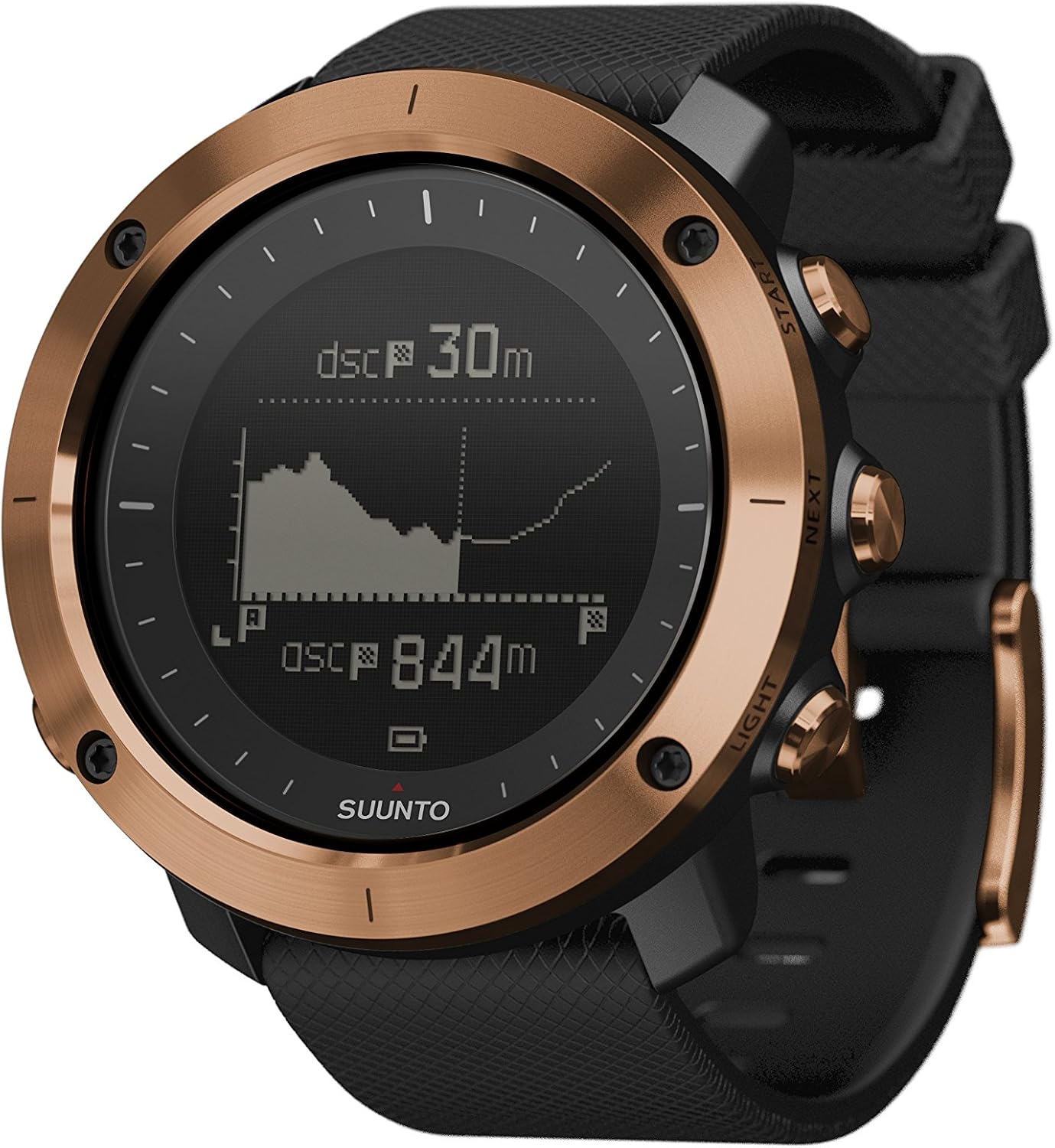
The Suunto Traverse Alpha watch shows a digital display with activity metrics like distance covered and total ascent, indicating its tracking capabilities.
This video demonstrates the ruggedness and key features of the Suunto Traverse Alpha watch in outdoor environments, highlighting its water resistance and durable construction.
3. Care and Maintenance
3.1 Cleaning
Regularly clean your watch with fresh water and a soft cloth, especially after exposure to saltwater, mud, or sweat. Avoid using harsh chemicals or abrasive materials.
3.2 Strap Care
The silicone strap should be cleaned regularly. If you have a nylon strap, ensure it is dry before storage to prevent odors and wear. Consider replacing worn straps for comfort and hygiene.
3.3 Storage
Store the watch in a cool, dry place away from direct sunlight and extreme temperatures. Ensure the battery is not completely depleted for long-term storage.
4. Troubleshooting
4.1 GPS Signal Issues
If the watch struggles to acquire a GPS signal, ensure you are in an open area with a clear view of the sky. Syncing the watch with the Suunto app regularly can update GPS satellite data, improving acquisition speed.
4.2 Battery Life Concerns
To optimize battery life, adjust GPS accuracy settings (e.g., from 'Best' to 'Good' or 'OK'), reduce backlight brightness, and disable unnecessary features when not in use. Ensure the watch is fully charged before extended trips.
4.3 Watch Not Responding
If the watch becomes unresponsive, try a soft reset by holding down all five buttons simultaneously for about 12 seconds until the Suunto logo appears. If the issue persists, consult Suunto support.
5. Technical Specifications
| Feature | Detail |
|---|---|
| Brand | SUUNTO |
| Model | Traverse Alpha |
| Special Feature | Bluetooth |
| Mounting Type | Wrist Mount |
| Item Weight | 0.5 Pounds |
| Human Interface Input | Dial |
| Batteries Included | Yes |
| Sport Type | Hunting |
| Water Resistance | 100 m / 330 ft |
| Glass Material | Scratch Resistant Sapphire Crystal Glass |
| Bezel Material | Knurled Stainless Steel |
| Tested Standards | Military Standards (MIL STD 810g) |
6. Warranty Information
Suunto products are covered by a limited international warranty. For detailed information regarding warranty terms, conditions, and registration, please refer to the official Suunto website or contact their customer support. Keep your proof of purchase for warranty claims.
7. Customer Support
For further assistance, technical support, or service requests, please visit the official Suunto support page. You can find FAQs, user guides, and contact information for your region.
Online Support: www.suunto.com/support