
EPAuto AT-010-1Z
EPAuto 12V DC Portable Air Compressor Pump User Manual
Model: AT-010-1Z
Introduction
Thank you for purchasing the EPAuto 12V DC Portable Air Compressor Pump. This digital tire inflator is designed for convenient and efficient inflation of tires on cars, bikes, sedan, and midsize SUVs. It features an automatic shut-off function, multiple display units, and a built-in LED flashlight for ease of use. Please read this manual thoroughly before operation to ensure safe and proper use of the device.
Safety Information
To prevent injury or damage, always observe the following safety precautions:
- This device is designed for 12 Volt DC ONLY. Do not connect to a 110V AC outlet.
- Do not support 24 Volt systems.
- This compressor is NOT suitable for truck tires, including light truck (LT), heavy-duty truck, or any other truck tires.
- Ensure the vehicle engine is running when operating the compressor to avoid draining the vehicle's battery.
- Do not leave the compressor unattended during operation.
- Allow the compressor to cool down after extended use to prevent overheating. The overheat protection will shut off automatically if overloaded.
- Keep out of reach of children.
- Avoid direct exposure to water or extreme temperatures.
Product Overview
The EPAuto 12V DC Portable Air Compressor Pump is a compact and efficient tool for maintaining proper tire pressure. It includes various components for versatile use.
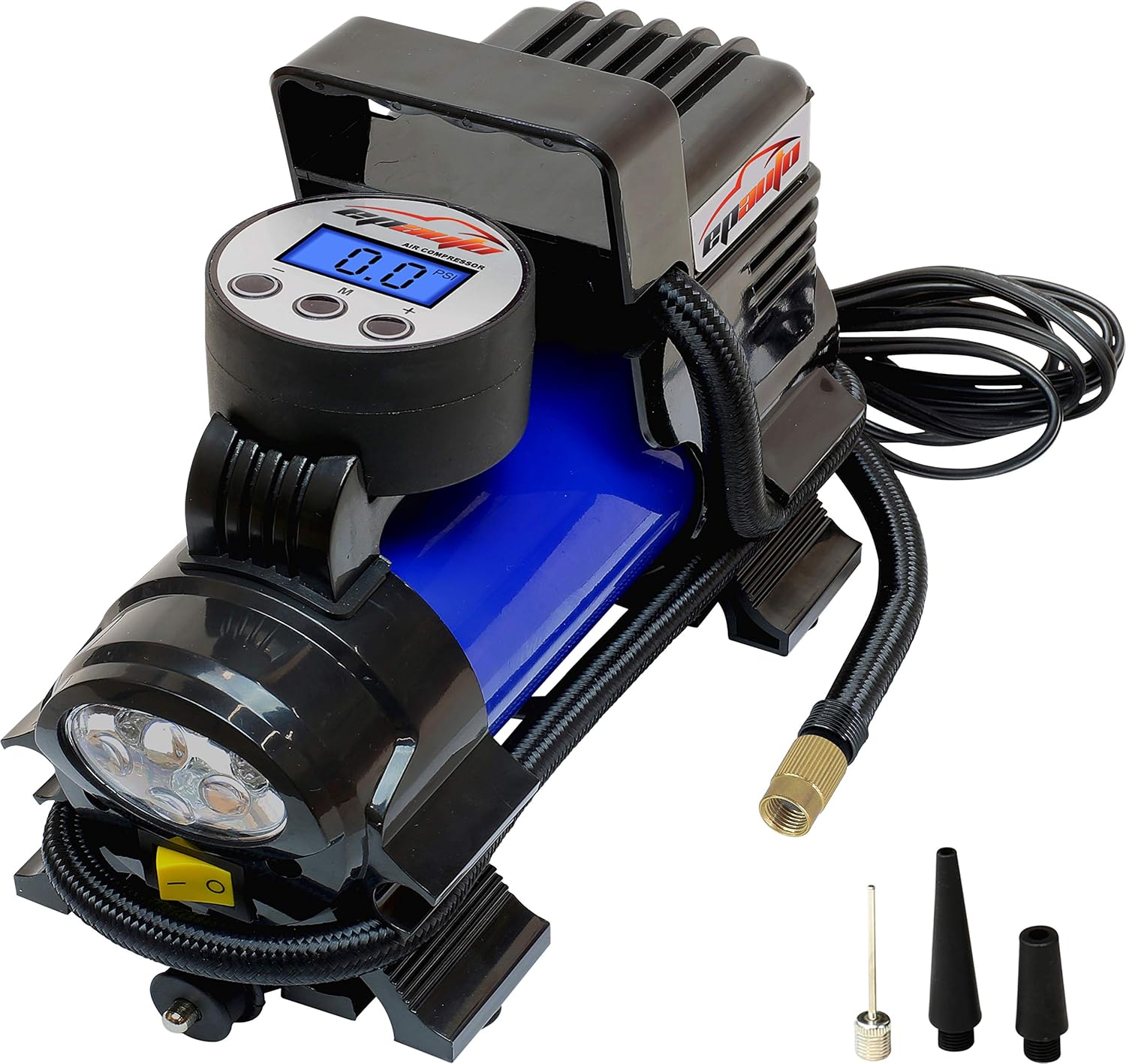
Figure 1: EPAuto 12V DC Portable Air Compressor Pump with its included accessories, including the digital display, power cord, air hose, and various nozzles for different inflation needs.
Components:
- Main Unit: Portable air compressor with integrated digital display.
- Power Cord: 12V DC cigarette lighter socket plug.
- Air Hose: With universal Schrader valve connector.
- Additional Adapters: Needle valve (for basketballs, balls), short cone adapter, long cone adapter (for inflatable kayaks, swimming pool accessories).
- LED Flashlight: Integrated for illumination during use in low-light conditions.
Setup
Follow these steps to prepare your air compressor for use:
- Ensure the power switch on the compressor is in the OFF (O) position.
- Start your vehicle's engine. This provides sufficient power for the compressor and prevents battery drain.
- Plug the compressor's power cord directly into your vehicle's 12V DC cigarette lighter socket.
- Remove the dust cap from the tire valve.
- Attach the air chuck connector firmly to the tire valve stem by screwing it on. Ensure a tight seal to prevent air leakage.

Figure 2: The EPAuto air compressor connected to a car tire, ready for inflation. The power cord is plugged into the vehicle's 12V DC outlet.
Operating Instructions
This section details how to operate your EPAuto air compressor for tire inflation.
Setting Desired Pressure:
- Press the (M) button on the digital display to cycle through the available pressure units: PSI, KPA, BAR, KG/CM².
- Use the (+) or (-) buttons to set your desired tire pressure. The display will flash while you are setting the pressure. Once you stop adjusting, it will stop flashing, indicating the set pressure is locked in.
Inflation Process:
- Once the desired pressure is set, move the power switch to the ON (-) position to start the compressor.
- The compressor will automatically stop inflating when the set pressure is reached.
- After inflation, move the power switch back to the OFF (O) position.
- Unscrew the valve connector from the tire valve stem and replace the dust cap.
- Unplug the power cord from the 12V cigarette lighter socket.
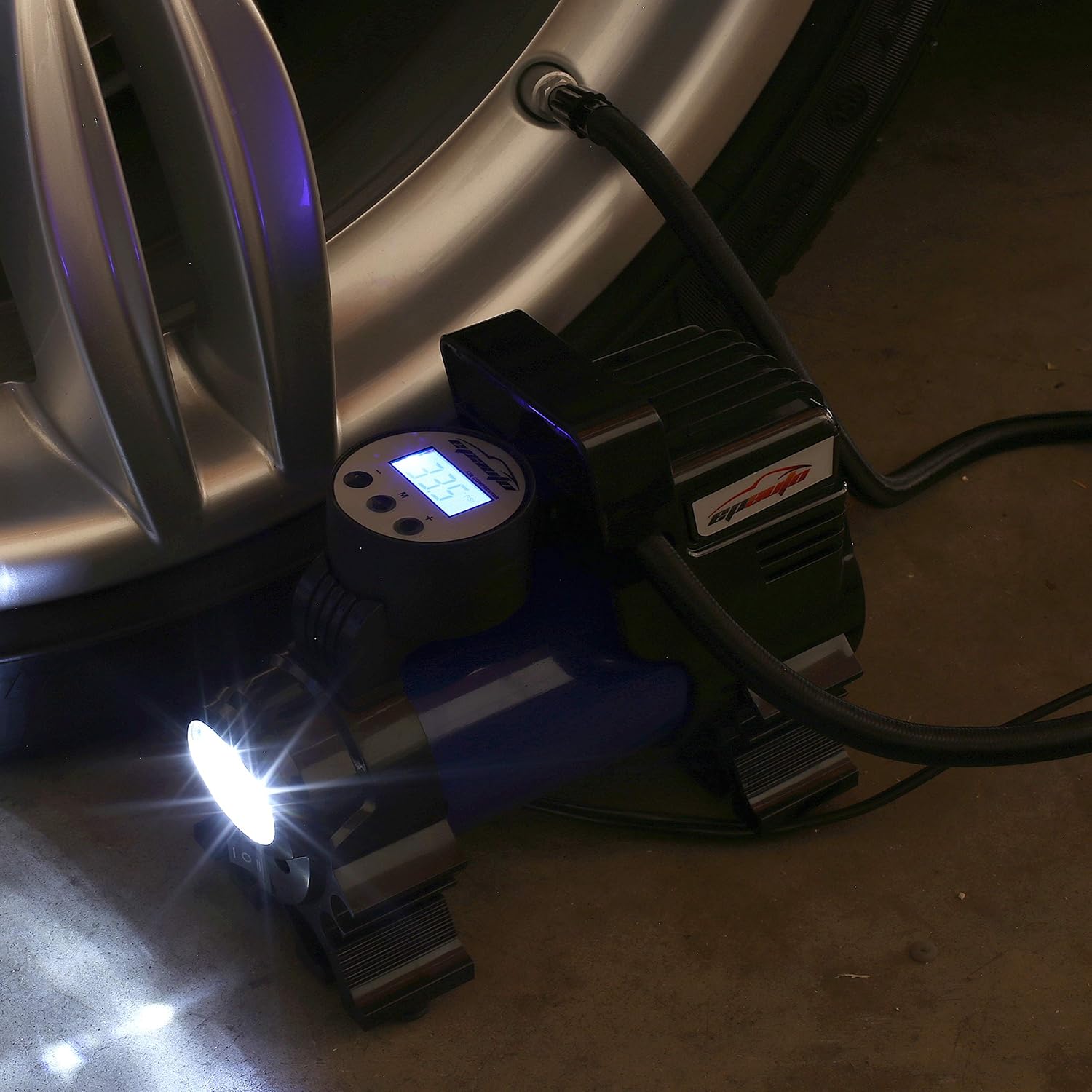
Figure 3: Close-up of the EPAuto air compressor's digital display, showing the current pressure reading and control buttons for setting the target pressure and changing units.
Using the LED Flashlight:
The integrated LED flashlight can be activated independently for illumination in dark environments. Locate the separate switch for the flashlight, usually near the main power switch, and toggle it to turn the light on or off.

Figure 4: The EPAuto air compressor with its LED flashlight activated, providing illumination for nighttime or low-light tire inflation.
Maintenance
Proper maintenance ensures the longevity and optimal performance of your air compressor:
- After each use, disconnect the power and allow the unit to cool down completely before storing.
- Clean the exterior of the compressor with a soft, dry cloth. Do not use harsh chemicals or abrasive cleaners.
- Store the compressor in a cool, dry place, away from direct sunlight and extreme temperatures.
- Ensure the power cord and air hose are neatly coiled and stored to prevent damage. The product comes with a carrying case for convenient storage.
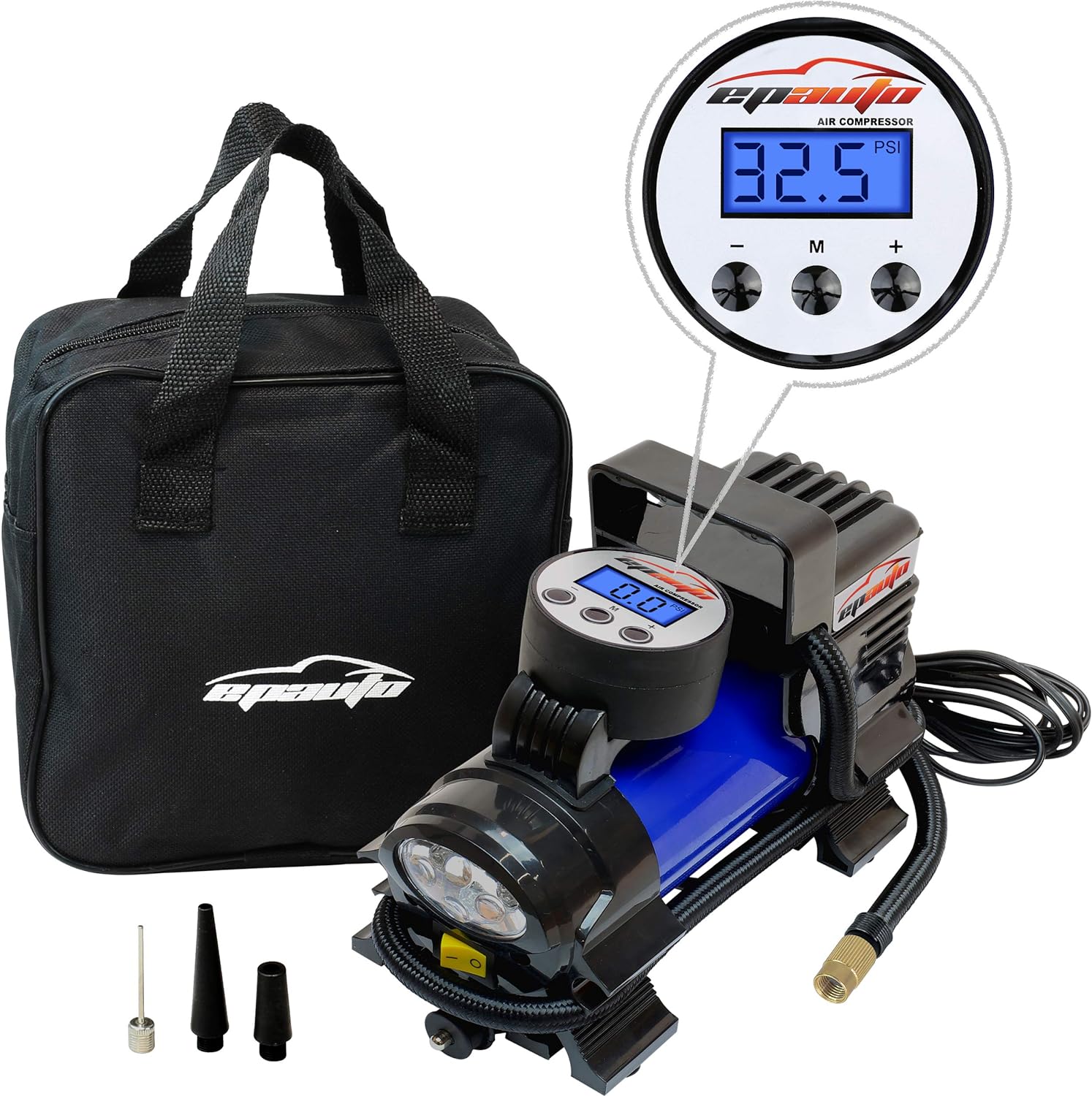
Figure 5: The EPAuto air compressor alongside its black carrying bag, demonstrating its portability and ease of storage.
Troubleshooting
If you encounter issues with your EPAuto air compressor, refer to the following common problems and solutions:
| Problem | Possible Cause | Solution |
|---|---|---|
| Compressor does not turn on. |
|
|
| Compressor runs but no air inflates. |
|
|
| Compressor stops unexpectedly. |
|
|
| Inaccurate pressure reading. |
|
|
Specifications
| Feature | Detail |
|---|---|
| Model | AT-010-1Z |
| Voltage | 12V DC |
| Power | 120-180W (10-15 Amps) |
| Max Pressure | Up to 60 PSI (for passenger vehicles) |
| Display Units | PSI, KPA, BAR, KG/CM² |
| Special Features | Automatic Shut-off, Overheat Protection, LED Flashlight |
| Recommended Use | Tires on cars, bikes, sedan, and midsize SUVs (engine size under 3.5 liters) |
| Noise Level | 92 dB |
| Dimensions | 13.5"L x 8.1"W x 5.6"H |
| Weight | 1 Pound |
Warranty and Support
EPAuto products are designed for durability and performance. For warranty information or technical support, please refer to the contact details provided with your product packaging or visit the official EPAuto website. Keep your purchase receipt as proof of purchase.
For additional resources and product information, you may visit the EPAuto Store on Amazon.
Ask a question about this manual
Ask about setup, troubleshooting, compatibility, parts, safety, or missing instructions. Manuals+ will review the question and use this page’s manual context to help answer it.