
Bose 761529-0010
Bose SoundSport Wireless Earbuds User Manual
Model: 761529-0010 | Brand: Bose
Introduction
The Bose SoundSport Wireless Headphones are designed for active lifestyles, providing powerful audio and a secure, comfortable fit. These sweat and weather-resistant earbuds connect wirelessly via Bluetooth and NFC, offering convenience and high-quality sound for your workouts and daily activities.
This manual provides detailed instructions on setting up, operating, maintaining, and troubleshooting your SoundSport Wireless Headphones.
What's in the Box
Your Bose SoundSport Wireless Headphones package includes the following components:
- SoundSport wireless headphones
- StayHear+ tips (various sizes)
- USB charging cable
- Carry case

Image: Contents of the Bose SoundSport Wireless Headphones package, showing the earbuds, different sized ear tips, USB charging cable, and the protective carry case.
Setup
1. Charging the Headphones
Before first use, fully charge your SoundSport Wireless Headphones. A full charge provides up to 6 hours of playback time.
- Locate the USB charging port on the inline remote.
- Connect the supplied USB charging cable to the headphones and to a USB power source (e.g., computer USB port or wall adapter).
- The battery indicator light will show charging status. Allow up to two hours for a full charge.
- Ensure headphones are at room temperature (41°F to 104°F / 5°C to 40°C) before charging. The headphones will not play audio while charging.
2. Pairing with a Bluetooth Device
Your SoundSport Wireless Headphones can be paired with your device using Bluetooth or NFC.
Bluetooth Pairing:
- Turn on your headphones by pressing the Power/Bluetooth button on the inline remote.
- On your device, enable Bluetooth and go to Bluetooth settings.
- Select "Bose SoundSport" from the list of available devices.
- A voice prompt will confirm successful pairing.
NFC Pairing (if supported by your device):
- Ensure NFC is enabled on your device.
- Tap the NFC touchpoint on your device to the NFC logo on the inline remote of the headphones.
- Follow any on-screen prompts to complete pairing.

Image: Detail of the inline remote control on the SoundSport Wireless Headphones, featuring power, volume, and multi-function buttons.
Operating Instructions
Wearing the Headphones
The StayHear+ tips are designed for comfort and stability during physical activity. Choose the tip size that provides the most secure and comfortable fit for your ears. If the tips do not match your ear canals or are not worn properly, sound quality and call performance may be affected.
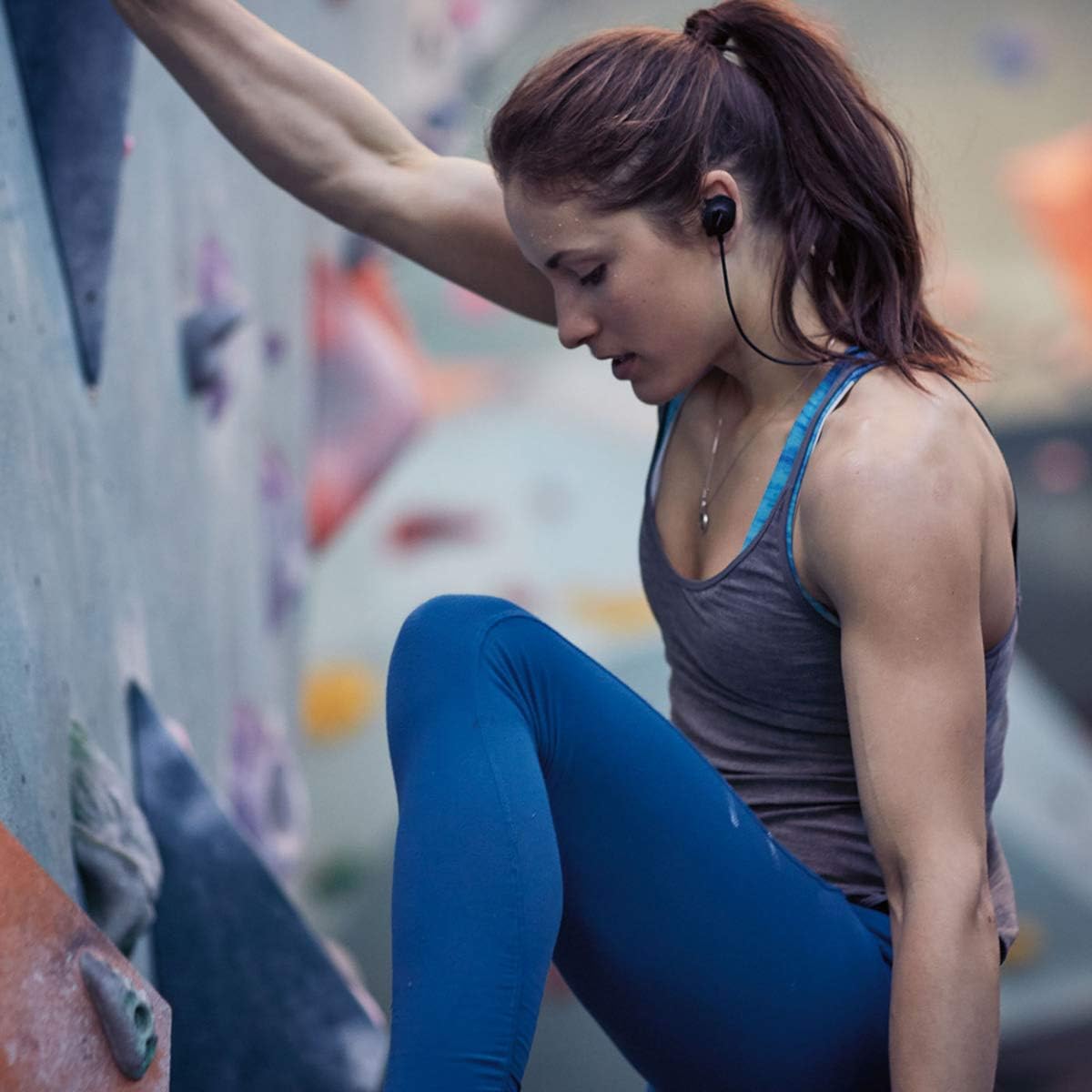
Image: User wearing SoundSport Wireless Headphones during a climbing activity, highlighting the secure and comfortable fit.
Controls
The inline remote allows you to control various functions:
- Power Button: Press and hold to turn on/off.
- Volume Up/Down (+/-): Press to adjust volume.
- Multi-function Button (center button):
- Press once to Play/Pause audio or Answer/End a call.
- Press twice to Skip to the next track.
- Press three times to Skip to the previous track.
- Press and hold to activate voice assistant (Siri, Google Assistant, etc.).
Bose Connect App
For enhanced control and features, download the Bose Connect app from your device's app store. The app allows for easy switching between multiple devices, firmware updates, and personalized settings.
Video: Official Bose video demonstrating the features and sweat-resistant design of the SoundSport Wireless In-Ear Headphones.
Maintenance
Cleaning
- Wipe the headphones and ear tips with a soft, dry cloth.
- Do not use cleaning sprays or solvents.
- The headphones are sweat and weather resistant, but should not be submerged in water.
Storage
When not in use, store your headphones in the provided carry case to protect them from dust and damage.

Image: The compact carry case for the SoundSport Wireless Headphones, designed for protection and portability.
Troubleshooting
| Problem | Possible Solution |
|---|---|
| No power | Ensure headphones are charged. Connect to a power source using the USB cable. |
| Cannot pair with device |
|
| Poor sound quality or low volume |
|
| Headphones fall out during activity | Try different sizes of StayHear+ tips to find the most secure fit. Ensure the wing tip is tucked into the ridge of your ear. |
Specifications
| Feature | Detail |
|---|---|
| Model Name | SoundSport |
| Model Number | 761529-0010 |
| Connectivity Technology | Wireless (Bluetooth, NFC) |
| Bluetooth Version | 5.0 |
| Bluetooth Range | Up to 10 meters (33 feet) |
| Battery Life | Up to 6 hours per charge |
| Charging Time | Approximately 2 hours for full charge |
| Water Resistance Level | Sweat and weather resistant |
| Weight | 0.8 ounces (23 grams) |
| Included Components | Headphones, StayHear+ tips, USB charging cable, carry case |
Warranty and Support
Bose products are designed for durability and performance. For specific warranty details, please refer to the warranty card included with your product or visit the official Bose website.
For additional support, troubleshooting, or to download the latest version of the user manual, please visit the Bose support page or contact Bose customer service. The Bose Connect app also provides access to product support and updates.
Official Bose Support:www.bose.com/support
Related documents761529-0010


Ask a question about this manual
Ask about setup, troubleshooting, compatibility, parts, safety, or missing instructions. Manuals+ will review the question and use this page’s manual context to help answer it.