
iJoy 6845264
Contents
User Manual
iJoy Beach Bomb IP66 Waterproof Shockproof Portable Bluetooth Speaker
Model: 6845264
Introduction
Thank you for purchasing the iJoy Beach Bomb Portable Bluetooth Speaker. This manual provides essential information for setting up, operating, and maintaining your speaker. Please read it thoroughly before use to ensure optimal performance and longevity of your device.

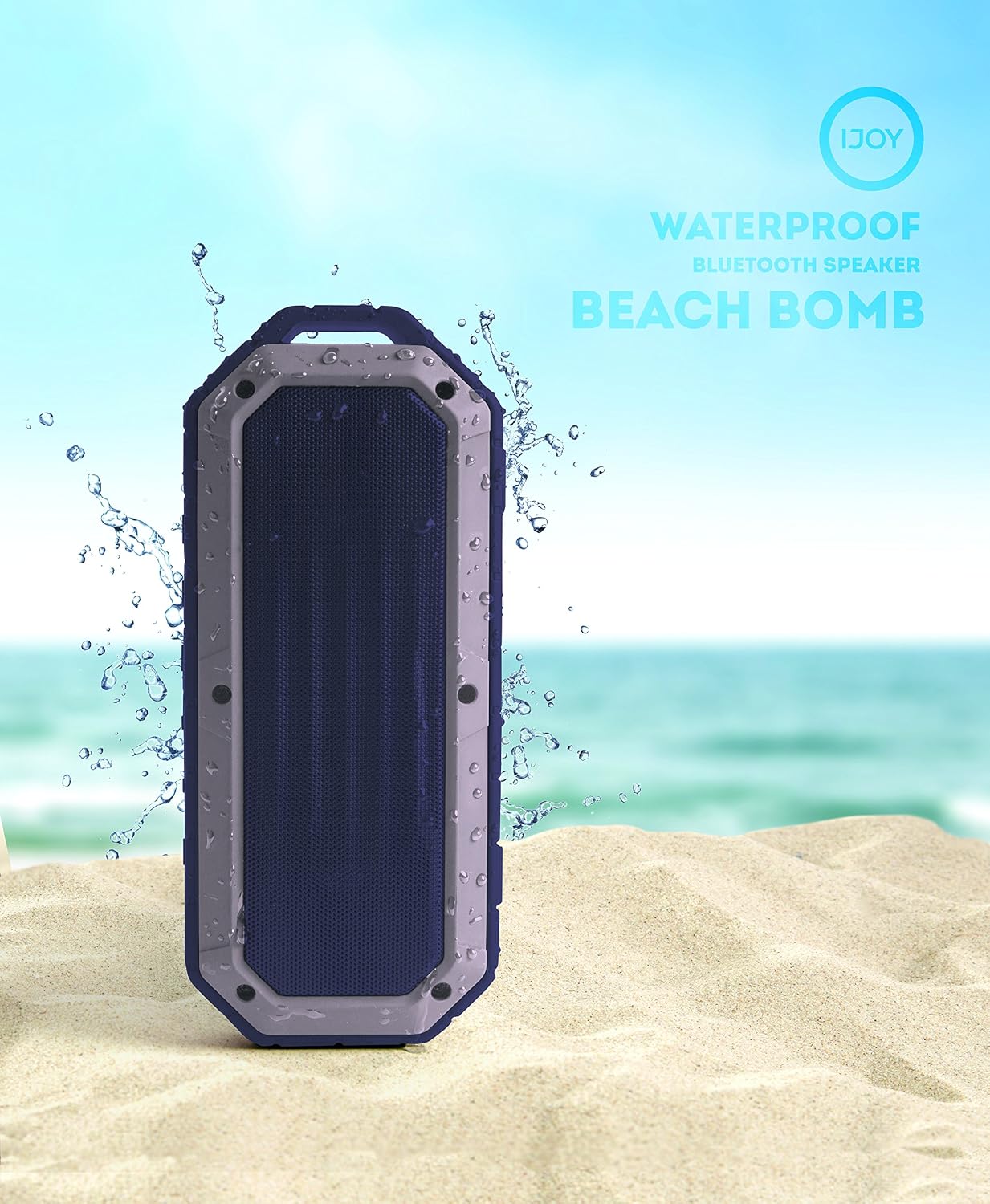
The iJoy Beach Bomb speaker, designed for outdoor use with its IP66 waterproof rating, shown with water droplets on its surface.
Package Contents
Ensure all items listed below are present in your package:
- 1 x iJoy Beach Bomb Speaker
- 1 x USB to Micro USB Charging Cable
- 1 x Strap Hook
- 1 x 3.5mm Audio Cable (AUX cable)
- 1 x User Manual (this document)
All components included in the iJoy Beach Bomb speaker package, neatly arranged.
Product Overview and Controls
Familiarize yourself with the speaker's buttons and ports for easy operation.

Top panel controls of the iJoy Beach Bomb speaker.
- On/Off Button: Press and hold to power the speaker on or off.
- Previous Button: Short press to go to the previous track.
- Next Button: Short press to go to the next track.
- Volume Down Button: Short press to decrease volume.
- Volume Up Button: Short press to increase volume.
- Play/Answer Call/End Call Button: Short press to play/pause music or answer/end a phone call.
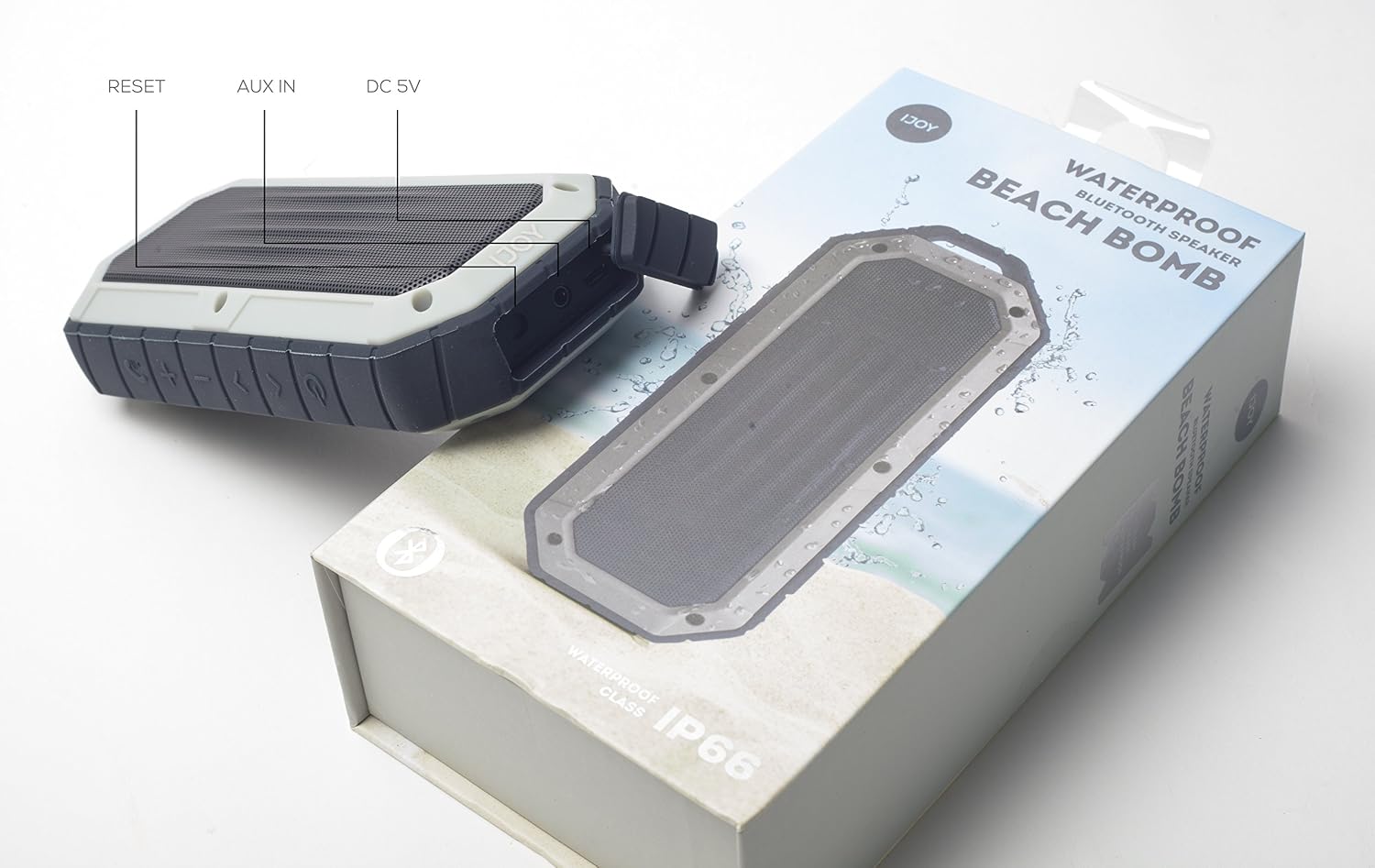
Side panel ports of the iJoy Beach Bomb speaker.
- Reset Port: Used for resetting the device if it becomes unresponsive.
- AUX IN Port: For connecting devices via a 3.5mm audio cable.
- DC 5V Port: Micro USB port for charging the speaker.
Setup
Charging the Speaker
- Connect the small end of the included USB to Micro USB cable to the DC 5V port on the speaker.
- Connect the large end of the USB cable to a USB power adapter (not included) or a computer's USB port.
- The charging indicator light will illuminate. Charging typically takes approximately 2 hours.
- Once fully charged, the indicator light will change or turn off (refer to specific light behavior in specifications).
Note: For optimal battery life, fully charge the speaker before first use.
Initial Bluetooth Pairing
- Ensure the speaker is fully charged.
- Press and hold the On/Off button to power on the speaker. A voice prompt or indicator light will confirm it's in pairing mode.
- On your mobile device (smartphone, tablet, laptop), enable Bluetooth.
- Search for available Bluetooth devices. The speaker will appear as "IJOY BEACH BOMB" or similar.
- Select "IJOY BEACH BOMB" from the list to connect.
- Once paired, the speaker will provide an audible confirmation.
The speaker will automatically attempt to reconnect to the last paired device when powered on, if that device's Bluetooth is active and within range.
Operating Instructions
Power On/Off
- To turn on: Press and hold the On/Off button for 2-3 seconds.
- To turn off: Press and hold the On/Off button for 2-3 seconds.
Music Playback (Bluetooth Mode)
- Play/Pause: Short press the Play/Answer Call/End Call button.
- Next Track: Short press the Next button.
- Previous Track: Short press the Previous button.
- Volume Up: Short press the Volume Up button.
- Volume Down: Short press the Volume Down button.
Hands-Free Calling
When connected via Bluetooth, the speaker can be used for phone calls:
- Answer Call: Short press the Play/Answer Call/End Call button when a call comes in.
- End Call: Short press the Play/Answer Call/End Call button during a call.
- Reject Call: Press and hold the Play/Answer Call/End Call button for 2 seconds.
AUX-In Mode
To play audio from devices without Bluetooth capability:
- Connect one end of the 3.5mm audio cable to the AUX IN port on the speaker.
- Connect the other end of the 3.5mm audio cable to the headphone jack or audio output of your device.
- The speaker will automatically switch to AUX mode.
- Control playback and volume from your connected device.
Waterproof Features (IP66 Rating)
The iJoy Beach Bomb speaker is rated IP66, meaning it is protected against powerful water jets and can handle submersion up to 3 feet in depth. It is designed to float. This makes it suitable for use by the pool, at the beach, or in the shower.

The iJoy Beach Bomb speaker in an outdoor setting, highlighting its waterproof design for beach or pool use.
Important: Ensure the rubber flap covering the charging and AUX ports is securely closed before exposing the speaker to water to maintain its waterproof integrity.
Maintenance
- Cleaning: Wipe the speaker with a soft, damp cloth. Do not use abrasive cleaners or solvents.
- Water Exposure: After exposure to saltwater or chlorinated water, rinse the speaker with fresh water and dry thoroughly before charging or opening the port cover.
- Storage: Store the speaker in a cool, dry place away from direct sunlight and extreme temperatures.
- Battery Care: To preserve battery life, charge the speaker at least once every three months if not in regular use.
Troubleshooting
| Problem | Possible Cause | Solution |
|---|---|---|
| Speaker does not turn on. | Low battery. | Charge the speaker fully. |
| Cannot pair with Bluetooth device. | Speaker not in pairing mode; device too far; previously paired device connected. | Ensure speaker is in pairing mode. Move device closer. Disconnect from other devices or turn off their Bluetooth. |
| No sound or low volume. | Volume too low on speaker or device; incorrect input mode. | Increase volume on both speaker and connected device. Ensure correct mode (Bluetooth/AUX). |
| Sound distortion. | Device too far; interference; volume too high. | Move device closer. Reduce volume. Avoid obstacles between speaker and device. |
| Speaker unresponsive. | Software glitch. | Use a thin object to press the Reset button located near the charging port. |
Specifications
| Model Name | IJOY-BEACH-B-IND |
| Speaker Type | Outdoor |
| Special Feature | Portable |
| Compatible Devices | Laptop, Smartphone, Tablet |
| Controller Type | Button |
| Color | Indigo |
| Battery Life | 5 Hours |
| Charging Time | 2 Hours |
| Product Dimensions | 8.7"D x 4.8"W x 2.4"H |
| Item Weight | 545 Grams (1.2 pounds) |
| Water Resistance Level | IP66 Waterproof |
| Wireless Communication Technology | Bluetooth |
| Bluetooth Range | 10 Meters |
| Speaker Maximum Output Power | 10 Watts |
| Connectivity Technology | Auxiliary, Bluetooth, USB |
Warranty and Support
The iJoy Beach Bomb speaker comes with a standard manufacturer's warranty. For detailed warranty information, please refer to the warranty card included in your package or visit the official iJoy website. Keep your purchase receipt as proof of purchase for any warranty claims.
For technical support, troubleshooting assistance beyond this manual, or warranty inquiries, please contact iJoy customer service through their official website or the contact information provided with your product packaging.
You can visit the iJoy Store on Amazon for more information: iJoy Amazon Store
Documents and downloads
Ask a question about this manual
Ask about setup, troubleshooting, compatibility, parts, safety, or missing instructions. Manuals+ will review the question and use this page’s manual context to help answer it.