
Introduction
Welcome to the Triple Bristle Original Sonic Toothbrush user manual. This guide provides essential information for the proper setup, operation, maintenance, and care of your new sonic toothbrush. Designed with a patented 3-sided brush head and 31,000 sonic stroke vibrations per minute, the Triple Bristle toothbrush aims to provide an effective and efficient cleaning experience.
What's in the Box
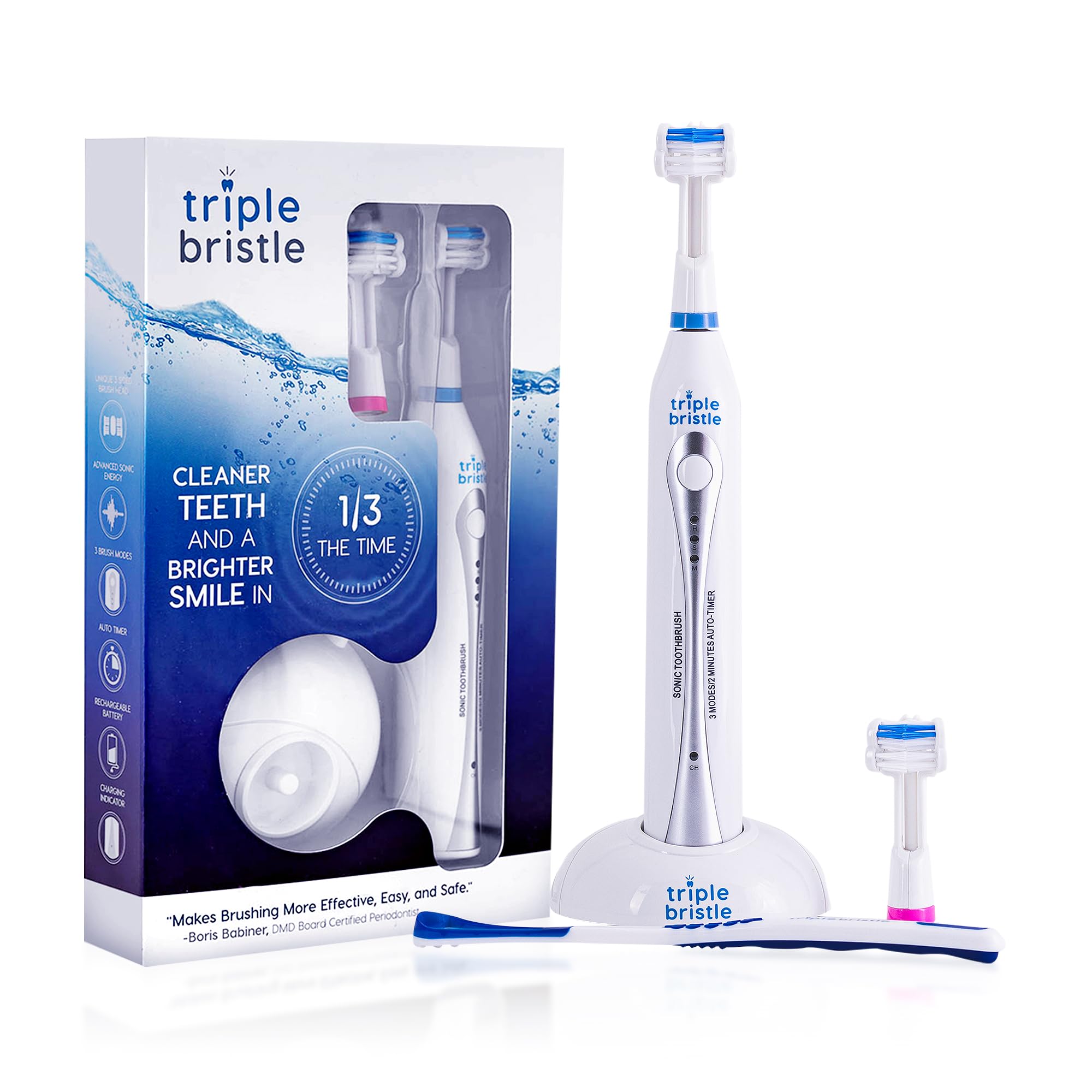
Your Triple Bristle Original Sonic Toothbrush package includes the following components:
- 1x Triple Bristle Sonic Toothbrush Handle
- 1x Blue Brush Head (pre-attached)
- 1x Pink Replacement Brush Head
- 1x Tongue Cleaner
- 1x Charging Station with Power Cord
- 2x Protective Brush Head Caps
- User Manual and Warranty Information

Setup
- Initial Charge: Before first use, place the toothbrush handle on the charging station. Plug the charging station into a standard electrical outlet. The charging indicator light on the handle will illuminate. Allow the toothbrush to charge for at least 24 hours for a full charge.
- Attach Brush Head: Align the brush head with the metal shaft on the toothbrush handle and push down firmly until it clicks into place. Ensure it is securely attached.
Operating Instructions
The Triple Bristle Sonic Toothbrush features a patented 3-sided brush head designed to clean all surfaces of your teeth simultaneously. It also includes multiple cleaning modes and an auto-timer for optimal oral hygiene.
- Apply Toothpaste: Apply a small amount of toothpaste to the brush head.
- Power On: Press the power button to turn on the toothbrush. The default mode is usually "High/Clean".
- Select Mode: Press the power button repeatedly to cycle through the available modes:
- High/Clean: For a powerful, thorough cleaning.
- Soft/Gentle: For sensitive teeth and gums.
- Massage: For gentle gum stimulation.
- Brushing Technique: Gently place the brush head over your teeth, allowing the 3-sided design to encompass the tooth. Move the brush slowly along your gum line, letting the sonic vibrations do the work. Do not scrub aggressively.
- Auto-Timer: The toothbrush features a 2-minute auto-timer, with a brief pause every 30 seconds to indicate when to move to a different quadrant of your mouth (upper right, upper left, lower right, lower left).
- Power Off: After 2 minutes, the toothbrush will automatically turn off. You can also press and hold the power button to turn it off manually at any time.

Maintenance
Cleaning
- After each use, rinse the brush head thoroughly under running water to remove any toothpaste residue and debris.
- Wipe the toothbrush handle with a damp cloth. Do not immerse the handle in water.
- Store the toothbrush in an upright position on its charging base or with a protective cap.
Brush Head Replacement
For optimal cleaning performance and hygiene, replace your brush head every 3 months, or sooner if the bristles appear frayed. The blue indicator bristles on your brush head will slowly fade to white, signaling that it's time for a replacement.
- Grip the brush head firmly and pull it straight off the handle.
- Align the new brush head with the metal shaft and push down until it clicks securely into place.
Troubleshooting
| Issue | Possible Cause | Solution |
|---|---|---|
| Toothbrush not turning on. | Low battery or not charged. | Place on charging station for at least 24 hours. Ensure charger is plugged in correctly. |
| Reduced vibration intensity. | Low battery or worn-out brush head. | Recharge the toothbrush. Replace the brush head if bristles are worn. |
| Ticklish sensation during first use. | New sensation from sonic vibrations. | This is normal. Continue using for up to two weeks to accustom your mouth. Start with "Soft/Gentle" mode if needed. |
| Brush head feels loose. | Not properly attached or worn connection. | Remove and re-attach the brush head firmly. If issue persists, replace the brush head. |
Specifications
- Model Number: TB-1
- Product Dimensions: 7 x 2 x 2 inches
- Item Weight: 14.08 ounces
- Power Source: Battery Powered (Rechargeable)
- Batteries: 2 AA batteries required (included)
- Special Features: Brushing Timer, Compact, Rechargeable, Three Sided
- Item Firmness Description: Soft
- Age Range: Adult
- Manufacturer: Triple Bristle
Safety Information
- Use as directed.
- Keep away from water when charging.
- Not for use by children under 3 years old without adult supervision.
- Consult your dentist before use if you have had oral or dental surgery.
Warranty & Support
The Triple Bristle Original Sonic Toothbrush comes with a 1-year warranty. For support or warranty claims, please refer to the contact information provided in your product packaging or visit the official Triple Bristle website.
