1. Product Overview
The TMEZON AHD Dome Security Camera (Model: MZ-VA-DAH3020WK) is a high-resolution surveillance solution designed for both indoor and outdoor environments. It features a 2-megapixel sensor, a manually adjustable 2.8-10mm lens, and 36 infrared LEDs for clear night vision up to 30 meters. Its IP66 waterproof and dustproof rating ensures reliable operation in various weather conditions.
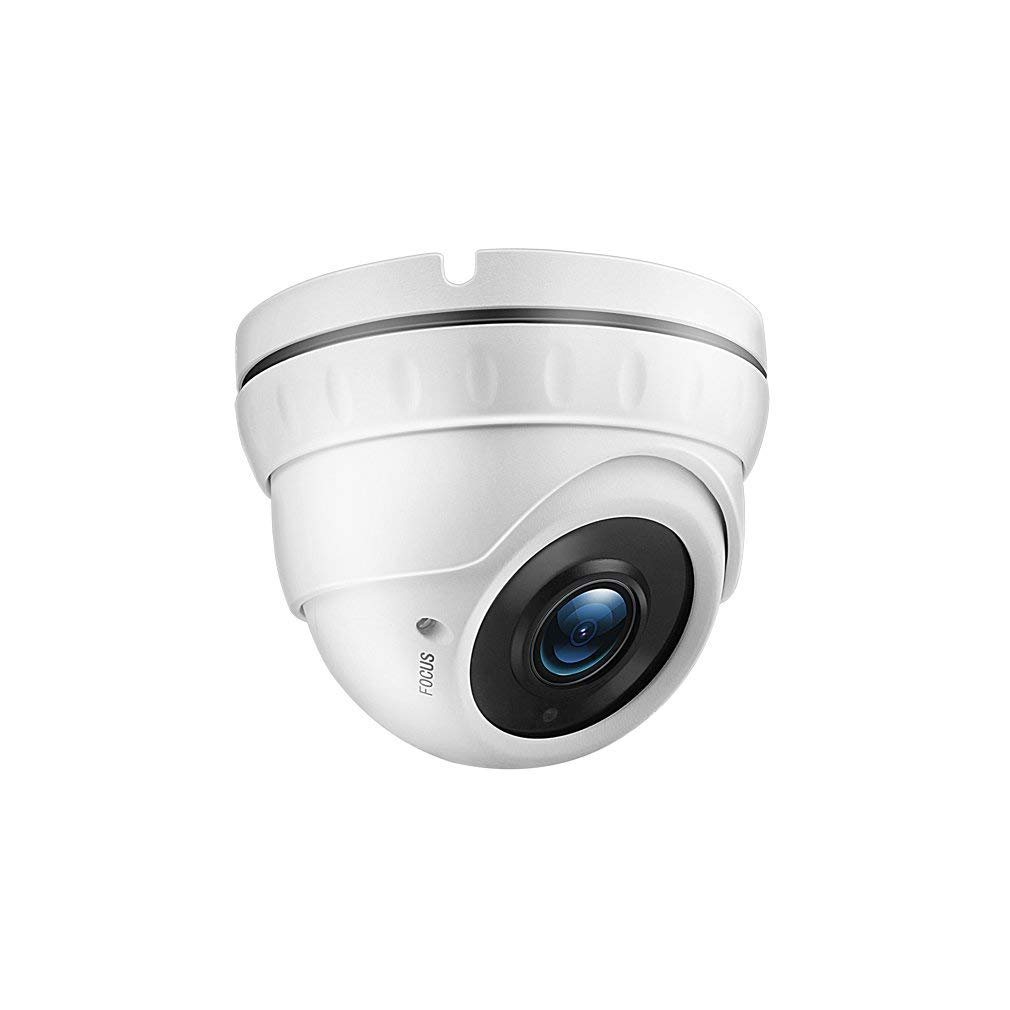
Figure 1: TMEZON AHD Dome Security Camera
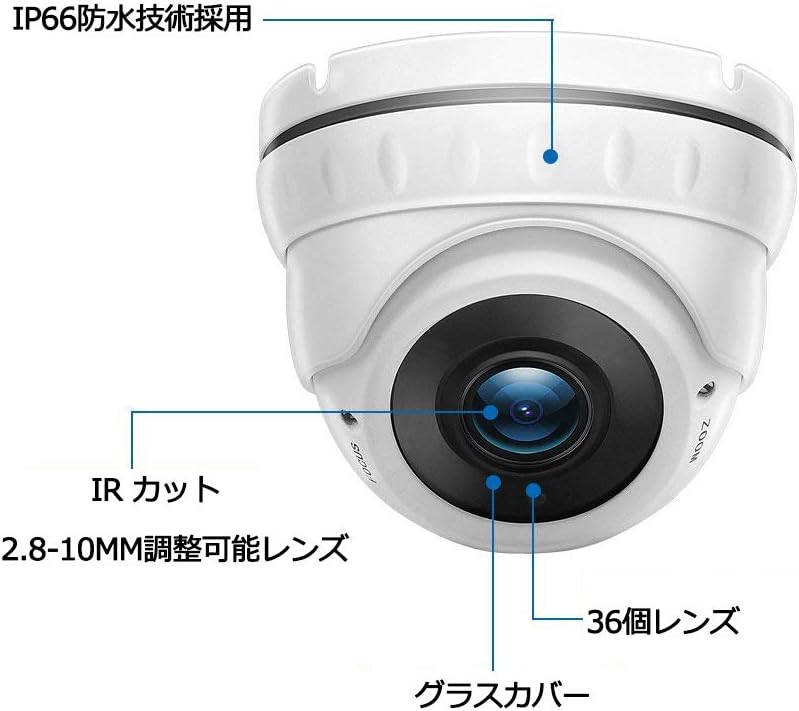
Figure 2: Key features including IP66 waterproof technology, IR Cut, 2.8-10mm adjustable lens, 36 LEDs, and glass cover.
2. Setup Instructions
2.1 Compatibility Check
This camera operates in AHD 1080P mode. Before installation, ensure your Digital Video Recorder (DVR) or Network Video Recorder (NVR) is compatible with AHD 1080P input. Incompatible recorders may not display video.
2.2 Physical Installation
- Mounting: Secure the camera to a desired surface using the provided screws and anchors. The camera's base can be loosened to separate it for easier mounting.
- Angle Adjustment: After mounting, gently loosen the base to adjust the camera's viewing angle. Avoid forcing the adjustment to prevent damage. Once the desired angle is set, tighten the base securely.
2.3 Wiring Connections
Connect the camera to your surveillance system as follows:
- Power: Connect the camera's power input to a compatible 12V DC power adapter.
- Video: Connect the camera's BNC video output to a BNC input port on your AHD DVR/NVR using a coaxial cable.

Figure 3: Example wiring diagram showing connections for power, BNC video, and audio (if applicable) to a DVR/NVR.
3. Operating Instructions
3.1 Lens Adjustment (Zoom & Focus)
The camera features a 2.8-10mm manual adjustable lens. To adjust the zoom and focus, carefully rotate the rings on the camera lens. This allows you to achieve the desired field of view and image clarity for your specific monitoring area.
3.2 Night Vision
Equipped with 36 infrared LEDs, the camera provides effective night vision up to 30 meters. An integrated light sensor automatically activates the infrared lights when ambient light levels are low, ensuring continuous surveillance in dark conditions. The IR CUT function helps maintain clear and accurate color images during the day and sharp black-and-white images at night.

Figure 4: The camera features night vision capabilities and IP66 weather protection for outdoor use.
3.3 Application Scenarios
This camera is suitable for a variety of security and monitoring applications, including:
- Residential properties (homes, gardens)
- Warehouses and storage facilities
- Offices and commercial spaces
- Retail stores and shops

Figure 5: The camera is applicable in diverse locations such as homes, warehouses, offices, and shops.
4. Maintenance
The TMEZON AHD Dome Security Camera is designed for durability with its metal casing and IP66 waterproof rating. To ensure optimal performance and longevity:
- Cleaning: Regularly clean the camera's glass cover and housing with a soft, damp cloth. Avoid abrasive cleaners or solvents that could damage the lens or finish.
- Inspection: Periodically check all cable connections for tightness and signs of wear or damage.
- Environmental Protection: While IP66 rated, avoid directing high-pressure water jets directly at the camera. Ensure proper drainage around the installation area.
5. Troubleshooting
If you encounter issues with your TMEZON AHD Dome Security Camera, refer to the following common problems and solutions:
| Problem | Possible Cause / Solution |
|---|---|
| No image displayed on monitor/DVR |
|
| Image is blurry or out of focus |
|
| Poor night vision or dark images at night |
|
| Image is too bright (white-out) or too dark (underexposed) in certain areas |
|
6. Specifications
| Feature | Specification |
|---|---|
| Model Number | MZ-VA-DAH3020WK |
| Effective Pixels | 2 Million Pixels (1080p) |
| Lens | 2.8-10mm Adjustable Lens |
| Infrared LEDs | 36 LEDs |
| Night Vision Range | Up to 30 meters |
| Waterproof Rating | IP66 |
| Material | Metal Casing |
| Connection Technology | Wired (BNC) |
| Usage Environment | Indoor, Outdoor |
| Product Dimensions (LxWxH) | 13 x 11.5 x 13 cm |
| Product Weight | 540 g |
7. Warranty and Support
This TMEZON AHD Dome Security Camera comes with a 2-year warranty from the date of purchase. If you encounter any quality-related issues or require technical assistance during this period, please contact TMEZON customer support. Please retain your proof of purchase for warranty claims.
For further support or inquiries, please refer to the contact information provided with your purchase or visit the official TMEZON website.


