
SureFire SFRX300UA
Contents
SureFire X300 Ultra Series LED WeaponLight Instruction Manual
Model: SFRX300UA
Introduction
The SureFire X300 Ultra Series LED WeaponLight is a high-performance illumination tool designed for tactical applications. It features a powerful LED that produces 600 lumens, optimized for human vision, and a precision TIR lens for a focused beam with ample peripheral illumination. Its robust aerospace aluminum body is Mil-Spec hard anodized for extreme durability, ensuring reliable performance in demanding environments.

Front view of the SureFire X300 Ultra WeaponLight, showcasing its compact design and TIR lens.
Setup and Installation
Mounting the WeaponLight
The X300 Ultra is designed for quick and secure attachment to both Universal and Picatinny accessory rails. The Rail-Lock mounting system allows for rapid attachment and removal from rails on pistols or rifles. For specific non-railed handguns, adapter mounts may be available.

The SureFire X300 Ultra WeaponLight mounted on a pistol and a rifle, demonstrating its versatility and secure rail attachment.
Battery Installation
The X300 Ultra requires two CR123A batteries. To install or replace batteries, locate the battery compartment. The design allows for easy access to the battery compartment, typically by opening a latch or cover on the rear of the unit. Ensure correct polarity when inserting batteries.

Official product video demonstrating the SureFire X300 Ultra's powerful light output and beam pattern in a dark environment, also showing battery access.
Operating Instructions
Activating the Light
The X300 Ultra features integral, ergonomic one-finger ambidextrous switching for both momentary and constant-on activation. For momentary activation, press the switch forward. For constant-on, flip the switch up or down. The light provides a powerful 600-lumen output, ideal for target identification and situational awareness.
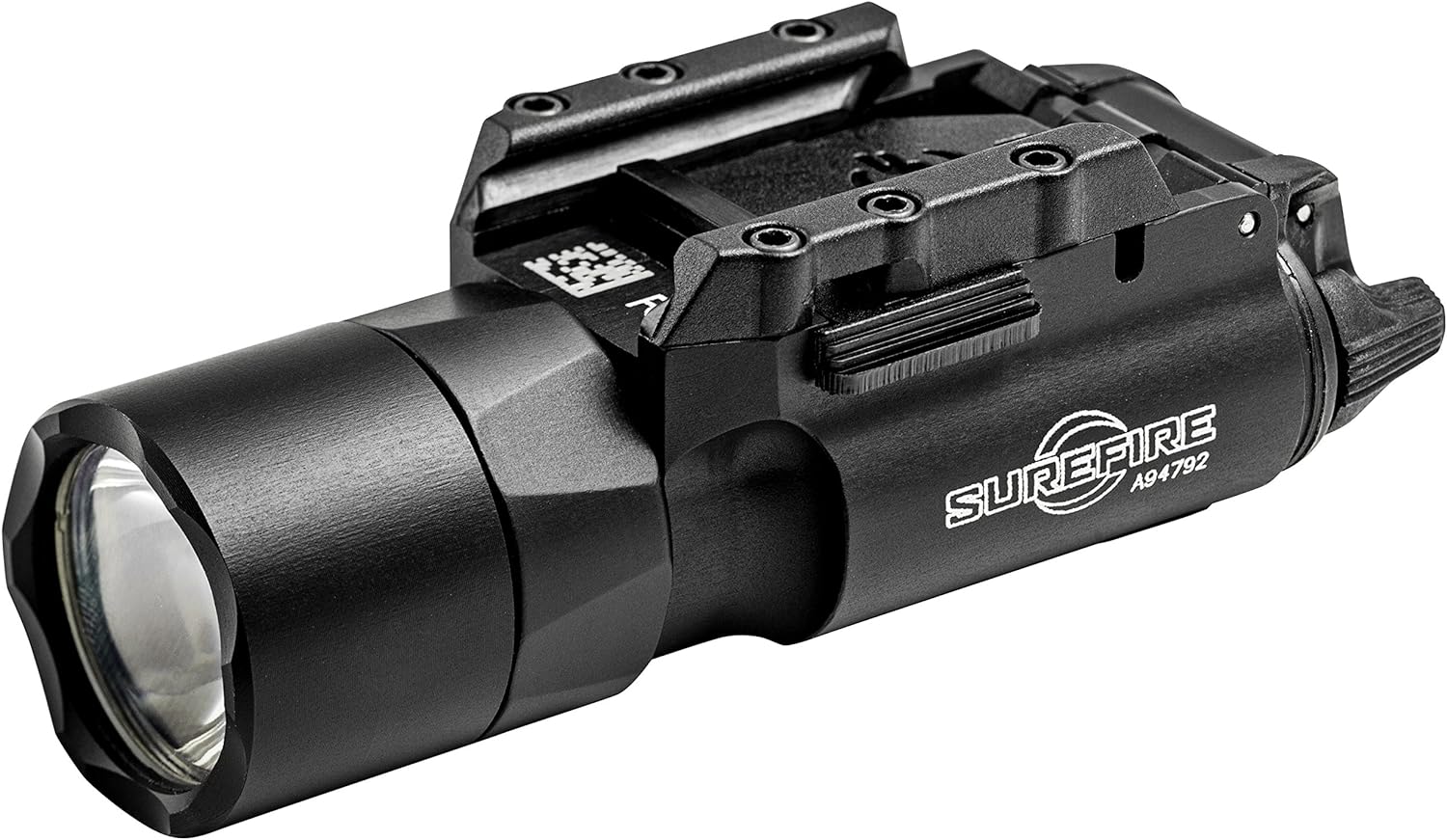
Side view of the SureFire X300 Ultra WeaponLight, highlighting the rail-lock mounting system and control switches.
Maintenance
Cleaning
Regular cleaning of the lens and body is recommended to maintain optimal performance. Use a soft, clean cloth to wipe down the exterior. For the lens, use a lens-specific cleaning solution and cloth to avoid scratches or damage.
Battery Care
Always use fresh, high-quality CR123A batteries. Remove batteries if the light will not be used for an extended period to prevent leakage and damage. Dispose of used batteries according to local regulations.
Troubleshooting
- Light not activating: Check battery orientation and ensure batteries are fully charged. Verify that the control switches are clean and free of obstructions.
- Dim or flickering light: Replace batteries with new ones. Ensure battery contacts are clean and free of corrosion.
- Mounting issues: Ensure the rail is clean and the mounting system is properly engaged. Refer to the mounting section for correct installation procedures.
Specifications
| White Brightness | 600 Lumens |
| Power Source | Battery Powered |
| Battery Type | 2 x CR123A Lithium Metal |
| Runtime | 30 minutes |
| Water Resistance Level | Waterproof (IPX7) |
| Material | Aerospace Aluminum |
| Product Dimensions (LxWxH) | 3.76"D x 1.12"W x 1.12"H |
| Item Weight | 0.01 Ounces |
Warranty and Support
Warranty Information
The SureFire X300 Ultra Series LED WeaponLight comes with a limited warranty. For detailed terms and conditions, please refer to the official SureFire warranty policy.
Additional Support
For further assistance or to download the complete user manual in PDF format, please visit the official SureFire website or access the document directly via the link below:
Documents and downloads
Ask a question about this manual
Ask about setup, troubleshooting, compatibility, parts, safety, or missing instructions. Manuals+ will review the question and use this page’s manual context to help answer it.